
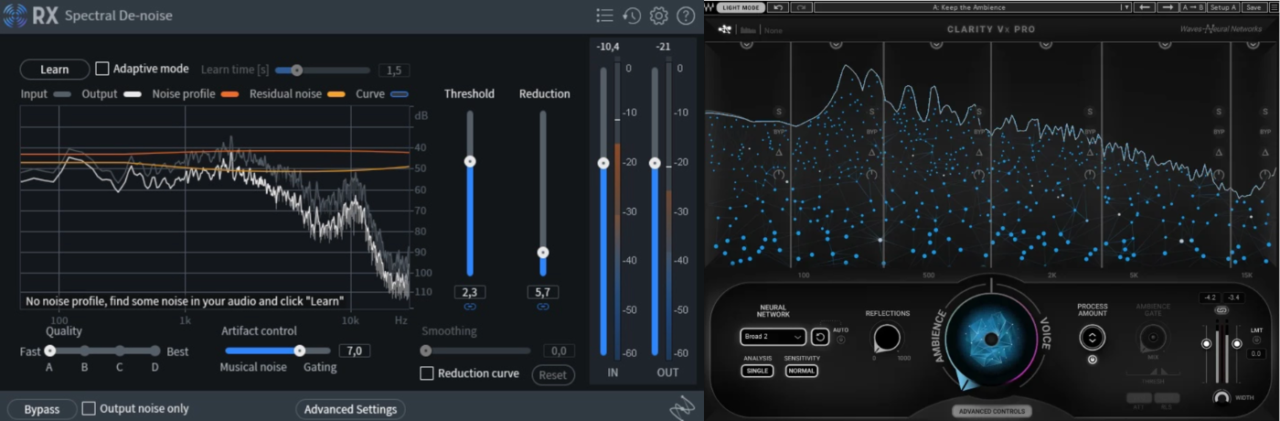
I’ve worked on plenty of recordings where background noise, room reverb, or technical issues threatened to ruin an otherwise great performance.
The right tool doesn’t just remove noise; it does it transparently, quickly, and without damaging the voice itself.
This is where iZotope RX 11 and Waves Clarity Vx Pro stand out.
Both use advanced machine learning to separate voice from noise, but they take very different approaches.
RX 11 is a complete audio restoration suite, packed with deep repair tools and surgical precision.
Clarity Vx Pro, on the other hand, is built around real-time noise reduction directly inside your DAW, making it incredibly fast and workflow-friendly.
In this comparison, I’ll break down their features, sound quality, workflow, performance, and real-world usability to help you understand which one fits best into your production process.
iZotope RX11 – More info and price
Waves Clarity Vx Pro – More info and price
| Feature | iZotope RX 11 | Waves Clarity Vx Pro |
| Core Functionality | Complete audio restoration suite with dozens of repair modules including de-noise, de-click, de-hum, spectral repair, and stem separation. | Specialized real-time dialogue and vocal noise reduction plugin focused on isolating voice from background noise. |
| Processing Approach | Combines spectral editing, offline repair, and real-time AI modules, allowing surgical correction and deep manual control. | Fully real-time neural network processing, allowing instant cleanup directly inside the DAW without rendering. |
| Machine Learning Features | Includes advanced modules like Dialogue Isolate, Repair Assistant, and Music Rebalance, powered by modern neural networks. | Uses Waves Neural Networks trained specifically for voice isolation, with selectable models and multiband tuning. |
| Workflow Integration | Works as both a standalone editor and plugin suite, with ARA integration allowing direct DAW editing and deep spectral manipulation. | Designed primarily as a DAW insert plugin, enabling in-context mixing, automation, and real-time monitoring. |
| Advanced Repair Capabilities | Offers extensive tools like stem separation, loudness optimization, mid/side processing, and intelligent repair chains. | Provides multiband noise reduction, ambience gate, reflections control, and neural network reset for detailed dialogue cleanup. |
Sound and Character
Both of these plugins aim to solve the same core problem, but they approach it in very different ways. RX 11 feels like a surgical repair toolkit, designed to precisely remove specific issues without affecting anything else. Clarity Vx Pro feels more like a real-time cleanup processor, designed to quickly isolate voice and keep you working inside your mix without interruption. The end result can be similar, but the workflow and character behind the processing are noticeably different.
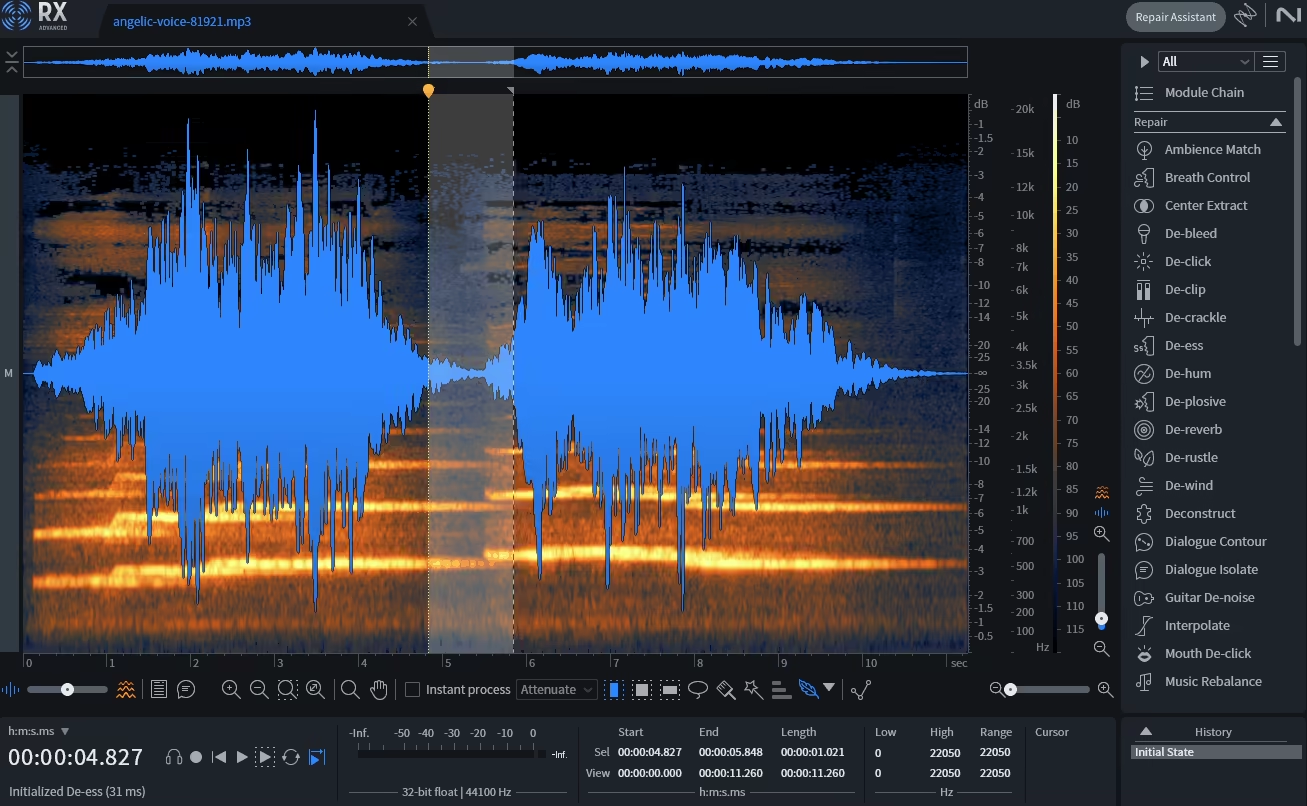
- iZotope RX 11
What immediately stands out to me about RX 11 is how precise and transparent it can be when used properly. Tools like Dialogue Isolate and Spectral Repair don’t just suppress noise, they selectively remove it, often without leaving obvious artifacts behind. Even when pushing the processing harder, voices tend to remain natural and intact, which is critical when working on exposed dialogue, voiceovers, or acoustic recordings.
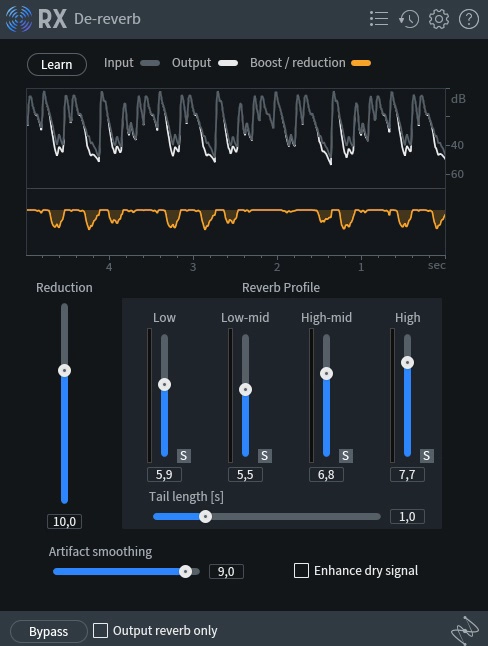
The updated Dialogue Isolate module is especially impressive, particularly with its new reverb control and improved machine learning. I noticed that it removes background noise and room ambience more cleanly than previous versions, while preserving the tonal integrity of the voice. The Advanced version’s multiband processing makes it even more flexible, allowing you to target specific frequency ranges instead of applying blanket reduction.
RX 11 also excels when dealing with complex or layered problems. If a recording has hum, clicks, reverb, and background noise all at once, RX can address each issue individually using dedicated tools. This makes it incredibly powerful for post-production, field recordings, and restoring problematic audio, where precision matters more than speed.
Overall, RX 11 sounds extremely clean, controlled, and transparent. It doesn’t add any coloration or character of its own , its strength lies in making problems disappear without leaving a trace.
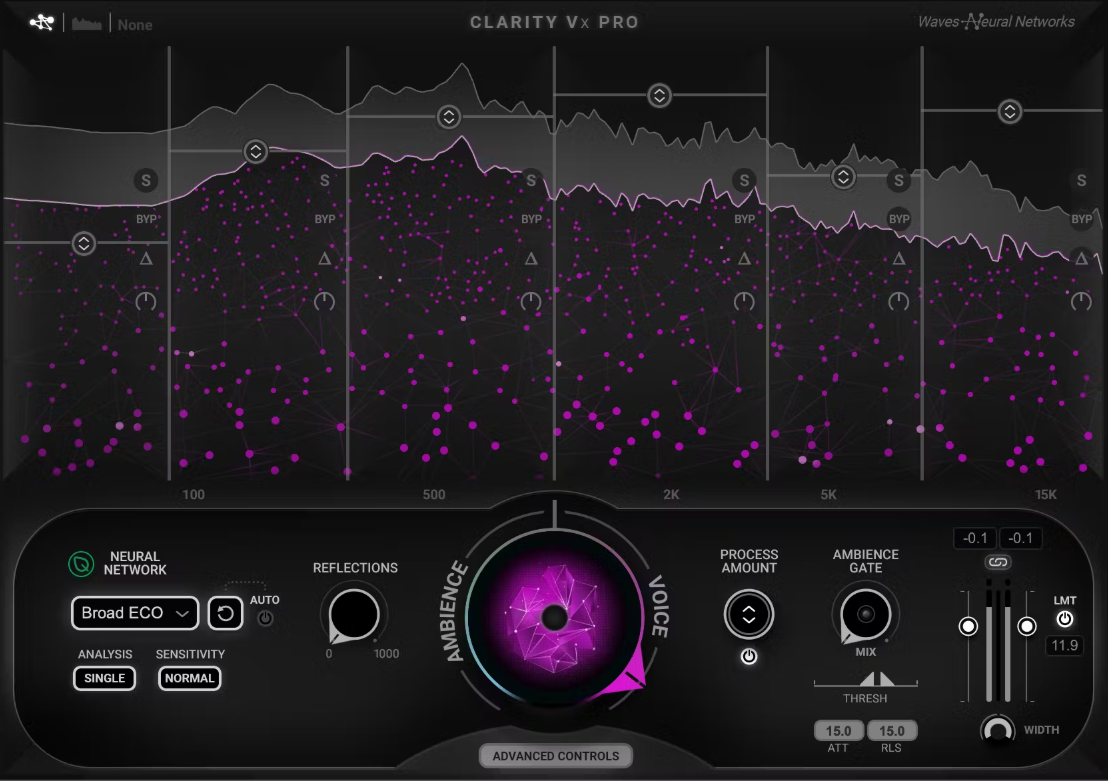
- Waves Clarity Vx Pro
Clarity Vx Pro takes a different approach, and what impressed me most is how natural it sounds in real time. Instead of requiring offline processing or multiple modules, it isolates the voice instantly using Waves Neural Networks, allowing you to hear the cleaned signal directly inside your mix.
The plugin does an excellent job of bringing dialogue forward while pushing noise into the background, and the results often sound surprisingly smooth. Even with aggressive settings, the voice usually remains clear and intelligible, which makes it incredibly useful for fast-paced workflows like dialogue editing, podcast production, or video work.
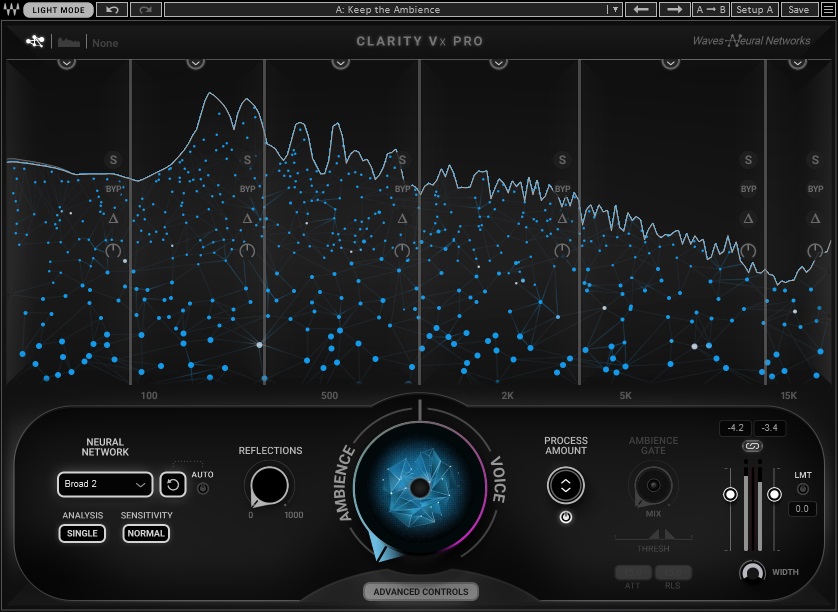
The multiband controls and neural network selection add an extra layer of precision, allowing you to fine-tune how different parts of the spectrum are treated. I found this especially helpful when dealing with uneven noise, such as low-frequency rumble combined with high-frequency hiss. The Ambience Gate and Reflections controls also help maintain a more natural sense of space instead of completely flattening the recording.
Compared to RX 11, Clarity Vx Pro feels more focused and immediate. It may not offer the same deep surgical repair tools, but for real-time dialogue cleanup and fast vocal restoration, it delivers extremely clean and usable results with minimal effort.
- Comparison
At a glance, both RX 11 and Clarity Vx Pro can achieve extremely clean dialogue, but they’re designed with very different philosophies in mind. RX 11 is a complete restoration environment, built to handle everything from subtle noise reduction to complex spectral repair. Clarity Vx Pro is a focused, real-time dialogue cleanup plugin, designed to work directly inside your mix with minimal interruption.
The biggest difference I noticed is the level of control. With RX 11, you can go incredibly deep, targeting specific noises, frequency ranges, or even individual spectral elements. This makes it far more capable when dealing with heavily damaged recordings or multiple overlapping issues. Clarity Vx Pro, on the other hand, prioritizes speed and simplicity. You can insert it on a track, adjust a few controls, and get excellent results almost instantly, without leaving your DAW or switching to a standalone editor.
Workflow also plays a huge role in how these plugins feel. Clarity Vx Pro excels in real-time scenarios, where you want to clean dialogue while mixing or editing. It keeps you in context and makes the process feel seamless. RX 11 is more powerful overall, but it often encourages a more deliberate repair workflow, especially when using its standalone editor or advanced modules.
In short, RX 11 is the more versatile and powerful tool, capable of solving a wider range of audio problems. Clarity Vx Pro is the faster and more immediate solution, ideal for efficient dialogue cleanup directly inside a production session.
Features and Interface
- Dialogue Isolation Technology
Both plugins rely heavily on machine learning to separate voice from background noise, but they approach it differently. RX 11’s Dialogue Isolate offers both real-time and offline high-quality processing, with the Advanced version adding multiband control for more precise noise and reverb reduction. Clarity Vx Pro focuses entirely on real-time processing, allowing you to clean dialogue instantly without rendering, which makes it feel faster and more integrated into a mixing workflow.
- Real-Time vs Offline Processing
This is one of the most important differences. Clarity Vx Pro is built around real-time use, meaning you can insert it directly on a track, automate it, and hear the results immediately. RX 11 supports real-time processing too, but its greatest strength lies in offline and spectral repair workflows, where you can achieve extremely precise corrections that would be difficult to do in real time.
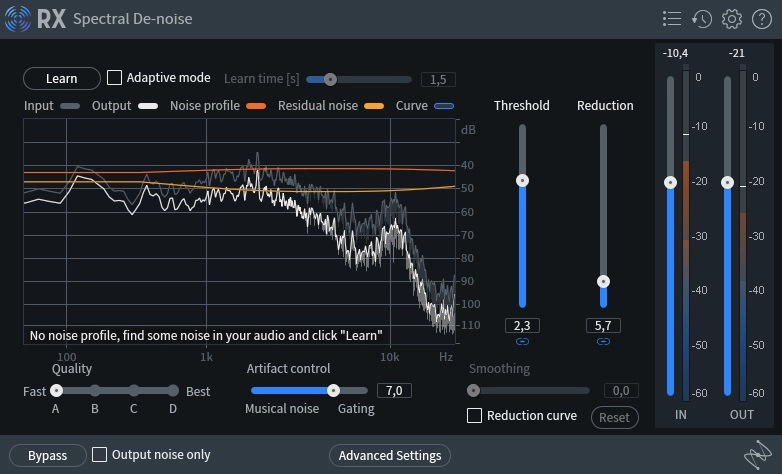
- Spectral Editing and Surgical Repair
This is where RX 11 has a major advantage. Its spectrogram-based editing allows you to visually identify and remove specific noises, such as clicks, hum, or background sounds, with incredible precision. Clarity Vx Pro does not offer spectral editing, and instead focuses on intelligent voice isolation rather than manual repair.
- Multiband Processing Control
Both plugins offer multiband processing, but they implement it differently. RX 11 Advanced allows detailed multiband noise reduction and repair across multiple modules, giving you deep control over specific frequency ranges. Clarity Vx Pro includes multiband controls within its Advanced view, allowing you to fine-tune noise reduction per band while maintaining a faster real-time workflow.
- Intelligent Automatic Repair
RX 11 includes Repair Assistant, which analyzes your audio and suggests a complete repair chain automatically. I’ve found this especially useful when working with unpredictable recordings or field audio. Clarity Vx Pro does not offer a full automatic repair chain, but its neural network selection and adaptive processing still simplify dialogue cleanup significantly.
- Neural Network Customization
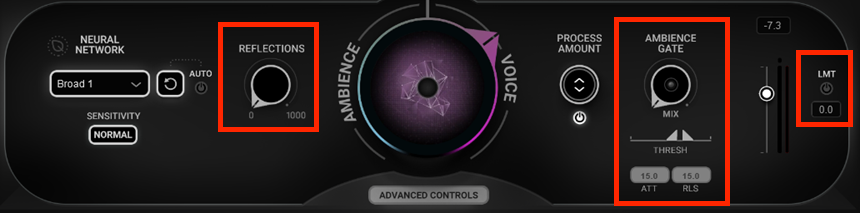
Clarity Vx Pro stands out with its ability to select between different Waves Neural Network profiles, allowing you to tailor the noise reduction behavior depending on the recording. RX 11 also uses advanced machine learning, but it focuses more on module-based processing rather than neural network profile selection.
- Stem Separation and Music Processing
RX 11 includes the Music Rebalance module, which allows you to adjust vocals, bass, drums, and instruments within a stereo mix. This is incredibly useful when stems aren’t available. Clarity Vx Pro does not offer stem separation and is designed specifically for dialogue and vocal isolation.
- Loudness and Streaming Optimization
RX 11 includes tools like Loudness Optimize and Streaming Preview, which allow you to prepare audio for streaming platforms and preview how codecs will affect your sound. These features make RX 11 useful not just for repair, but also for mastering preparation. Clarity Vx Pro does not include loudness optimization or streaming simulation features.
- Ambience and Reflection Control
Clarity Vx Pro includes unique controls like Ambience Gate and Reflections, which allow you to preserve natural room tone while reducing noise. RX 11 achieves similar results through dedicated modules, but Clarity Vx Pro’s controls are faster to adjust in real time.

Interface
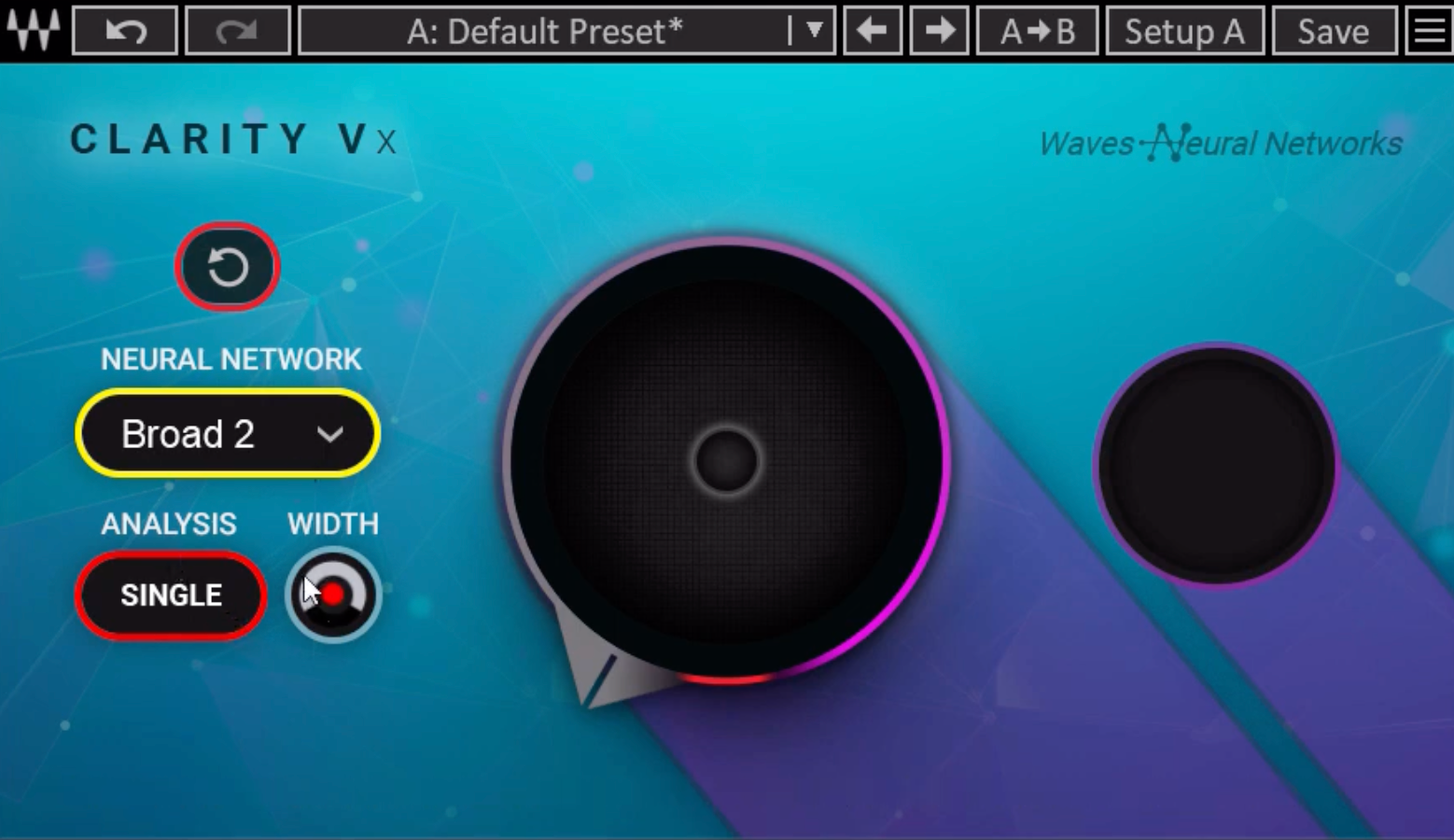
Both plugins are well designed, but they cater to different workflows. Clarity Vx Pro has a clean, streamlined interface centered around a main control knob, with an Advanced view for deeper adjustments. It feels fast, intuitive, and optimized for mixing.
RX 11 has a more technical interface, especially in its standalone editor, where the spectrogram view allows extremely precise visual editing. It takes longer to learn, but it offers far more detailed control. In daily use, Clarity Vx Pro feels faster, while RX 11 feels more powerful and comprehensive.
Performance
Both RX 11 and Clarity Vx Pro are reliable and professional-grade tools, but they differ in how they handle processing and system resources. Clarity Vx Pro is designed primarily for real-time use, which makes CPU usage more noticeable when running multiple instances. RX 11 spreads its workload between real-time plugins and offline processing, making it easier to manage in larger repair sessions.
Compatibility
| Feature | iZotope RX 11 | Waves Clarity Vx Pro |
| Plugin Formats | VST3, AU, AAX | VST3, AU, AAX |
| Standalone Application | Yes | No |
| ARA Integration | Yes (supported DAWs) | No |
| Operating Systems | macOS, Windows | macOS, Windows |
| DAW Integration | Plugin + standalone + ARA workflow | Plugin-only, insert-based workflow |
CPU Use
| Performance | iZotope RX 11 | Waves Clarity Vx Pro |
| Real-Time CPU Load | Moderate (depends on module) | Moderate to High (real-time neural processing) |
| Offline Processing Option | Yes (reduces real-time CPU load) | No |
| Multiple Instance Efficiency | Efficient due to offline workflow options | Can increase CPU usage with many instances |
| Workflow Optimization | Flexible (real-time + offline repair) | Optimized for real-time insert use |
Overall, Clarity Vx Pro is heavier in real-time use, while RX 11 offers more flexibility and better CPU management for large restoration projects.
In Practice
- Dialogue Editing and Post-Production
When I’m working on dialogue, the difference between these two plugins becomes very clear. Clarity Vx Pro is incredibly fast to work with, and I love being able to just insert it on a track and hear clean dialogue instantly. This keeps me fully inside the mix, and I don’t have to break my flow by rendering or switching to another application. For podcasts, YouTube dialogue, or video editing, this speed makes a huge difference.
That said, RX 11 is the tool I reach for when the recording has serious problems. If there’s reverb, hum, clicks, and background noise all happening at once, RX gives me the ability to fix each issue individually. I’ve rescued recordings with RX that I honestly thought were unusable at first. It takes a bit more effort, but the level of control is on another level.
For everyday cleanup, I find Clarity Vx Pro faster and more convenient. But when the audio really needs repair, RX 11 gives me much more confidence that I can fix it properly.
- Vocal Production and Music
In vocal production, I’ve found myself using Clarity Vx Pro as a real-time insert more often than I expected. It’s great when I want to clean up a vocal quickly without slowing down the creative process. Especially with home recordings or less-than-perfect environments, it makes vocals sound cleaner almost instantly without feeling overprocessed.
RX 11 comes into play when the vocal needs deeper repair. I’ve used it to remove mouth clicks, reduce harsh room reflections, and clean up noise that would be very difficult to fix with standard plugins. The ability to target specific problems makes it feel more like a restoration tool than just a noise reduction plugin.
To me, Clarity Vx Pro feels like part of the mixing process, while RX 11 feels like a dedicated repair tool that prepares the vocal before mixing even begins.
- Field Recordings and Problem Audio Repair
This is where RX 11 really proves its value in my workflow. When I’m working with field recordings or messy audio, the spectral editor makes it possible to remove noises with incredible precision. I’ve used it to clean up recordings with background hum, environmental noise, and random artifacts, and the results can be surprisingly transparent.
Clarity Vx Pro can still improve these recordings, especially when I just need to isolate speech quickly. It’s great for fast cleanup and getting usable results in seconds. But when I need full control and want to carefully repair specific issues, RX 11 gives me far more options.
In my experience, Clarity Vx Pro is perfect for fast, real-time cleanup, while RX 11 is the tool I trust when I need to properly restore and repair difficult recordings.
Conclusion
After spending a lot of time with both plugins, I’ve come to see them as tools designed for different types of workflows rather than direct replacements for each other. Clarity Vx Pro is incredibly fast, intuitive, and perfect for real-time dialogue cleanup, especially when I want to stay fully inside my DAW and work without interruptions. It’s become one of the easiest ways I’ve found to quickly improve dialogue clarity during editing or mixing.
RX 11, on the other hand, is far more comprehensive and powerful overall. Whenever I’m dealing with difficult recordings, complex noise problems, or audio that needs serious repair, it gives me the level of precision and control I need. The standalone editor, spectral tools, and advanced modules make it feel like a complete restoration environment rather than just a plugin.
In the end, the choice comes down to workflow and needs. If speed and real-time cleanup are the priority, Clarity Vx Pro is an excellent solution. If you want the most complete and reliable audio repair toolkit available, RX 11 remains the gold standard.

Berk is a multi-instrumentalist musician from Istanbul, Turkey. He has been playing guitar, handpan, and percussion for over ten years, developing a sound that blends melodic sensitivity with rhythmic depth.
He began his musical journey as a teenager, learning guitar and performing in several bands. In 2016, he discovered the handpan, an instrument that immediately resonated with him on a deeper level and gradually became central to his artistic identity.
Since then, he has performed in streets, festivals, bars, and concert venues across different countries, connecting with diverse audiences through both intimate and large-scale performances.
Alongside his live work, Berk is deeply involved in studio production. He works from his home studio, where he composes, records, and produces his own music. His studio serves as a creative space for layering handpan, guitar, and percussion with modern production techniques, allowing him to shape fully realized, atmospheric compositions from start to finish.
His music explores a wide range of genres and textures, combining organic acoustic instruments with detailed studio production to create immersive and expressive soundscapes.