
AtomicReverb 2 Review
More info and price (support Integraudio)
In a market overflowing with reverb plugins, it takes something genuinely different to grab attention, and AtomicReverb 2 aims to do exactly that. AtomicReverb 2 from Molecular Bytes takes a slightly different approach by focusing heavily on early reflections, the part of a reverb that helps our ears identify the size and character of a space, rather than relying primarily on massive tails and dense ambience. Read on
This reverb VST features a completely rebuilt processing engine, new reverb tail algorithms, improved dynamic behavior, and a redesigned workflow.
Unlike convolution reverbs that depend on static impulse responses, AtomicReverb 2 remains fully algorithmic, generating its spaces in real time while still aiming to recreate the realism of natural acoustic environments.
After spending some time with AtomicReverb 2 on vocals, instruments, and full mixes, I found it to be a reverb that prioritizes realism, detail, and flexibility while still offering enough creative options for sound design and atmospheric production. So let’s take a closer look at AtomicReverb 2, it’s features, workflow, sound quality, and whether it deserves a place alongside today’s established reverb plugins!
| Feature | Description |
| Rebuilt Processing Engine | Fully redesigned algorithmic core for improved realism, stability, and more natural spatial response across all settings. |
| Early Reflection Modeling | Focuses heavily on early reflections to define room character and spatial depth more accurately than traditional reverb designs. |
| Three Reverb Tail Modes | Hard Room, Diffuse Room, and Full-Dense offer distinct decay behaviors ranging from defined reflections to ultra-smooth ambience. |
| Fully Algorithmic Design | No convolution or static IRs, all spaces are generated in real time for dynamic, evolving reverb textures. |
| Frequency-Dependent Decay | Tail energy reacts across the frequency spectrum, creating more organic and natural decay behavior. |
| 5-Band EQ + Spectrum Analyzer | Built-in EQ with real-time visual feedback for precise tonal shaping inside the reverb itself. |
| Preset System (260+ Presets) | Large factory library covering everything from subtle ambience to cinematic and experimental spaces. |
| Parameter Locking | Lock key controls like Dry/Wet, Gain, and Density while browsing presets to maintain mix consistency. |
| Undo / Redo + A/B Comparison | Workflow tools that make sound design and preset tweaking faster and more reliable. |
| MIDI Learn Support | Assign parameters to external MIDI controllers for hands-on control in live or studio setups. |
| Scalable UI | Fully resizable interface designed to adapt to different screen sizes and workflows. |
| Standalone Version (Windows) | Can run outside a DAW for live use or direct audio processing. |
Features
AtomicReverb 2 introduces a rebuilt engine and a more refined spatial design philosophy, shifting its focus toward early reflections and real-time acoustic behavior. Compared to traditional convolution-based reverbs, it stays fully algorithmic while still aiming for a believable sense of physical space. In this section, I’ll go through the main tools and features that shape its sound and workflow.
- Rebuilt Processing Engine
At the core of AtomicReverb 2 is a completely redesigned processing engine. This isn’t just a minor update under the hood, it changes how the reverb reacts, moves, and adapts in real time. The emphasis here is on stability, realism, and smoother spatial transitions, especially when pushing parameters like room size or density.
What I immediately notice when using it is how “connected” everything feels. Even when I’m dialing in more extreme settings, the reverb doesn’t collapse into metallic artifacts or harsh resonances. Instead, it stays controlled and musical, which makes it surprisingly easy to trust on both subtle ambience duties and more experimental sound design.
- Early Reflection Focus
One of the defining ideas behind AtomicReverb 2 is its strong emphasis on early reflections, the initial echoes that define the perceived size and character of a space. Rather than treating them as a secondary element, this engine puts them front and center.
In practice, this gives the reverb a very tangible sense of space. When I use it on vocals or plucked instruments, I can clearly feel the “shape” of the room before the tail even fully develops. It’s especially useful when I want something realistic without washing the source too heavily into long decay clouds.
- Reverb Tail Modes
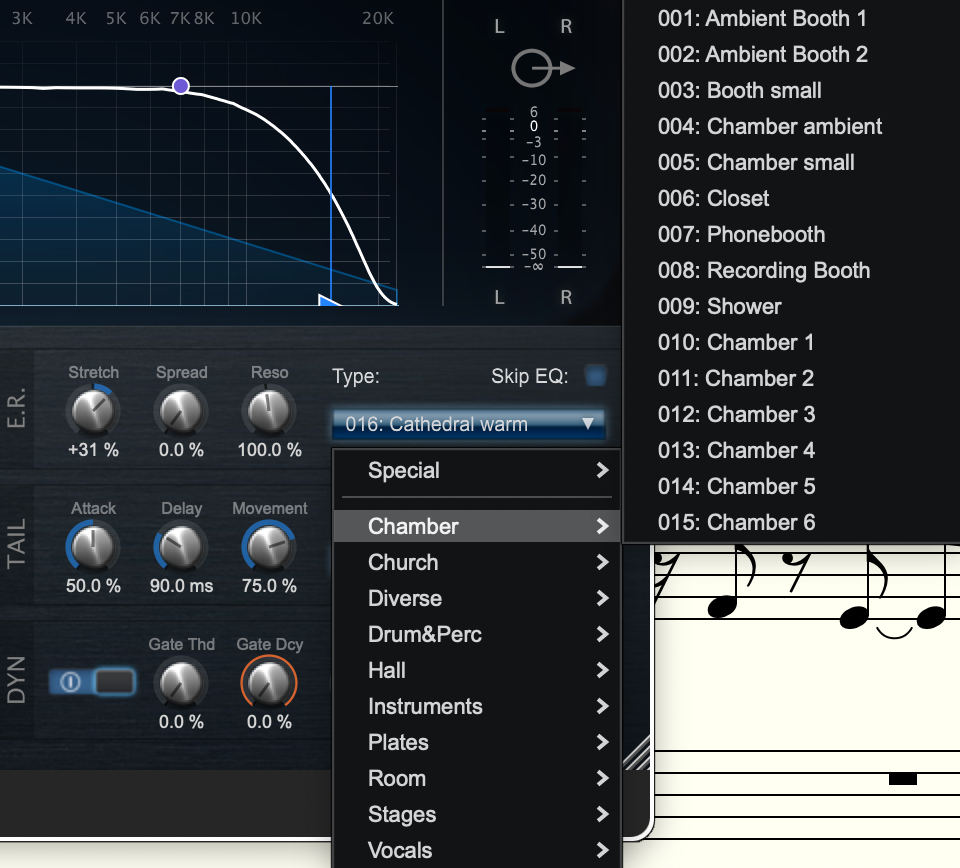
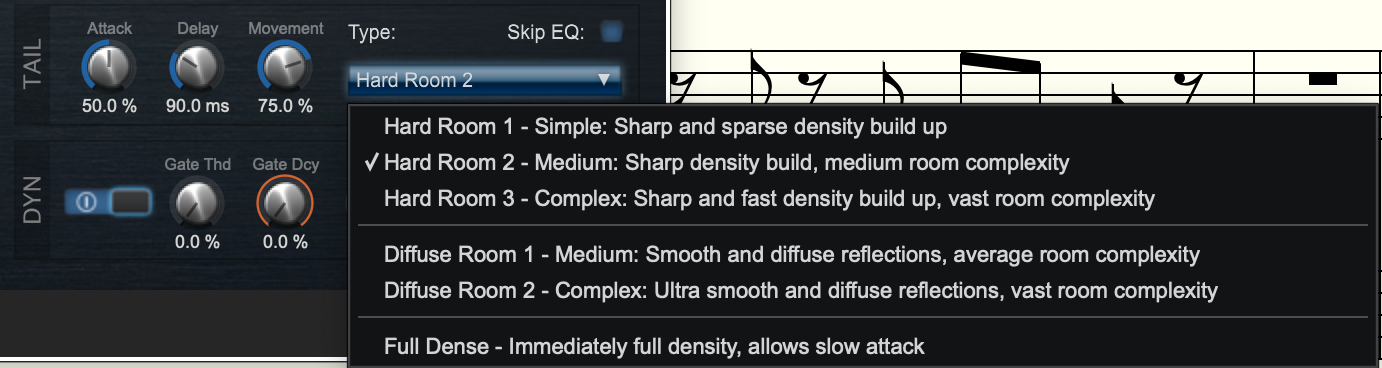
AtomicReverb 2 offers three distinct tail models, each with a noticeably different spatial personality:
- Hard Room: Tight, reflective spaces with strong geometric clarity. Good for more defined rooms and percussive material.
- Diffuse Room: A newer, softer mode that spreads reflections quickly into a smooth, airy decay. This one feels very modern and mix-friendly.
- Full-Dense: An ultra-smooth, highly blended tail with no clear reflections, which is ideal for cinematic pads or background ambience.
What I like here is that each mode feels genuinely different rather than just being a variation of the same algorithm. Switching between them can completely reshape the mood of a track, especially when combined with different preset structures.
- Real-Time Algorithmic Design
Unlike convolution reverbs that rely on static impulse responses, AtomicReverb 2 generates everything in real time. This means the reverb constantly evolves rather than replaying a fixed snapshot of a space.
That approach gives it a slightly organic unpredictability in a good way. Subtle modulation and frequency-dependent decay make the tail feel alive, especially on sustained sounds like synth pads or vocals. It also makes automation more interesting, since changes don’t feel like you’re just morphing a frozen sample.
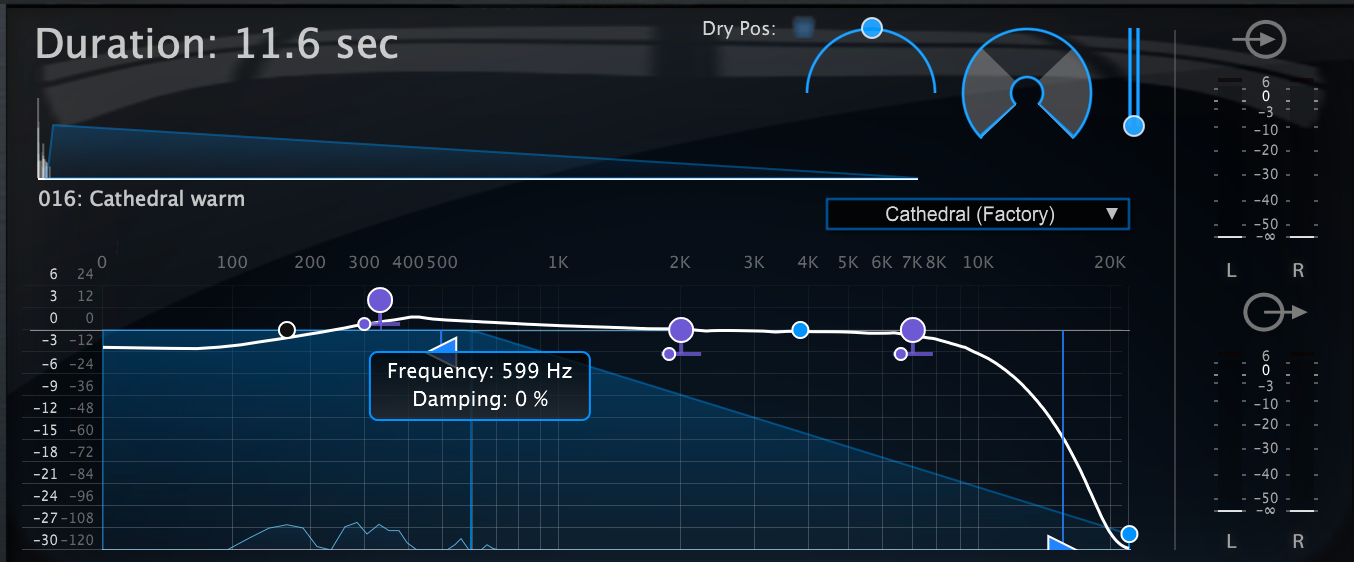
- Built-in EQ & Spectrum Analyzer
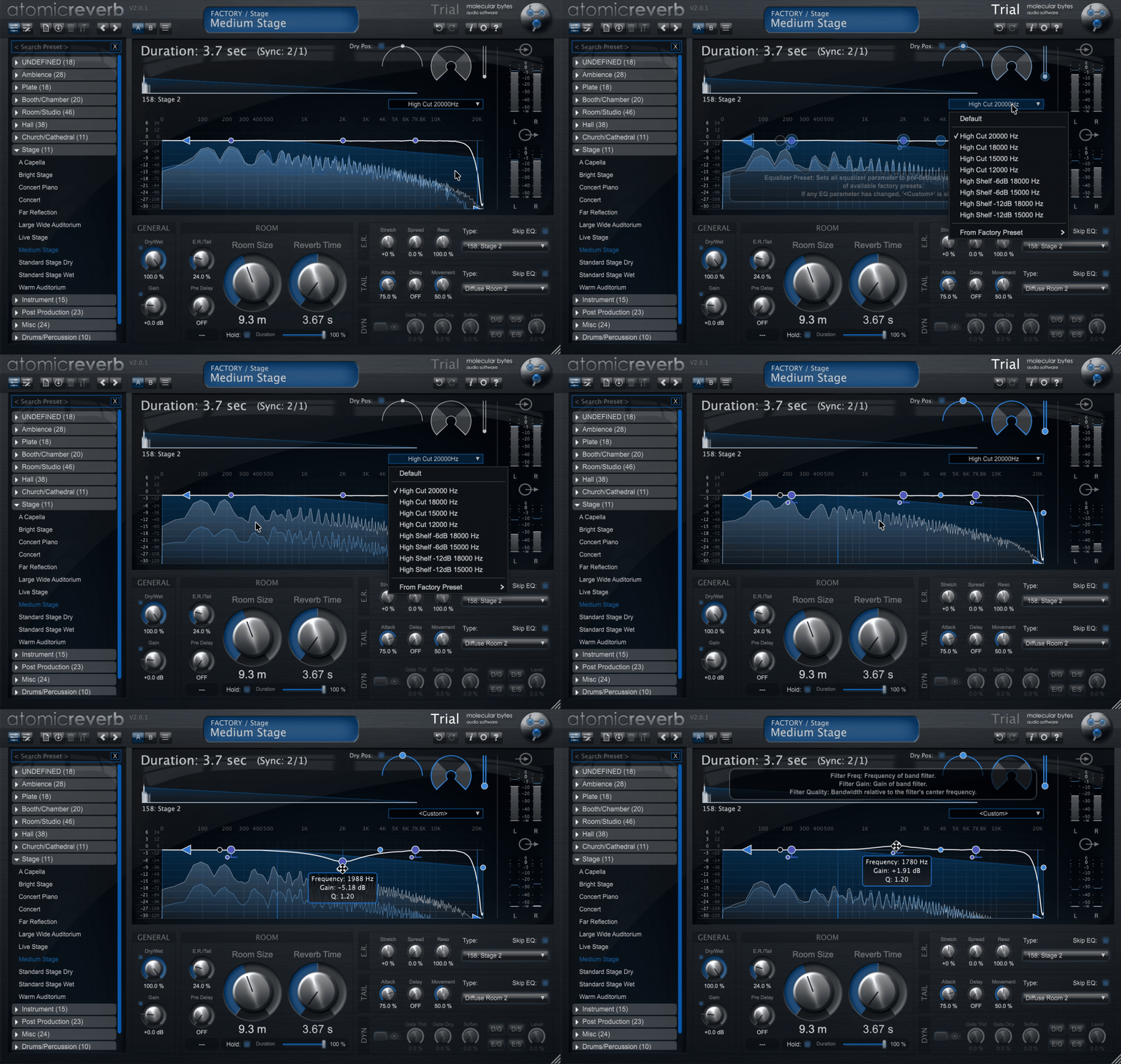
Inside the plugin, you get a 5-band EQ paired with a real-time spectrum analyzer. This makes shaping the reverb tone much more direct, without needing external processing.
I find myself using this more than expected. It’s especially helpful for carving out low-end buildup or taming harsh upper mids directly inside the reverb return. It keeps the workflow faster and avoids unnecessary routing when I’m working quickly.
- Workflow Tools & Presets
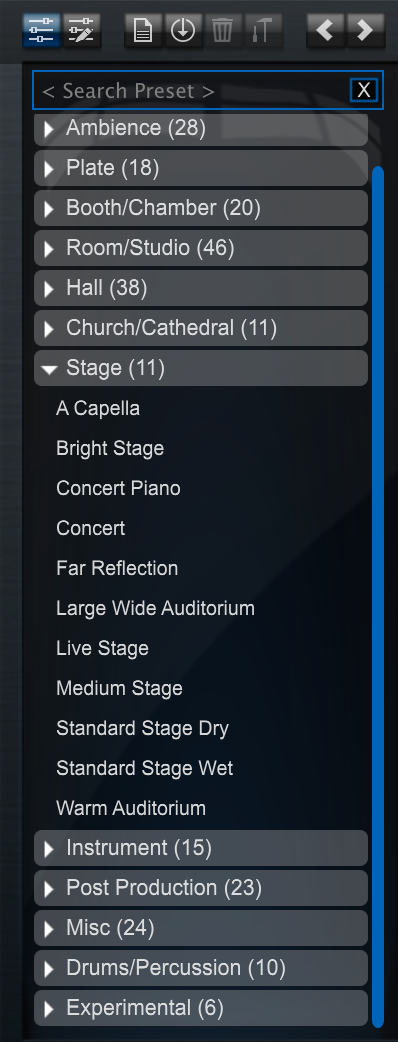
The plugin includes a large factory library with over 260 presets, along with practical workflow features like parameter locking, A/B comparison, and undo/redo history.
In real use, the preset system feels like a strong creative starting point rather than just a demo showcase. Locking key parameters like Dry/Wet or Gain while browsing is particularly useful; it lets me audition spaces without constantly losing my mix balance.
Interface and Workflow
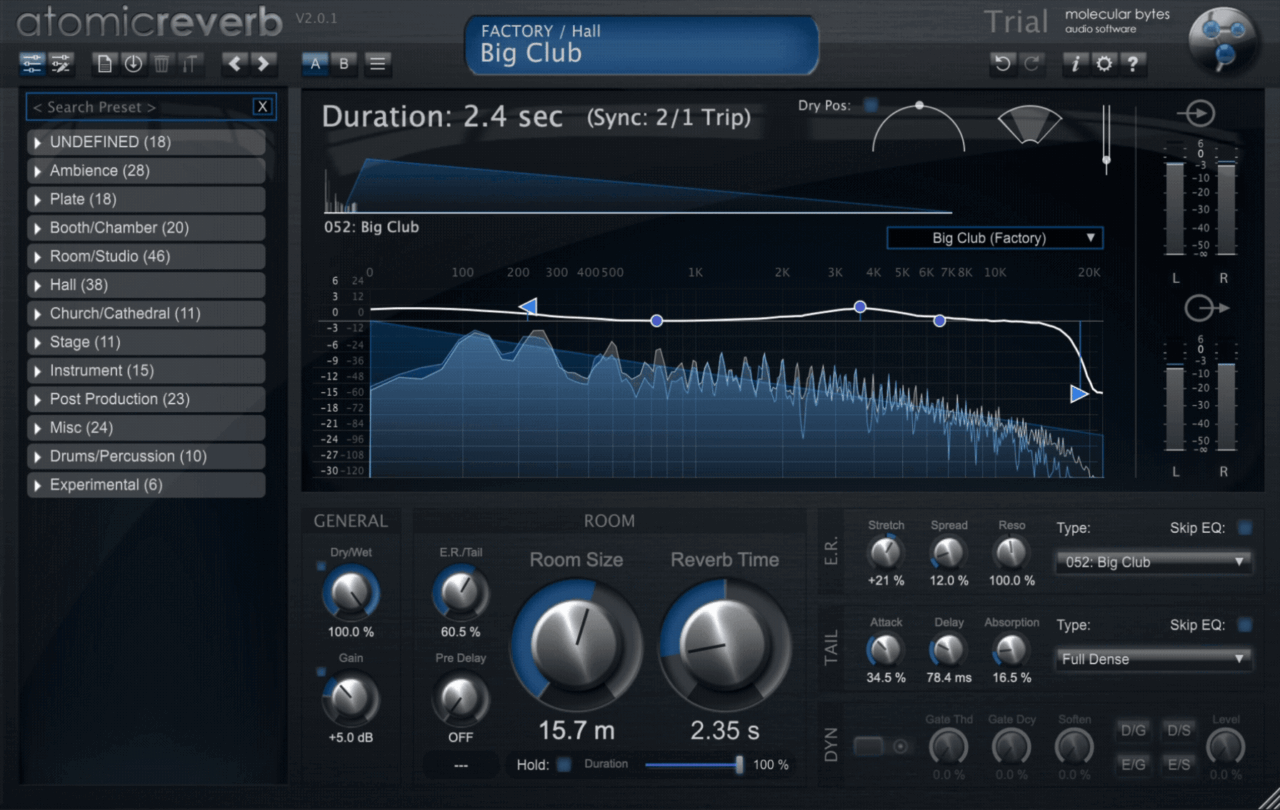
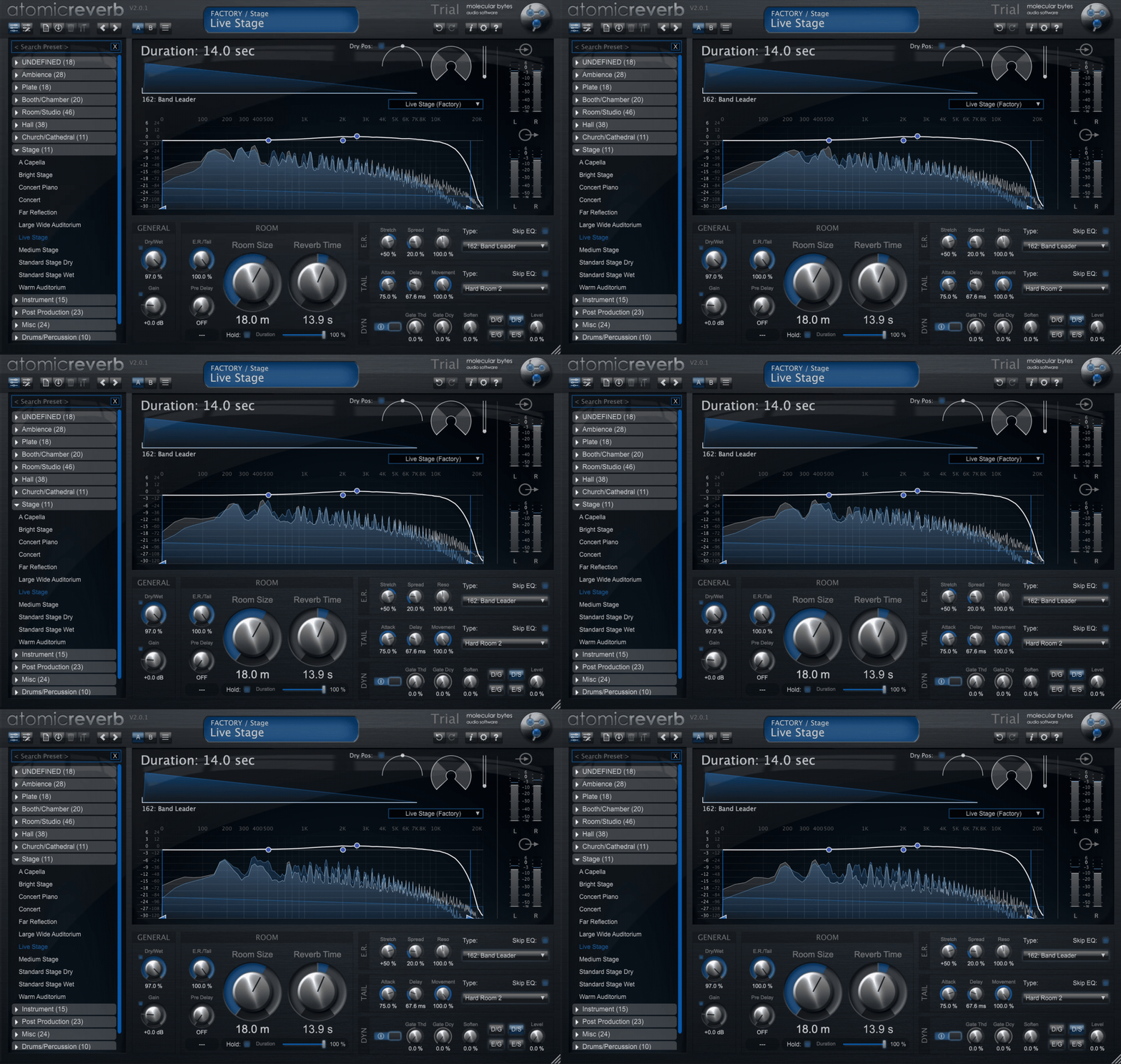
AtomicReverb 2 keeps things visually clean and functionally focused. The interface does not try to overwhelm you with unnecessary design elements, instead prioritising fast access to key controls and a clear sense of what each section is doing. It feels built for actual mixing sessions rather than passive browsing.
Interface
The GUI is clean, modern, and practical, with a layout that makes it easy to start shaping space immediately. There is no real learning curve in navigation, which I appreciated when first loading it up across different sources like vocals and synths.
What stands out most is the built-in spectrum analyzer paired with the 5-band EQ. Seeing frequency build-up inside the reverb return makes it much easier to understand what the space is doing. I often ended up making quick EQ decisions directly inside the plugin rather than reaching for external tools, especially when dealing with low-end clutter or harsh upper mids.
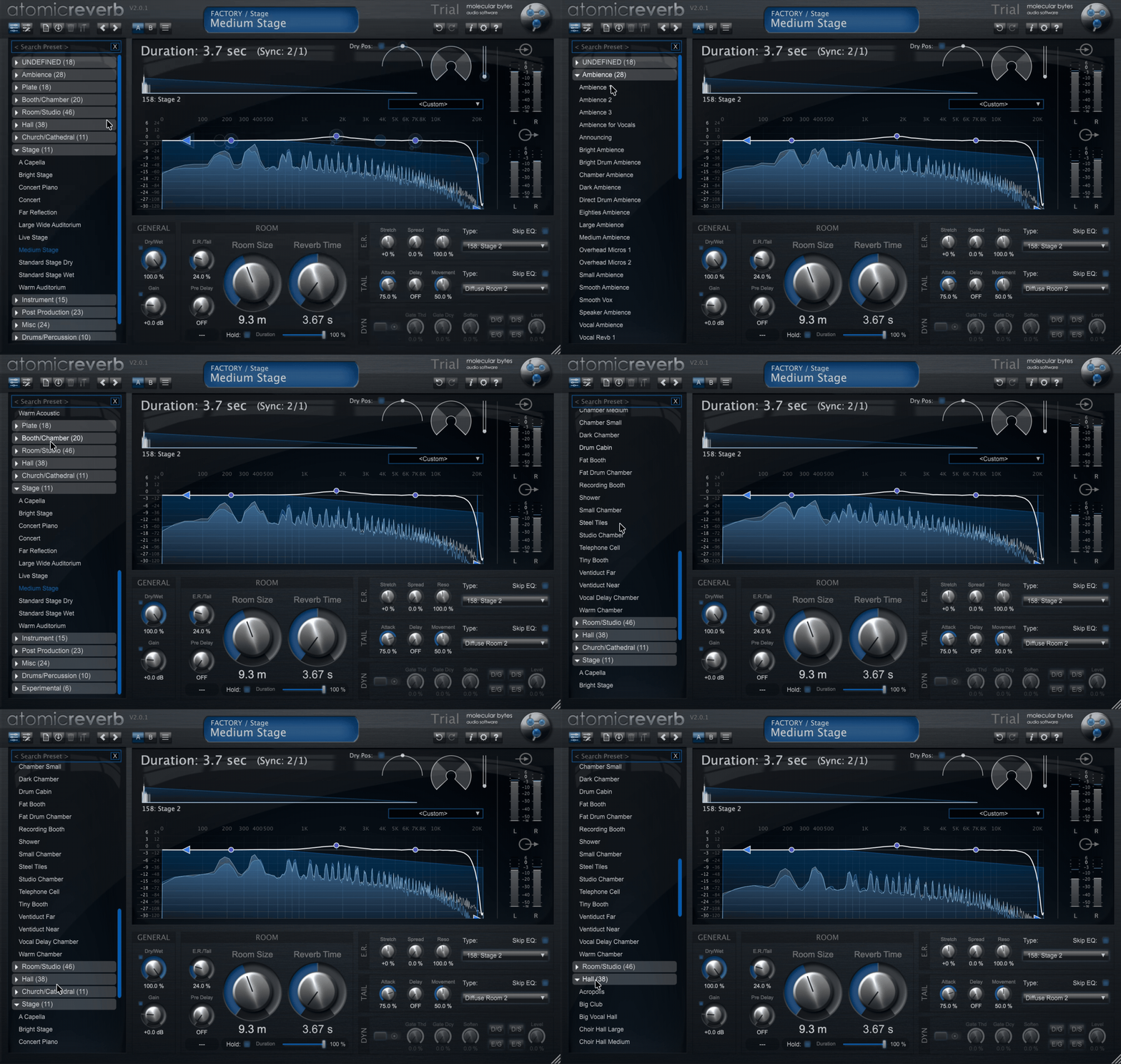
The preset section is also tightly integrated into the design. It is not hidden away or treated like an afterthought. Instead, it feels like part of the creative workflow. Browsing is quick, and the categorisation makes it easy to move between tight rooms, wide spaces, and more experimental textures without losing momentum.
Workflow
Working with AtomicReverb 2 feels immediate and responsive. My usual approach is to start from a preset that is close to the vibe I want, then refine it using the main controls rather than building everything from scratch. This makes the plugin feel more like a sound-shaping instrument than a static effect.
One of the most practical features is parameter locking. Being able to lock key settings like Dry/Wet, Gain, or Density while switching presets is a real workflow improvement. It keeps your mix stable while you explore different spaces, which helps you focus on tone rather than constantly correcting levels.
The A/B comparison and undo/redo system also encourage experimentation. I found myself pushing settings further than usual simply because it is easy to revert changes if something does not work. That makes the creative process feel safer and more exploratory.
Automation inside a DAW is smooth and predictable. I did not experience sudden jumps or unstable behavior when adjusting parameters, which is important for a reverb that invites continuous tweaking.
Overall, the workflow is fast, intuitive, and creatively open-ended. It is simple enough for quick results, but deep enough that you can spend time sculpting unique spatial environments without feeling restricted.
First Impressions and Sound
This is where AtomicReverb 2 really shows its character. From the first few minutes of use, it does not feel like a generic “set and forget” reverb. It feels like a space designer, something that actively shapes the emotional direction of a sound rather than just placing it in a room.
I started with vocals and a few synth layers, and the first thing that stood out was how immediately natural the early reflections feel. There is a clear sense of physical space before the tail even fully develops. Instead of a blurred wash, you get a defined spatial identity, which makes even simple sources feel more detailed and present.
On more rhythmic material like drums and plucks, the plugin stays surprisingly controlled. Even when increasing density or decay, the sound does not collapse into smeared noise. Instead, it keeps a sense of structure, almost like the reverb is “respecting” the original transient. That makes it especially useful for modern mixes where clarity is still important.
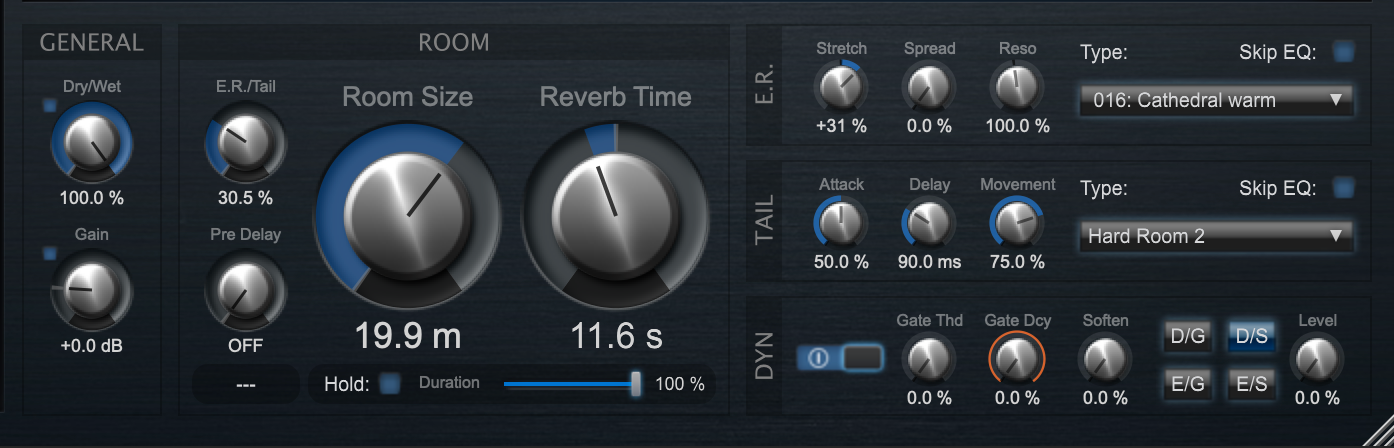
The three tail modes become very noticeable in practice:
- Hard Room adds a tight, reflective space that works well for percussive and dry sources
- Diffuse Room quickly becomes my go-to for modern mixes, with a soft and wide decay that never feels heavy
- Full-Dense is the most creative option, giving a smooth, almost infinite-like ambience that works beautifully for pads and cinematic layers
What I liked most is that each mode is not just a tonal shift, but a structural one. Switching between them can completely change how a track “sits” in space.
The built-in EQ also plays a bigger role in sound shaping than I expected. Being able to quickly remove low-end buildup or tame sharp frequencies inside the reverb itself keeps things clean without breaking the flow. It encourages me to treat the reverb as part of the sound design chain rather than just an effect send.
In terms of character, AtomicReverb 2 leans toward clean realism with a subtle creative edge. It can absolutely sit in the background and behave transparently, but it also has enough movement and modulation to become an intentional texture when pushed. That balance is what makes it flexible across genres.
Pros-Cons
Pros
- Very natural early reflection design
- Clean, controlled decay even at higher settings
- Strong preset library for fast results
- Useful built-in EQ for quick tonal shaping
- Inspires creative sound design without getting messy
Cons
- Can feel slightly restrained if you want extreme, obviously artificial reverb textures
- Depth of features may take a bit of time to fully explore
Compatibility
AtomicReverb 2 is available for Windows 10 or higher and macOS 10.14 and above, supporting VST3, AU, and AAX formats, which makes it compatible with most modern DAWs. There is also a standalone version on Windows, which is useful for live use or quick sound processing outside a DAW.
| Category | Details |
| Supported OS | Windows 10 or higher, macOS 10.14 and above |
| Plugin Formats | VST3, AU, AAX |
| Standalone | Yes (Windows only) |
| CPU Usage | Moderate in typical use, higher with dense or long reverb tails |
| Architecture | Fully 64-bit processing engine |
| System Flexibility | Scalable UI for different screen sizes and setups |
In terms of performance, it feels fairly efficient for what it does. Even with multiple instances running in a session, I did not run into noticeable CPU spikes in typical mixing scenarios. Heavier settings with long, dense tails will naturally increase usage, but overall it stays stable and manageable in real-world projects.
Conclusion
AtomicReverb 2 feels like a reverb that prioritises realistic space and controlled depth over exaggerated ambience. It does not try to overwhelm the mix, instead it focuses on giving sounds a believable position and shape inside a track. That makes it especially strong for mixing work where clarity matters just as much as atmosphere.
At the same time, it is not limited to utility use. When pushed, it can drift into more expressive, evolving textures that work well for ambient and cinematic production. The combination of early reflection focus and flexible tail modes gives it a distinct identity compared to more traditional algorithmic reverbs.
Overall, this is a plugin that sits comfortably between a precision tool and a creative instrument. It is not trying to replace every reverb in your chain, but it can easily become a go-to option for both realistic spaces and controlled experimentation.

Berk is a multi-instrumentalist musician from Istanbul, Turkey. He has been playing guitar, handpan, and percussion for over ten years, developing a sound that blends melodic sensitivity with rhythmic depth.
He began his musical journey as a teenager, learning guitar and performing in several bands. In 2016, he discovered the handpan, an instrument that immediately resonated with him on a deeper level and gradually became central to his artistic identity.
Since then, he has performed in streets, festivals, bars, and concert venues across different countries, connecting with diverse audiences through both intimate and large-scale performances.
Alongside his live work, Berk is deeply involved in studio production. He works from his home studio, where he composes, records, and produces his own music. His studio serves as a creative space for layering handpan, guitar, and percussion with modern production techniques, allowing him to shape fully realized, atmospheric compositions from start to finish.
His music explores a wide range of genres and textures, combining organic acoustic instruments with detailed studio production to create immersive and expressive soundscapes.