
Best Linux Plugins
Let’s face it! for a long time, trying to make music on Linux felt like a massive uphill battle. I still remember the frustration of messing with endless configuration files and dealing with immediate system freezes just trying to get a single synth to play nice.
But things have changed completely. We’ve officially moved past the days of fragile workarounds and clunky translation layers. Today, the native Linux audio ecosystem is incredibly stable, lightning-fast, and packed with professional-grade tools.
After spending a ton of time testing different setups, I’ve put together a list of the 12 best linux plugins available right now. Whether you’re looking for massive wavetable synths or rock-solid mixing utilities, this is the gear that keeps my own workflow moving.
Vital

Vital deserves the first spot here because it’s one of the clearest examples of Linux not having to settle for second-best.
This is not a “pretty good for Linux” synth; it’s a genuinely exciting wavetable synth with a sharp visual identity and deep modulation. It has enough range to cover modern electronic production, cinematic sound design, and weird experimental work without feeling boxed into one lane.
I keep coming back to it because it makes sound design feel immediate instead of academic. The interface is a huge part of that success. Vital is one of those instruments where I can actually see the sound moving in real time.
Wavetables, modulation paths, filter motion, and LFO shapes all feel alive and easy to follow. This layout makes building patches much faster than on synths that bury the fun behind layers of menus. It is a plugin that truly wants to be played with.
- Visual Workflow
This is the first thing that makes Vital special. The animated interface is not just there to look slick; it genuinely helps me understand what the patch is doing while I build it.
- Wavetable Depth
Vital can go from glossy, polished leads to mangled digital textures without breaking a sweat. The wavetable engine is the headline, but the real strength is how playable it feels across basses, pads, plucks, and FX.
- Modulation
Drag-and-drop modulation keeps things fast, and there’s enough depth here to stay interesting long after the “free synth” novelty wears off.
For Linux producers, Vital is one of the strongest reminders that a serious synth setup no longer has to revolve around compromise.
u-he Synths & Effects
Also available on Native Instruments

u-he gives Linux something incredibly valuable: premium instruments with a real reputation behind them.
These are not niche Linux-native curiosities people tolerate because there are no better options. Diva, Hive 2, and Repro are already respected synths across the wider music world, and the fact that they’re also available on Linux makes them feel even more important in this context.
What I love here is the spread of personalities. Three synth lines, three distinct temperaments.
The workflow changes from plugin to plugin, but that actually works in u-he’s favor. These instruments are not trying to flatten themselves into one company-wide “house interface.” Each one leans into its own personality.
Open Diva and you get that rich, expensive, virtual-analog weight that people still rave about for a reason. This is the heavyweight. When I want lush analog-style tone and a synth that feels almost luxurious in the mix, Diva is usually the one I think of first.
Load Hive 2 and the mood changes completely; it’s quicker, sleeker, more modern, and built for fast-moving electronic production.
Hive is the opposite kind of fun: immediate, sharp, and fast. It’s a fantastic fit for modern electronic work when I want speed without losing depth.
Then there’s Repro, which sounds gloriously vintage and a little unruly in the best possible way.
Repro is the one I’d reach for when I want attitude, instability, and vintage character that feels alive rather than polished.
For Linux users, u-he does more than add plugins, it adds legitimacy. This is the kind of software that makes a platform feel fully grown up.
Decent Sampler
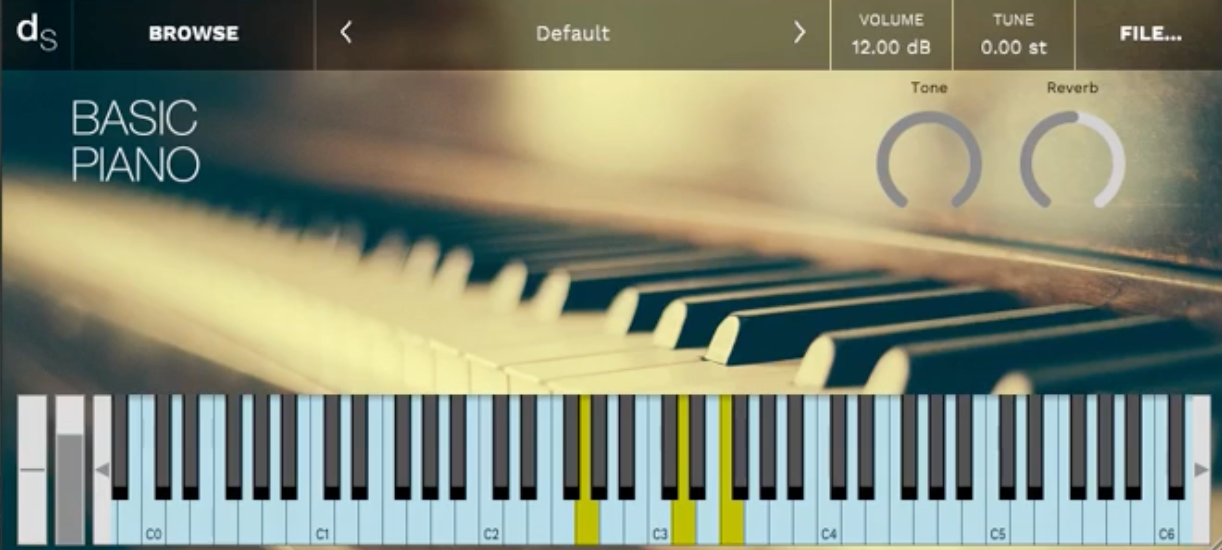
Decent Sampler earns its place here because it solves a very real Linux problem without making a fuss about it.
A lot of sample-based workflows still end up pointing people toward heavier platforms, awkward compatibility workarounds, or locked-down ecosystems. Decent Sampler goes the other way by being light, free, and incredibly easy to install natively.
It is already backed by a massive library scene through communities like Pianobook and Venus Theory. This widespread adoption is exactly why it has become such a useful, essential instrument hub for the OS.
What I enjoy most is how little resistance there is between opening it and actually making music. Some sample players feel like they want you to think about heavy file management before you ever hear a sound.
- Community Library
The biggest reason to keep Decent Sampler installed is the ecosystem around it. There’s a growing archive of libraries out there, from curated packs by names like Venus Theory to a huge amount of material from Pianobook and independent creators. That gives it much more value than a basic free sampler.
- Open Alternative Appeal
I like Decent Sampler because it feels like a more open and approachable answer to the usual sample-player bottlenecks. It doesn’t try to be a giant prestige platform. It just gets useful sounds into a session quickly.
- Linux-Friendly Practicality
For Linux users, that combination matters. Free player, active community, and proper native availability is exactly the kind of thing that can quietly become essential.
VCV Rack 2
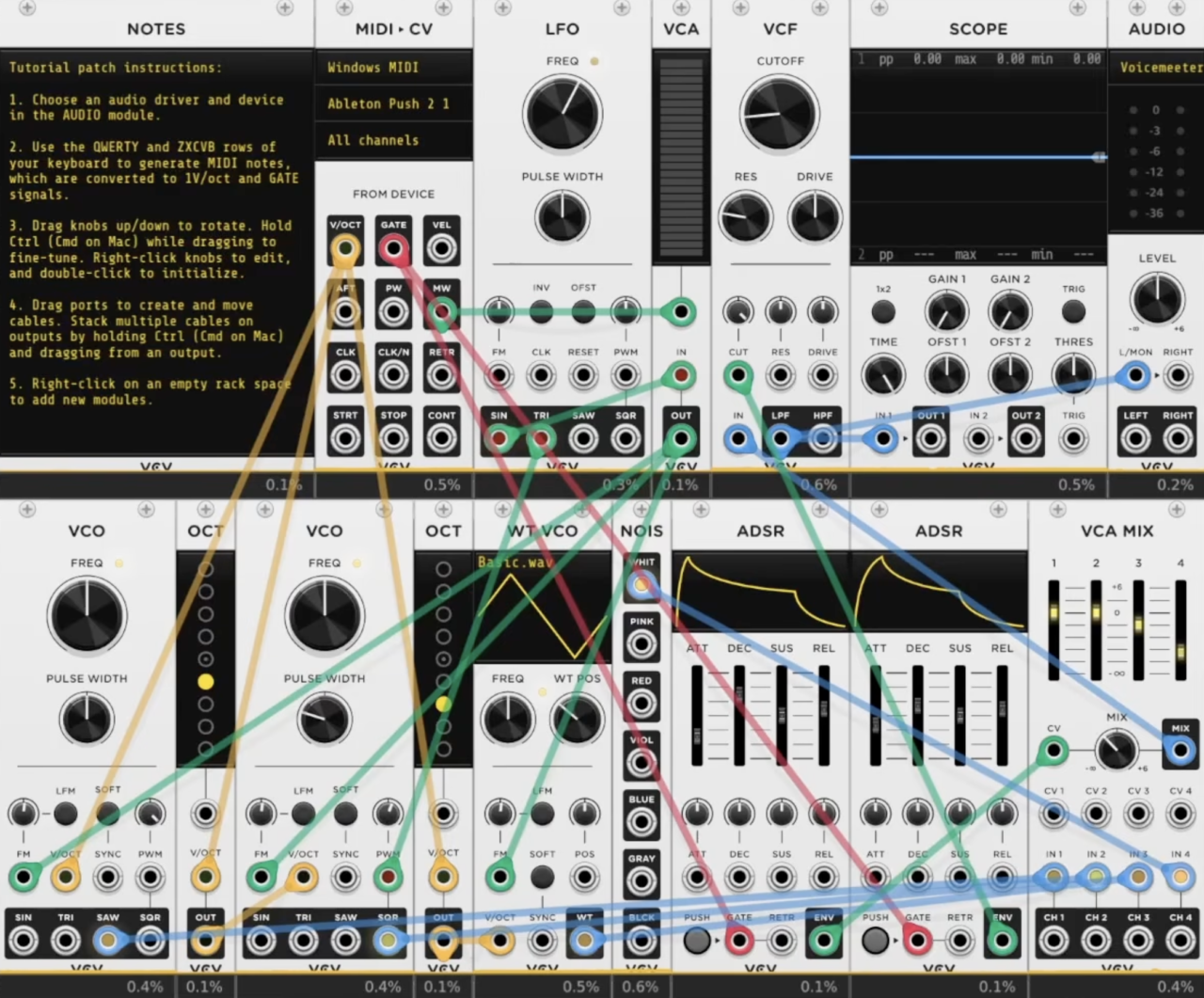
VCV Rack 2 belongs here because it turns Linux into a serious playground for modular synthesis. While most plugins give you a finished instrument, VCV Rack gives you the pieces, the virtual patch cables, and the freedom to build something entirely unique.
If you are into modular sound design at all, this open sandbox approach is not just appealing, it’s highly addictive.
Even running as a standalone application, Rack is a massive win for open-source systems. It runs beautifully on Linux, sounds excellent, and opens the door to an enormous modular ecosystem.
The real magic happens when you use the official plugin version inside your DAW. Once Rack lives directly in your project, those virtual Eurorack modules stop feeling like a separate sandbox.
Instead, they become an integrated part of your session. You can fluidly route multi-channel audio, sequence parameters, and sync clocks without a single drop in system stability.
- Standalone Strength
There’s already a lot to love before the plugin conversation even starts. The free version gives you a proper modular environment on Linux, not a toy, and that alone makes it one of the platform’s most important music tools.
- DAW Integration
The plugin version is where things get wild. Suddenly, patch cables, LFOs, sequencers, and audio processors can sit right inside a project and interact with everything else you’re building. That changes Rack from a fun side environment into a real production tool.
- Modular Depth
This is the core appeal, as VCV Rack is not about loading one preset and moving on. It’s about designing signal flow, building instruments, and letting happy accidents happen.
For Linux users who want synthesis to feel open-ended again, this is one of the most exciting platforms available.
Samplv1
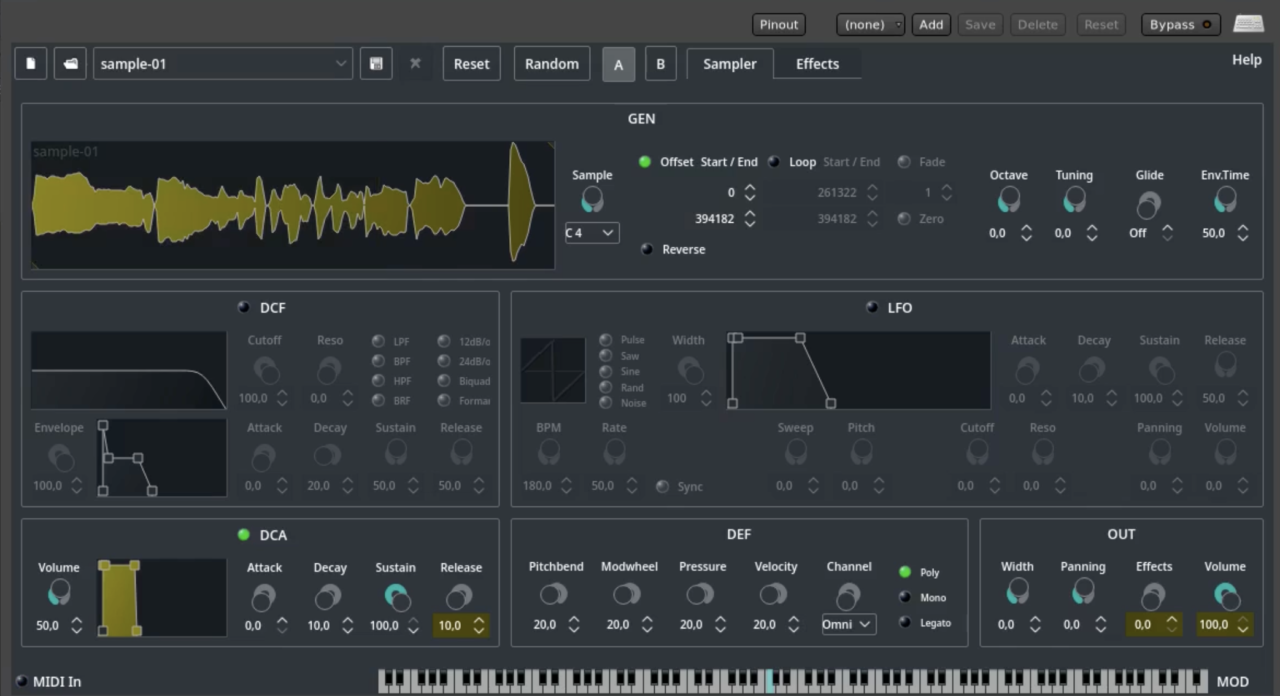
Samplv1 earns its place on this list because of what it doesn’t do. Instead of burying you under endless submenus and heavy library management, it focuses entirely on a single, powerful idea: take one sample and turn it into a playable instrument as quickly as possible.
I’ve always liked tools that encourage experimentation without slowing me down, and Samplv1 fits that creative mindset perfectly.
You can drop in a vocal chop, a field recording, a heavy drum hit, or a random audio clip, and within seconds it becomes a playable synth patch. It feels less like a traditional sampler and more like an immediate, highly responsive sketchpad for sound design.
As it is built directly on the Qt framework, it integrates natively and seamlessly into Linux audio setups. It delivers ultra-low latency performance without any of the background bloat or authorization headaches of massive commercial samplers.
- Single-Sample Workflow
Everything starts with one sample. Rather than managing massive multi-gigabyte libraries, Samplv1 lets you focus on shaping a single sound and stretching it into something new. That simplicity keeps the creative process moving.
- Built-In Synthesis Engine
A sample is only the starting point. Filters, envelopes, modulation controls, and effects give you plenty of room to transform the source material into pads, leads, textures, basses, or entirely unrecognizable sounds.
- Lightweight Linux Design
One of the biggest advantages of Samplv1 is how naturally it fits into a Linux workflow. It’s lightweight, responsive, and runs natively without extra compatibility layers or workarounds.
For producers who value speed over complexity, Samplv1 is one of those rare plugins that quietly becomes a regular part of the workflow. It may not be flashy, but it’s incredibly useful.
Surge XT
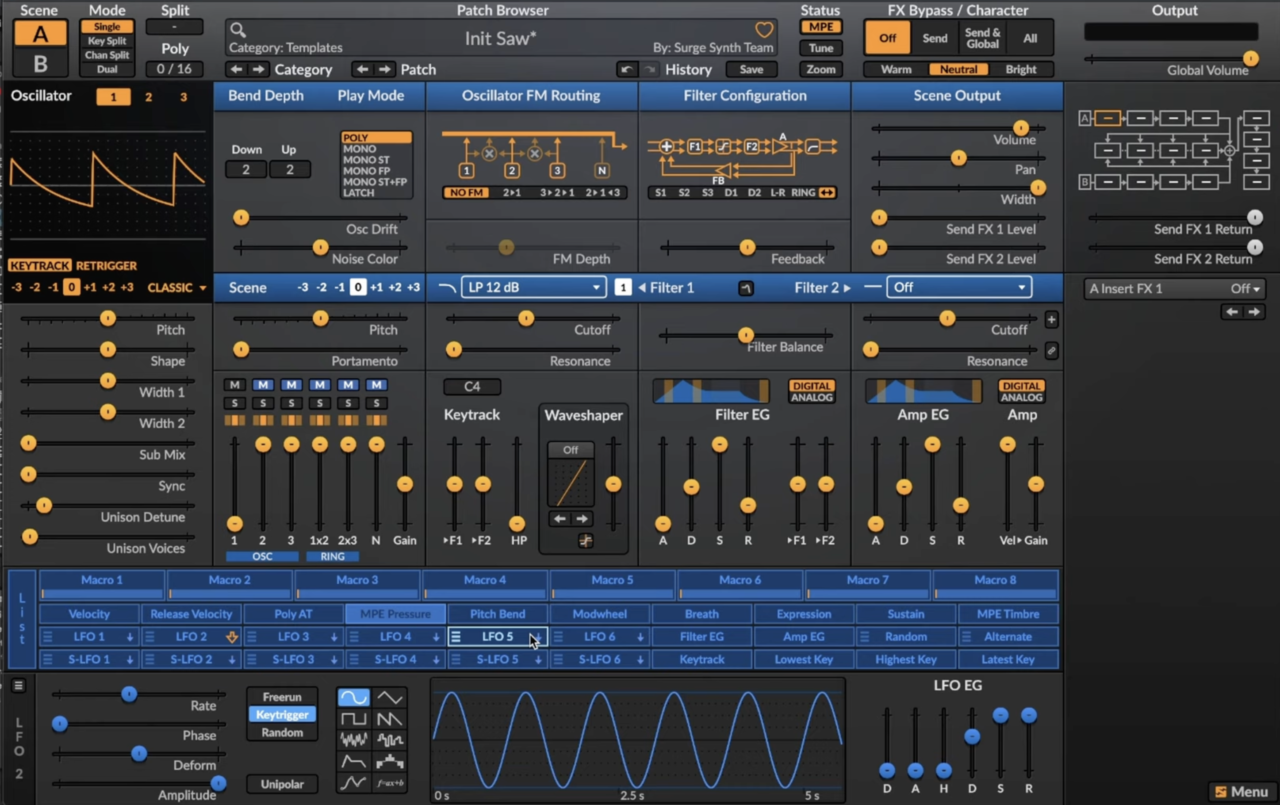
Free synths are usually judged with an asterisk attached. Surge XT doesn’t need one. Even if it carried a premium price tag, it would still deserve a place among the most capable software synthesizers available on Linux.
What keeps me coming back to Surge XT is its incredible sonic range. One moment I’m building vintage-style analog patches, the next I’m deep into wavetable movement, complex FM textures, or experimental physical modeling.
It never feels locked into a single sonic identity, making it one of the most versatile instruments on this list.
- Multiple Synthesis Engines
Surge XT combines wavetable, FM, virtual analog, physical modeling, and hybrid synthesis approaches inside a single instrument. Few free synths offer this level of flexibility.
- Deep Modulation System
Almost every parameter can become a modulation destination. Multiple LFOs, envelopes, macros, and routing options make it easy to build evolving patches that stay interesting over time.
- Flagship-Level Sound Design
Despite being completely free and open source, Surge XT feels like a professional sound-design environment. It can handle everything from cinematic pads and modern electronic leads to aggressive basses and experimental textures.
- Community-Driven Development
One of the strengths of the project is its active community. New features, improvements, and presets continue to arrive, helping the synth evolve long after many commercial competitors stop receiving updates.
For Linux musicians, Surge XT is one of the strongest arguments that open-source software can compete directly with premium instruments. It’s powerful, polished, and remarkably easy to recommend.
Available for Linux, macOS, and Windows in VST3, AU, LV2, CLAP, and standalone formats.
LSP (Linux Studio Plugins) Project
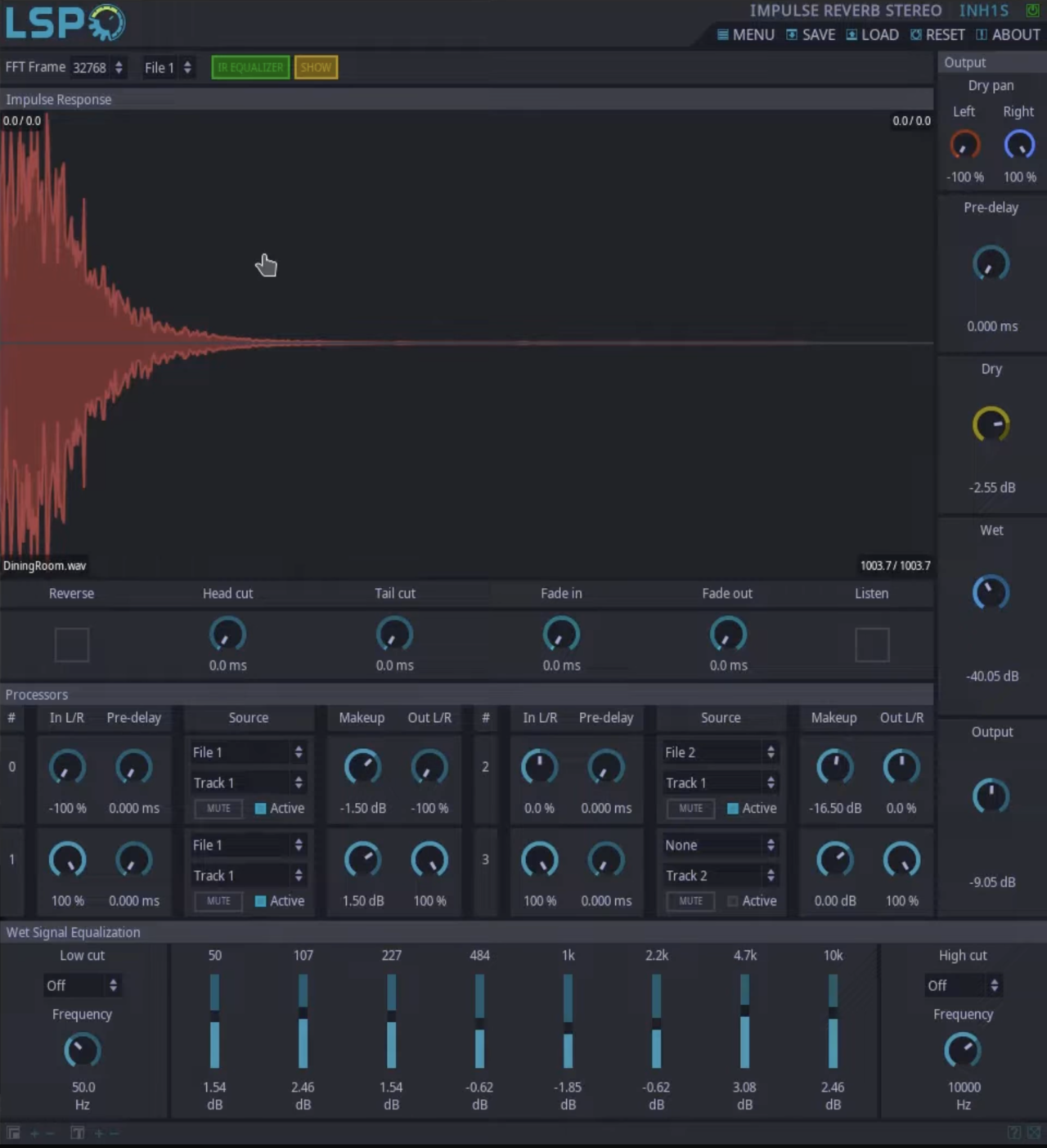
Every Linux producer eventually runs into LSP. Rather than a single utility, LSP (Linux Studio Plugins) is a massive collection of professional mixing, mastering, and analysis tools that forms a core pillar of native audio production.
Whether you’re mixing a dense track, fixing a phase issue, or setting up complex sidechain routing, this suite already has a lightweight tool built for the job.
What impresses me most is how perfectly it balances visual depth with processing efficiency. The suite spans spectrum analyzers, surgical dynamic EQs, compressors, and specialized limiters, giving you an entire studio’s worth of processing without the resource drain.
You get a complete, high-performance mixing toolkit packed into a single package, completely optimized for zero-bloat performance. Because it natively supports everything from classic LV2 to the modern CLAP standard, it integrates seamlessly into your DAW of choice without translation layers.
- Complete Mixing Suite
The collection includes dozens of processors covering virtually every stage of production. EQs, compressors, multiband dynamics, limiters, gates, de-essers, analyzers, and utility tools are all part of the package.
- Great Metering & Analysis
Many engineers install LSP for the metering tools alone. Detailed spectrum analyzers, loudness meters, oscilloscopes, and phase correlation displays make troubleshooting and mix decisions significantly easier.
- Native Linux Performance
Unlike some cross-platform tools that merely happen to run on Linux, LSP feels designed for the platform from the ground up. CPU usage remains impressively low even in large sessions.
- Open-Source Development
The entire project is free and open source, making it one of the most valuable plugin collections available to Linux users.
For mixing and mastering on Linux, few plugin suites are as essential as LSP. It may not be flashy, but it’s one of the most practical downloads you’ll ever install.
Audio Damage Plugins (Rough Rider 3, Evil Otto & More)
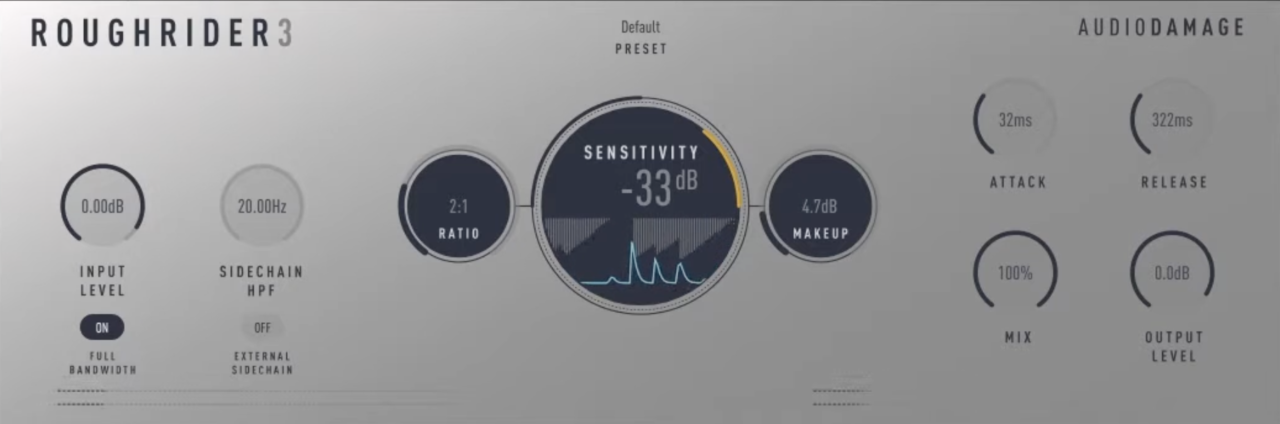
Not every plugin needs to be transparent. Audio Damage built its reputation by embracing raw personality, and that’s exactly why its native Linux tools stand out so clearly.
While many mainstream developers chase pristine, surgical precision, Audio Damage intentionally leans toward character, aggressive movement, and controlled sonic chaos.
The best-known example is Rough Rider 3, a compressor that has earned a near cult following for what it does to drums. Instead of quietly controlling dynamics, it grabs your transients, adds instant harmonic attitude, and makes loops feel massive.
Even after all these years, I still find myself reaching for it whenever a drum bus feels just a little too polite. Because the company builds natively for the CLAP and VST3 formats on Linux, you get all of that beautiful, vintage grit without sacrificing low-latency host stability.
- Rough Rider 3
One of the most popular free compressors ever released, Rough Rider 3 specializes in aggressive compression with plenty of audible character. It’s particularly effective on drums, percussion, synths, and parallel processing chains.
- Creative Effects
Audio Damage’s catalog extends well beyond compression. Delays, modulation effects, experimental processors, and unique sound-design tools offer plenty of opportunities to move beyond conventional mixing techniques.
- Native Linux Support
Unlike many boutique plugin developers, Audio Damage actively supports Linux with native VST3 and CLAP builds, eliminating the need for compatibility layers or workarounds.
- Built for Experimentation
Plugins like Evil Otto, Continua, and Audio Damage’s various delay effects encourage exploration rather than strict emulation. They’re the kind of tools that often lead to unexpected ideas.
For Linux producers who enjoy adding character rather than simply correcting problems, Audio Damage’s collection brings a welcome dose of creativity to the platform.
Chowdhury DSP (BYOD & ChowTapeModel)
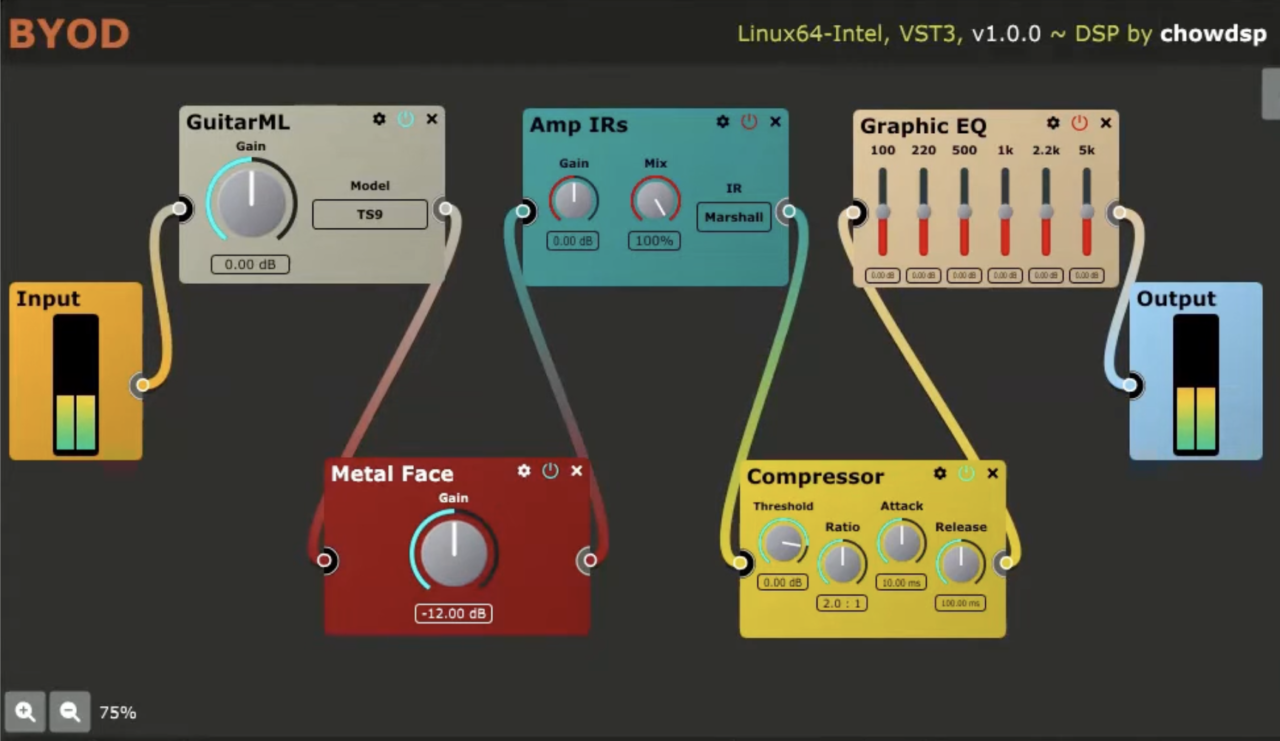
Some developers build plugins that imitate classic hardware but Chowdhury DSP tends to build tools that make me rethink what’s possible with open-source audio software.
Everything in the company’s catalog is free, open source, and natively available on Linux, but the quality easily competes with many commercial alternatives.
The standout for me is BYOD (Bring Your Own Distortion). Rather than giving you a single pedal emulation, it hands you a modular environment where you can assemble your own drive chains from dozens of distortion, filtering, EQ, and utility modules. It feels a bit like building a virtual pedalboard from scratch, making it equally useful for guitarists and sound designers.
- BYOD Modular Distortion Environment
BYOD lets you combine and route multiple distortion, saturation, filtering, and utility modules however you like. The flexibility goes far beyond a typical drive plugin and encourages experimentation.
- ChowTapeModel
Tape saturation plugins are everywhere, but ChowTapeModel stands out thanks to its detailed physical modeling approach. The result is a tape emulation that responds naturally, adding warmth, compression, and harmonic character without feeling generic.
- Open-Source Innovation
Unlike many free plugins, Chowdhury DSP’s tools feel genuinely ambitious. The focus isn’t simply recreating old hardware but exploring new creative possibilities.
Every major release works natively on Linux, making the collection especially valuable for producers building a fully Linux-based workflow.
For anyone who enjoys tweaking, experimenting, and exploring unconventional processing chains, Chowdhury DSP offers some of the most impressive free plugins available on any platform.
Auburn Sounds (Couture & Panagement)
More info and price at PluginFox
More info and price at Plugin Boutique
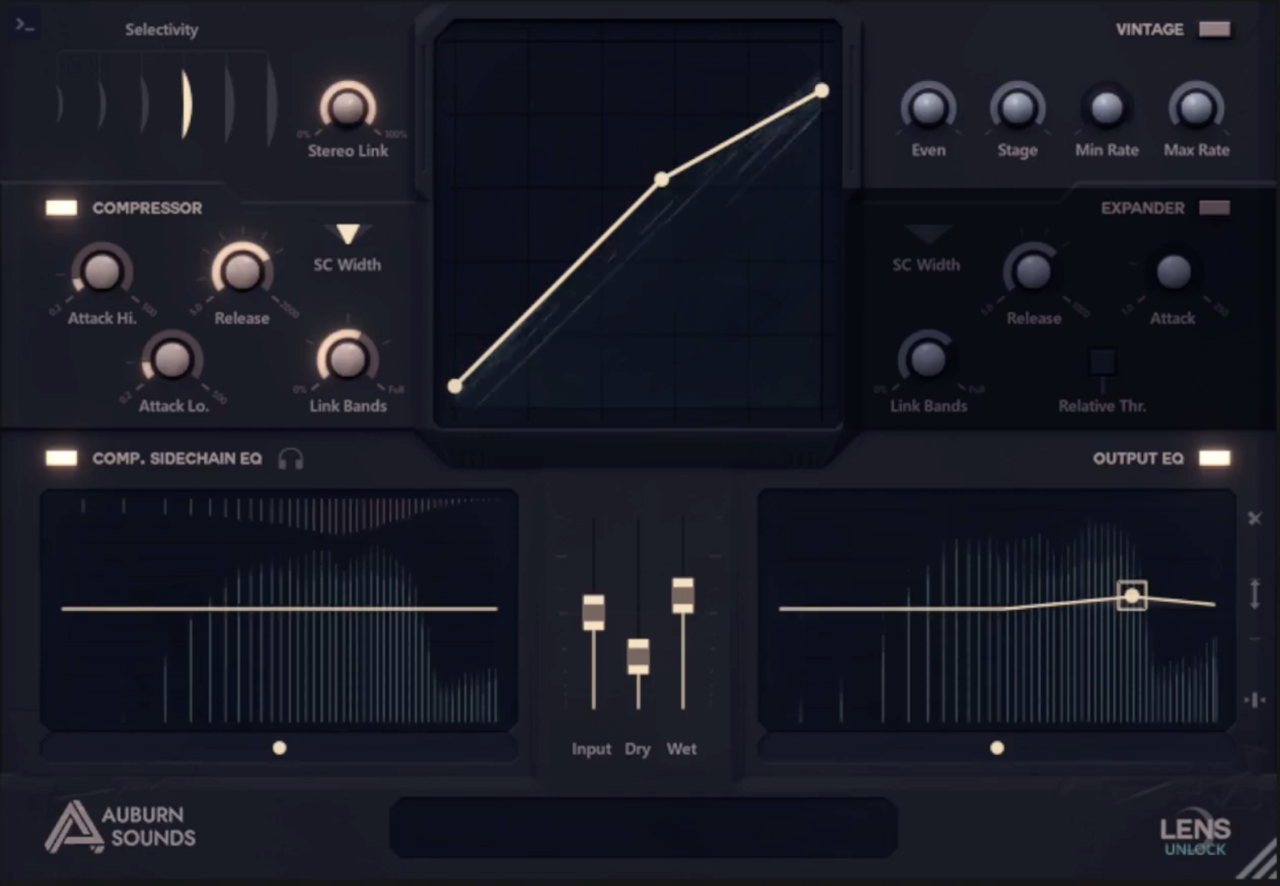
Auburn Sounds is one of those companies that consistently delivers professional tools without unnecessary complexity. Their plugins are polished, thoughtfully designed, and fully support Linux alongside macOS and Windows, something that still deserves recognition in the plugin world.
Two standouts from their catalog are Couture and Panagement. They solve very different problems, but both do it exceptionally well.
- Couture
Transient shaping can completely change how a mix feels, and Couture is one of the best tools for the job. It lets you enhance attack, soften transients, add saturation, and reshape dynamics without reaching for a compressor. Drums, percussion, guitars, and even vocals can benefit from its fast workflow.
- Panagement
Most stereo imaging plugins think in two dimensions. Panagement thinks in three. Instead of simply widening a sound, it lets you position audio sources within a virtual space, complete with distance, reflections, and room simulation.
- Creative Mixing Tools
Both plugins focus on solving practical production problems while remaining highly musical. They encourage experimentation without overwhelming you with endless parameters.
Auburn Sounds has been one of the most reliable commercial developers supporting native Linux users, offering the same polished experience available on other platforms.
For Linux producers looking to expand their mixing toolkit beyond the basics, Auburn Sounds provides some of the most creative and genuinely useful utility plugins available today.
AudioThing (Valves, Vinyl Strip)
More info and price at Plugin Boutique
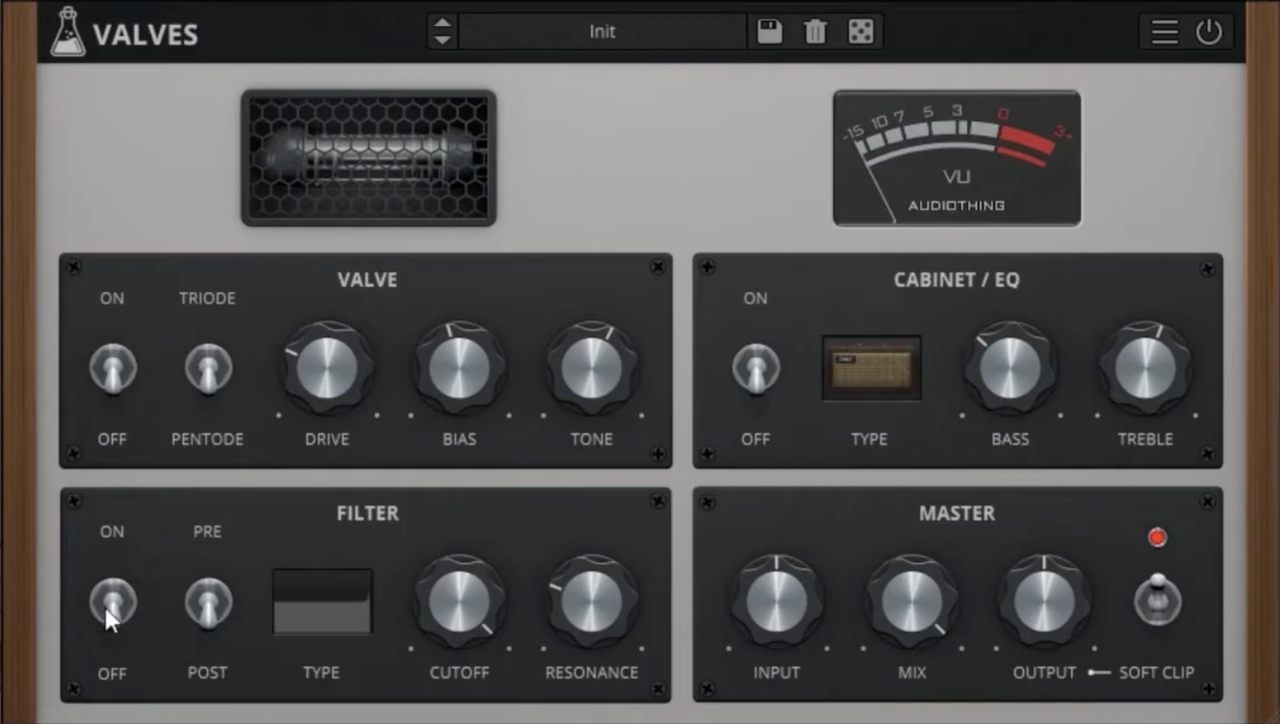
The main thing I like about AudioThing is its focus on personality.
Their plugins often feel less like clean digital processors and more like collections of quirky, inspiring hardware that happen to live inside your DAW.
Better still, many of their most popular releases are available natively on Linux, making them an easy recommendation for producers who want character rather than clinical perfection.
Two of my favorites are Valves and Vinyl Strip. They tackle completely different jobs, but both share the same philosophy: add color, movement, and analog-style imperfections that make tracks feel more alive.
- Valves
Valves is a tube saturation plugin built around detailed models of vintage vacuum tubes. Rather than applying generic distortion, it lets you swap between different tube types, each with its own harmonic profile and response.
From subtle warmth to obvious grit, it excels at adding depth to guitars, vocals, synths, and mix buses.
- Vinyl Strip
If you love the sound of old records, Vinyl Strip packs an entire lo-fi toolkit into a single plugin. Compression, filtering, saturation, noise, wobble, degradation, and speaker emulation can all be combined to create anything from gentle vintage coloration to full-blown cassette-era destruction.
- Analog Character
AudioThing’s biggest strength is making digital processing feel less sterile. Their plugins encourage experimentation and often deliver results that feel musical rather than technical.
Unlike many boutique developers, AudioThing treats Linux as a first-class platform, offering polished native builds alongside Windows and macOS versions.
For Linux musicians who want warmth, texture, and creative sound shaping, AudioThing remains one of the platform’s most interesting developers.
Carla (by KXStudio)
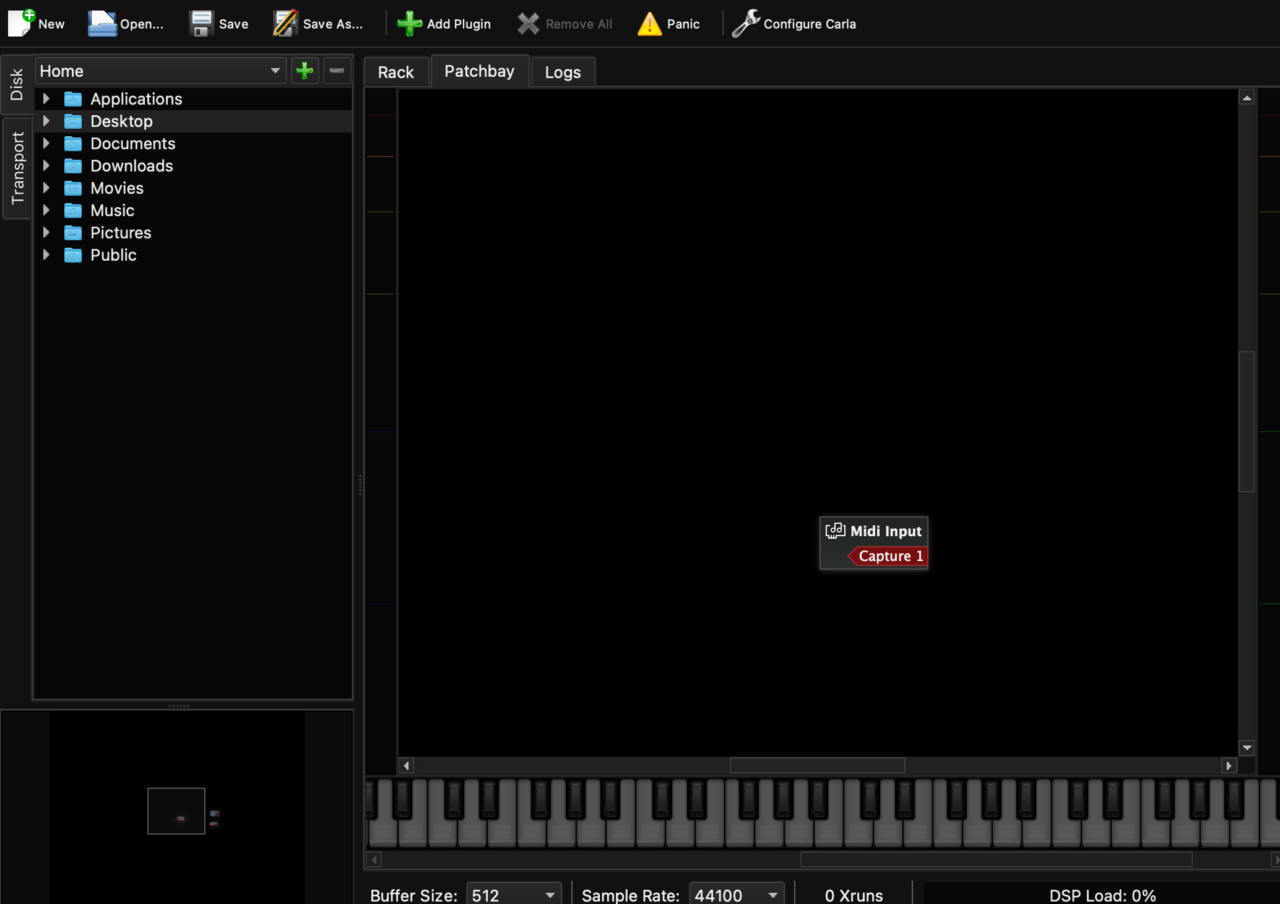
Most entries on this list are instruments or effects. Carla is different. It might actually be one of the most important pieces of software a Linux producer can install.
At first glance, Carla looks like a plugin host. In practice, it often becomes the central hub of an entire Linux audio setup. Whether you’re connecting plugins, routing audio between applications, building live performance rigs, or bridging software that normally wouldn’t work together, Carla somehow finds a way to make it happen.
- Universal Plugin Host
Carla supports virtually every major Linux audio format, including LV2, VST3, LADSPA, DSSI, and more. It can load instruments and effects from multiple ecosystems inside a single environment.
- Powerful Audio Routing
One of Carla’s biggest strengths is its visual patching system. Audio and MIDI signals can be routed freely between plugins, applications, and hardware devices, creating workflows that would be difficult or impossible in many traditional DAWs.
- Windows Plugin Bridging
When paired with Wine and related compatibility tools, Carla can serve as a remarkably stable bridge for running many Windows plugins inside Linux systems. For users transitioning from Windows, this can be a lifesaver.
- Deep JACK & PipeWire Integration
Carla works beautifully alongside Linux’s professional audio infrastructure, making it a natural fit for advanced studio setups and live performance environments.
If Linux audio has a Swiss Army knife, this is it. Carla isn’t the flashiest tool on this list, but it might be the most useful.
Last Words
Committing to a Linux-based studio isn’t just an option for open-source purists anymore. It’s a genuine competitive advantage. Every time I fire up my DAW and notice how incredibly light these native plugins are on my CPU, I’m reminded of why making the switch is so rewarding.
Yes, there is a bit of a learning curve when you’re first getting your audio routing dialed in with tools like PipeWire or Carla. But once you clear that initial hurdle, you’re left with an environment that is entirely yours, free from forced background updates or intrusive licensing software. Dive in, experiment with these tools, and see just how far you can push your sound!

Berk is a multi-instrumentalist musician from Istanbul, Turkey. He has been playing guitar, handpan, and percussion for over ten years, developing a sound that blends melodic sensitivity with rhythmic depth.
He began his musical journey as a teenager, learning guitar and performing in several bands. In 2016, he discovered the handpan, an instrument that immediately resonated with him on a deeper level and gradually became central to his artistic identity.
Since then, he has performed in streets, festivals, bars, and concert venues across different countries, connecting with diverse audiences through both intimate and large-scale performances.
Alongside his live work, Berk is deeply involved in studio production. He works from his home studio, where he composes, records, and produces his own music. His studio serves as a creative space for layering handpan, guitar, and percussion with modern production techniques, allowing him to shape fully realized, atmospheric compositions from start to finish.
His music explores a wide range of genres and textures, combining organic acoustic instruments with detailed studio production to create immersive and expressive soundscapes.