
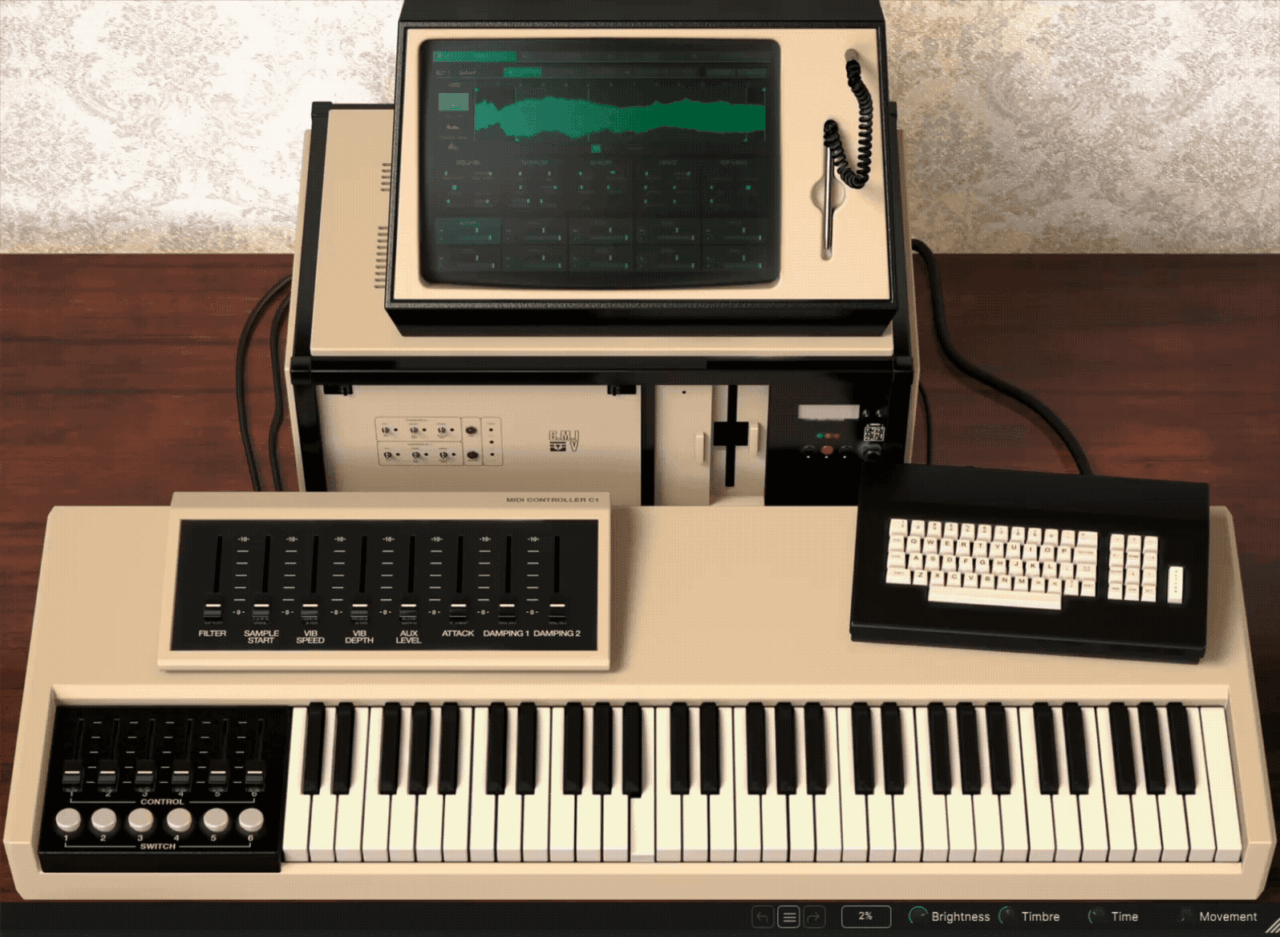
Let’s take a closer look at Arturia CMI V, one of the most ambitious vintage instrument recreations I’ve used in a while.
You can get more info and check out the price on Sweetwater or Thomann
The original Fairlight CMI wasn’t just another synthesizer; it was one of the first commercially available digital samplers, and its sound shaped countless records throughout the 1980s.
What makes CMI V interesting to me is that Arturia didn’t simply turn the original library into a sample player. Instead, they recreated the broader Fairlight workflow, including the classic sampling engine, additive synthesis, sequencing, and even some modern tools that push the instrument beyond what the original hardware could do.
After spending some time with it, I found that CMI V feels less like a nostalgia product and more like a creative digital workstation with a very distinct personality. In this review, I’ll go through how it sounds, how the workflow feels in practice, and whether it still makes sense in a modern production setup.
| Feature | Description |
| Three Sound Engines | Includes Sampling, Time Synth (additive synthesis), and Spectral Synth modes for very different approaches to sound design |
| Authentic Fairlight Library | Comes with 600 original CMI samples covering many of the iconic sounds associated with the Fairlight era |
| 360 Presets | Large preset collection ranging from classic 80s textures to modern cinematic and electronic sounds |
| 10 Instrument Slots | Load, layer, split, and sequence up to 10 instruments inside a single instance |
| 32-Voice Polyphony per Slot | Each instrument slot supports up to 32 voices, allowing dense layered textures |
| 32-Step Sequencer | Modernized version of the classic Page R sequencer with pattern chaining and polyrhythmic sequencing |
| Sample Import | Import your own WAV files and even some original Fairlight .VC sample files |
| Sample-to-Synthesis Conversion | Convert sampled sounds into synthesized harmonic content and vice versa with one click |
| Variable Bit Depth & Sample Rate | Dial in classic 8-bit Fairlight grit or cleaner modern digital textures |
| Time Synth Engine | Draw harmonic envelopes across up to 32 harmonics for additive synthesis |
| Spectral Synth Engine | Shape harmonics visually using spectral editing tools unavailable on the original hardware |
| Advanced Mixer Section | Dedicated mixer with per-slot levels, effects, panning, and routing controls |
| Built-In Effects | Includes delays, reverbs, modulation, distortion, filtering, and insert FX per instrument slot |
| Resizable Interface | Fully scalable UI optimized for modern DAW workflows and high-resolution displays |
| Tune & Map Section | Map sounds across the keyboard and create layered or split instrument setups |
Features
Before getting into the workflow and sound, it’s important to understand that CMI V is not simply a Fairlight sample library. Arturia tried to recreate the broader CMI experience, including the sequencing, additive synthesis concepts, and sampling workflow that made the original hardware so influential.
What I found interesting is that the plugin constantly balances vintage limitations with modern convenience. Some parts feel intentionally retro and restricted, while others clearly expand beyond what the original machine could ever do.
Sampling Engine
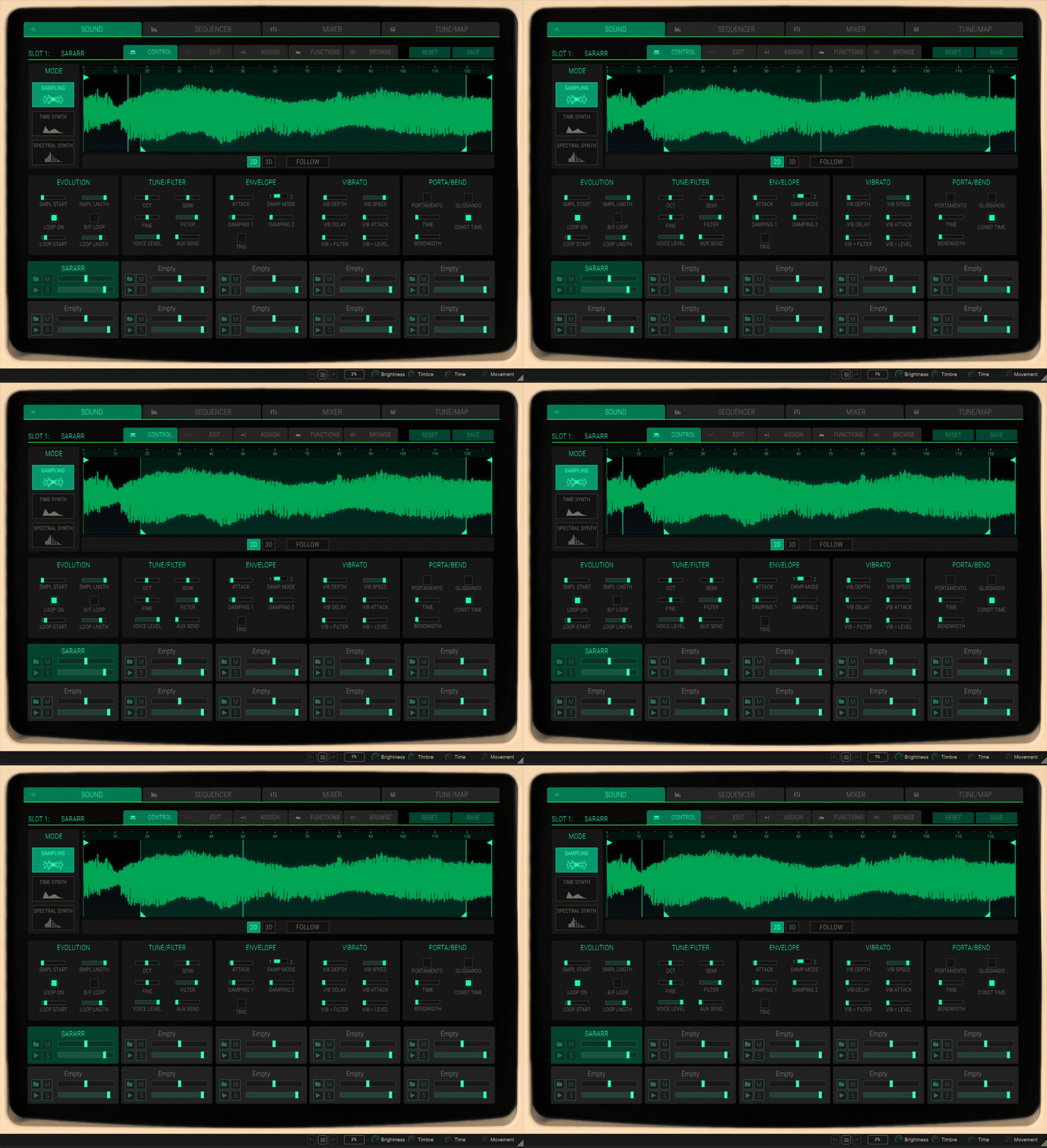
The sampling side of CMI V is what most people will probably use first. The plugin includes a large portion of the classic Fairlight factory library, with iconic sounds like orchestral stabs, vocal textures, flutes, and synthetic instruments associated with countless 80s productions.
You can layer sounds, map them across the keyboard, adjust loop points, tweak envelopes, and change sample rate and bit depth to push sounds toward gritty 8-bit textures or cleaner modern tones.
One thing worth mentioning is that CMI V itself does not directly sample audio like the original hardware did. Instead, you import WAV files or compatible Fairlight sample files. Personally, I would have loved integrated sampling, but the import workflow is still quick enough for modern use.
Page R Sequencer
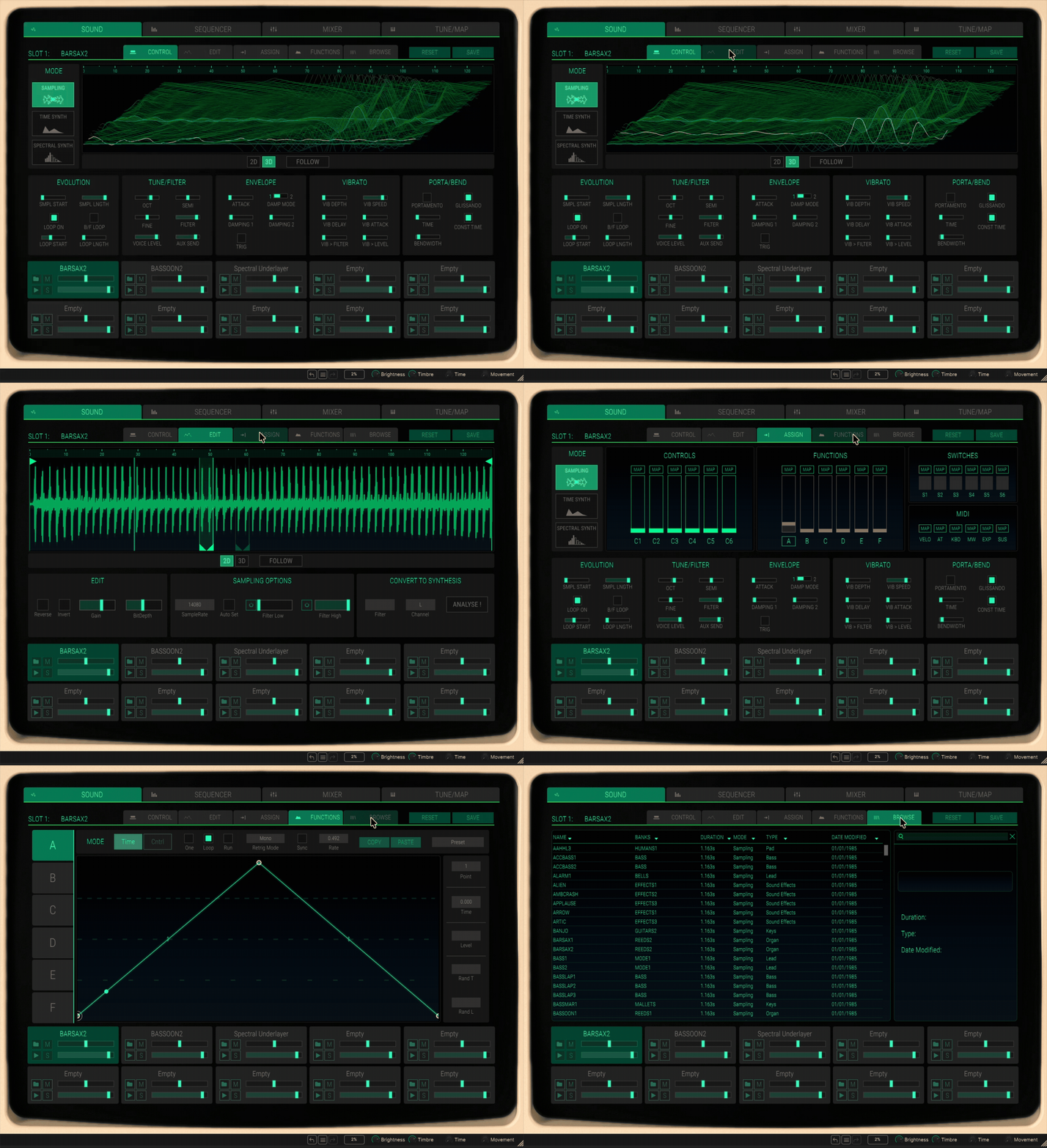
One of the most recognizable parts of the original Fairlight was the legendary Page R sequencer, and Arturia included a modernized version of it here. The concept is intentionally simple: short step-based sequencing with pattern-oriented composition.
Compared to a modern DAW sequencer, it feels primitive, but that’s honestly part of the charm. I found myself creating ideas differently because the limitations encourage more repetitive, rhythmic composition styles.
The sequencer now supports:
- 10 tracks instead of 8
- 32 steps per pattern
- Pattern chaining
- Faster editing workflow
- DAW synchronization
It’s surprisingly fun to use, especially for electronic rhythms and retro-inspired patterns.
Time Synth Additive Synthesis
This is probably the most overlooked part of the plugin, but also one of the most interesting. The original Fairlight actually began life as an additive synthesizer, and Arturia leaned into that history with the Time Synth engine.
Here, you can draw harmonic envelopes across up to 32 harmonics or wavetable layers, then morph and reshape them over time. It’s a very unusual workflow compared to modern wavetable synths.
I’ll be honest: this section has a learning curve. But once I spent some time with it, I started getting some really strange and beautiful evolving textures that don’t sound quite like anything else.
Spectral Synth Engine
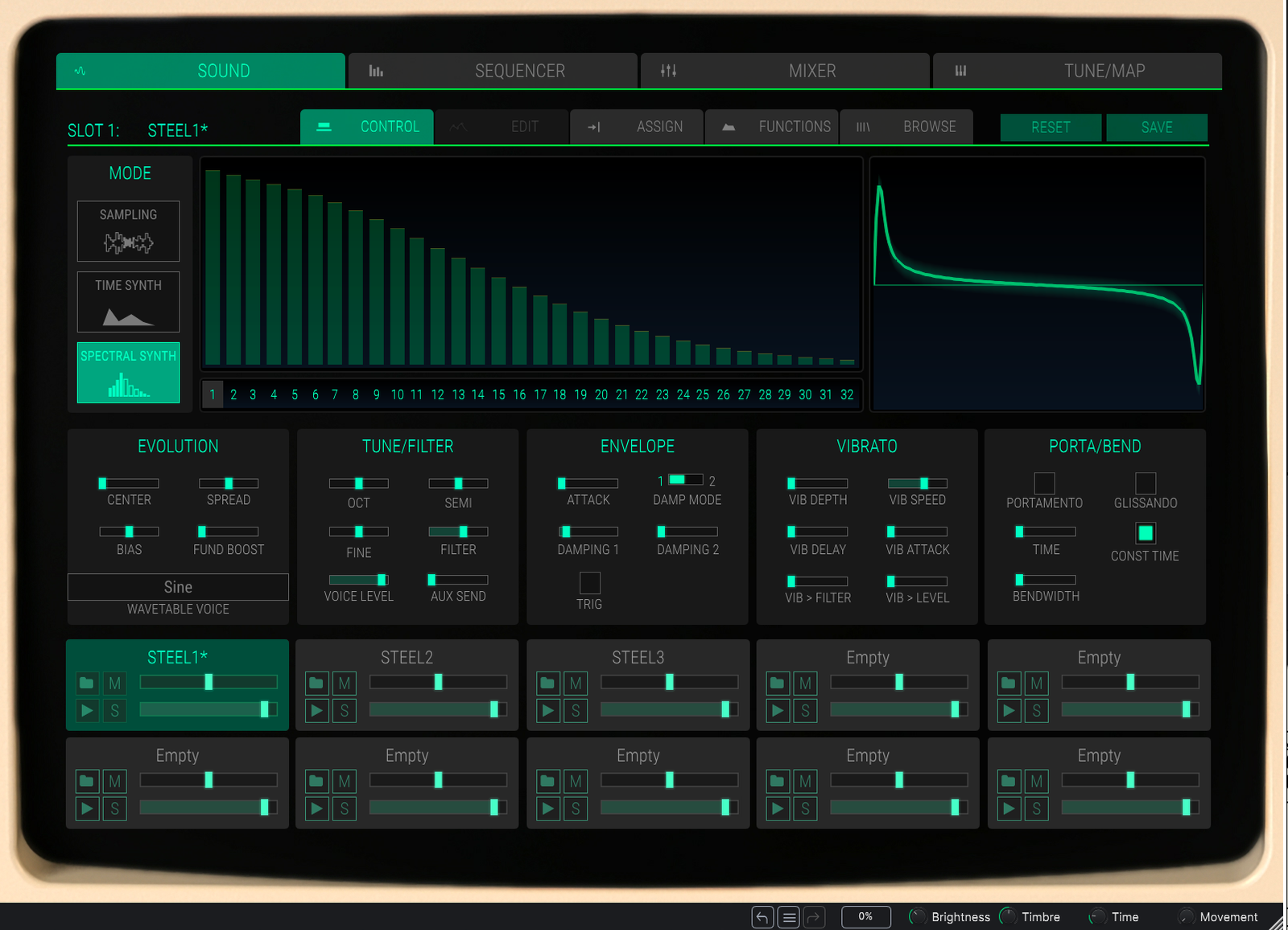
Arturia also added a completely modern Spectral Synth mode, which was never part of the original hardware. This mode lets you manipulate harmonics visually using spectral shaping tools.
You can create up to 10 harmonic snapshots, morph between them, and combine them with the sampling engine. In practice, I found this section more experimental than practical, but it’s still a creative addition.
It’s not always the fastest way to design sounds, but for ambient textures and evolving digital tones, it can produce some really unique results.
Sound Layering and Mapping
CMI V allows you to work with up to 10 instrument slots simultaneously, which makes it feel closer to a workstation than a simple sampler.
You can:
- Layer sounds
- Split sounds across the keyboard
- Apply independent effects
- Sequence different parts
- Route sounds through the mixer individually
This is one of the areas where the plugin feels much more modern than the original Fairlight. It makes complex textures surprisingly easy to build.
Sample Import and Vintage Character Controls
One feature I really appreciated is the ability to adjust sample rate and bit depth manually. This makes it possible to recreate the crunchy, aliased quality associated with early digital samplers.
CMI V also supports importing certain original Fairlight .VC files, which adds a nice level of authenticity for users who already have access to vintage Fairlight libraries.
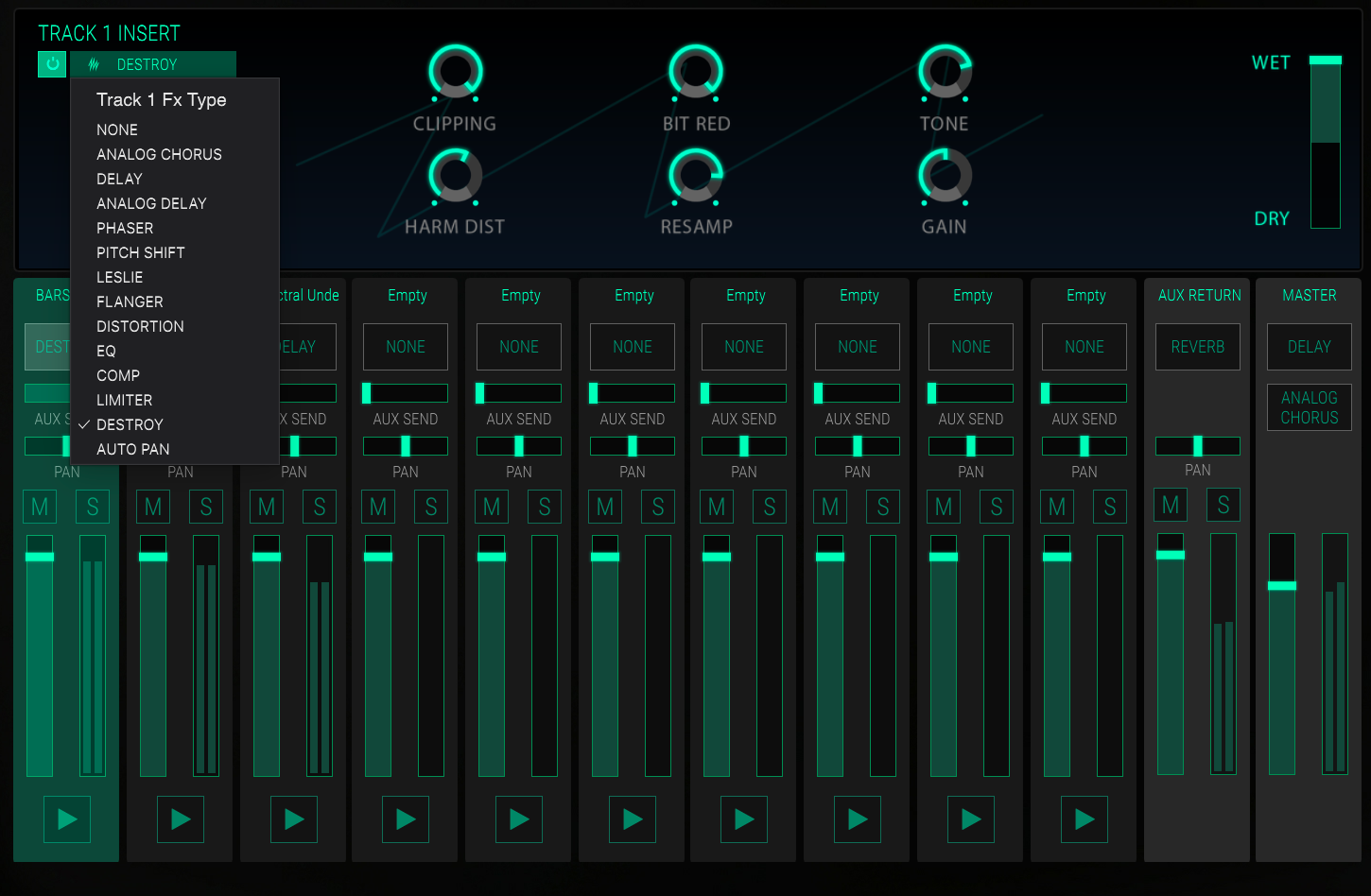
Built-In Effects and Mixer
The plugin also includes a full mixer section with effects processing for each slot. You get delays, reverbs, modulation, filtering, distortion, and dynamics processing directly inside the instrument.
The effects themselves are solid, although I wouldn’t say they are the main attraction here. For me, they mostly work as convenient tools for shaping sounds without needing additional plugins.
Interface and Workflow
The CMI V interface immediately feels different from most modern software instruments. Instead of trying to look futuristic, Arturia clearly wanted to preserve some of the original Fairlight personality, while still making the plugin usable inside a modern DAW.
Interface
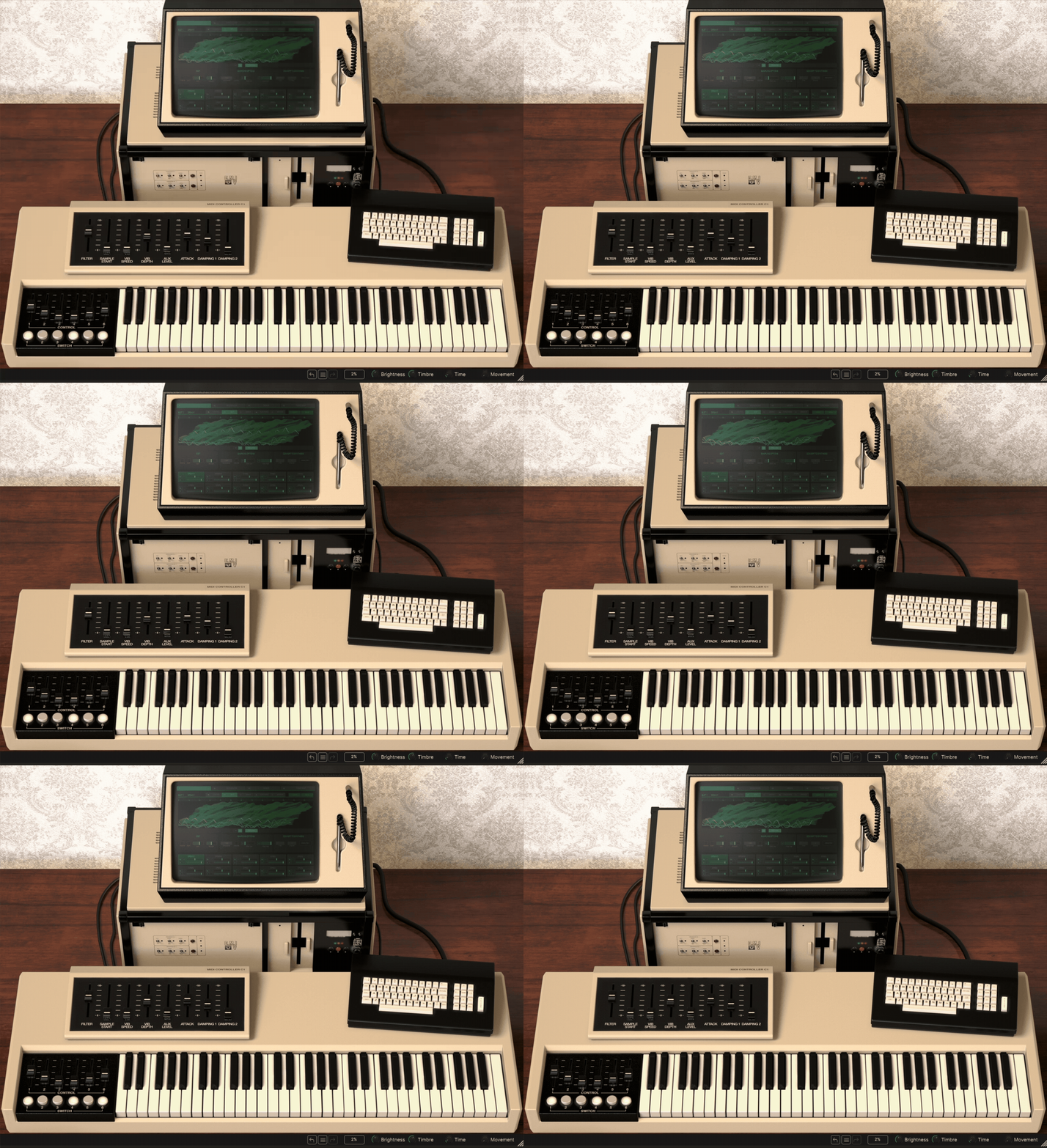
When you first open the plugin, you’re greeted by a visual recreation of the Fairlight workstation, complete with the iconic monitor and keyboard layout. It’s not an exact copy of the original hardware, though. Arturia modernized certain parts of the design and added extra controls to improve usability.
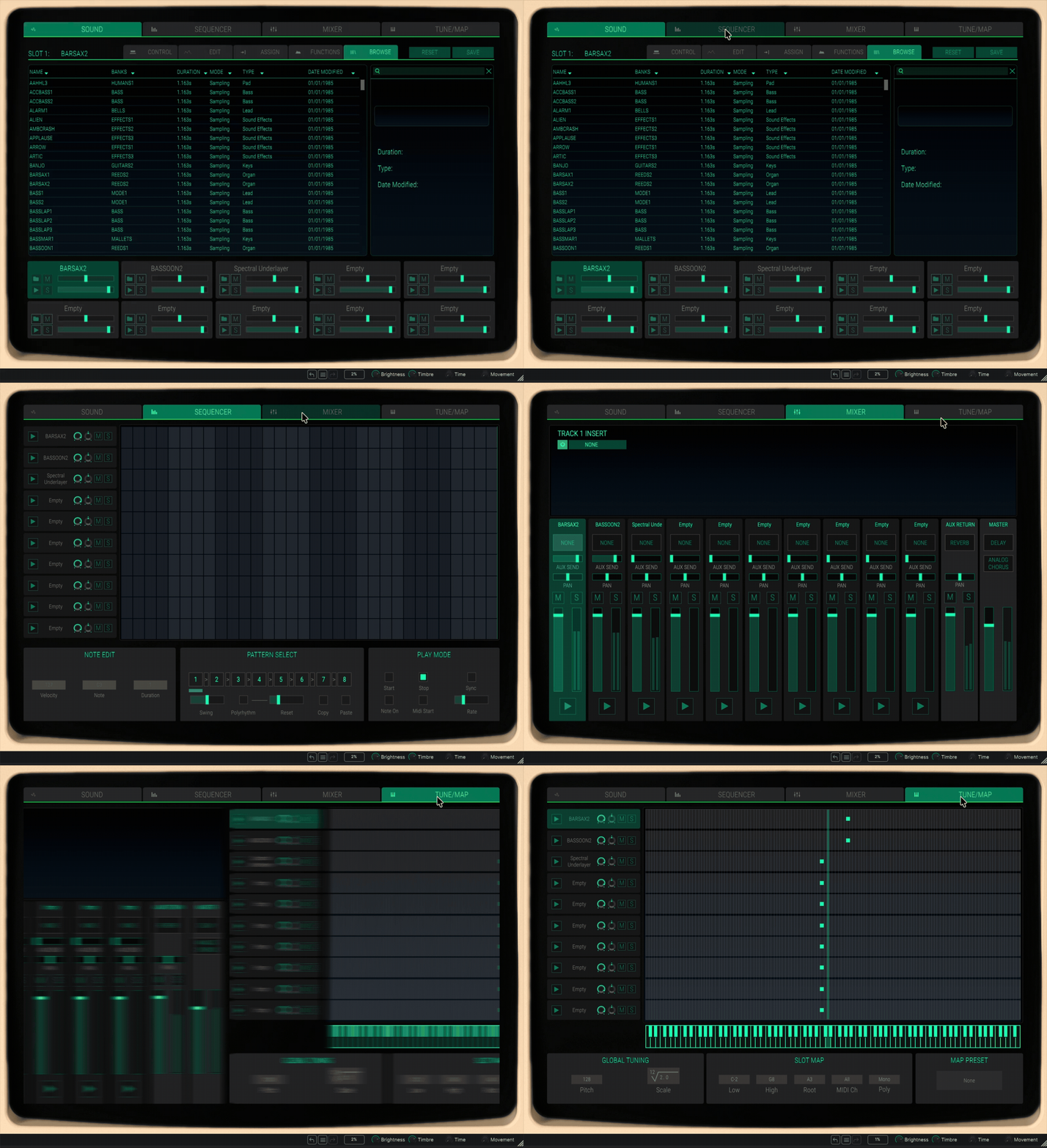
Most of the important work happens inside the large central display, which is divided into sections like:
- Sound
- Sequencer
- Mixer
- Tune/Map
I actually think Arturia handled this very well. Even though the plugin contains multiple synthesis systems and sequencing tools, the interface rarely feels cluttered.
The workflow changes quite a bit depending on which engine you’re using. The sampling section is straightforward and easy to understand, while the Time Synth additive synthesis mode feels far more experimental and technical.
The Page R sequencer is also surprisingly enjoyable to use. It’s basic compared to a modern piano roll, but that simplicity changes the way you approach writing patterns. I found myself focusing more on rhythm and repetition rather than endless editing.
One thing I appreciated is that Arturia didn’t try to over-modernize everything. Some limitations and quirks are intentionally preserved, which helps the plugin feel more like an instrument and less like a generic workstation.
Workflow
In practice, CMI V works best when approached as a creative texture and composition tool rather than a precision production instrument. I usually started by loading one of the classic Fairlight sounds, building a quick pattern in the sequencer, then layering additional textures from the synthesis engines.
The plugin encourages experimentation. You can move between sampling, additive synthesis, spectral processing, sequencing, and effects very quickly, which often leads to unexpected results.
That said, some areas definitely require patience. The Time Synth and Spectral Synth engines are powerful, but they are not instantly intuitive. I occasionally found myself stopping to figure out exactly what a parameter was doing rather than simply making music.
The sequencer and layering workflow, however, are much faster than I expected. Once I got comfortable with the structure, it became easy to sketch out retro-inspired grooves, cinematic textures, or strange evolving digital sounds.
I also noticed that the workflow naturally pushes you toward older production techniques. Instead of endlessly polishing sounds, I often ended up embracing imperfections, aliasing, and lo-fi textures, which honestly feels very true to the original Fairlight spirit.
First Impressions and Sound
The first thing that stood out to me about CMI V is that it doesn’t sound like a clean modern sampler. Even before lowering the sample rate or bit depth, there’s already a certain gritty digital texture to many of the sounds that immediately gives it personality.
Of course, the classic Fairlight factory sounds are a huge part of the appeal. Hearing iconic textures like the orchestral stabs, breathy vocal patches, and synthetic instruments instantly brings a very recognizable character. Some of these sounds are undeniably dated, but honestly, that’s part of the charm.
What surprised me more was how usable many of these sounds still are in modern productions. Layered properly, they add a very distinct texture that feels different from today’s cleaner sample libraries.
The sampling engine itself sounds convincing, especially once you start lowering the sample rate and bit depth. The aliasing and graininess can become very aggressive in a good way, particularly on vocals, percussion, and synth textures.
I also enjoyed how imperfect everything feels. Modern samplers are often designed to sound transparent, while CMI V constantly reminds you that early digital instruments had limitations. Instead of fighting those imperfections, the plugin encourages you to use them creatively.
The Time Synth additive synthesis section ended up being one of the most interesting parts for me. At first, I honestly didn’t know what to make of it. But after spending some time drawing harmonic movements and resampling the results, I started getting these evolving digital textures that felt somewhere between a sampler and a strange modular synth.
The Spectral Synth engine is a bit more hit-or-miss for me. It can definitely produce unusual textures, but I didn’t always find the workflow inspiring. Sometimes it felt more experimental than musical, although ambient and cinematic producers will probably get more out of it than I did.
The Page R sequencer also changes the musical feel quite a bit. Because it’s intentionally simple and pattern-based, I found myself creating repetitive grooves and rhythmic loops that felt very authentic to older electronic productions.
One thing worth mentioning is that this plugin is not really about pristine realism or hyper-modern production. If you want ultra-clean orchestral instruments or perfectly polished modern synthesis, this probably isn’t the right tool.
Instead, CMI V excels at:
- Retro digital textures
- Lo-fi sampling character
- Vintage electronic sounds
- Experimental additive synthesis
- Cinematic and ambient layering
- Strange evolving digital tones
There are also a few limitations. Some parts of the workflow can feel a bit slow compared to modern samplers, and the deeper synthesis sections definitely require patience. I also wish Arturia had included direct audio sampling instead of relying entirely on importing files.
Still, the overall experience feels surprisingly authentic without becoming frustratingly old-fashioned. More importantly, the plugin constantly pushed me toward ideas I probably wouldn’t have created with a normal sampler or workstation synth.
That’s really what makes CMI V interesting to me. It doesn’t just recreate old sounds; it recreates a very different way of thinking about digital music production.
Compatibility
CMI V is available as part of Arturia V Collection and also as a standalone instrument. It supports all major plugin formats and runs on both Windows and macOS systems.
| Category | Details |
| Plugin Formats | VST, VST3, AU, AAX |
| Operating Systems | Windows, macOS |
| Standalone Version | Yes |
| Authorization | Arturia Software Center |
| DAW Support | Compatible with all major DAWs |
In my experience, the plugin runs fairly smoothly considering how much is happening internally. I tested it in Logic Pro and FL Studio, and overall performance was stable even with layered sounds and sequencing active.
CPU usage can increase once you start stacking multiple instruments, effects, and synthesis engines together, especially with the additive synthesis sections. Still, for most modern systems, it feels very manageable.
Pros and Cons
Pros
- Excellent recreation of the Fairlight workflow and character
- Includes a large portion of the classic Fairlight library
- Very creative additive and spectral synthesis tools
- Fun and inspiring Page R-style sequencer
- Strong balance between vintage character and modern usability
Cons
- No direct audio sampling inside the plugin
- Some synthesis sections have a noticeable learning curve
- Workflow can feel slower than modern samplers
- Spectral Synth mode feels more experimental than practical at times
Conclusion
Overall, Arturia CMI V feels much more ambitious than a simple vintage sampler recreation. Instead of only focusing on nostalgia, Arturia recreated many of the ideas that made the original Fairlight special while still adapting them for modern production workflows.
What I enjoyed most was that the plugin constantly encouraged experimentation. Between the sampling engine, additive synthesis, sequencing, and resampling workflow, it pushes you toward sounds and compositions that feel very different from typical modern software instruments.
It’s definitely not the fastest or most straightforward sampler on the market, and some areas require patience. But if you’re interested in retro digital textures, early sampling aesthetics, and unusual sound design workflows, CMI V is one of the most interesting virtual instruments available today.

Berk is a multi-instrumentalist musician from Istanbul, Turkey. He has been playing guitar, handpan, and percussion for over ten years, developing a sound that blends melodic sensitivity with rhythmic depth.
He began his musical journey as a teenager, learning guitar and performing in several bands. In 2016, he discovered the handpan, an instrument that immediately resonated with him on a deeper level and gradually became central to his artistic identity.
Since then, he has performed in streets, festivals, bars, and concert venues across different countries, connecting with diverse audiences through both intimate and large-scale performances.
Alongside his live work, Berk is deeply involved in studio production. He works from his home studio, where he composes, records, and produces his own music. His studio serves as a creative space for layering handpan, guitar, and percussion with modern production techniques, allowing him to shape fully realized, atmospheric compositions from start to finish.
His music explores a wide range of genres and textures, combining organic acoustic instruments with detailed studio production to create immersive and expressive soundscapes.