
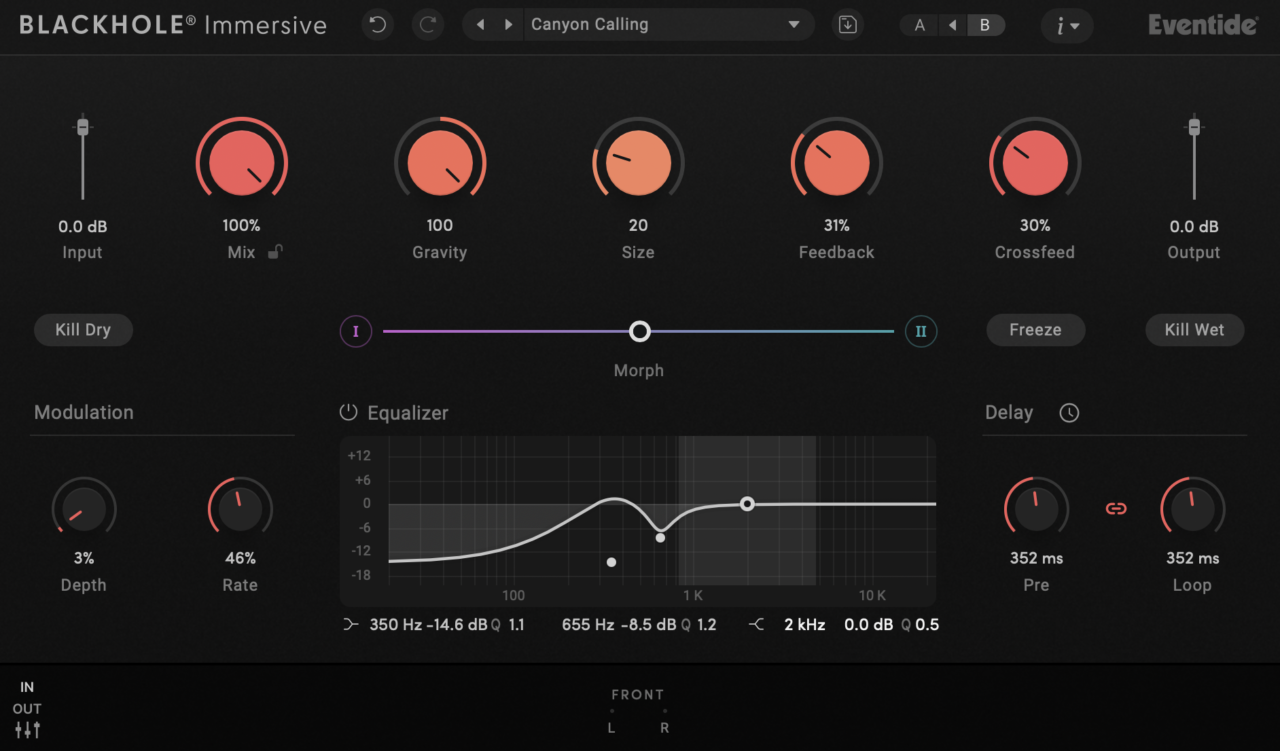
Today, I want to take a closer look at Eventide Blackhole Immersive, a plugin that takes one of the most recognizable reverb algorithms ever made and rebuilds it for Dolby Atmos and multichannel workflows. The original Blackhole was already famous for its huge, cinematic reverb tails and surreal spatial textures, but the immersive version pushes that concept much further.
Get more info and price on Sweetwater or Thomann or PluginBoutique
What immediately interested me is that this isn’t simply the stereo plugin duplicated across more channels. Eventide redesigned the workflow around immersive audio, adding controls for front/rear weighting, speaker-specific processing, crossfeed, and zone-based EQ, all while keeping the signature Blackhole sound intact.
After spending time with it, I found that Blackhole Immersive feels less like a normal reverb and more like a tool for building entire acoustic environments. In this review, I’ll go through how the immersive workflow feels in practice, how it sounds across different spaces, and whether it justifies itself beyond the original stereo version.
| Feature | Description |
| Immersive Audio Support | Supports formats including LCR, Quad, 5.1, 7.1, 7.1.2, 7.1.4, and 9.1.6 |
| Blackhole Algorithm | Uses the same legendary DSP4000/H8000-derived Blackhole reverb engine |
| Tilt Controls | Adjust Gravity, Size, and Feedback differently between the front and rear soundfield |
| Zone-Based EQ | Independent EQ shaping for Front, Side, Rear, and Top speaker regions |
| Crossfeed Control | Spreads reverb information naturally between speakers for smoother immersive spaces |
| Speaker Level Controls | Individual level adjustment for different immersive speaker channels |
| Freeze Function | Captures and infinitely sustains the current reverb tail |
| Kill Dry / Kill Wet | Instantly isolate either the dry or wet signal for transitions and sound design |
| Mix Lock | Keeps wet/dry balance consistent while browsing presets |
| Modulation Section | Adds movement and animation with Depth and Rate controls |
| Delay Section | Includes Pre-delay and Loop feedback controls for rhythmic spatial effects |
| Preset Library | Includes 150+ immersive-focused presets for cinematic, ambient, and spatial workflows |
| Tempo Sync | Sync modulation and delay timing directly to the DAW |
| Automation Support | Full automation compatibility for immersive transitions and movement |
| Resizable Interface | Modern scalable UI optimized for immersive mixing sessions |
Features
Before diving into the sound and workflow, it’s important to understand that Blackhole Immersive is not just a surround version of the original plugin. Eventide redesigned several parts of the interface and control system specifically for immersive and Atmos-based workflows while still keeping the recognizable Blackhole character intact.
What I noticed quickly is that the plugin focuses less on realism and more on creating huge, cinematic spaces that feel almost unreal. Even small adjustments can dramatically change the perceived size and movement of the soundfield.
Immersive Audio Support
One of the biggest additions is full support for multichannel and immersive audio formats. The plugin works with LCR, Quad, 5.1, 7.1, 7.1.2, 7.1.4, and 9.1.6. This makes it suitable for Dolby Atmos music production, film scoring, post-production, and game audio workflows.
Unlike simply widening a stereo reverb, Blackhole Immersive allows the reverb field to behave differently across multiple speaker zones, which creates a much more convincing sense of depth and movement.
Gravity, Size, and Feedback Controls
The core Blackhole controls are still here, including the famous:
- Gravity
- Size
- Feedback
Gravity changes how the reverb evolves over time, almost bending the tail forward or backward unnaturally. Combined with large Size settings and high Feedback values, the plugin can create extremely long and evolving spaces.
One thing I really like is that these parameters can now behave differently between the front and rear soundfield using tilt controls. This adds a level of spatial shaping that the original stereo version simply couldn’t offer.
Zone-Based EQ and Speaker Control
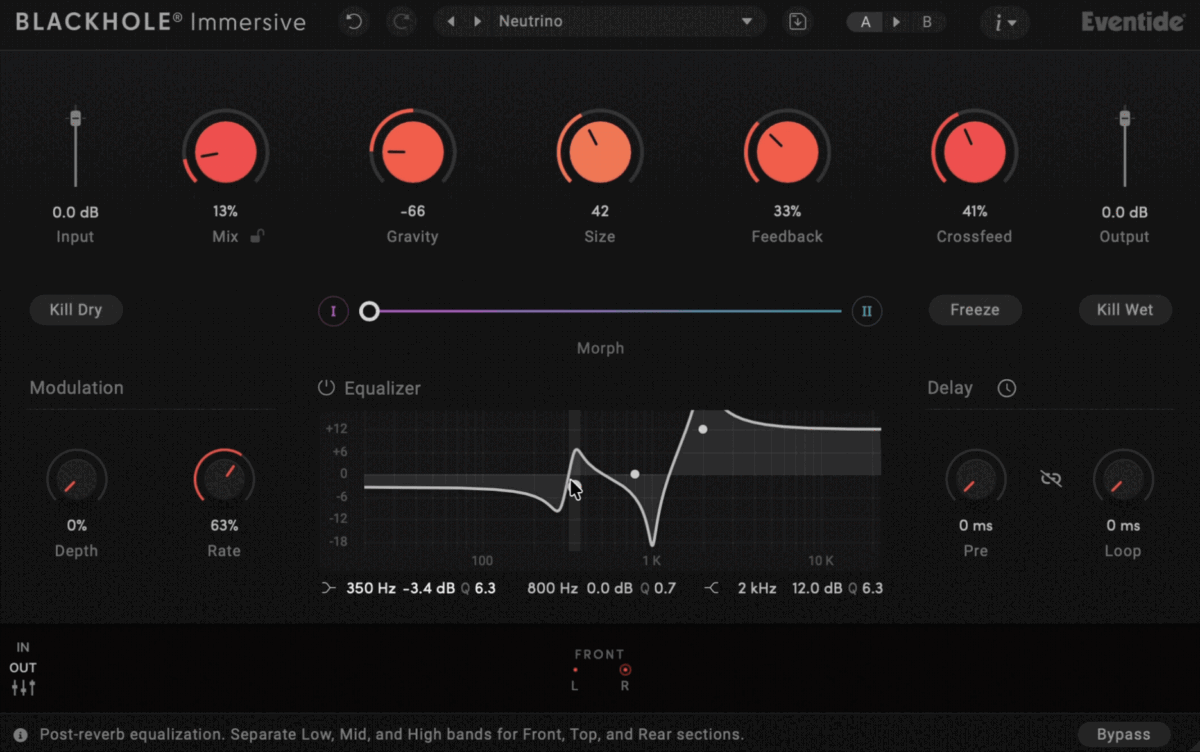
A major addition in the immersive version is the ability to shape different speaker zones independently.
You can apply separate EQ shaping to:
- Front speakers
- Rear speakers
- Side channels
- Height channels
This is surprisingly useful in practice. For example, I could keep the rear channels darker and softer while allowing the front channels to remain clearer and more detailed.
The plugin also includes individual speaker level controls, which makes balancing immersive spaces much easier without leaving the plugin.
Crossfeed and Spatial Distribution
The Crossfeed control determines how much information spreads between speakers. Lower values keep the reverb more isolated per speaker, while higher settings create a smoother and more connected immersive field.
I found this especially important for Atmos-style ambient textures. Without proper crossfeed, the reverb can sometimes feel disconnected between zones. With the right settings, the space feels much more natural and enveloping.
Freeze and Creative Controls
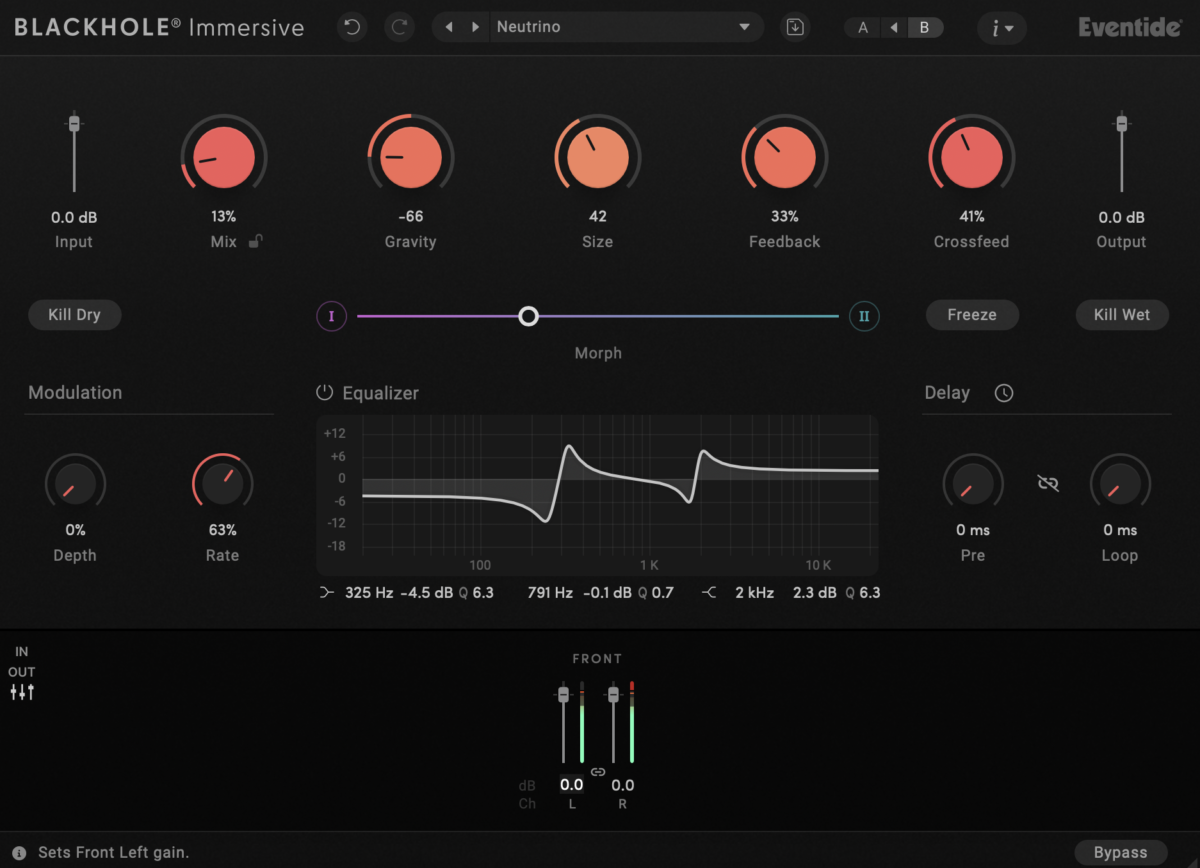
Like the original Blackhole, the immersive version includes a Freeze function, which captures and infinitely sustains the current reverb tail.
This is still one of my favorite features for sound design. Freezing a huge atmospheric reverb and then automating parameters creates evolving drones and textures very quickly.
You also get:
- Kill Dry
- Kill Wet
- Infinite sustain
- Tempo sync
- Modulation controls
These features push the plugin beyond standard mixing duties and into more experimental territory.
Presets and Workflow Tools
Blackhole Immersive includes more than 150 presets, many of which are specifically designed for immersive production environments.
The presets cover:
- Cinematic ambiences
- Atmospheric spaces
- Experimental textures
- Large halls
- Motion-based effects
- Sound design environments
I actually found the presets very useful here because immersive reverb can become overwhelming quickly. Having professionally designed starting points made it much easier to understand how Eventide intended the spatial tools to be used.
Interface and Workflow
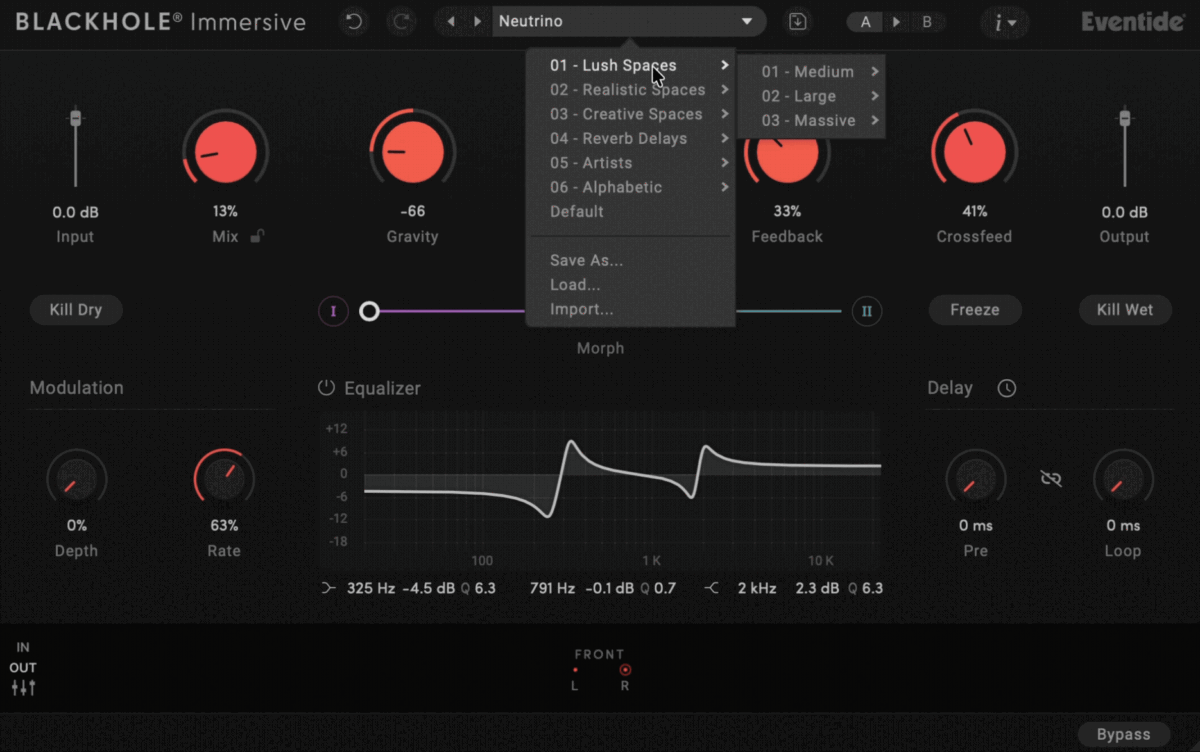
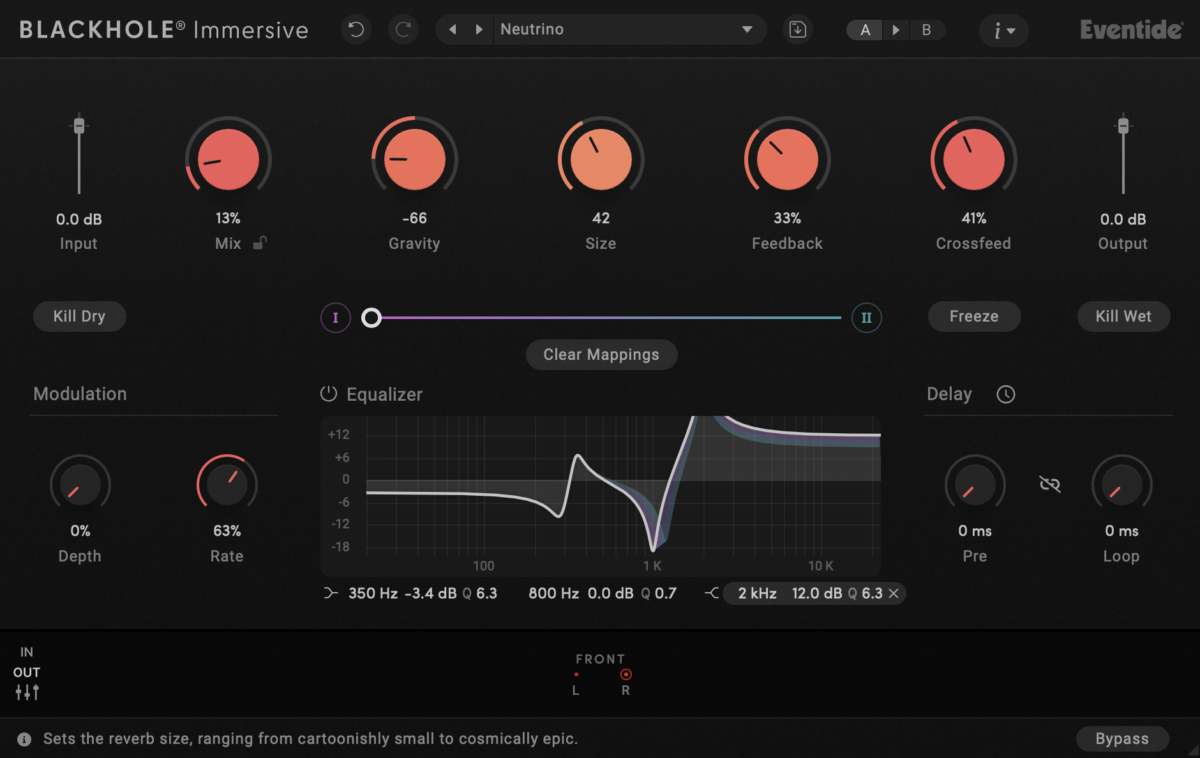
The Blackhole Immersive interface feels very familiar if you’ve used the original Blackhole before, but Eventide expanded it in a way that makes sense for immersive production instead of simply adding more channels and controls everywhere.
Interface
At first glance, the interface still looks clean and relatively simple considering how complex the processing actually is. The main controls like Gravity, Size, Feedback, Delay, and Mix remain front and center, which helps preserve the original Blackhole workflow.
The biggest visual difference is the addition of the immersive speaker controls and zone sections. You can quickly adjust front, rear, side, and height behavior without opening endless menus, which I appreciated because immersive plugins can easily become overwhelming visually.
I also liked how Eventide handled the Tilt controls. Instead of forcing you to individually tweak every speaker constantly, you can broadly shape how the reverb behaves across the room using a few larger controls. That keeps the workflow surprisingly musical.
The interface is also fully resizable, which helps a lot during Atmos sessions where screen space disappears quickly. Even with the additional immersive tools visible, the layout never felt overly cluttered to me.
Workflow
In practice, Blackhole Immersive is very fast to work with if you already understand the basic Blackhole philosophy. I usually started with a preset, adjusted the Size and Gravity controls, then shaped the immersive field afterward.
The plugin works especially well when approached as a space design tool rather than a traditional corrective reverb. Instead of trying to recreate realistic rooms, I found myself using it to create emotional or cinematic environments.
One workflow detail I enjoyed is how easy it is to exaggerate movement between front and rear channels. Small adjustments to Crossfeed or Tilt settings can dramatically change the perceived depth of the soundfield.
That said, immersive mixing itself naturally adds complexity. If you’re only used to stereo production, some of the speaker balancing and zone EQ controls can initially feel intimidating. After a bit of experimentation, though, the workflow becomes much more intuitive.
I also appreciated that the plugin doesn’t force immersive features constantly. You can still work with it almost like a traditional Blackhole reverb, then gradually expand outward into the immersive tools as needed.
First Impressions and Sound
The first thing that stood out to me about Blackhole Immersive is that it still sounds unmistakably like Blackhole. The huge tails, unnatural decay behavior, and almost dream-like spatial texture are all still here, just expanded into a much larger environment.
What immediately changes in the immersive version is the sense of depth. In stereo, Blackhole already feels massive, but once spread across multiple speaker zones, the reverb starts behaving more like an actual environment surrounding the listener rather than a stereo effect sitting behind the sound.
On pads, drones, and cinematic textures, the plugin sounds incredible. Long decay settings combined with higher Feedback values create huge evolving spaces that feel almost endless. I especially liked using the Freeze function to capture sustained ambient textures and then slowly automate the Size or Gravity controls.
The Gravity parameter is still one of the most unique parts of Blackhole for me. Instead of simply changing decay time, it changes the behavior of the reverb tail itself. Positive and negative settings can completely alter how the space feels emotionally, which makes the plugin much more creative than a standard algorithmic reverb.
The immersive controls genuinely make a difference too. Being able to shape the rear and height channels independently adds a level of movement and dimensionality that the stereo version simply cannot reproduce.
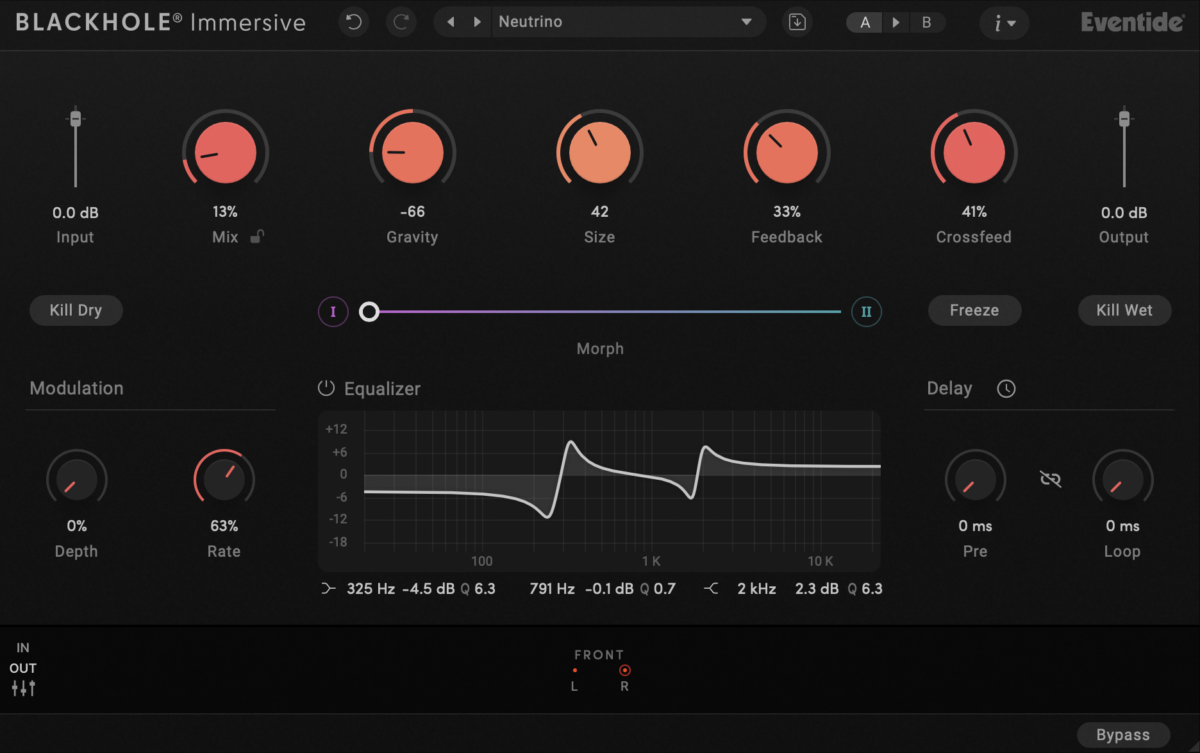
I found the Crossfeed and zone EQ controls especially useful for Atmos-style mixes. Without them, large immersive reverbs can sometimes feel disconnected or too exaggerated between speakers. Here, it’s possible to smooth out the transitions while still maintaining a huge spatial image.
On vocals and lead instruments, Blackhole Immersive can produce some beautiful atmospheric effects, but I personally found it works best as a creative or cinematic reverb rather than a subtle mixing tool. Even at moderate settings, it tends to leave a very obvious spatial signature.
That’s not necessarily a bad thing, though. Blackhole has never really been about realism. It’s designed to create oversized, emotional, almost surreal spaces, and the immersive version doubles down on that identity.
One thing worth mentioning is that the plugin can become overwhelming very quickly. Large immersive reverbs already take up a lot of space in a mix, and Blackhole’s huge tails can easily dominate an arrangement if you are not careful.
I also noticed that some presets feel intentionally extreme. Personally, I enjoyed that because it pushes experimentation, but producers looking for natural room or hall reverbs may find it too exaggerated for everyday mixing tasks.
Overall, the sound quality is excellent. More importantly, the immersive expansion feels meaningful rather than gimmicky. It genuinely changes how the reverb occupies space, especially in cinematic and Atmos workflows, while still preserving the iconic Blackhole character that made the original plugin so popular.
Compatibility
Blackhole Immersive is available for both macOS and Windows and supports the major plugin formats used in modern immersive production workflows.
| Category | Details |
| Plugin Formats | VST3, AU, AAX |
| Operating Systems | Windows, macOS |
| Immersive Formats | LCR, Quad, 5.1, 7.1, 7.1.2, 7.1.4, 9.1.6 |
| Authorization | iLok account required |
| DAW Support | Compatible with major DAWs supporting immersive workflows |
I tested the plugin primarily in Logic Pro and overall performance felt stable. Considering how large and complex the reverb processing can become, CPU usage was actually more reasonable than I expected, although larger immersive sessions will naturally demand more system resources than normal stereo mixing.
Pros and Cons
Pros
- Excellent expansion of the classic Blackhole sound into immersive formats
- Huge, cinematic, atmospheric reverb character
- Very creative Gravity and Freeze controls
- Useful immersive tools like Tilt, Crossfeed, and Zone EQ
- Strong preset library for cinematic and Atmos workflows
Cons
- Not ideal for subtle or realistic room reverbs
- Can become overwhelming in dense mixes very quickly
- Immersive controls may feel intimidating for stereo-only users
- Requires a DAW and setup capable of immersive workflows to fully appreciate
Conclusion
Overall, Eventide Blackhole Immersive feels like a thoughtful expansion of an already iconic reverb rather than a simple multichannel update. Eventide managed to preserve the original plugin’s huge, surreal character while adding immersive controls that genuinely change how the space behaves in Atmos and surround environments.
What I enjoyed most is that it still feels creative first. This is not a technical corrective reverb designed to disappear into a mix. It’s a tool for building enormous emotional spaces, cinematic ambiences, and evolving sound design textures.
It definitely won’t replace your everyday room or plate reverbs, and immersive workflows naturally add complexity. But if you work in film scoring, ambient music, game audio, or Dolby Atmos production, Blackhole Immersive is one of the most interesting spatial reverbs currently available.

Berk is a multi-instrumentalist musician from Istanbul, Turkey. He has been playing guitar, handpan, and percussion for over ten years, developing a sound that blends melodic sensitivity with rhythmic depth.
He began his musical journey as a teenager, learning guitar and performing in several bands. In 2016, he discovered the handpan, an instrument that immediately resonated with him on a deeper level and gradually became central to his artistic identity.
Since then, he has performed in streets, festivals, bars, and concert venues across different countries, connecting with diverse audiences through both intimate and large-scale performances.
Alongside his live work, Berk is deeply involved in studio production. He works from his home studio, where he composes, records, and produces his own music. His studio serves as a creative space for layering handpan, guitar, and percussion with modern production techniques, allowing him to shape fully realized, atmospheric compositions from start to finish.
His music explores a wide range of genres and textures, combining organic acoustic instruments with detailed studio production to create immersive and expressive soundscapes.