
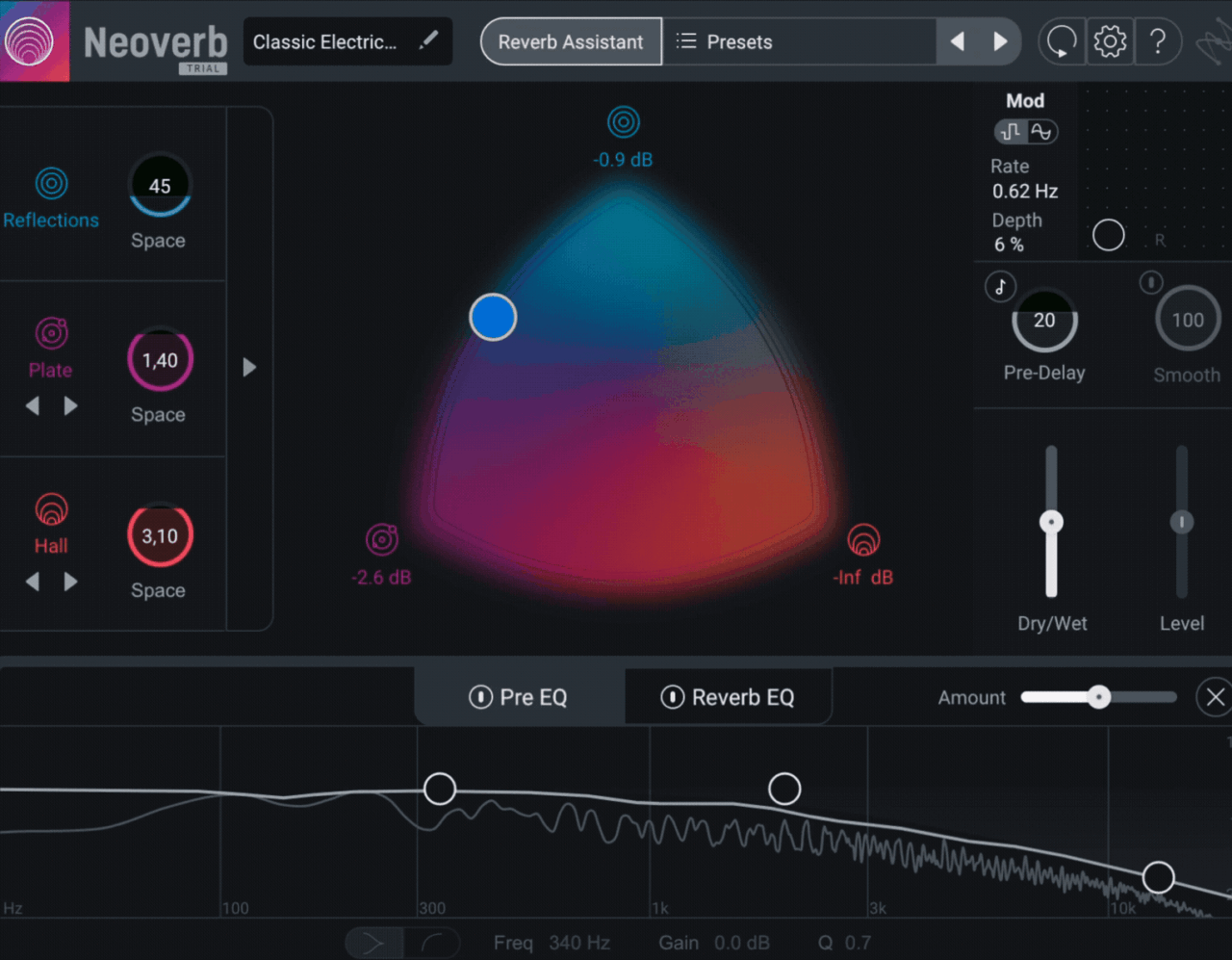
Today, I want to take a closer look at iZotope Neoverb, a reverb plugin that approaches space design a bit differently. Instead of giving you one algorithm or a long list of presets, it lets you blend three separate reverb engines using a simple visual control, which makes shaping space feel much more intuitive.
What I find interesting here is the balance between smart automation and manual control. You can dive in and tweak parameters like a traditional reverb, but there’s also the Reverb Assistant, which analyzes your audio and sets things up for you in seconds.
On paper, it looks like a tool that’s designed to speed up workflow without removing flexibility, which is always a tricky balance. In this review, I’ll go through how it actually feels in practice and whether it delivers both ease of use and high-quality results.
| Feature | Description |
| Three Reverb Engines | Combines early reflections (Blue) and two reverb tails (Violet & Orange) for flexible space design |
| Blend Pad Control | Visual XY pad to blend between the three engines quickly and intuitively |
| Reverb Assistant | AI-assisted tool that analyzes audio and generates a starting reverb based on style, size, and tone |
| Auto Cut (Pre-EQ) | Automatically reduces problematic frequencies before the reverb to avoid buildup |
| Unmask (Post-EQ) | Dynamically adjusts the reverb EQ to prevent masking with the dry signal or other tracks |
| Advanced Engine Controls | Per-engine controls like time, size, diffusion, attack, and angle for deeper shaping |
| Pre & Post EQ Sections | Built-in 3-band EQs with spectrum analyzer for shaping both input and reverb output |
| Modulation & Pre-Delay | Adds movement and depth with modulation controls and tempo-synced pre-delay |
| Transient Shaping | Smooths incoming signal to control how transients interact with the reverb |
| Preset Library | Large collection of presets to quickly explore different spaces and styles |
| Resizable Interface | Adjustable UI for flexible workflow inside different DAWs |
Features
Before getting into how it sounds, it’s worth looking at what Neoverb actually brings to the table. The plugin is built around a three-engine reverb system, combined with smart tools like Reverb Assistant, Auto Cut, and Unmasking, which are designed to make reverb sit better in a mix without much effort.
What I like here is that it doesn’t just give you more controls, it tries to guide you toward better results. You can keep things simple or go deeper depending on how much control you want.
Three Reverb Engines
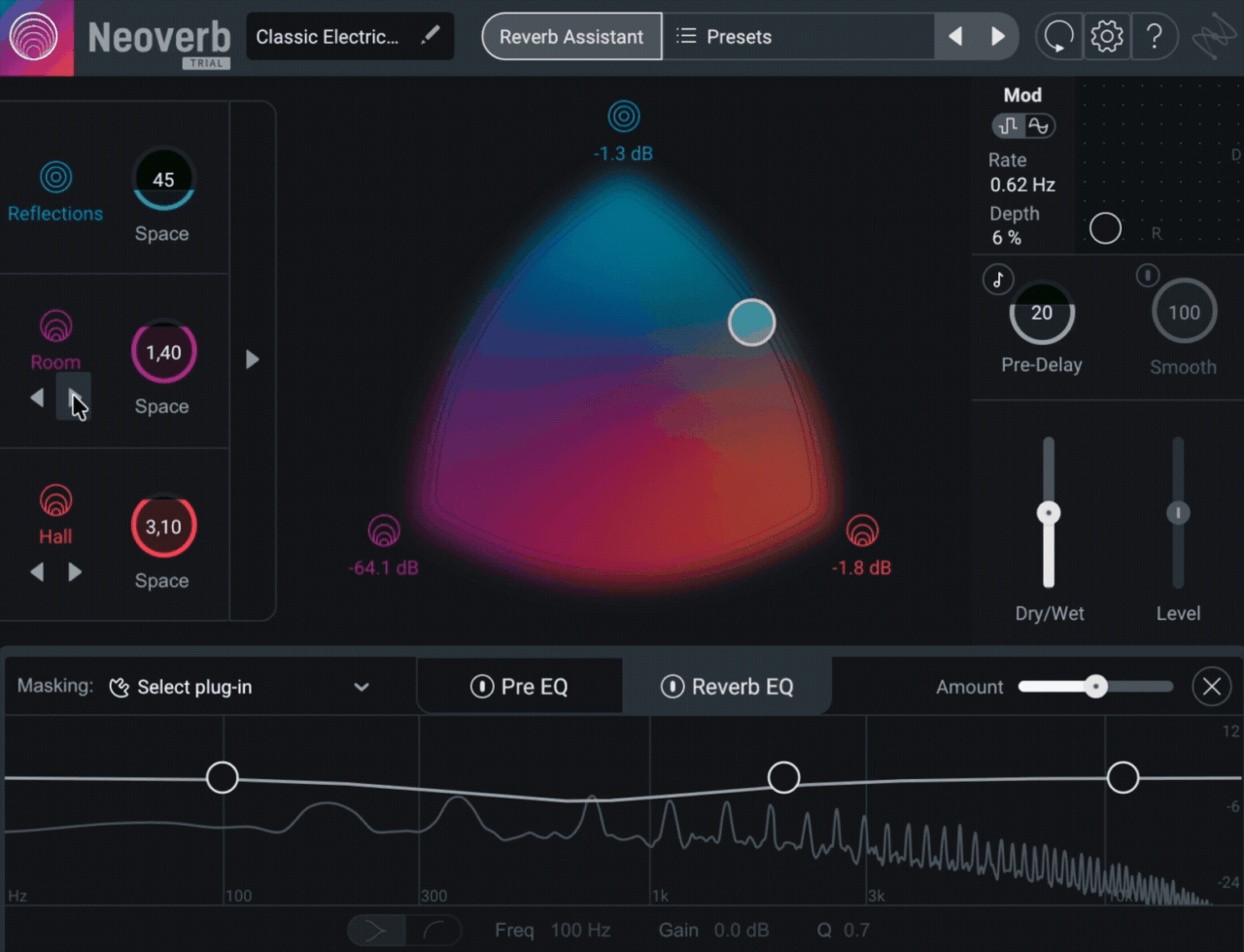
At the core of Neoverb are three separate reverb engines that work together:
- Blue (Reflections) controls early reflections and initial space
- Violet medium reverb tails like room, chamber, and plate
- Orange longer tails like hall and large chamber
These are blended using the central Blend Pad, where you drag a point between the three engines to shape the space.
I found this surprisingly intuitive. Instead of thinking in terms of parameters, you’re basically shaping the space visually, which speeds things up a lot.
Reverb Assistant
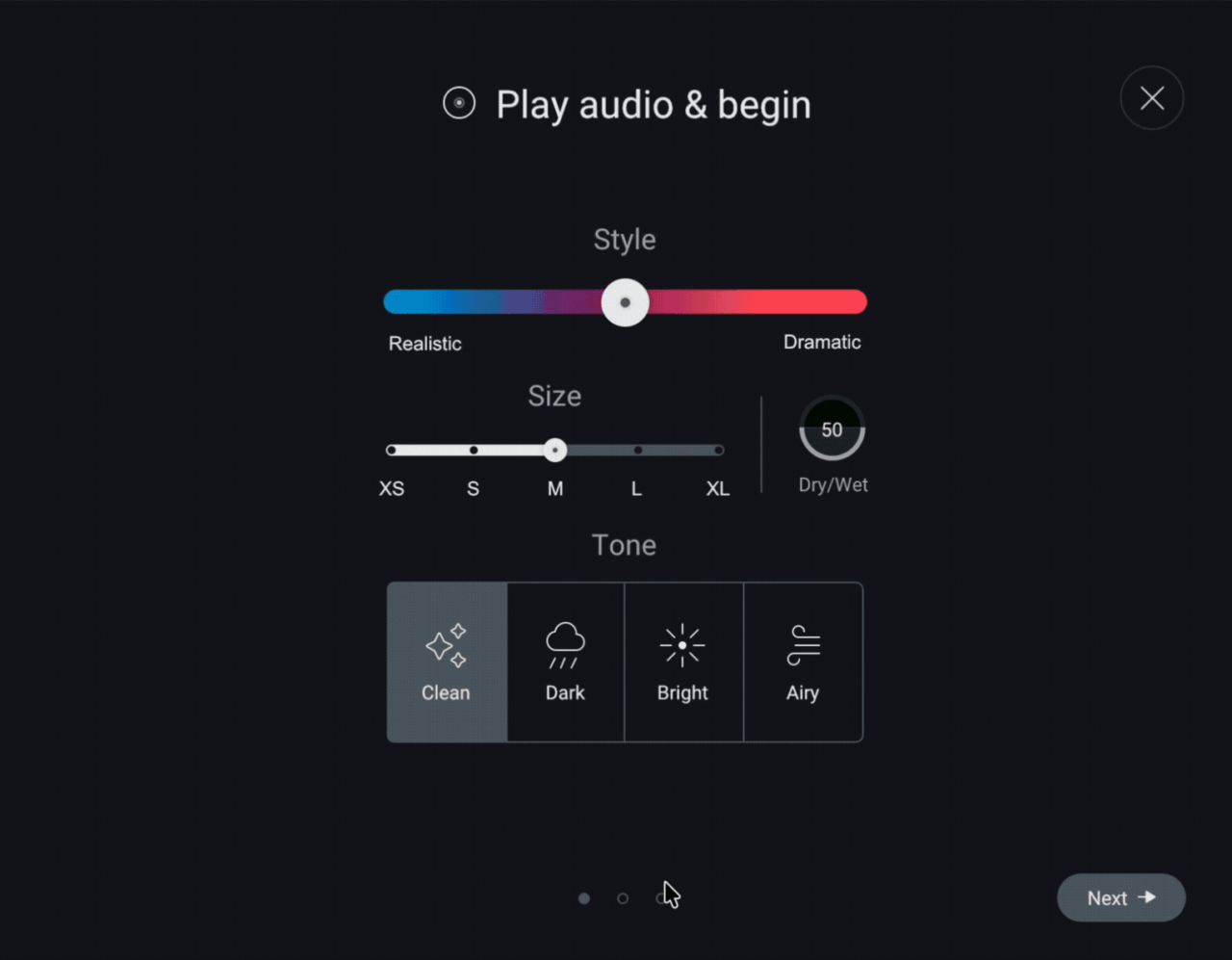
One of the standout features is the Reverb Assistant. You choose a few characteristics like size, tone (clean, dark, bright, airy), and style, then let the plugin analyze your audio and generate a starting point.
In my experience, it gets you very close to a usable result in seconds, especially for vocals and general mixing tasks. It’s not perfect, but it saves a lot of time compared to building a reverb from scratch.
Auto Cut and Unmasking
Neoverb includes iZotope’s smart EQ tools, which are designed to prevent the reverb from clashing with the original signal.
- Auto Cut (Pre-EQ) removes problematic frequencies before the reverb
- Unmask (Post-EQ) adjusts the reverb so it doesn’t overlap with the dry signal or other tracks
These tools work automatically but can also be adjusted manually. I noticed that even subtle adjustments here can make the reverb feel cleaner and more integrated in the mix.
Advanced Controls
If you want more control, each engine has its own advanced parameters. These include:
- Time and Size for shaping the space
- Diffusion for density
- Attack (on tail engines) for how the reverb builds
- Angle (on reflections) for positioning early reflections
There’s also modulation, tempo-synced pre-delay, and transient shaping, which help refine how the reverb reacts to different sources.
EQ and Visual Feedback
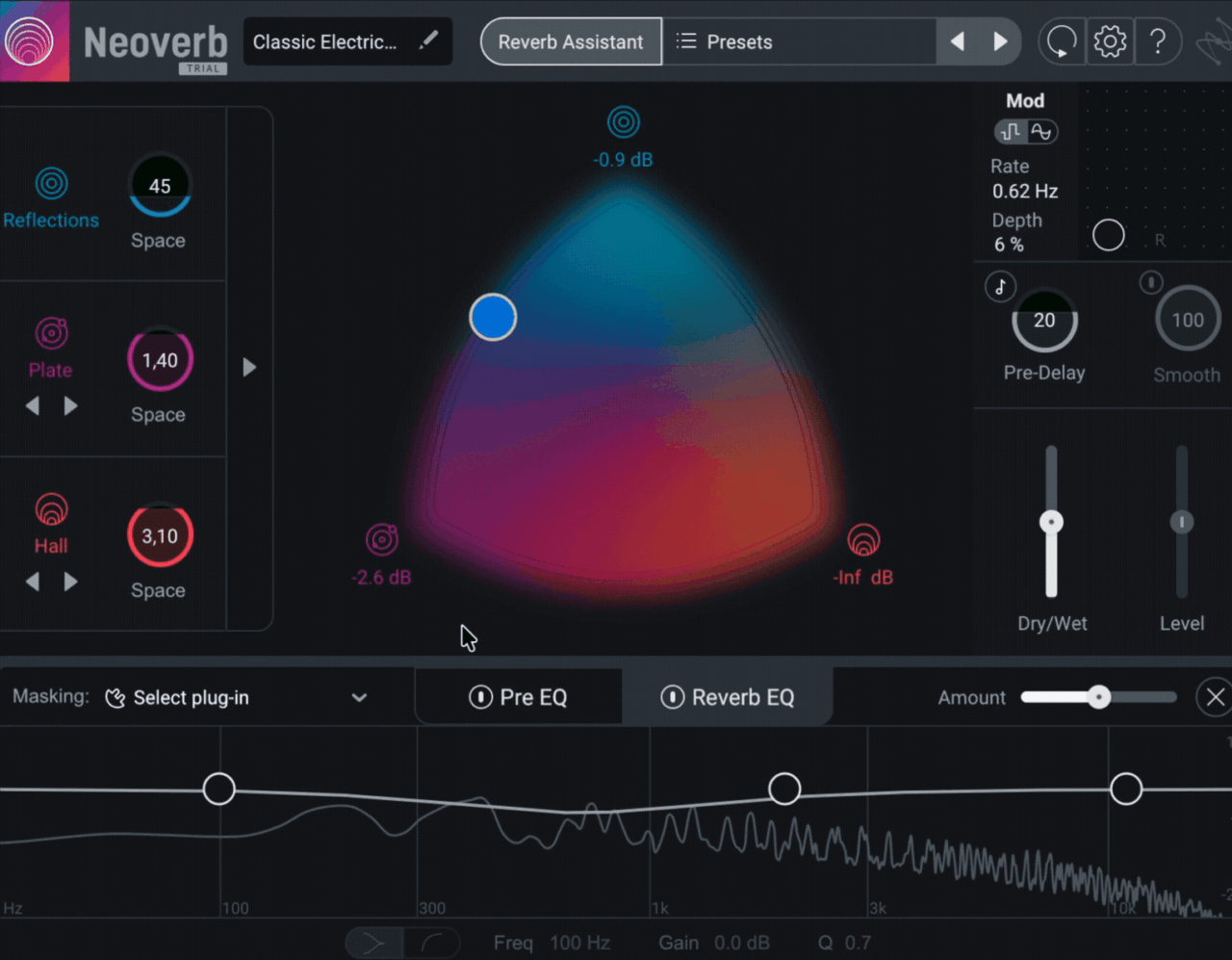
At the bottom of the interface, you get pre and post EQ sections with a built-in spectrum analyzer. This makes it easy to see where the reverb sits in the frequency spectrum and adjust accordingly.
Personally, I liked having this visual feedback. It makes it easier to understand what the plugin is doing, especially when using the automatic features.
Presets and Workflow Tools
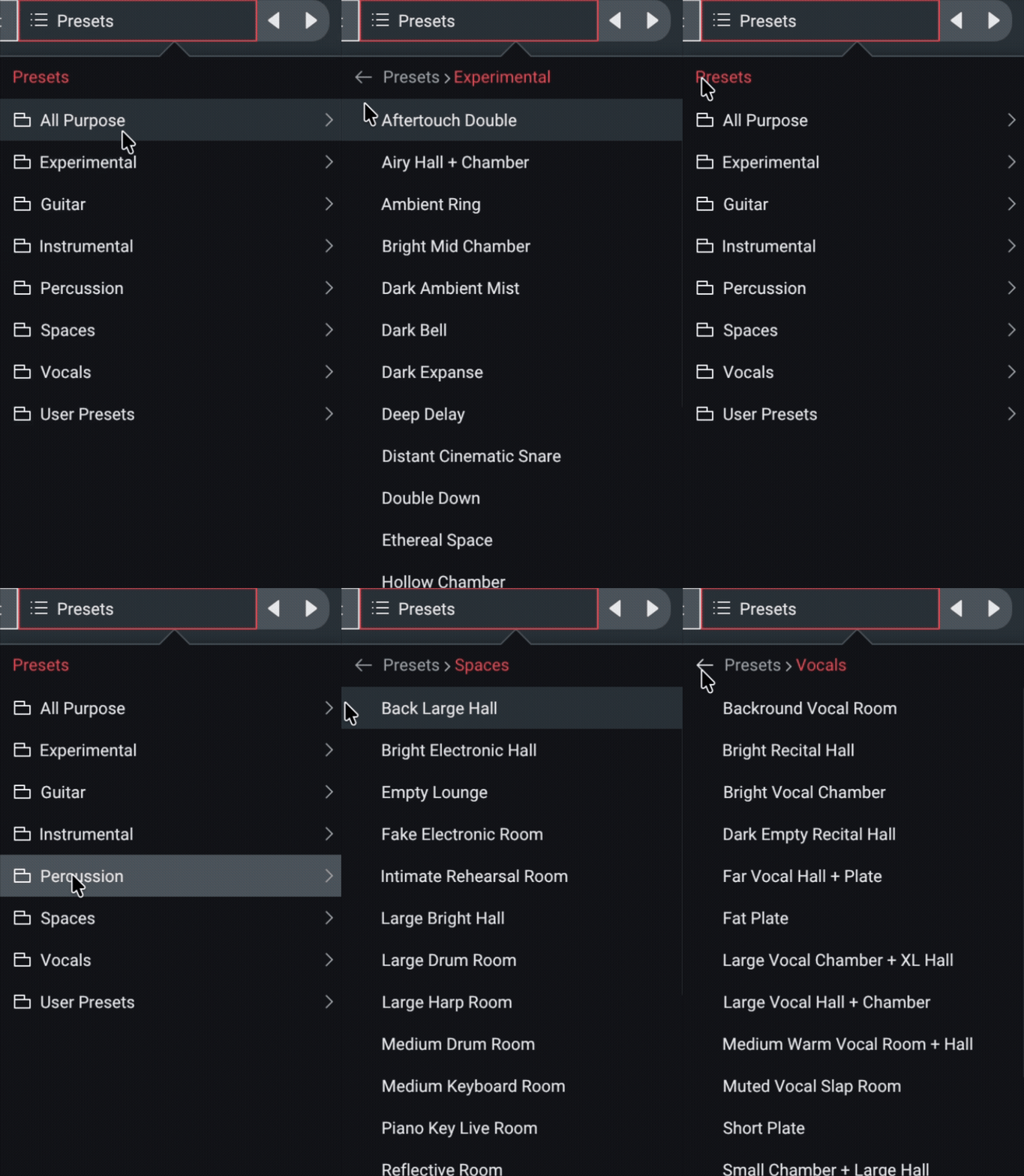
Neoverb also includes a solid preset library, which can get you most of the way there quickly. Combined with the Blend Pad and Assistant, it’s easy to go from a preset to a refined result in just a few steps.
Overall, the feature set feels focused on speed, clarity, and usability, rather than overwhelming you with endless parameters.
Interface and Workflow
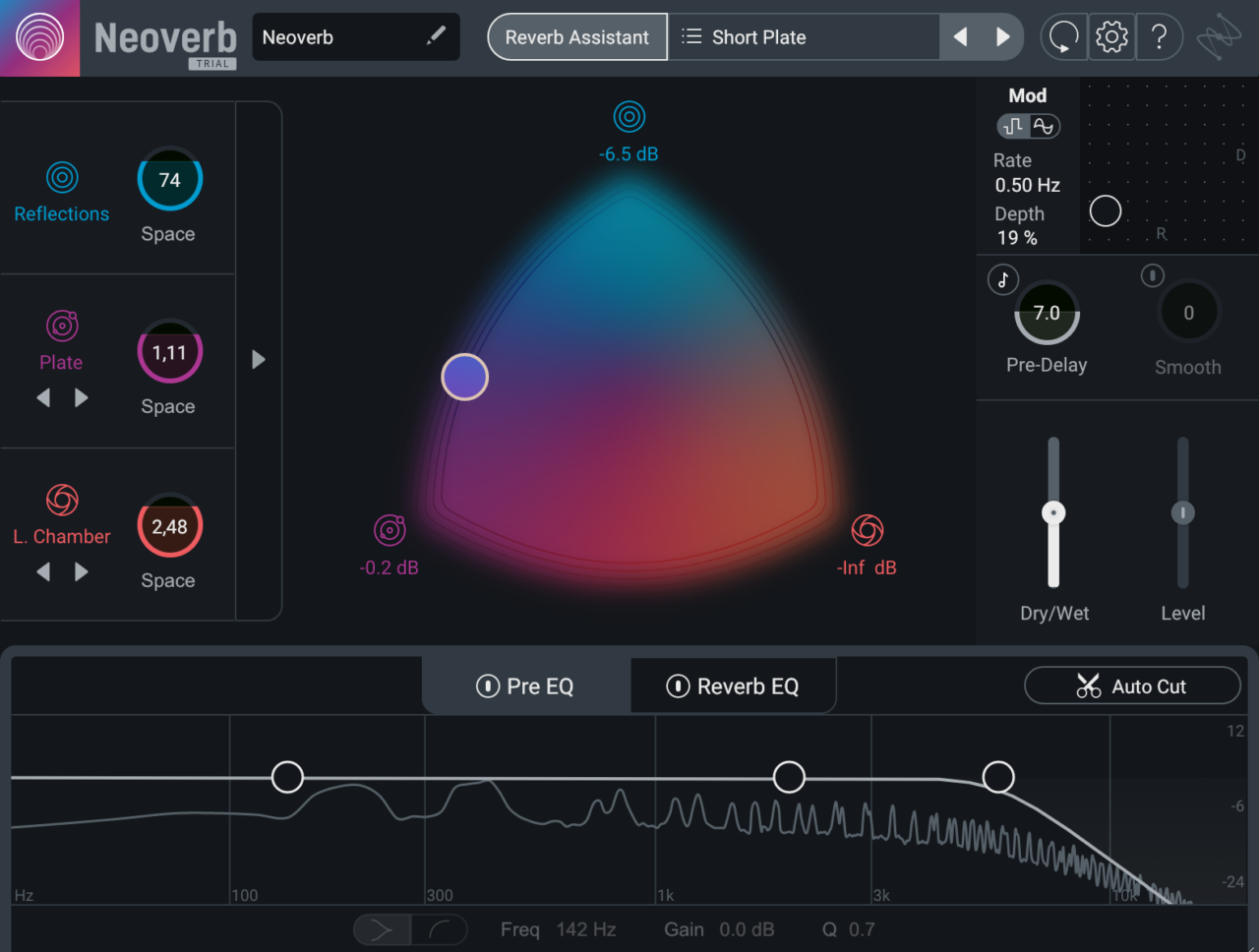
The Neoverb interface is built around a very simple idea: make reverb shaping feel visual and intuitive instead of technical. The standout element is clearly the Blend Pad, which lets you mix between the three reverb engines by dragging a single point.
Interface
At first glance, the interface feels clean and modern, with most of the important controls easy to access. The Blend Pad sits at the center, and everything else like pre-delay, EQ, and mix controls is placed around it in a way that doesn’t feel cluttered.
What I personally liked is how the plugin separates simple and advanced workflows. You can stay in the main view and just adjust the blend, size, and tone, or open the advanced panel to access deeper parameters for each engine. It never feels overwhelming, even when you go deeper.
The EQ section with the spectrum analyzer is another highlight. Seeing how the reverb sits in the frequency range while making adjustments makes the process much more transparent, especially when using Auto Cut and Unmask.
Another thing I appreciated is that the layout encourages you to work with your ears first, then use the visual feedback to fine-tune. Some reverb plugins can feel a bit menu-heavy, but Neoverb keeps the most important controls right in front of you, which makes the whole experience feel smoother.
Workflow
In practice, Neoverb is very fast to work with. Most of the time, I start with the Reverb Assistant, choose a style and size, and let it generate a starting point. From there, I adjust the Blend Pad and mix level, and I’m usually already close to what I need.
If I want more control, I’ll tweak the engine parameters or EQ, but I don’t always feel the need to. The plugin is clearly designed so that you can get good results without diving too deep.
One thing I noticed is that the workflow encourages broad adjustments rather than micro-tweaking. You shape the overall space first, then refine it if necessary. For me, that actually speeds things up a lot, especially when working on multiple tracks.
I also found that it works well in both quick and more detailed sessions. If I just need a reverb that sits properly, I can get there fast. If I want to shape something more specific for a vocal, snare, or synth, the deeper controls are there without slowing me down.
First Impressions and Sound
The first thing I noticed about Neoverb is how easy it is to get a clean, mix-ready reverb without much effort. Even when starting from scratch, it doesn’t take long to land on something that sits well in the track.
I started by using the Reverb Assistant, and honestly, it gets you surprisingly far. It usually creates a balanced reverb that already avoids obvious mud or masking issues, so instead of fixing problems, I found myself just making small creative adjustments.
The Blend Pad plays a big role in how the plugin sounds. Being able to mix between early reflections and two different reverb tails makes it easy to shape space in a more musical way. I could quickly move from tight, subtle ambience to longer, more spacious reverbs without overthinking parameters.
On vocals, Neoverb works really well. It’s easy to dial in something that adds depth without pushing the vocal too far back. The Unmask and Auto Cut features help keep the vocal clear, even when the reverb is fairly present in the mix.
For drums and percussive sounds, I found the early reflections engine especially useful. You can create a sense of space without washing out the transients, which is often tricky with traditional reverbs.
On synths and pads, the longer tail engines shine more. You can build large, evolving spaces that still feel controlled, especially when adjusting diffusion and attack. It can go from realistic rooms to more creative, almost ambient textures quite easily.
One thing I noticed is that Neoverb tends to stay on the clean and modern side. It doesn’t have the strong character of vintage-style reverbs, but it makes up for that with flexibility and clarity.
There are a couple of minor limitations. For example, there are no dedicated stereo width or panning controls inside the engines, which could have added more spatial flexibility.
Overall, the sound quality is pretty great. What stood out to me most is how well the reverb integrates with the source, rather than feeling like something layered on top. It’s the kind of plugin that helps you get professional results quickly without constantly fighting the mix.
Compatibility
Neoverb is available in AU, AAX, VST3, and VST2 formats, and it supports both macOS and Windows. iZotope lists support for major hosts, including Logic Pro 11 and FL Studio 2024, along with other mainstream DAWs, and all formats are 64-bit only.
In my own use, I tested it in Logic and FL Studio, and I didn’t run into any CPU issues or stability problems. Even with the full three-engine setup active, the plugin felt smooth and reliable in normal mixing sessions.
| Category | Details |
| Plugin Formats | VST2, VST3, AU, AAX (64-bit) |
| Operating Systems | Windows, macOS |
| Authorization | iLok (computer or dongle) |
| DAW Support | Compatible with all major DAWs |
| Latency | Low latency, suitable for mixing and creative use |
In use, the plugin feels light to moderate on CPU, depending on how complex the reverb setup is. Even with all three engines active and EQ processing enabled, I didn’t run into performance issues in a typical mixing session.
Pros and Cons
Pros
- Very fast workflow, especially with Reverb Assistant
- Blend Pad is intuitive and speeds up sound design
- Smart tools like Auto Cut and Unmask help avoid masking
- Clean, modern sound that fits easily in a mix
- Good balance between simplicity and depth
Cons
- Less characterful than vintage-style reverbs
- No built-in stereo width or panning controls per engine
- Advanced users might want more detailed manual control in some areas
Conclusion
Overall, iZotope Neoverb feels like a reverb designed for modern workflows. Instead of focusing purely on emulation or deep parameter control, it focuses on helping you get to a good result quickly, which is something I really appreciate in day-to-day mixing.
The combination of three reverb engines, the Blend Pad, and smart tools like Reverb Assistant makes it easy to shape space without getting lost in technical details. At the same time, there’s still enough depth if you want to fine-tune things.
If you’re looking for a clean, flexible reverb that fits into a mix easily, Neoverb is definitely worth checking out.

Berk is a multi-instrumentalist musician from Istanbul, Turkey. He has been playing guitar, handpan, and percussion for over ten years, developing a sound that blends melodic sensitivity with rhythmic depth.
He began his musical journey as a teenager, learning guitar and performing in several bands. In 2016, he discovered the handpan, an instrument that immediately resonated with him on a deeper level and gradually became central to his artistic identity.
Since then, he has performed in streets, festivals, bars, and concert venues across different countries, connecting with diverse audiences through both intimate and large-scale performances.
Alongside his live work, Berk is deeply involved in studio production. He works from his home studio, where he composes, records, and produces his own music. His studio serves as a creative space for layering handpan, guitar, and percussion with modern production techniques, allowing him to shape fully realized, atmospheric compositions from start to finish.
His music explores a wide range of genres and textures, combining organic acoustic instruments with detailed studio production to create immersive and expressive soundscapes.