
Fuzz is one of those effects that can make a guitar sound like Jimi Hendrix just kicked the studio door open. It’s messy, wild, glorious, and when it’s done right, it can turn a simple riff into the best part of the song.
I always liked the physical pedals for fuzz, but as Bob Dylan said, the times they are a-changing!
For this list, I picked the best fuzz plugins that actually have personality. Some go after vintage Fuzz Face and Big Muff magic, some are built for heavier modern tones, and a few prove you don’t need to spend much to get beautifully ruined guitar sounds. Time to dive in!
Kuassa Efektor FZ3603
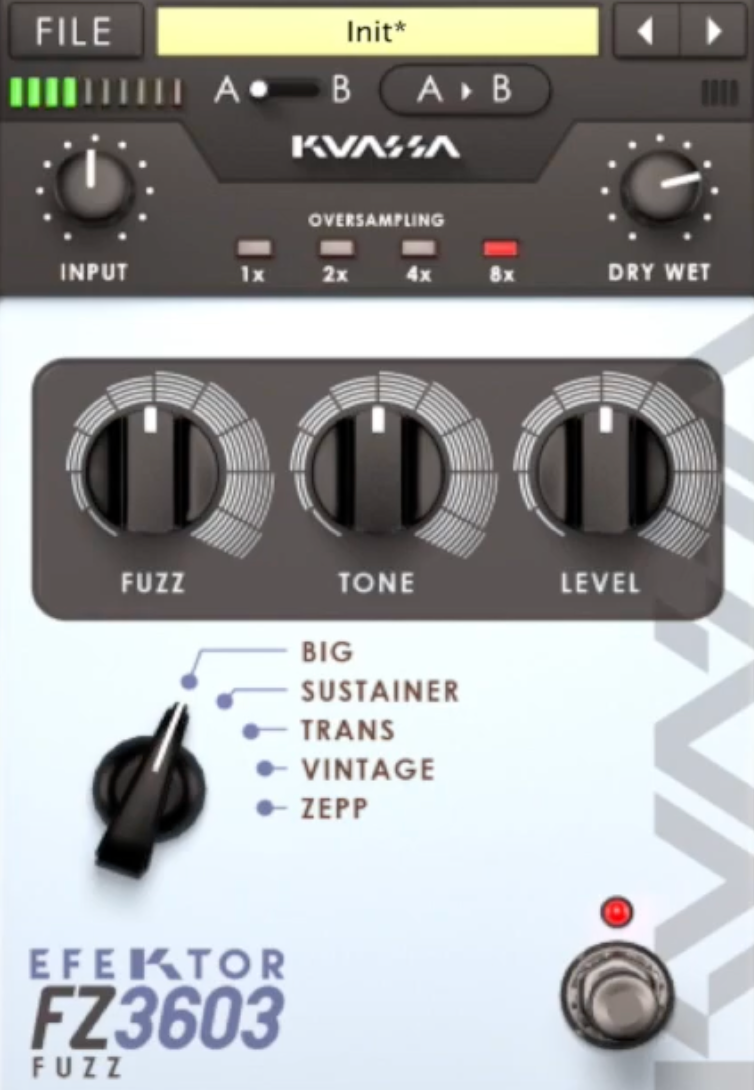
Most fuzz plugins pick one legend and stay there. FZ3603 is more interesting than that.
It gives me three cornerstone fuzz circuits in one window: Germanium Fuzz Face, silicon Fuzz Face, and Tone Bender, and that instantly makes it more useful in real sessions. I’m not just choosing between presets here; I’m choosing between three completely different fuzz personalities.
The layout is quick to understand, which matters with fuzz because small moves can change everything. I can jump between circuits, nudge the bias, shape the input, and hear the result immediately. That makes it feel less like a history lesson and more like a practical studio tool.
- Circuit Selection
This is the whole reason to use this Fuzz VST cause the germanium mode gives me that warmer, softer, slightly compressed fuzz that feels right on older rock leads and more expressive single-note parts.
The silicon mode comes out sharper and more aggressive, with a tighter response that works better when I want riffs to bite. Then the Tone Bender option brings its own thing entirely, more growl, more midrange attitude, more snarl.
- Bias Control
The Bias knob is where the fun starts. Push it one way and the fuzz smooths out into longer sustain. Push it the other and the notes start breaking apart into that splatty, gated, nearly-dying-battery sound that fuzz people love.
- Cleanup and EQ
I also like that it reacts properly to the guitar volume knob. Roll back the input, and the fuzz doesn’t just get quieter as it cleans up. Add the pre and post EQ, and it becomes much easier to keep the low end under control and make each circuit sit where it should.
Kuassa Efektor FZ3603 comes in VST, VST3, AU, and AAX formats for macOS and Windows users.
Audiority Big Goat
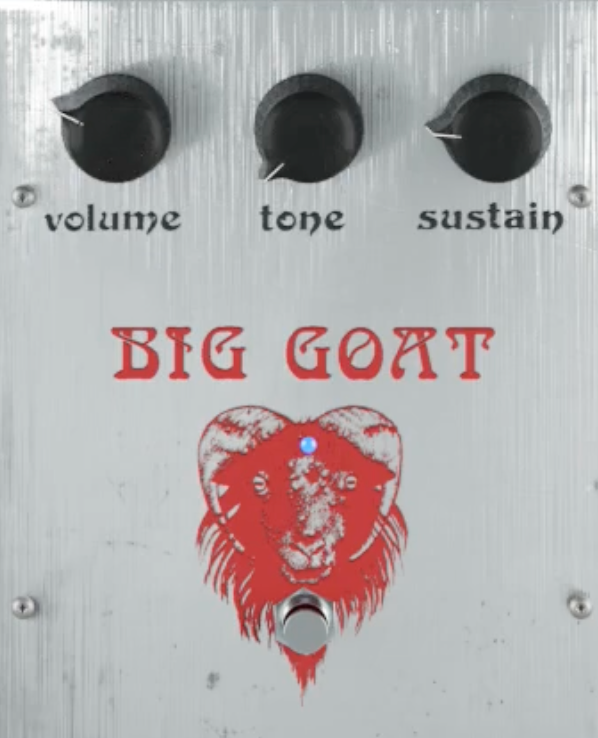
Big Goat deserves this spot as it doesn’t try to reinvent the Big Muff idea; it just gives a better grip on it.
I reach for it when I want that thick, sustaining, harmonically dense wall of fuzz, but I also want a little more control than the usual one-knob vintage approach. It still sounds unmistakably Muff-like, just less boxed in.
The plugin is easy to work with. I can get to a usable tone quickly, but there’s enough extra shaping here to make it more mix-friendly than a lot of simpler Muff emulations. That balance is the whole appeal for me.
- Dual Tone Controls
This is the feature that really separates Big Goat from more basic Big Muff plugins. Instead of a single tone control, I get independent Low and High knobs, which makes it much easier to place the fuzz properly. I can keep the low-end weight, add bite on top, or push both at once, which gives it more flexibility than the original circuit.
- Mix Control
The wet/dry blend is a smart addition, especially on bass. Heavy Muff fuzz can swallow note definition fast, so being able to blend the clean signal back in is a big deal. It keeps the attack and low-end shape intact without killing the character.
- Pre/Post Gain and HQ Mode
I also like the separate pre and post gain controls, because they let me shape the distortion response without constantly readjusting the level. And if I want the smoothest top end possible, HQ mode helps clean things up.
Big Goat is a strong choice when I want classic Big Muff weight with better control in a real mix.
Audiority Big Goat comes in VST, VST3, AU, AAX, and CLAP formats for macOS and Windows users.
Canvas Audio Violet Fuzz
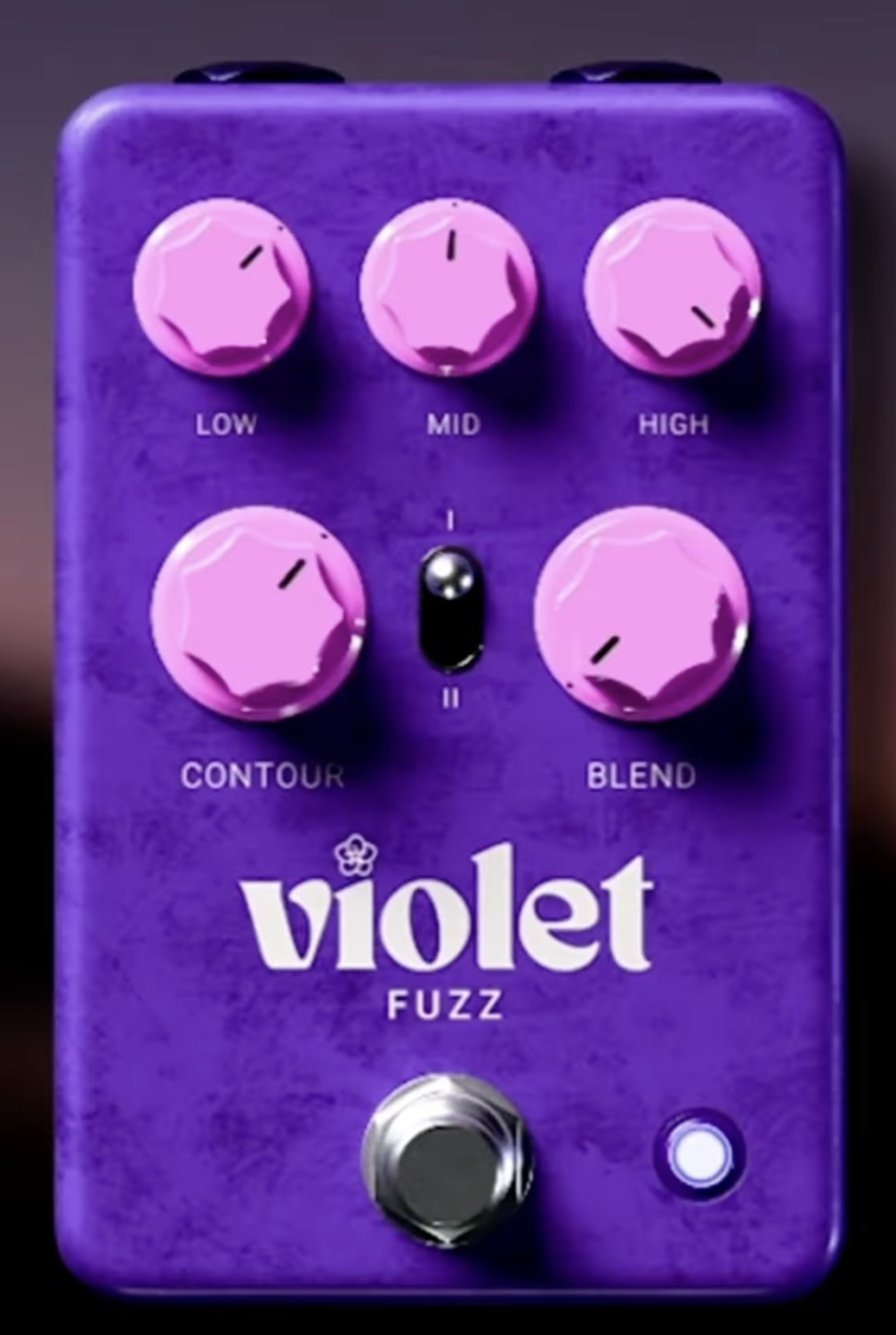
Violet Fuzz gives me something a lot of fuzz plugins don’t: real tone-shaping control beyond a single tone knob.
I can make it smooth, dark, bright, nasty, gated, or almost synth-like without fighting it, and that flexibility is what makes it stand out. The interface is compact and fast. I can switch modes, push the Contour control, tweak the 3-band EQ, and get where I want in seconds.
- Contour Control
This is the main reason I’d use Violet Fuzz over a simpler fuzz plugin. The Contour knob changes the actual voice of the circuit, not just the top end.
It shifts the harmonic balance and mid character in a way that feels closer to swapping pedals than turning an EQ filter. That makes it much easier to dial in either smooth vintage fuzz or something sharper and more aggressive.
- Dual Fuzz Modes
The two modes give you genuinely different personalities. Mode I feels more open and classic, while Mode II gets tighter, more gated, and more compressed. I like Mode I for broader guitar fuzz tones, and Mode II works especially well when I want something nastier or more controlled.
- 3-Band EQ and Blend
The Low, Mid, and High EQ make this much easier to place in a mix than most fuzz plugins. The Blend control is just as useful, especially on bass or layered guitars, because it keeps some clean attack and note definition underneath the chaos.
For me, Violet Fuzz is a great pick when I want filthy fuzz with more control than usual.
Canvas Audio Violet Fuzz comes in VST3, AU, and AAX formats for macOS and Windows users.
MMS The Fuzz
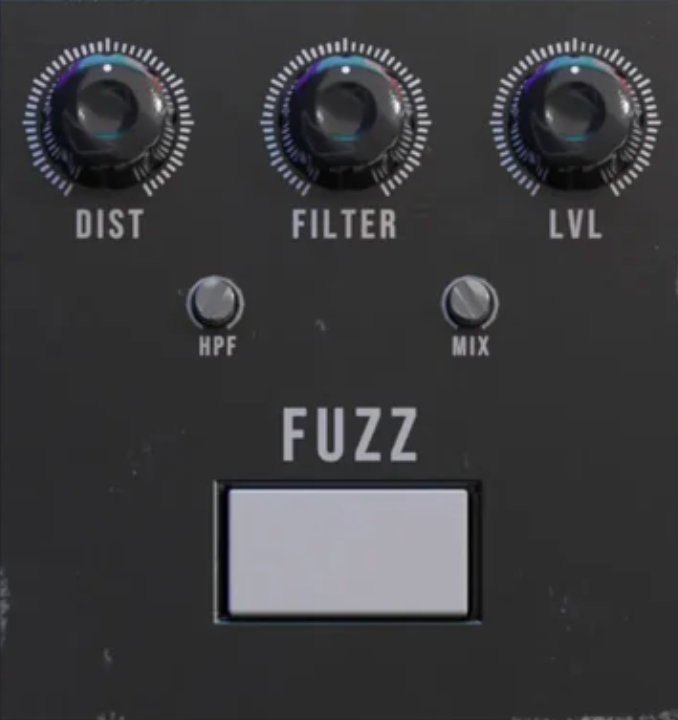
Some fuzz plugins tempt me into endless tweaking. MMS The Fuzz goes in the opposite direction, and that’s exactly why it works.
This is the one I’d open when I already know I want a thick, saturated, woolly fuzz tone and don’t need a dozen extra options slowing me down. It gets to the point fast.
The interface is stripped right back, which I actually appreciate here. I can load it, move a few controls, and get on with the track instead of disappearing into circuit choices and hidden pages. Not every fuzz plugin needs to be a laboratory experiment.
- Simple Controls
You’re basically working with the essentials: gain, tone, and volume. That’s it. No alternate modes, no routing tricks, no overbuilt control set. I like that because it makes the plugin feel immediate. If the goal is quick fuzz, this nails the brief.
- Saturated Character
The core sound leans dense and heavy rather than bright and spitty. It has that fat, harmonically rich sustain that works really well on power chords, lead lines, and any part that needs more body than bite. It’s not trying to be clever, it just sounds big.
- Low-End Handling
One thing I like here is that the fuzz doesn’t completely fall apart on bass or lower-tuned guitars. There’s still enough shape in the low end to keep it useful in a mix, which makes it more versatile than the minimal feature set might suggest.
If I want options, I’d use something else. If I want fast, punchy fuzz without distractions, this is a strong pick.
The Fuzz comes in VST, VST3, AU, and AAX formats for macOS and Windows users.
Kuassa Efektor Moon Muffin
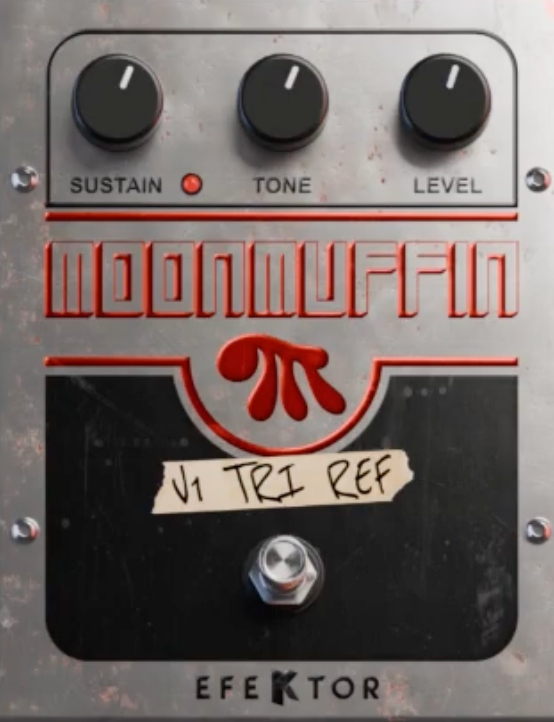
Moon Muffin makes sense the moment you realize how many different Big Muff personalities exist.
This isn’t one fuzz with a different paint job. It’s 10 circuit mods gathered into one plugin, and that changes the whole experience. I can move from darker, swampier Russian-style weight to a more cutting Ram’s Head flavor in seconds, and those shifts are obvious enough to matter in a real mix.
Using it feels refreshingly direct. I’m not stuck fighting a complicated interface or guessing what changed behind the scenes. Swap the model, turn a few knobs, and the plugin tells you pretty quickly which version belongs on the track.
- Ten Muff Variants
This is the real selling point. The classic NYC, Russian, Civil War, and other style variations don’t all hit the same way, and Moon Muffin actually lets those differences breathe.
Some settings feel smoother and more sustaining, others come out thicker, harsher, or more focused in the mids.
- Midrange Control
A normal Big Muff can sound enormous on its own, then disappear once drums and bass show up. The added Mids control is what makes this plugin much easier to use in practice. I can pull the fuzz back into the center of the mix without losing that oversized Muff character.
- Blend, Gate, and Cab Tools
The blend control is especially handy on bass, the noise gate keeps the sustain from turning into a mess, and the cab section is useful for quick tracking when I don’t want to build a full amp chain.
If I want Big Muff range instead of just Big Muff nostalgia, this is one of the strongest options here.
Kuassa Efektor Moon Muffin comes in VST, VST3, AU, and AAX formats for macOS and Windows users.
MultiDrive PRO
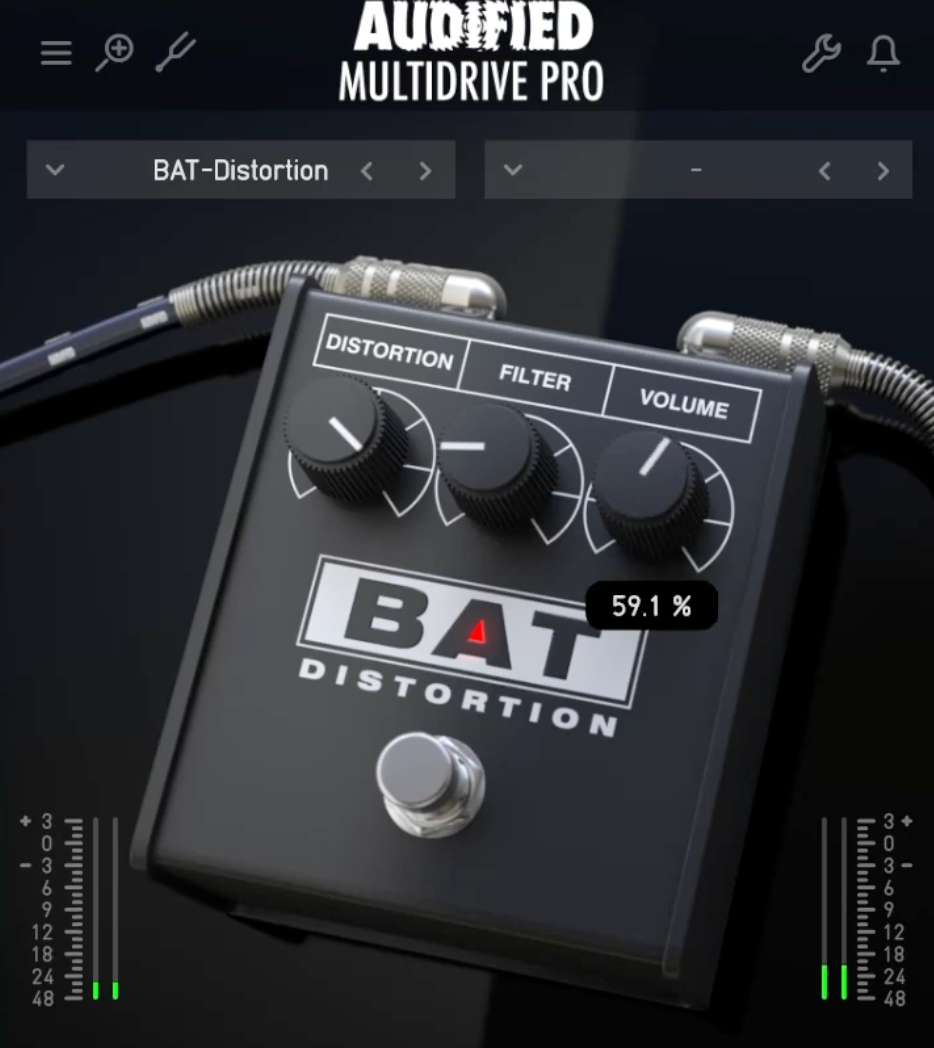
What makes MultiDrive PRO one of my favorites is that it does not stop at one flavor of chaos. Instead of giving me a single vintage-style fuzz and calling it a day, it drops 12 dirt pedals into one plugin and lets the fuzz side sit next to the boosts, drives, and distortions that usually live around it on a real board. That matters, because fuzz rarely lives alone.
The interface is built for speed, especially in Logic and FL Studio, as I tried in those. I can swap pedal models quickly, pull up one of the 33 presets, and hear the difference straight away without digging through menus.
- Fuzz Models
The real draw here, for this article, is the pairing of F-Fuzz and M-Fuzz. One leans into that thick, organic, classic fuzz response, while the other gives me the broader, more sustaining, mid-scooped Muff-style sound that fills out leads and big rhythm parts beautifully.
Having both inside the same plugin already makes it more useful than a lot of single-circuit fuzz tools.
- Pedalboard Context
What I like most is that the fuzzes sit alongside the right supporting cast. A T-Boost before fuzz, a mid-pushed drive to tighten things, or one of the sharper distortion models after it, those combinations are a big part of real fuzz workflow, and MultiDrive PRO understands that.
- Modeling and Feel
The updated modeling and internal oversampling help keep the fuzz tones fuller and less brittle when pushed hard. It still feels like a dirt-box plugin first, which is exactly what I want.
If I want fuzz plus the rest of the board in one place, this is a very practical pick.
MultiDrive PRO comes in VST, AU, and AAX formats for macOS and Windows users.
Audiority Blue Face
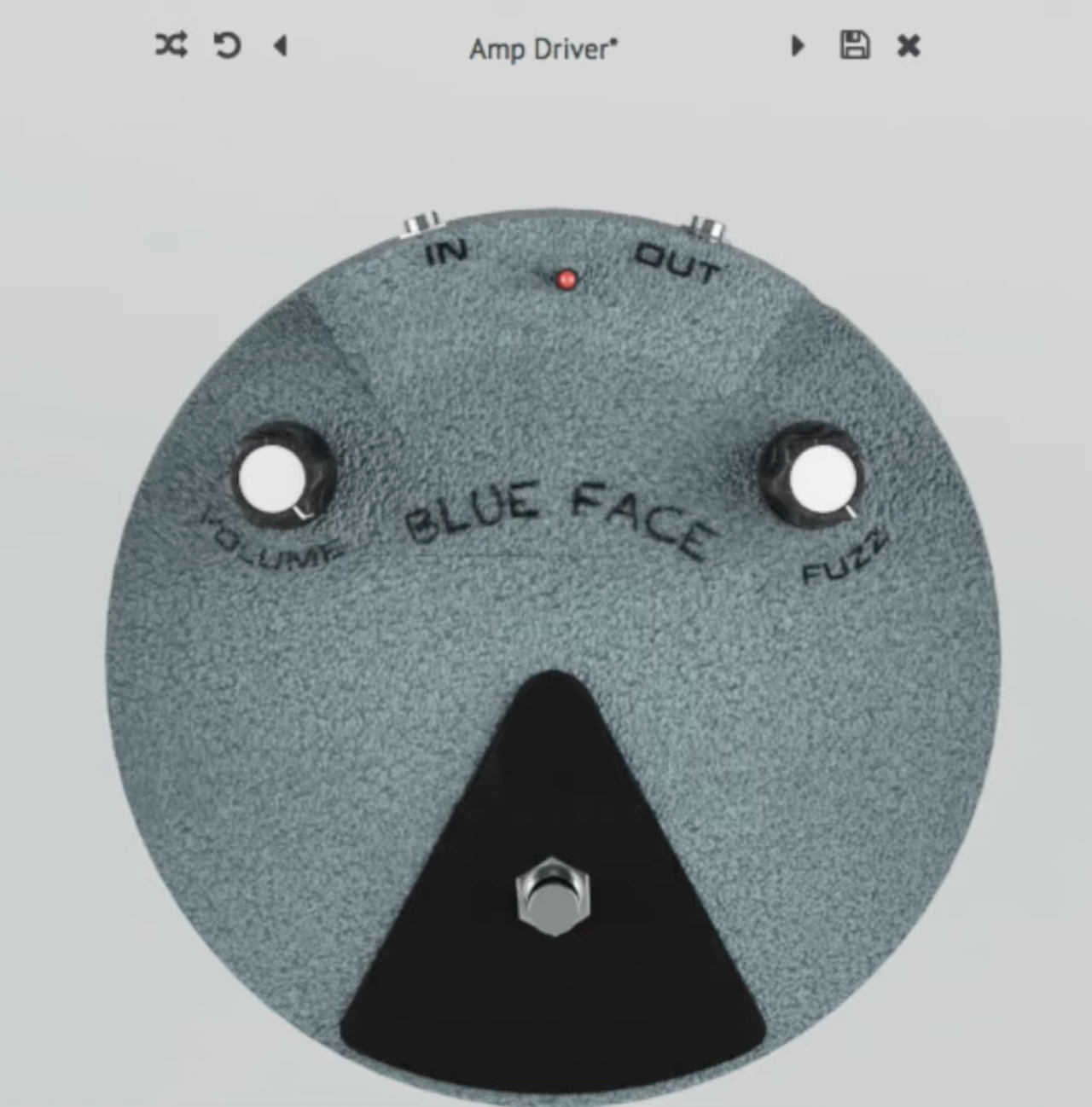
Blue Face gets the job done by staying loyal to one of fuzz history’s most important ideas: the silicon Fuzz Face.
This is not the softer, woollier germanium version people usually romanticize; it’s the BC108-based late-’60s circuit, which means more bite, more presence, and a sharper edge when I need the fuzz to actually cut through a track. That alone gives it a different role from the darker, looser fuzz plugins on this list.
- BC108 Silicon Voice
This is the whole point of Blue Face. The silicon circuit gives me a brighter, tighter fuzz than a germanium design, and that makes it especially useful when I want lead lines or riffs to stay defined instead of dissolving into mush. It still sounds thick, just more focused.
- Volume Cleanup
A good Fuzz Face should clean up when I roll the guitar volume back, and Blue Face does that well. That interactive feel is a huge part of why this style of fuzz is still loved. I can go from chiming, gritty overdrive to full fuzz without touching the plugin.
- Gain Staging and Scope
The separate pre-gain, post-gain, and mix controls make it easier to shape the response than on a basic vintage emulation, and the XY scope is a nice bonus for seeing how hard the circuit is clipping.
If I want classic Fuzz Face attitude with more edge and better mix-cut, this is a very smart pick.
Audiority Blue Face comes in VST, VST3, AU, AAX, and CLAP formats for macOS and Windows users.
Nembrini Audio Big Stuff
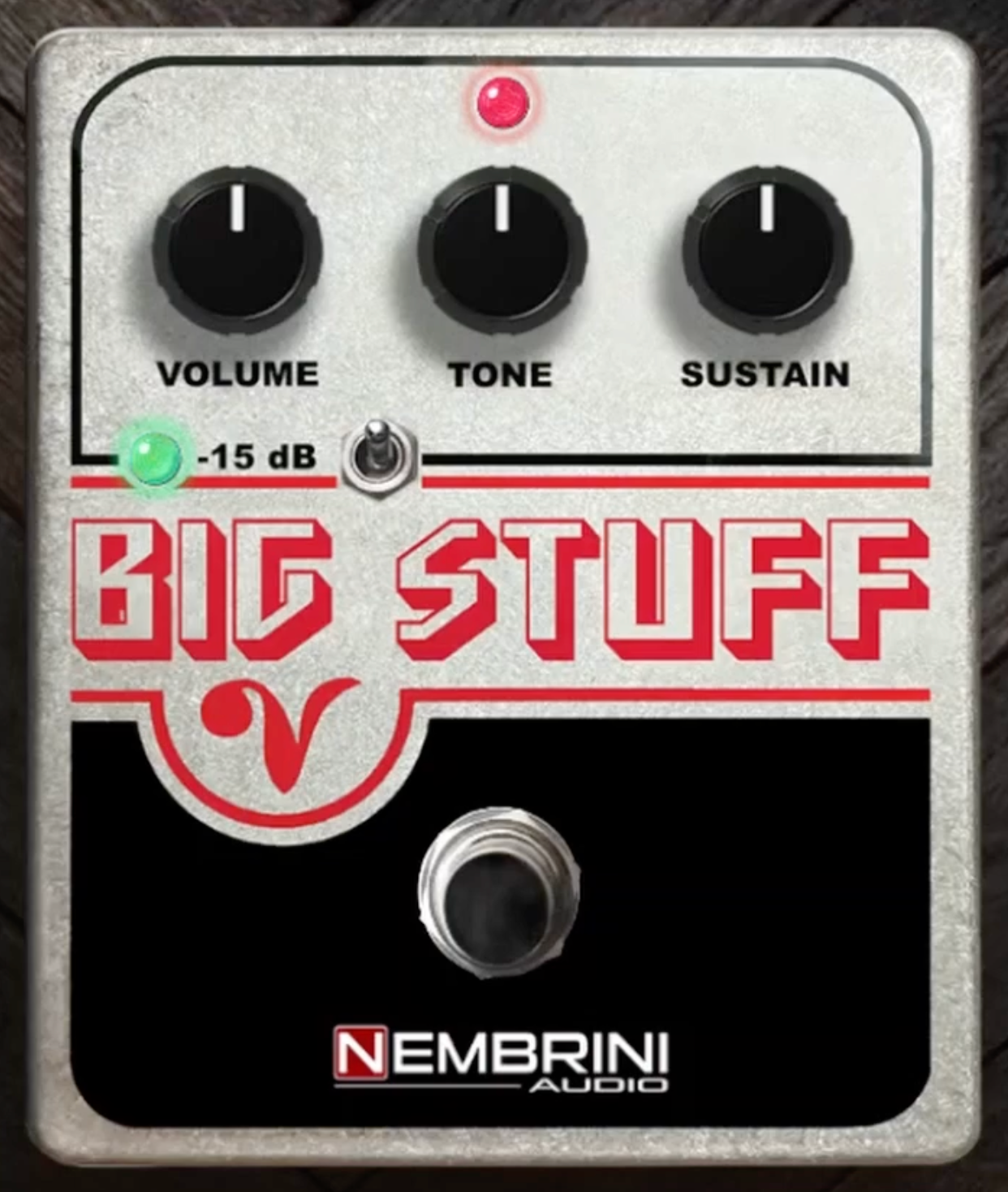
Finishing with a freebie fuzz plugin: Big Stuff proves how far free fuzz plugins have come. This is a Big Muff-style fuzz through and through, and it gets to that thick, sustaining, wall-of-sound character without making me work for it.
When I want that familiar Smashing Pumpkins-meets-Gilmour kind of fuzz, and I don’t feel like opening something deeper, this is the one I’d grab first.
The appeal is really its simplicity. Load it, turn Sustain, Tone, and Volume, and you’re already in the right territory.
For a free plugin, that kind of immediacy matters. It feels more like a “get the riff down now” tool than something built for endless tweaking, and that suits this style of fuzz perfectly.
- Big Muff Character
The sound leans into exactly what you want from this circuit: thick rhythm sustain, creamy lead lines, and that familiar scooped-mid push. It doesn’t try to modernize the formula too much, which is part of why it works.
- Simple Control Layout
I like that the controls mirror the hardware idea so closely. Volume, Tone, and Sustain are all you really need here, and it makes Big Stuff very easy to drop into a session and use without second-guessing.
- Free Value
This is the biggest selling point. You get a very usable Big Muff-style fuzz for free, with no real barrier to entry. If someone wants a starting point for this kind of fuzz, I’d point them here immediately.
Big Stuff comes in VST, VST3, AU, and AAX formats for macOS and Windows users.
VZTec Fuzz
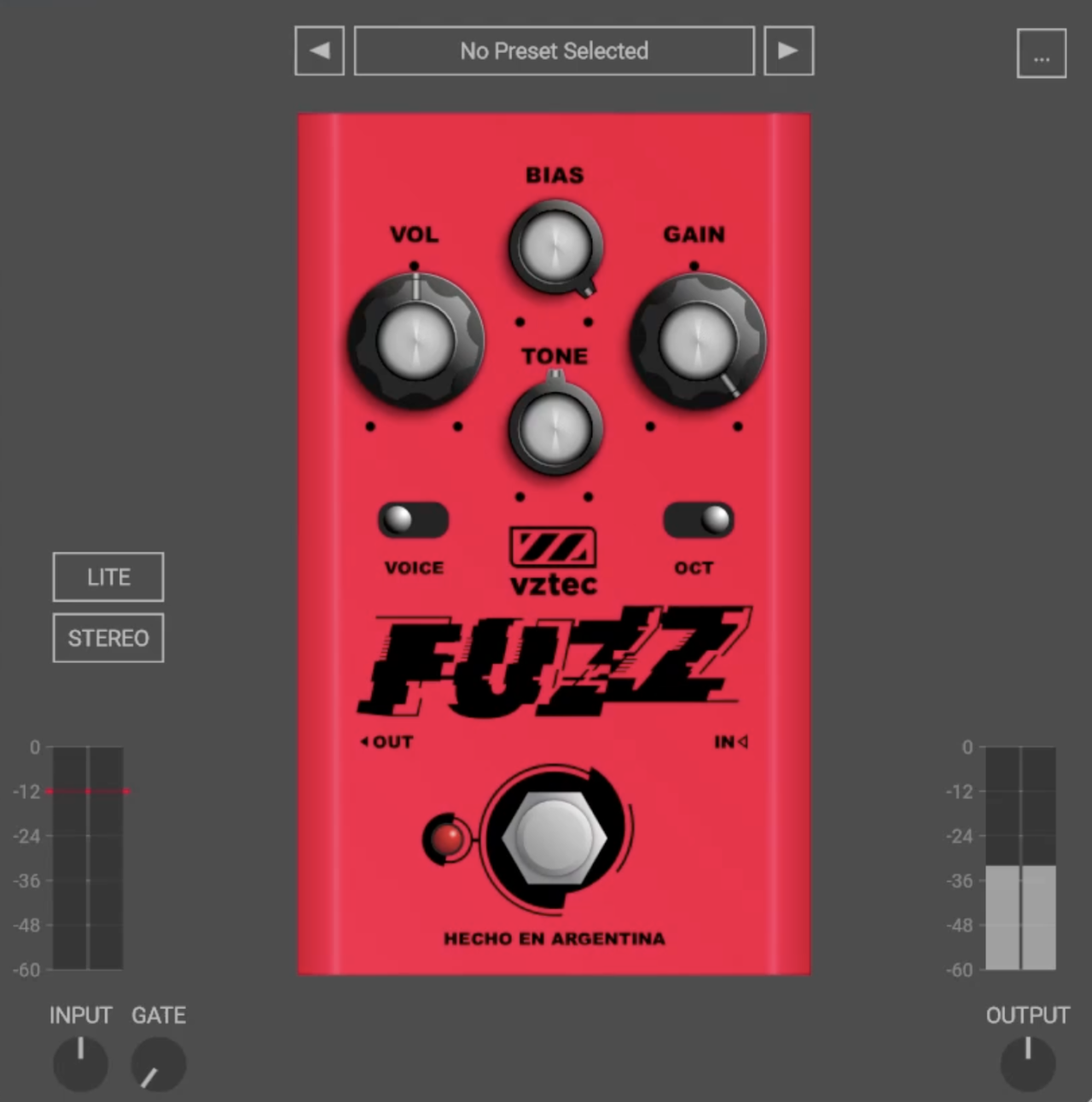
VZTec Fuzz earns an easy spot in the free section because it gives me far more control than most vintage-inspired fuzz plugins, while still keeping the whole thing fast and fun to use.
A lot of old-school fuzz designs give you two or three knobs and basically tell you to live with whatever chaos comes out. This one goes further. I can push it toward Fuzz Face-style bite, swing it into Big Muff-ish scoop, or break it on purpose with the Bias control.
The layout is refreshingly direct. Everything important is on the front panel, and I don’t have to menu-dive or build extra chains just to hear what the plugin can do. For a free fuzz, that matters. I can load it, flip a couple of switches, and get to a usable sound in seconds.
- Voice and Oct Switches
These are the biggest reasons I’d keep it installed. The Voice switch lets me move between Face and Muff-style responses, which already makes it more flexible than a lot of free fuzz plugins. Then the Oct switch adds that upper-octave push for sharper, more cutting lead tones.
- Bias Control
The Bias knob is where the personality really opens up. I can keep the fuzz more open and natural, or starve it into those gated, broken, sputtery sounds that make fuzz so addictive in the first place.
- Free Value
What really seals it is that this thing is completely free and easy to grab. No sign-up wall, no nonsense, just a genuinely useful fuzz plugin with more range than expected.
VZTec Fuzz comes in AAX, VST, AU, and LV2 formats for macOS, Windows, and Linux users.
iZotope Trash
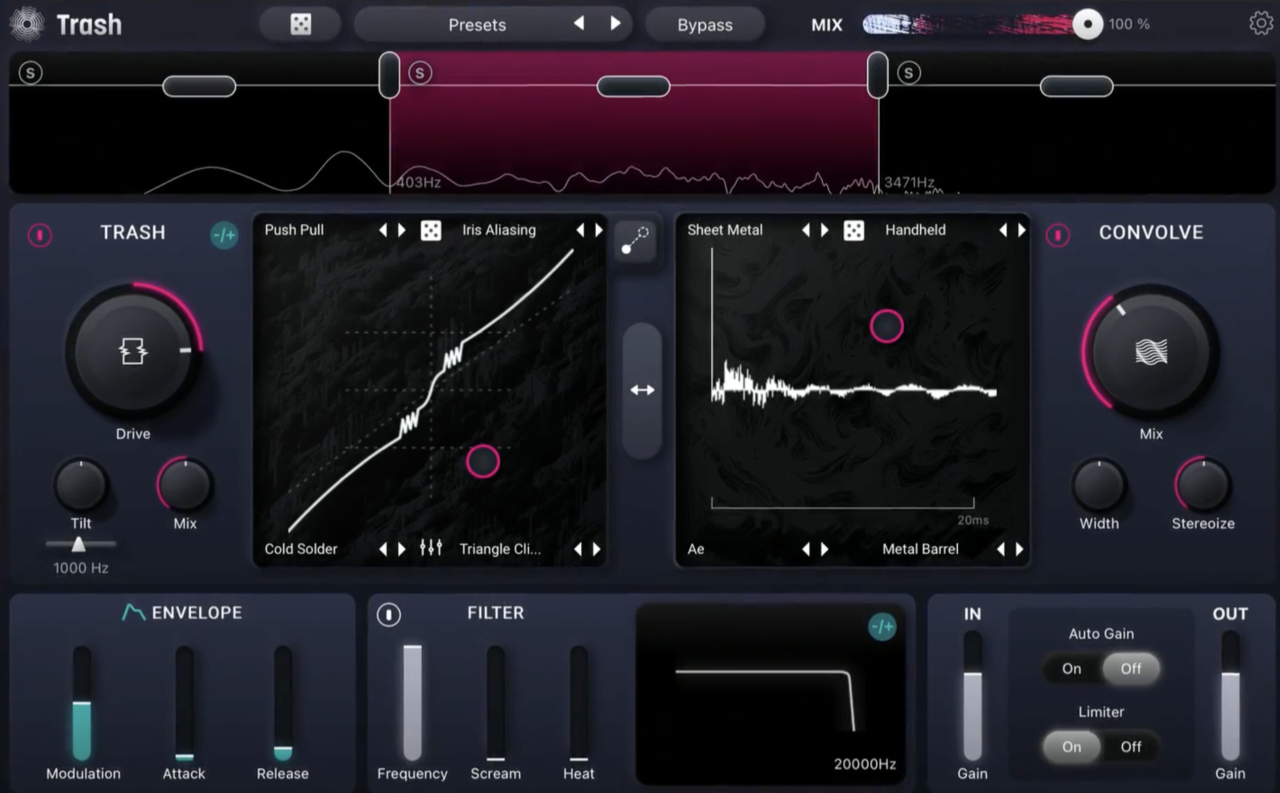
Last but not least! This is not an exact fuzz VST, but I think it has some great fuzz tones so I will close with Trash. It makes sense in a fuzz roundup because it treats fuzz less like a vintage pedal recreation and more like a full-on sound design weapon.
When I want something that goes beyond “classic stompbox into amp” and pushes into mangled, layered, modern fuzz, this is the kind of plugin I open. It can still do raw, nasty, guitar-friendly destruction, but it’s just as happy ruining drums, synths, bass, and vocals on the way.
The interface is one of the reasons it works so well. Everything sits on a single page, and the main idea is simple: load up to four distortion algorithms into the corners of the X/Y pad and blend between them. That makes Trash feel less like picking one fuzz pedal and more like building your own mutant fuzz voice in real time.
- Fuzz and Distortion Engines
There are 60+ distortion types spread across categories like Fuzz, Heavy, Retro, Drive, and Faulty, so it can move from subtle grit to total speaker-shredding chaos fast. For this article, the important part is that the fuzz side doesn’t feel like an afterthought — it’s aggressive, varied, and easy to twist into something unique.
- X/Y Morphing
This is the feature that really sells it to me. I can blend four different fuzz or distortion flavors together, then automate movement across the pad for tones that evolve instead of just sitting there. That opens up way more creative territory than a normal fuzz plugin.
- Convolve and Multiband Processing
Trash gets even wilder once the Convolve module enters the picture. With 600+ impulse responses and optional multiband processing, I can turn a fuzzed guitar into something huge, broken, metallic, or strangely cinematic. It’s not the most old-school fuzz choice here — but it might be the most adventurous.
Trash is available as a desktop plugin, a free Trash Lite version, and AUv3 versions for iPad users.
Last Words
Fuzz is still better in the physical world, in my opinion, but the digital world is catching up with these plugins. Some plugins here chase vintage Fuzz Face or Big Muff magic, some lean heavier and nastier, and some are just great ways to ruin a signal beautifully without spending much at all.
The fun part is that fuzz rarely sounds polite, and that’s exactly why it earns a permanent place in so many sessions.
One thing that makes a huge difference is where you place fuzz in your chain. In most cases, I get the most believable results by putting fuzz before an amp sim, because that’s how a real fuzz pedal usually hits a real amp in the physical world.
The amp then reacts to the fuzzed signal, which gives you a more natural sense of compression, breakup, and speaker behavior. Put the fuzz after the amp sim, and it usually feels flatter, harsher, and less authentic, sometimes cool, but much less like a real pedalboard!

Berk is a multi-instrumentalist musician from Istanbul, Turkey. He has been playing guitar, handpan, and percussion for over ten years, developing a sound that blends melodic sensitivity with rhythmic depth.
He began his musical journey as a teenager, learning guitar and performing in several bands. In 2016, he discovered the handpan, an instrument that immediately resonated with him on a deeper level and gradually became central to his artistic identity.
Since then, he has performed in streets, festivals, bars, and concert venues across different countries, connecting with diverse audiences through both intimate and large-scale performances.
Alongside his live work, Berk is deeply involved in studio production. He works from his home studio, where he composes, records, and produces his own music. His studio serves as a creative space for layering handpan, guitar, and percussion with modern production techniques, allowing him to shape fully realized, atmospheric compositions from start to finish.
His music explores a wide range of genres and textures, combining organic acoustic instruments with detailed studio production to create immersive and expressive soundscapes.