
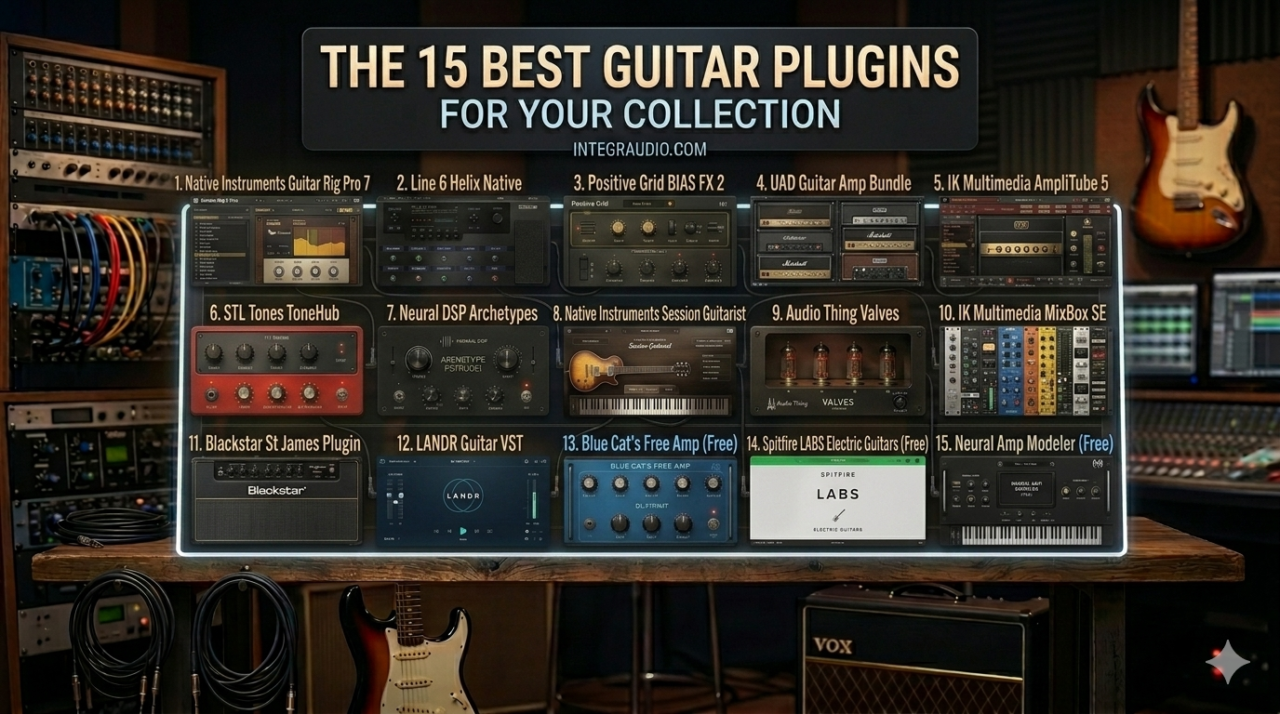
The best guitar plugins in 2026 are no longer just backup options for “real gear” days. A great guitar VST or amp sim plugin can get you from clean ambient shimmer to full-on high-gain chaos in seconds, and honestly, that speed is half the fun.
I’ve used these VSTs for writing, layering, re-amping, and straight-up saving tracks that needed more attitude, mainly on Logic, FL Studio, and ProTools.
This list is all about the best guitar plugins, amp sims, and guitar effects plugins that actually make me want to keep playing. Some are perfect for heavy rhythm tones, some are better for spacious indie textures, and a few are just weird in the best possible way.
Let’s hit those strings!
Native Instruments Guitar Rig Pro 7
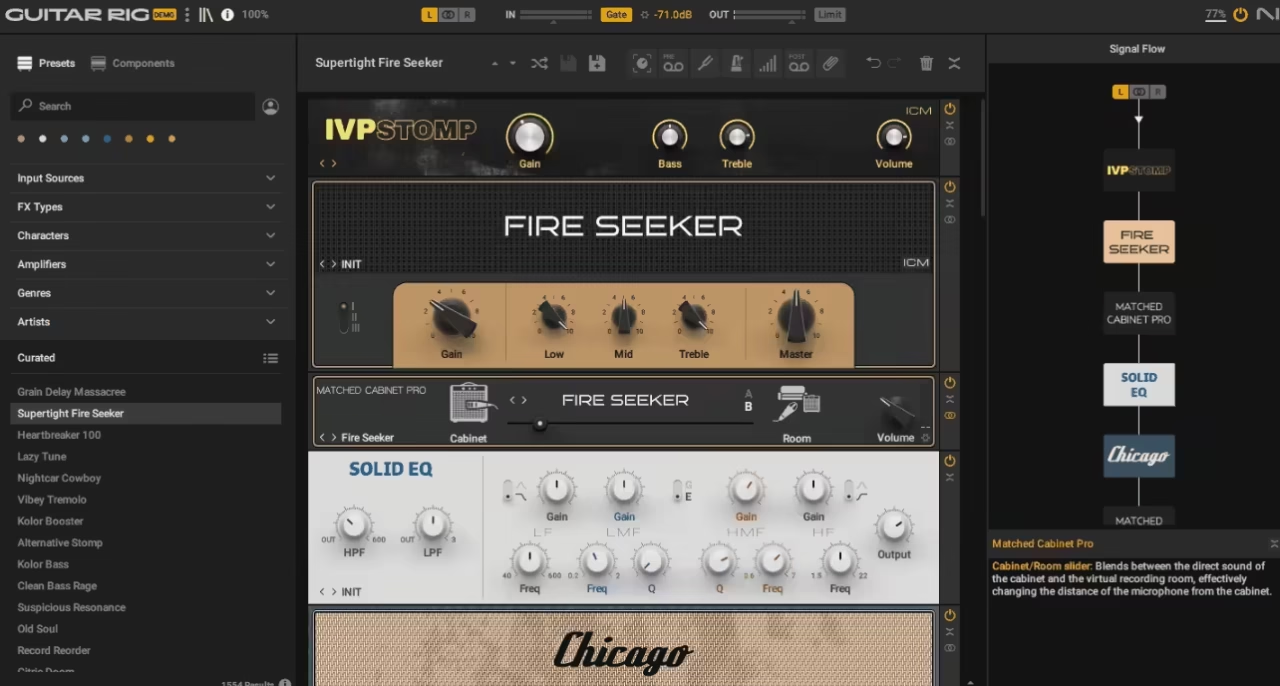
Guitar Rig Pro 7 is honestly one of the first guitar plugins that comes to mind whenever I think about this category, and over the years it’s become my favorite all-in-one guitar suite.
I’ve used a lot of amp sims, but this is still the one I reach for when I want speed, variety, and a huge toolbox in one window. It covers so much ground that I can open it for a simple clean tone and end up using it on bass, synths, drums, or vocals in the same session.
The big reason it stays relevant is simple: 26 guitar and bass amps, matching cabinets, and 115 stompboxes and rack effects is a massive amount of firepower. I don’t need to patch together three different plugins to get where I’m going. I can stay inside Guitar Rig and keep moving.
- Amp Collection
I like that the amp side isn’t stuck in one lane. You get 26 guitar and bass amps, so it’s easy to move from clean and edge-of-breakup tones into heavier rock or lead territory without changing plugins.
The newer additions help too. Reverb Delight is great when I want a clear, bluesy clean sound, Bass Rage gives me defined low end, and Superfast 100 is the one I gravitate toward for lead tones.
- Effects Rack
This is still one of the biggest reasons I keep coming back. 115 stompboxes and rack effects means Guitar Rig feels less like an amp sim and more like a full creative processing suite.
I use it on guitar first, obviously, but I’ve also thrown the lo-fi effects on synths, drums, and vocal layers. The new additions like Noise Machine, Vintage Vibrato, and Tape Wobble are especially useful when I want a cleaner recording to feel less sterile.
- Preset Browser
I’m usually not a heavy preset user, but Guitar Rig makes it easy to find something good fast. The extra 100 presets help a lot, and because the browser is easy to filter by style and sound, I can audition ideas quickly and then tweak from there. That saves time, and I value that a lot.
- Impulse Response Loader
The new IR loader is one of the smarter upgrades in version 7. Being able to load third-party impulse responses gives me more control over the cab side of the tone, which makes the whole suite feel more flexible and current.
- Workflow
This is still one of the easiest guitar plugins to use. I can pull up a chain, swap amps, move effects around, and get to a usable sound in minutes. That’s a huge part of why it’s stayed in my rotation for so long.
It’s probably not a must-buy upgrade if version 6 already does everything you need, but for me, Guitar Rig Pro 7 is still one of the strongest guitar VST and amp sim plugin packages out there, especially if you want one plugin that can do almost everything.
Guitar Rig Pro 7 comes in standalone, VST3, AU, and AAX formats for macOS and Windows users.
Line 6 Helix Native
If I had to pick something for realistic tones and deep routing, this would be right at the top.
Helix Native is one of those plugins I take seriously the moment I open it. I’ve used a lot of amp sims, but this is one of the few that actually feels like a full guitar rig inside your DAW, not just an amp with some extras.
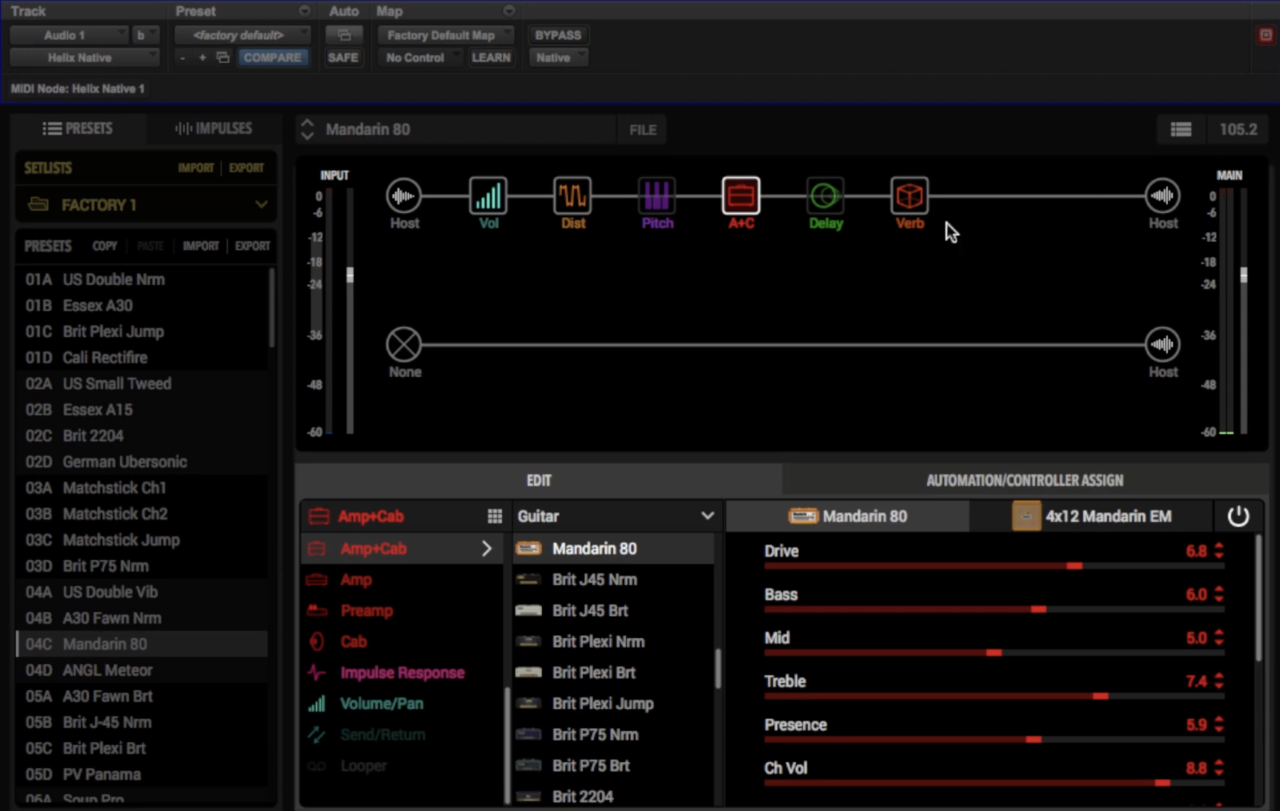
The first thing that hits me is the scale. You’re getting 60+ amps, 30 cabinets, and 100+ effects, all based on the same modeling tech as the Helix hardware. That’s not just variety for the sake of it. It actually means I can build anything from a simple clean chain to a multi-amp stereo setup without leaving the plugin.
- Amp & Cab Modeling
I’ve used Helix hardware before, and Native really does feel the same. The amp models react properly to input level and playing dynamics, which makes a big difference. You’re not just dialing tones, you’re shaping how the amp responds. With 60+ amps and 30 cabs, I rarely feel limited.
- Effects & Signal Chain
The 100+ effects cover everything: drives, modulation, delays, reverbs, pitch, filters. What I enjoy most is the signal flow system, I can drag, split, and route chains however I want. Running dual amps, parallel effects, or complex chains is actually easier here than in most plugins.
- Workflow & Interface
At first glance, it can feel a bit deep, I won’t lie. But once I get used to the three-panel layout (Librarian, Signal Flow, Inspector), everything clicks. I like that I can keep things simple or go full nerd mode depending on the session.
- IR Support & Flexibility
The ability to load custom impulse responses is huge. It means I’m not locked into the stock cabs, and I can fine-tune the tone exactly how I want. Combined with the routing system, it feels very open-ended.
For me, the biggest thing is how it actually sounds and feels. A lot of older modeling plugins had weak spots, fizzy highs, flat cleans, and weird breakup. With Helix, I don’t really notice those issues anymore. It just sounds solid across the board, whether I’m tracking or re-amping.
It can feel a bit complex at first, and you do need a decent setup to keep latency low while playing, but if you’re serious about guitar recording, this is easily one of the most complete guitar VST / amp sim plugins you can get.
Helix Native comes in VST3, AU, and AAX formats for macOS and Windows users.
Positive Grid BIAS FX 2
I’d reach for BIAS FX 2 when I truly want everything in one place.
I’ve used a lot of amp sims, but this one really feels like having a full guitar shop inside your DAW. If Helix is about precision, this is more about variety and creative freedom.
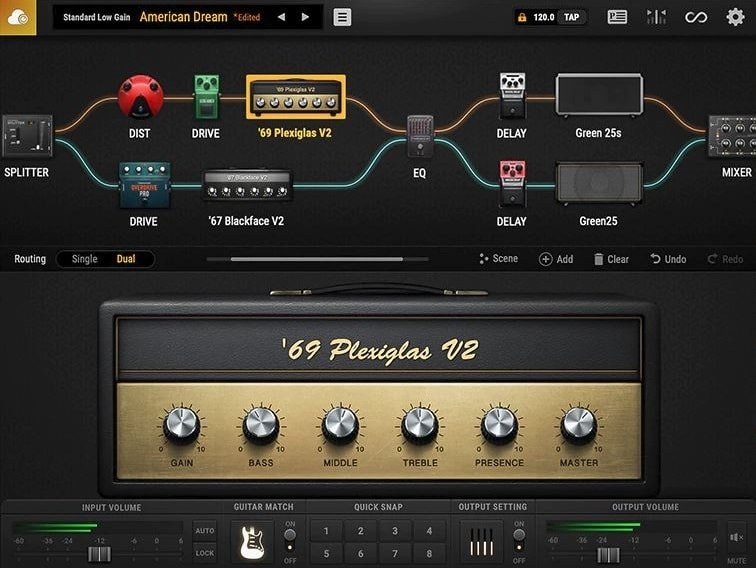
The sheer scale is what makes it stand out. In the Elite version alone, you’re getting 100 amps, 122 effects, and 210 presets, which is honestly a bit overwhelming at first, but in a good way. I love that I can jump from clean Fender-style tones to full high-gain stacks in seconds without leaving the plugin.
- Amp & Cab Modeling
What I enjoy here is the updated DSP engine, it actually made a noticeable difference. The amps feel more responsive, especially when playing dynamically. The cab section is also much improved, and tweaking mic positions finally feels realistic instead of guesswork.
- Effects & Tone Variety
This is where BIAS FX 2 really shines for me. With 122 effects, I rarely feel the need to reach for external plugins. From classic pedals to more experimental stuff, it’s all here, and the signal chain is super flexible.
- Dual Amp & Routing System
I love using dual amp setups inside BIAS. It’s ridiculously easy to build wide stereo tones or layer clean + distorted signals. For modern productions, this is a huge plus.
- Guitar Match & Extras
The Guitar Match feature is cool in theory, I’ve used it to quickly thicken tones or sketch ideas. It’s not perfect, but for demoing or layering, it can be surprisingly useful.
- Tone Cloud & Presets
Having access to 50,000+ tones via Tone Cloud is wild. I don’t always rely on presets, but when I’m stuck, browsing here can instantly spark ideas.
BIAS FX 2 is all about speed and inspiration. It might not be the most “surgical” or hyper-realistic amp sim out there, but when I want tons of tones, fast workflow, and creative flexibility, this is easily one of my go-to plugins.
BIAS FX 2 comes in VST2, VST3, AU, and AAX formats for macOS and Windows users.
UAD Guitar Amp Bundle
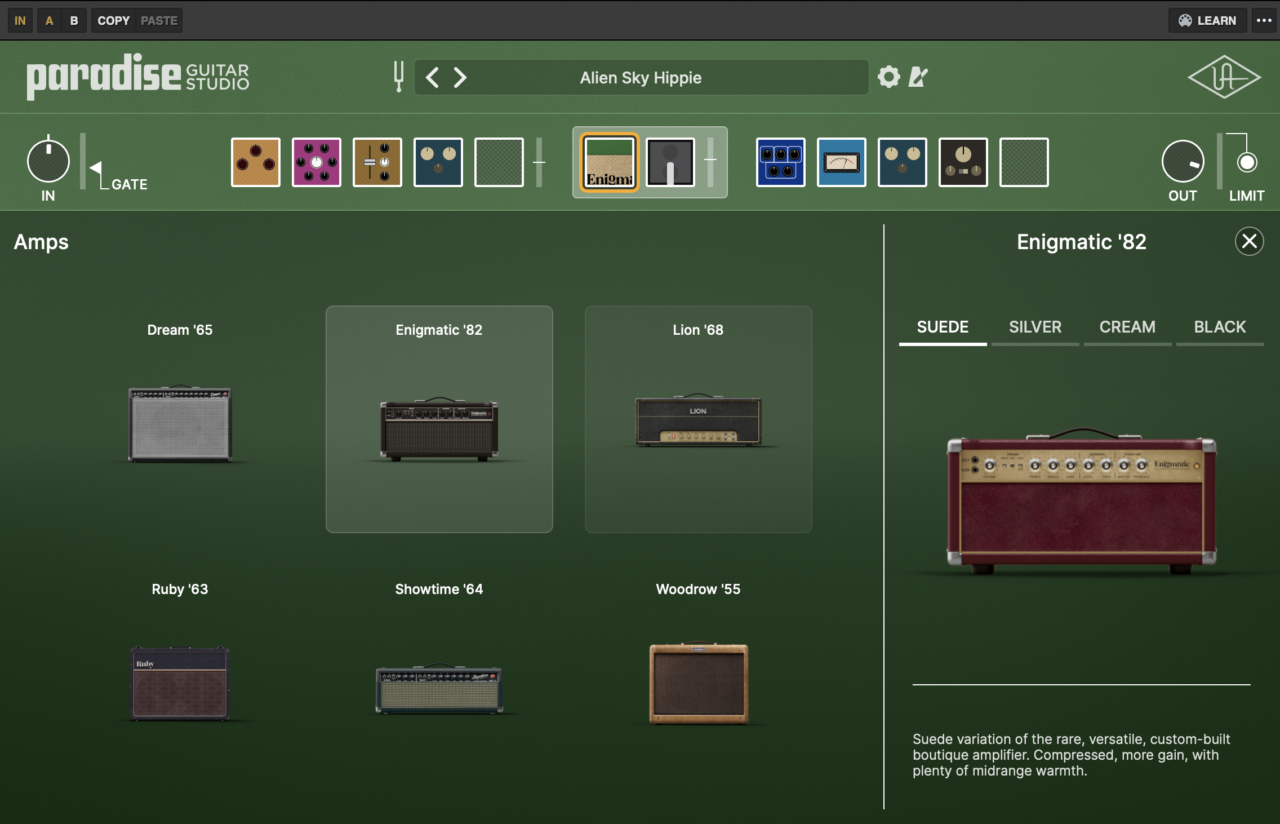
Three amps, no filler; that’s exactly why I keep coming back to the UAD Guitar Amp Bundle.
I’ve used a lot of guitar plugins, but what I love here is how each amp feels dialed-in and intentional, not like part of a huge list you’ll never fully explore. It’s very much a quality over quantity approach, and it shows the moment you start playing.
The workflow is super clean. Everything lives on a single screen, and I never feel like I’m fighting the interface. I’ve tracked with these and also just played through them for fun, and the way they respond to picking dynamics and volume changes feels surprisingly real.
- Dream ‘65 Reverb Amp
I love how lush and responsive the clean tones are here. The spring reverb alone is worth it, it adds that depth without getting messy. I’ve used this a lot for chill hip-hop melodies and clean chord layers, and it always sits nicely in the mix.
- Ruby ‘63 Top Boost Amp
This one brings that bright, chimey Vox character. It’s perfect when I want guitars to cut through without being harsh, especially for layered parts or rhythmic textures. The boost modes give it just enough edge to stand out.
- Lion ‘68 Super Lead Amp
Whenever I need something heavier, I go straight here. I love the raw Plexi-style crunch and lead tones, especially for modern productions where guitars need to feel aggressive but still controlled. It has that classic bite without sounding dated.
What really keeps me using this bundle is how each amp feels like a finished product on its own, not something you have to “fix” with endless tweaking. The presets are also genuinely useful, which speeds things up a lot when starting ideas.
For me, this is a go-to when I want authentic feel, quick results, and inspiring tones without overthinking it.
UAD Guitar Amp Bundle comes in VST3, AU, and AAX formats for macOS and Windows users.
IK Multimedia AmpliTube 5
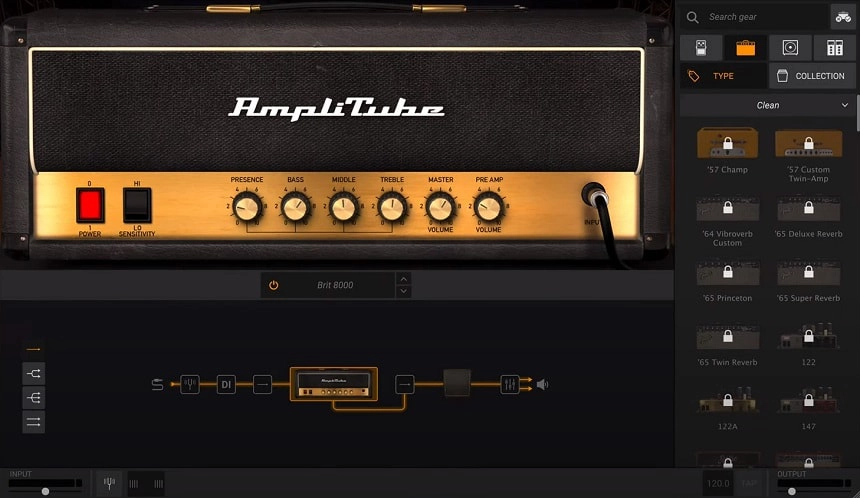
If you want maximum flexibility and endless guitar tones, Amplitube 5 can be the plugin to reach for.
I’ve used a lot of amp sims, but AmpliTube 5 feels more like a full guitar production environment than just an amp plugin.
It’s not just about tone, it’s about building entire signal chains from scratch.
The interface is built like a real rig. I drag amps, pedals, and cabs into a signal chain just like I would in a studio, and once you get used to it, it becomes second nature. It can look a bit busy at first, but I actually enjoy how realistic and hands-on it feels.
- Massive Amp & FX Collection
This is easily one of the biggest libraries out there. Depending on the version, you’re getting anywhere from 42 up to 400+ gear models, including officially licensed amps. I love having that range because I can go from clean tones to experimental sound design without switching plugins.
- Advanced Routing & Signal Chains
What really keeps me coming back is the routing. I can split signals, run parallel chains, stack amps, and create setups that would be impossible in real life. For creative production, especially layering guitars, this is huge.
- VIR Cabinet & Mic System
The cab section is on another level. With 600 IRs per speaker and thousands of impulse responses, I can literally move the mic in 3D space and shape the tone precisely. I’ve used this a lot to fine-tune guitars so they sit perfectly in dense mixes.
- All-in-One Production Tools
This goes beyond amps. There’s a built-in looper, recorder, mixer, and MIDI control, which makes it feel like a mini DAW for guitar. I don’t always use these, but when I do, it speeds things up a lot.
For me, AmpliTube 5 is the plugin I use when I want to experiment, layer, and design tones from the ground up. It’s not the simplest option, but if you like having total control and a massive sound palette, it’s hard to beat.
AmpliTube 5 comes in standalone, VST2, VST3, AU, and AAX formats for macOS and Windows users.
STL Tones ToneHub
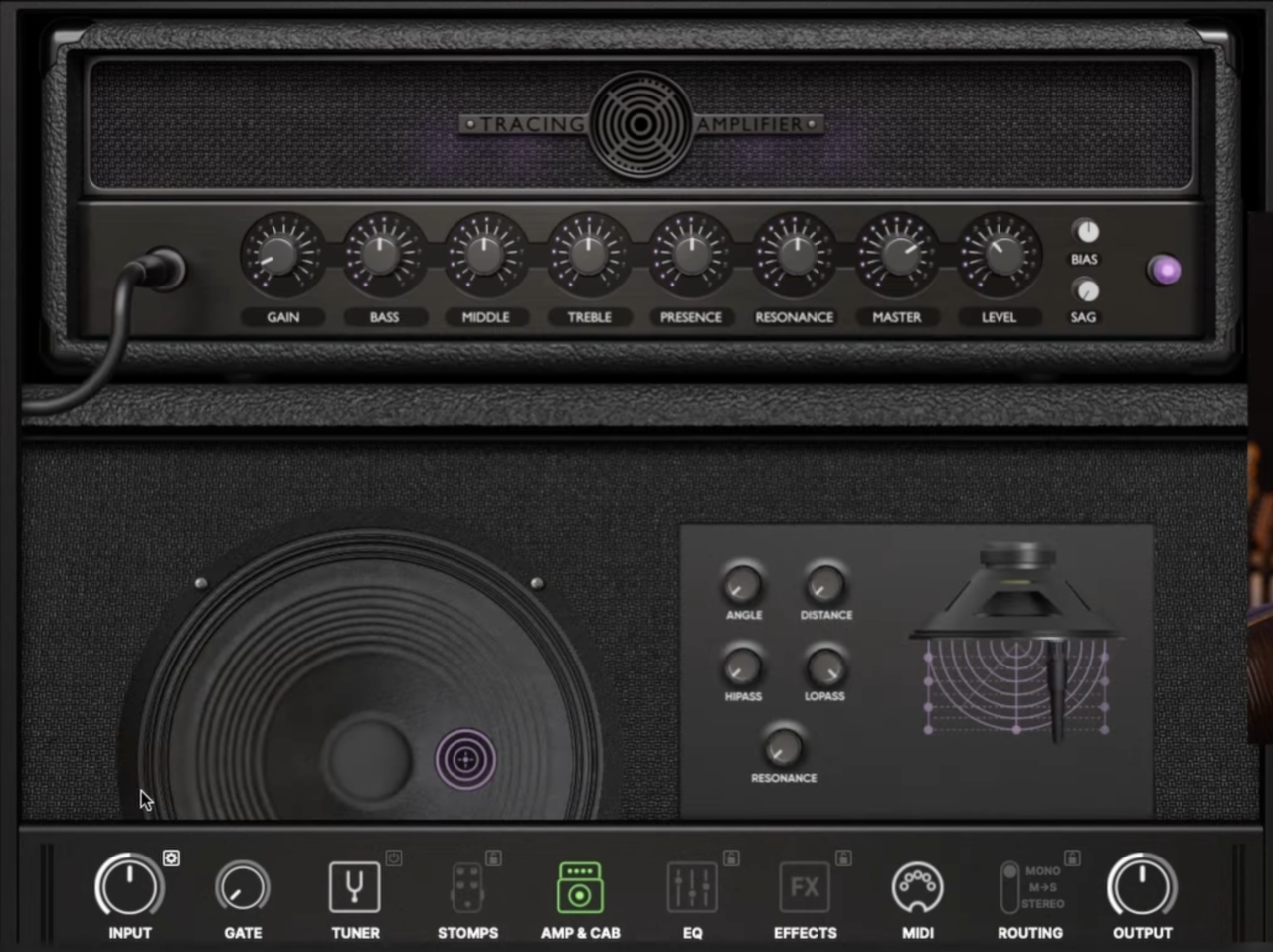
Well, STL Tones ToneHub is the plugin for ready-to-go tones that already sound like a finished record.
I’ve used a lot of amp sims, but what I enjoy here is how everything feels curated instead of overwhelming. You’re not building tones from scratch every time, you’re stepping into real producer-crafted signal chains.
The interface is super direct. I can scroll through tones, tweak a few key controls, and I’m already in the zone. It doesn’t try to be overly complex, but if I want to dive deeper with mic placement and effects, it’s all there.
- Producer & Artist Tone Packs
This is easily the standout feature. I love that ToneHub gives you access to dozens of producer-created rigs, not just raw amp models. It feels like loading someone else’s session chain instantly, which is insanely useful when I’m sketching ideas fast.
- Tracing Amplifier Technology
The realism here is no joke. The amp capturing feels detailed and responsive, especially for high-gain tones. I’ve found that it holds clarity even with heavy distortion, which is usually where plugins start to fall apart.
- 3D Cabinet & Mic Control
One thing I really enjoy is dialing tones with the 3D cab mixer. Moving the mic slightly changes everything, just like in real life. I’ve used this a lot to fix tones that were “almost there”, sometimes it’s literally just a tiny adjustment.
- Massive Preset Library
There are hundreds of presets, and honestly, many of them are mix-ready. I don’t always rely on presets, but here they’re actually inspiring instead of generic.
- Built-in Effects & Expansion System
You also get a solid range of delays, modulation, boosts, and more, and the whole system keeps expanding with new packs. I like that it grows over time instead of feeling static.
For me, ToneHub is all about speed and tone quality. When I don’t want to overthink and just need great guitar sounds instantly, this is one of my go-to plugins.
STL Tones ToneHub comes in standalone, VST, AU, and AAX formats for macOS and Windows users.
Neural DSP Archetypes

Neural DSP is one of the first names that pops into my head whenever I think about modern guitar plugins that actually feel like real amps.
The Archetypes stand out because they don’t just sound polished, they feel immediate, focused, and mix-ready. That’s a huge reason why so many players keep coming back to them.
Whether it’s high-gain metal, boutique cleans, prog leads, or funkier edge-of-breakup sounds, there’s usually an Archetype that covers it convincingly.
- Artist and Amp Variety
One thing I really enjoy is how broad the Archetype range has become. You’ve got artist-based plugins like Plini, Cory Wong, Tim Henson, Gojira, John Petrucci, Tom Morello, Mateus Asato, Rabea, Nolly, and Tosin Abasi.
Plus amp-focused options tied to names like Mesa/Boogie, Tone King, Fortin, Soldano, Darkglass, Morgan, and Omega Ampworks. That variety makes the range feel much bigger than a simple “metal plugin” lineup.
- Tone and Feel
This is where Neural really wins me over. The high-gain tones are obviously a huge draw, but I think the bigger story is how well the plugins respond. Pick lighter and they clean up, dig in and they push back properly.
That response is what makes them feel less like software and more like something you can actually play through for hours. The article’s point that they sound good enough to fool experienced ears isn’t exaggerated.
- Recording and Standalone Use
I also like that they work well in two different roles. Inside a DAW, they slot into sessions easily and don’t need much extra work to sit in a mix. Outside a DAW, the standalone mode is a big part of the fun, open the plugin, plug in, and play.
- Presets and Workflow
The presets are genuinely useful too. I’m not someone who relies on presets forever, but with Neural plugins they’re often strong enough to get me 80 percent of the way there. From there, a few small tweaks usually do the job. That makes the whole experience feel fast and creative rather than technical.
For me, the big reason to recommend the Archetypes is simple: they make it easy to get serious guitar tones quickly, and they do it in a way that still feels fun. If I’m writing, practicing, reamping, or tracking, they’re always in the conversation.
Neural DSP Archetype plugins come in standalone, VST3, AU, and AAX formats for macOS and Windows users.
Native Instruments Session Guitarist

Let’s have VST instrument in the list as well! Native Instruments’ Session Guitarist series stands out with its great workflow and surprisingly realistic guitar sounds!
This series gets me there fast. I can sketch a progression, audition patterns, and suddenly the track has movement, texture, and that “finished” feel that plain MIDI chords just don’t give me. That mix of speed, realism, and songwriting value is exactly why these instruments still matter.
The workflow is a big part of the charm. These instruments are easy to get along with, even if you’re not a guitarist, and the newer titles feel even more flexible because of the added Melody versions. I like that I can start with pattern-based playing for instant results, then layer in my own phrases and fills when I want more personality. It keeps the process creative instead of technical.
- Electric Vintage
Electric Vintage is the one I’d grab when I want clean electric guitar that already has character before I touch any extra processing. The sampled ’50s Telecaster gives it that bright, snappy tone that works beautifully for soul, funk, pop, Americana, and lighter rock.
I really like how easily it moves from supportive chord work into more detailed parts, because the Melody instrument lets me add muted notes, harmonics, tremolo-picked lines, and little riffs without opening a second plugin. It feels polished, flexible, and very easy to mix.
- Picked Acoustic
Picked Acoustic is probably the most musical of the three for me. The sampled Martin 00-21 sounds intimate, detailed, and really beautiful on its own, but the real magic is in how much freedom it gives me.
The “As Played” voicing option is the reason I keep coming back to it, because it lets me keep the picking rhythm while shaping the harmonic movement myself. That makes it feel much less like a preset machine and much more like a real writing tool. When I want an acoustic part with a little more nuance and flow, this is usually the one I reach for first.
- Strummed Acoustic
Strummed Acoustic is still the easy win. If I need a believable acoustic backing part and I need it quickly, this one gets the job done with almost no fuss.
The sampled 1973 Martin D-35 still sounds clean and natural, and I get why so many producers have kept it around for years. It doesn’t have the same flexibility as the newer Session Guitarist instruments, but that’s not really the point. It’s there to give you an authentic, supportive strummed layer that sits in a mix quickly, and it still does that really well.
If I want a software guitar in a production without turning the whole session into a programming project, this series is still one of the smartest places to start.
Native Instruments Session Guitarist instruments run in Kontakt or the free Kontakt Player and work in VST, AU, and AAX formats for macOS and Windows users.
Audio Thing Valves

Audio Thing Valves is my guy when I want a guitar tone to feel a little more worn-in, smoky, and harmonically alive, not when I want pristine polish.
It’s a quirky plugin, and I actually like that about it. When I handle it carefully, it gives me the kind of midrange character that can make a plain DI guitar or overdriven part feel more interesting.
- Triode and Pentode Modes
This is the main reason I’d use it. Triode is the mode I like most on guitars because it darkens the edges a bit and adds subtle grit in the mids. If I’ve got an overdriven rhythm tone that feels too sharp or stiff, this can help it sit better. Pentode is more open and hi-fi, so I’d use that when I want sparkle without completely losing detail.
- Bias Control
The Bias knob is more useful than it looks. I can push the harmonic balance in a softer, more even direction or keep things a little leaner and more reactive depending on the guitar part. It’s one of those controls that quietly changes the personality of the plugin.
- EQ and Harmonics Section
I like that the Bass, Treble, and Harmonics controls are musical rather than surgical. The Harmonics knob also shifts the EQ behavior, so it’s easy to nudge a guitar into a more forward or more rounded space without loading another plugin.
- Character Over Precision
This is not the plugin I’d open when I need total control. The levels can be a little finicky, and the built-in compression side effect won’t always be what I want. But when the source is right, that same behavior can add movement and attitude that cleaner exciters just don’t have.
Valve Exciter comes in VST and AU formats for macOS and Windows users.
IK Multimedia MixBox SE
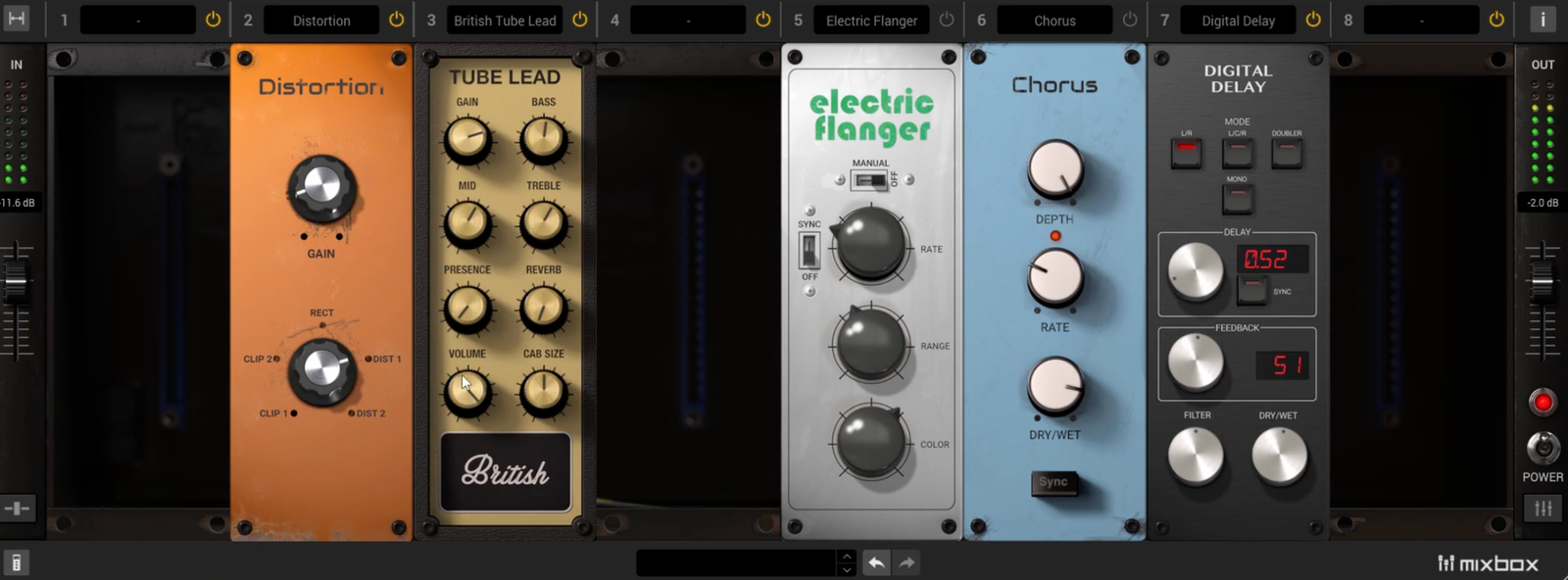
What I really enjoy about IK Multimeda MixBox SE is how it turns a single plugin into a full modular mixing rack.
Instead of stacking five or six separate plugins on a guitar track, I can build an entire signal chain inside one interface, compression, EQ, saturation, modulation, even amp-style tone shaping.
- Modular Multi-FX Workflow
This is where MixBox really shines. With 70 included modules, I can build anything from a clean guitar chain to a fully processed, mix-ready tone in seconds. I use it a lot when I want subtle shaping, small moves across multiple processors instead of relying on one heavy plugin.
- Amp & Saturation Modules
Even though it’s not strictly an amp sim, I love using the amp-style tone controls and saturation modules for guitars.
They add just enough grit, warmth, or midrange bite without overcomplicating things. It’s especially useful for re-amping DI guitars or enhancing already recorded parts.
- Modulation & Spatial Effects
The modulation effects are surprisingly strong. Chorus, phaser, and delays all sound musical, and the reverbs are more than usable in a mix. I’ve found it really easy to take a dry guitar and give it width, movement, and depth without leaving the plugin.
MixBox isn’t the most advanced modular system out there, there’s no internal routing or splitting, but for everyday guitar production, I find it incredibly practical.
IK Multimedia MixBox comes in standalone, VST, VST3, AU, and AAX formats for macOS and Windows users.
Blackstar St James Plugin
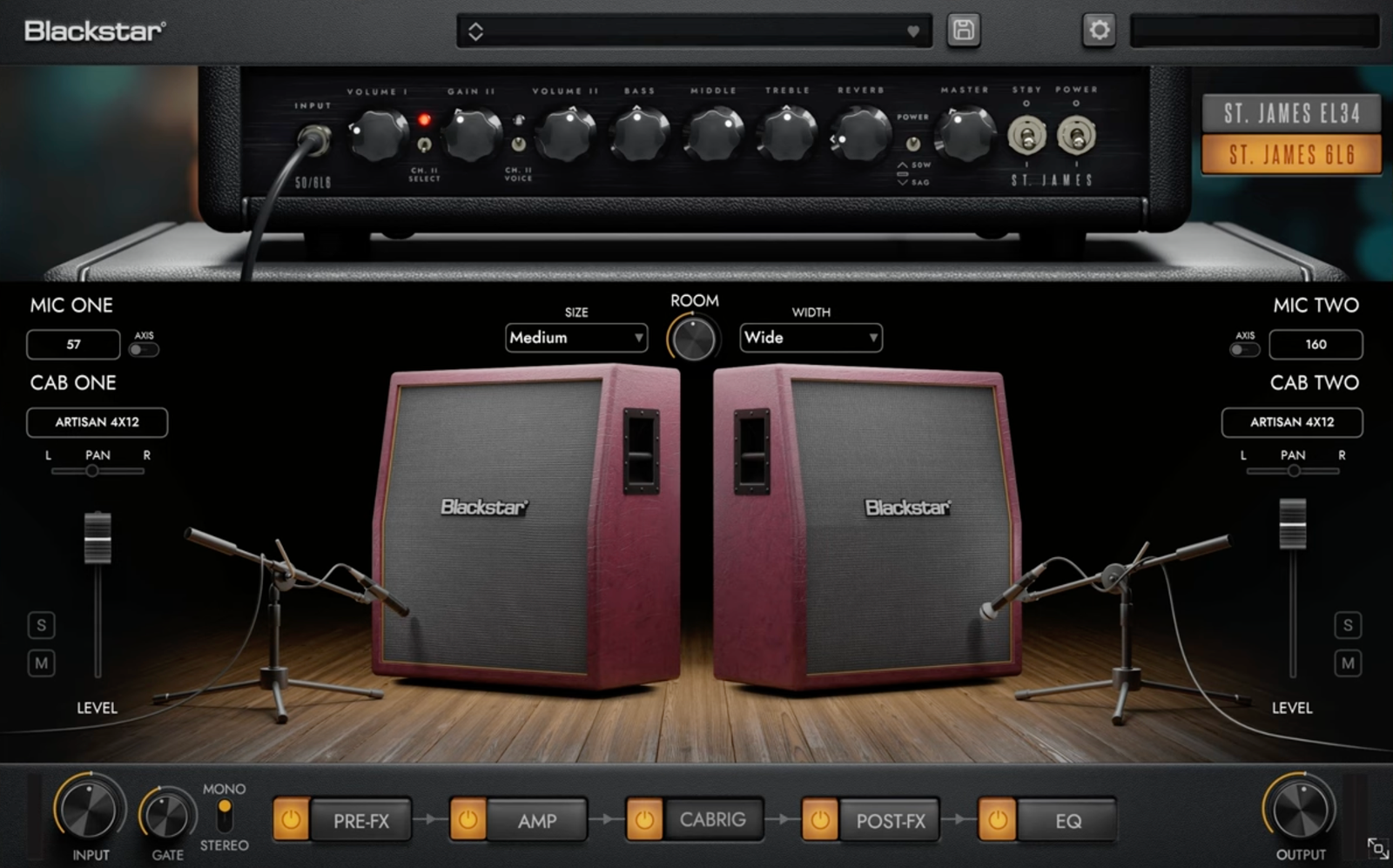
Some amp sims try to win by giving you everything. St. James goes the other way, and that’s exactly why it works.
Instead of drowning me in endless amp lists and menu-diving, it gives me two well-voiced foundations and lets the differences actually matter.
- Amp Voices
The strongest part of St. James is how clearly the two amp personalities separate. I don’t need to “convince myself”, I’m hearing a difference, it’s there immediately.
The EL34 setting is the one I’d reach for when I want bite and shape in a dense arrangement, while the 6L6 side gives me more room for cleaner layers and wider-feeling chords.
- CABRIG Section
This is where the plugin becomes more than just a basic amp sim. The cabinet section lets me build stereo combinations, swap between multiple cab types, and work with different mic flavors without turning the whole thing into a science project.
- Effects and Finishing Tools
The built-in pedals are not there for show. Chorus, phaser, delay, reverb, drive… they’re all usable, and that matters.
I especially like when a plugin gives me enough inside one window to finish the sound rather than forcing me into extra inserts right away. The EQ and noise gate help too, which makes this feel like a genuinely complete guitar chain.
What keeps me coming back is that St. James knows when to stop. It gives me enough control to shape a track properly, but not so much that I start wasting time “optimizing” instead of recording. For me, that’s a real strength.
Blackstar St. James Plugin comes in standalone, VST, AU, and AAX formats for macOS and Windows users.
LANDR Guitar VST
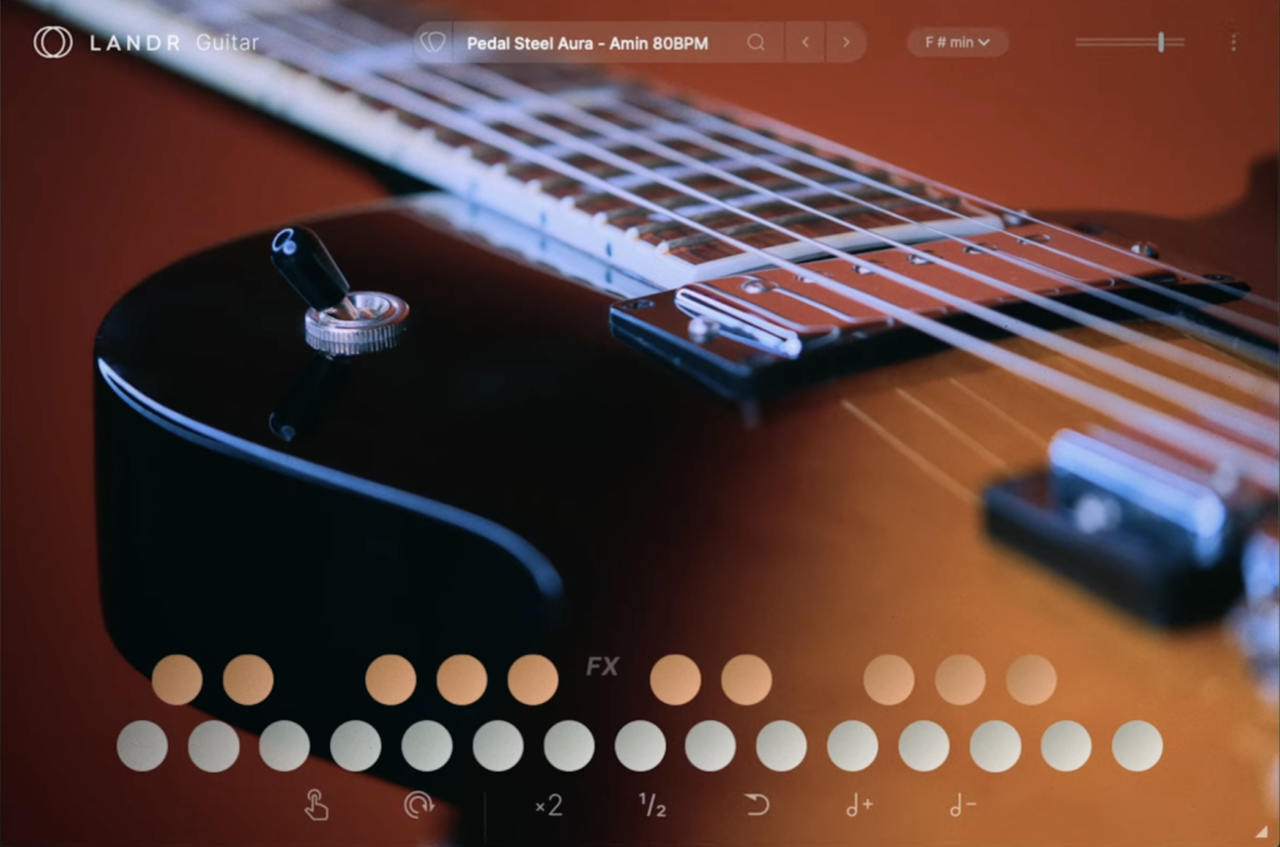
LANDR Guitar feels different from most guitar plugins because it doesn’t pretend to be a traditional amp sim or a deeply sampled virtual instrument. Its whole appeal is speed.
The workflow is a big part of the charm. Instead of building parts note by note, I’m working with professionally played loop packs that are already musical from the start.
From there, the plugin lets me chop, reverse, stretch, and reshape those phrases without making the process feel technical. It’s the kind of tool I’d reach for when a track needs motion, texture, or a quick spark of inspiration.
- Loop Packs
This is the core of the plugin. You get 8 loop collections filled with studio-quality guitar phrases, and that instantly makes LANDR Guitar approachable. I like that I can grab a polished performance right away instead of programming strums or trying to fake realism with MIDI.
- Loop Controls
Once I’ve found a phrase I like, the editing tools do the heavy lifting. I can loop, reverse, speed up, slow down, and transpose parts into the key of the song, which makes it easy to bend the material toward my track instead of forcing my track around the loop.
- Built-In Effects
The onboard effects help a lot, too. Having distortion, reverb, delay, and modulation inside the plugin means I can rough out the final vibe quickly without piling on extra inserts. That keeps the process fun, which really is the whole point of something like this.
LANDR Guitar is obviously less flexible than a full-blown guitar instrument, and you are limited to the included loop-based approach, but that’s also what makes it useful. I’d use it when I want fast guitar ideas, modern production-friendly textures, and zero setup friction.
LANDR Guitar works on macOS and Windows users.
Blue Cat’s Free Amp (Free)
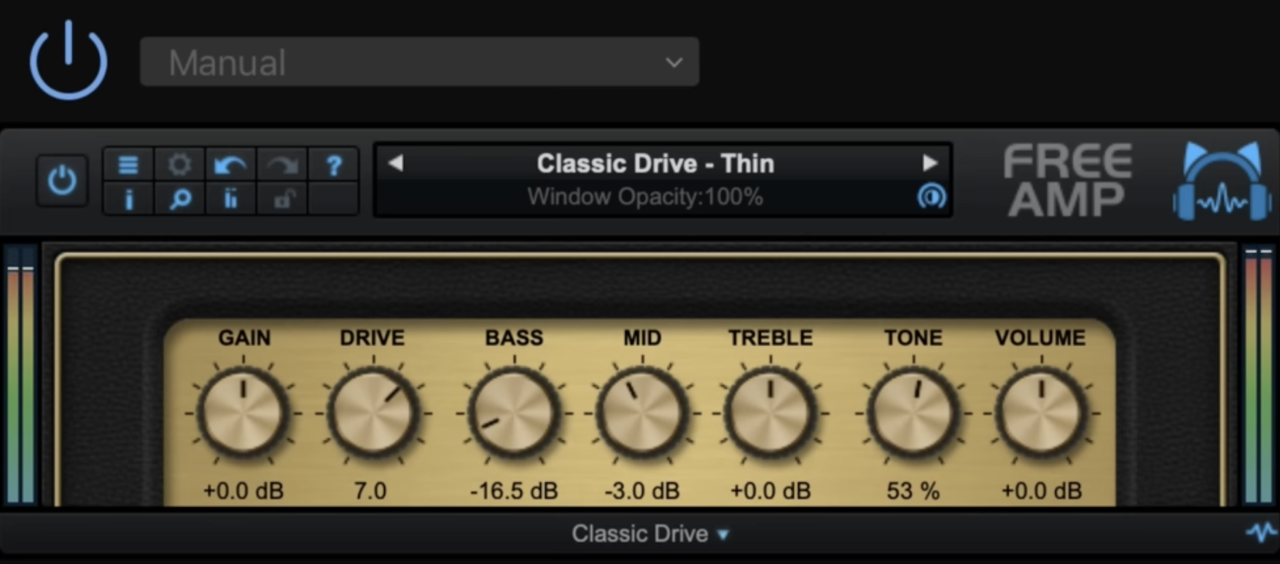
Blue Cat’s Free Amp gives you the core amp-sim experience without any friction at all.
No sign-up, no license drama, no paywall teasing, just load it and play. I like plugins like this because sometimes I don’t want a giant guitar suite with 200 options. I just want a solid amp tone fast, and this does that really well.
The workflow is about as simple as it gets. You open it, pick one of the three amp models, tweak the EQ and gain, and you’re already moving.
It feels more like plugging into a straightforward practice amp than diving into a complicated software rig, which is honestly part of the appeal.
- Amp Models
You get Classic Clean, Classic Drive, and Modern Drive, which cover way more ground than I expected from a free plugin.
I’d use the clean mode for simple melodic parts, the drive mode for crunchy rhythm tones, and the modern option when I want tighter, heavier gain.
- IR Loading
The biggest bonus here is the custom impulse response loader. That changes everything, because once I can swap cabinets and rooms, the plugin becomes much more flexible than a basic free amp sim.
This is the kind of plugin I’d recommend to anyone starting out with guitar recording. It’s light, direct, zero-latency, and doesn’t waste your time.
Blue Cat’s Free Amp comes in VST and AAX plugin formats for macOS and Windows users.
Spitfire LABS Electric Guitars (Free)
More info (now a Splice Instrument)
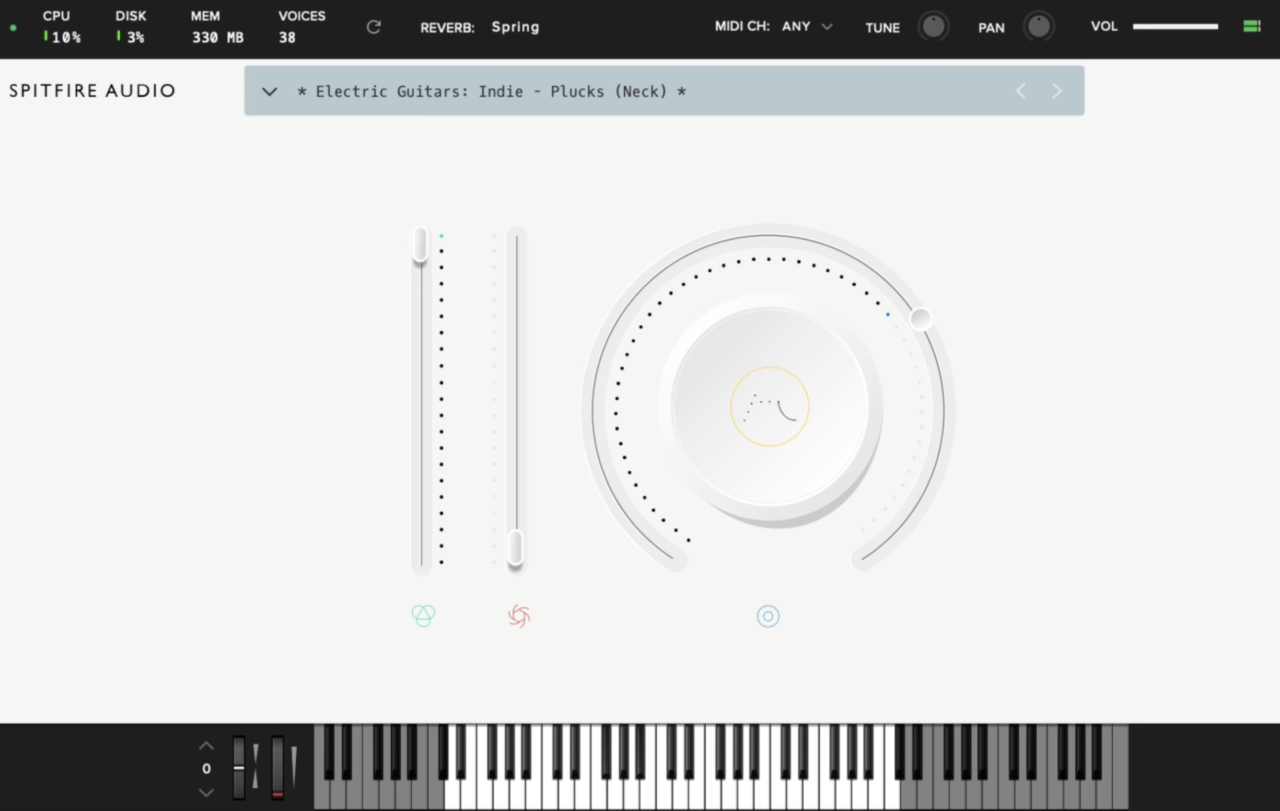
Spitfire LABS Electric Guitars doesn’t try to be a full-blown guitar workstation, as it provides a handful of tasteful, mix-friendly electric guitar textures that are easy to drop into a track, and that simplicity is exactly why it works.
I like it most for background parts, reflective melodies, and soft rhythmic layers where I want guitar character without overcomplicating the session.
The workflow is as easy as you’d expect from LABS. Everything runs inside the free Spitfire Audio plugin, the interface is clean, and I can move between sounds and playing styles quickly.
It’s not trying to overwhelm me with endless editing; it’s there to get me from idea to usable part fast.
- Playing Styles
The main strength here is variety within a simple setup. You can move between Rhythms, Plucks, and Sustained Notes, which gives the library more range than a lot of free guitar tools.
I’d use the rhythms for light backing parts, the plucks for melodic hooks, and the sustains for more atmospheric layers.
- Musical Character
The sounds cover Rock, Blues, Pop, Indie, and 80s-inspired tones, and they lean more toward vibe than flashy realism. That actually suits this plugin well. Used in the right context, the parts sound believable and sit nicely in a mix.
For a free plugin, this is a really smart one to keep around. I’d use it when I want quick electric guitar color, simple layering, and zero setup hassle.
LABS Electric Guitars runs in the free Spitfire Audio plugin and works in AU, VST2, VST3, and AAX formats for macOS and Windows users.
Neural Amp Modeler (Free)
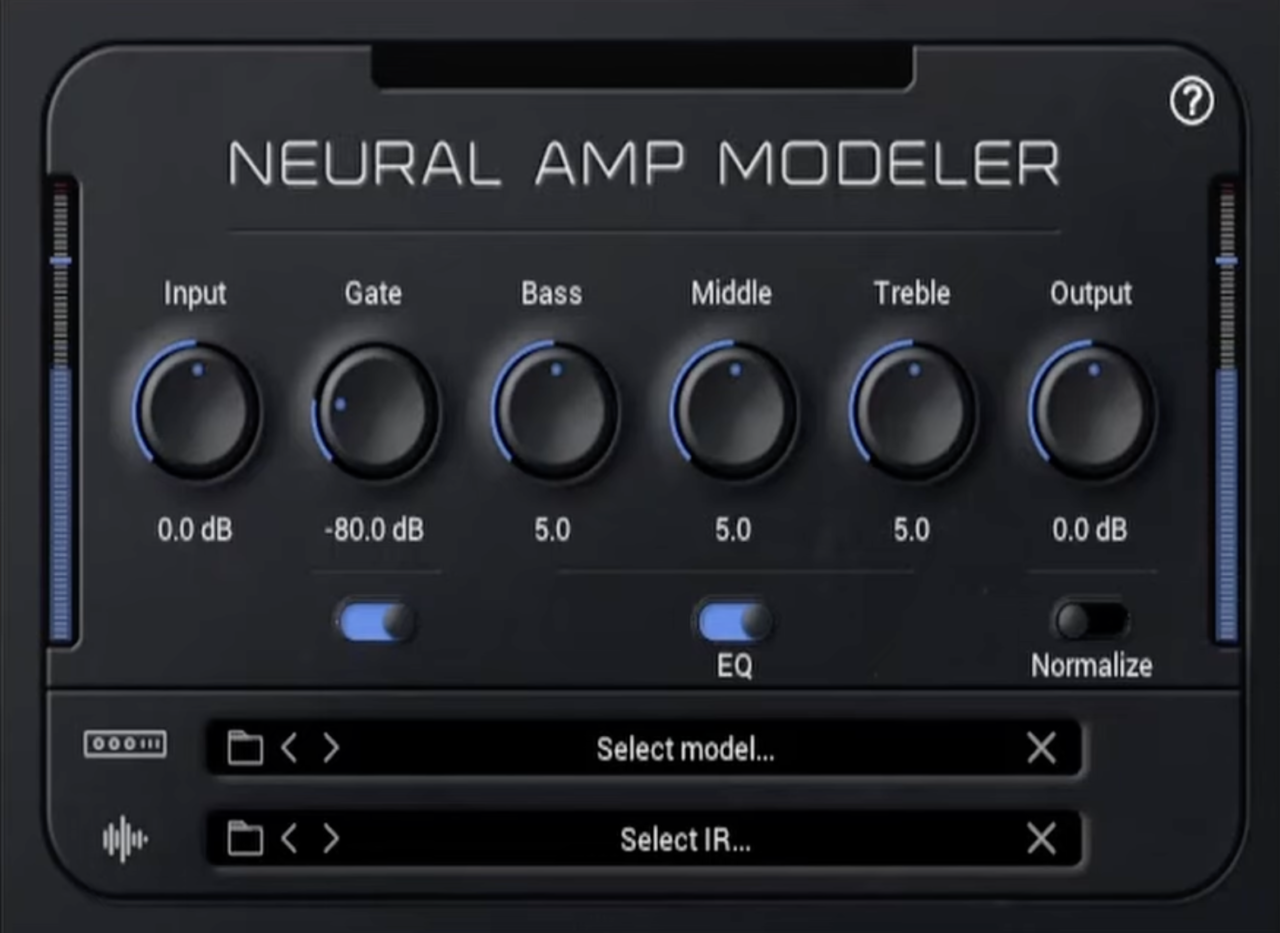
My final pick is a different plugin than the rest; Neural Amp Modeler, which gives you the amp-capture approach of far more expensive gear for free.
That alone makes it one of the easiest recommendations in this whole article. I like it because it doesn’t try to be a giant all-in-one suite, as it focuses on realistically captured amp tones, and it does that extremely well.
The workflow is super easy as you load a profile, pair it with an IR, and you’re off. That simple and it feels more like working with a serious profiler than a typical free amp sim, and once you start browsing the community captures, it gets addictive fast.
- Captured Amp Tones
This is the reason to use NAM, as it’s based on profiles rather than traditional algorithmic modeling, the feel and response can be really impressive.
I’ve heard people compare it to Kemper, TONEX, and Quad Cortex-style workflows, and for a free plugin, that’s kind of ridiculous.
- Community Library
One of the best things about NAM is the community around it. You can find a huge range of captures, 5150s, ENGLs, Sovteks, Ceriatones, and a lot of amps you don’t usually get in standard free plugins. That variety gives it way more life than most freeware tools.
The sound quality is the headline, but the fact that it’s completely free is what makes it such a no-brainer.
For a free plugin, Neural Amp Modeler is honestly one of the most exciting guitar tools out there.
Neural Amp Modeler comes in VST3 and AU formats for macOS and Windows users.
Last Words
That wraps up my favorite guitar plugins right now. Some are deep, some are dead simple, and a few are so good they make it dangerously easy to forget how expensive real amps can get.
The best one for you really comes down to how you work, whether you want endless routing, instant presets, boutique amp feel, or just a free plugin that sounds way better than it has any right to. Check them out and enrich your guitar VST arsenal!

Berk is a multi-instrumentalist musician from Istanbul, Turkey. He has been playing guitar, handpan, and percussion for over ten years, developing a sound that blends melodic sensitivity with rhythmic depth.
He began his musical journey as a teenager, learning guitar and performing in several bands. In 2016, he discovered the handpan, an instrument that immediately resonated with him on a deeper level and gradually became central to his artistic identity.
Since then, he has performed in streets, festivals, bars, and concert venues across different countries, connecting with diverse audiences through both intimate and large-scale performances.
Alongside his live work, Berk is deeply involved in studio production. He works from his home studio, where he composes, records, and produces his own music. His studio serves as a creative space for layering handpan, guitar, and percussion with modern production techniques, allowing him to shape fully realized, atmospheric compositions from start to finish.
His music explores a wide range of genres and textures, combining organic acoustic instruments with detailed studio production to create immersive and expressive soundscapes.