
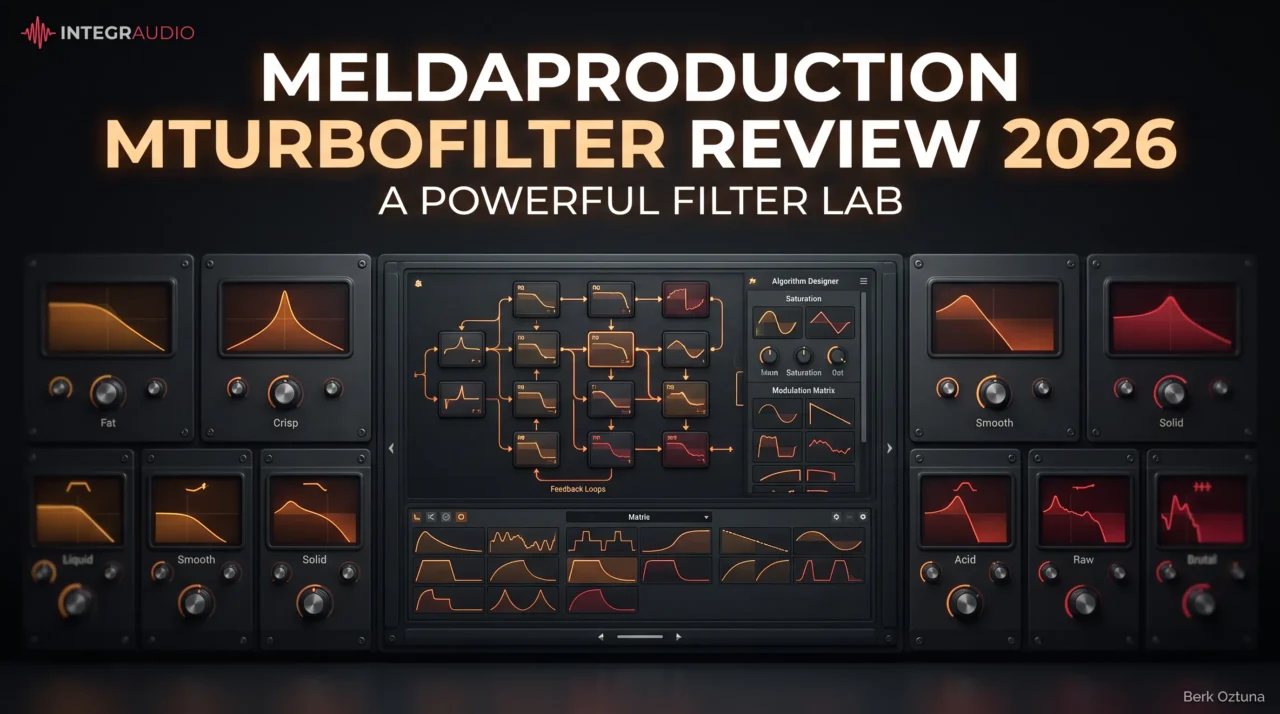
MeldaProduction MTurboFilter is the kind of plugin that can be as simple or as deep as you want it to be. On one side, you get nine vintage-inspired filter characters that can be swapped quickly while keeping the same basic settings; on the other, there is a full algorithm designer for building custom filter topologies with saturation, feedback, compression, bit crushing, and more. Melda initially released it as a public beta in June 2026, then moved it to a full release with version 17.10 in September.
What caught my attention most is that it does not force you into the deep end straight away. I can start with one of the easier Fat, Liquid, Acid, or Brutal-style models, find the right character in seconds, and only open the more advanced designer when I actually want to create something unusual. The built-in modulation matrix, LFOs, step sequencing, and envelope followers also make it much more than a static filtering tool.
For me, that balance is the main appeal. MTurboFilter can work as a quick analog-flavored filter on a synth, bass, or drum loop, but it also has enough depth to become a serious sound-design environment when standard low-pass and high-pass filtering starts to feel too predictable.
| Key Feature | What It Does |
| 9 Vintage Filter Models | Provides nine distinct analog-inspired characters, including Fat, Crisp, Liquid, Smooth, Solid, Bright, Acid, Raw, and Brutal. |
| Resonance Compensation | Lets you move between more authentic low-end loss at high resonance and a bass-compensated response. |
| Drive & Feedback | Each model can be overdriven, while dedicated feedback can move from subtle thickening to aggressive self-resonant distortion. |
| Algorithm Designer | Lets you build completely custom filter structures using low-pass, high-pass, band-pass, notch, and other filter stages. |
| Additional Processing Modules | Custom designs can incorporate saturation, wave-shaping, compression, comb filtering, feedback, and bit crushing. |
| Modulation Matrix | Maps modulation directly to the main controls for dynamic and evolving filter movement. |
| Advanced LFOs | Includes drawable and morphable shapes, host synchronization, and step sequencing. |
| Envelope Followers | Tracks the main or sidechain signal to create audio-reactive filtering. |
| Flexible Routing | Supports more complex serial and parallel-style processing structures inside custom algorithms. |
| MSoundFactory Integration | Can be used as a native module inside MSoundFactory with per-voice modulation and analog-style drift possibilities. |
| Fast Character Switching | Lets you dial in the basic settings first, then switch between filter models to compare their character in context. |
| Custom Main Controls | Internal algorithm parameters can be mapped to the main interface, keeping even complex patches relatively easy to control. |
Features
MTurboFilter is built around two very different workflows. I can use it as a quick character filter with the nine ready-made models, or open the designer and treat the plugin almost like a modular sound-design environment.
- 9 Vintage Filter Models
The nine models, including Fat, Crisp, Liquid, Smooth, Solid, Bright, Acid, Raw, and Brutal, cover a surprisingly wide range of personalities. I like that I can set the cutoff, resonance, and drive first, then switch between models without rebuilding the patch just to hear how each character reacts.
Each filter also includes resonance compensation, which is useful when heavy resonance starts thinning out the low end. I can leave more of that behavior intact for a vintage feel or compensate it when I want the bass to stay more solid.
- Drive and Feedback
The filter models are not limited to clean frequency shaping. Drive lets the circuit move into saturation, while the dedicated Feedback control recreates the kind of increasingly unstable behavior associated with routing hardware back into itself.
This is where MTurboFilter becomes much more fun for me. Subtle settings can add thickness, but pushing feedback and resonance can take synths, basses, and drum loops into much more aggressive territory.
- Algorithm Designer
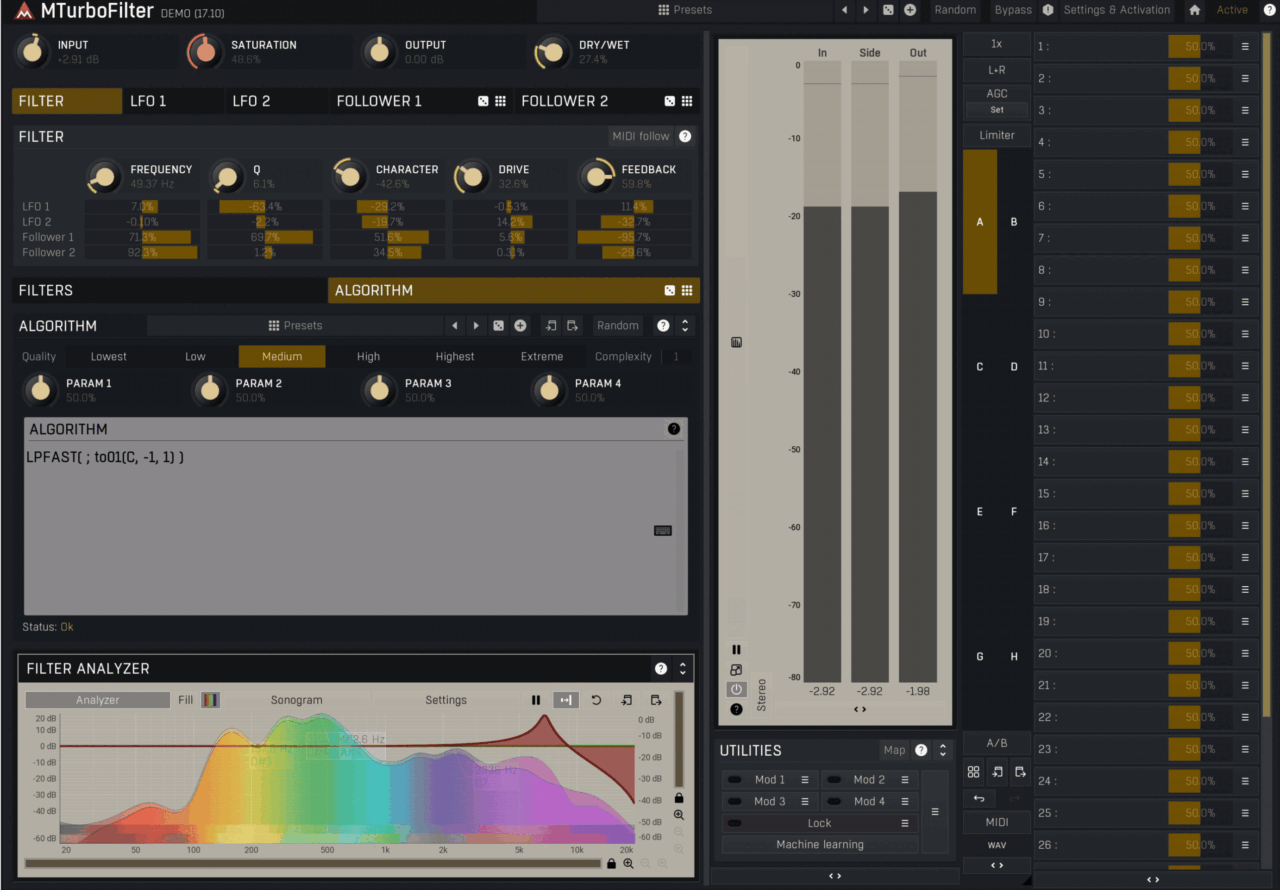
The Algorithm Designer is the deepest part of the plugin. You can combine low-pass, high-pass, band-pass, notch, biquad, and state-variable filtering with additional stages such as saturation, compression, wave-shaping, comb filtering, bit crushing, and feedback.
I would not open this section every time I need a simple filter sweep, but I like knowing it is there. It turns MTurboFilter from a collection of models into something you can use to build completely custom filtering structures.
- Modulation Matrix
MTurboFilter also includes a proper modulation matrix directly beneath the main controls. Its LFOs support drawable and morphable shapes, host synchronization, and step sequencing, while envelope followers can react to either the main input or a sidechain.
For me, this is one of the plugin’s strongest areas. A filter becomes far more interesting once cutoff, resonance, drive, or feedback can move according to the incoming audio rather than following a static automation curve.
- Custom Control Mapping
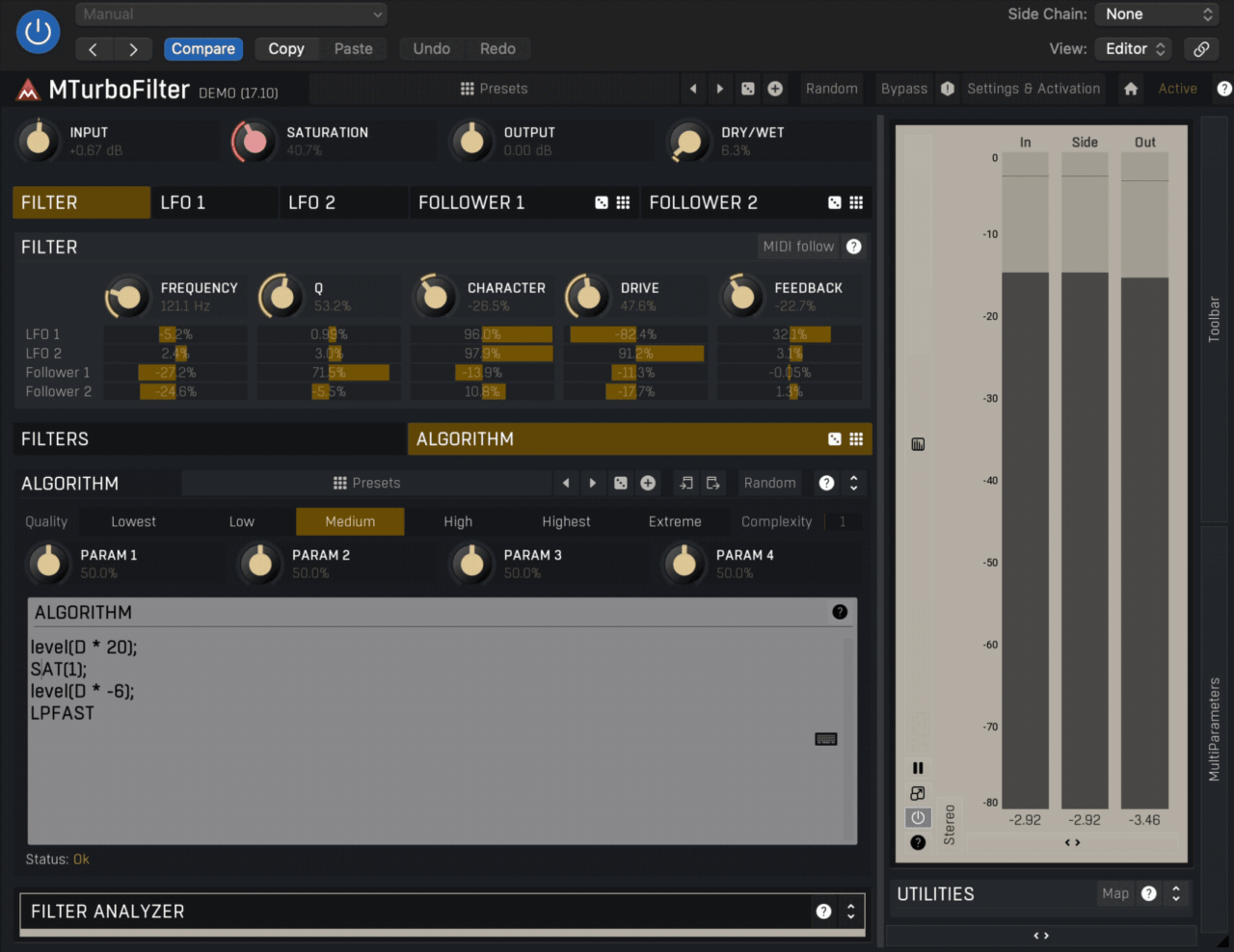
Complex algorithms do not have to remain buried inside the designer. Internal parameters can be assigned to the plugin’s 5 main controls, letting you turn a complicated structure into something much easier to perform and automate.
I especially like this idea for custom patches. I can spend time building something complicated once, then reduce it to a handful of meaningful macro controls that actually make sense during a session.
- MSoundFactory Integration
MTurboFilter is also available as a native processing block inside MSoundFactory, where the filter parameters can work with per-voice modulation. That opens up much deeper polyphonic movement than you would normally get from using the standalone effect on a full stereo signal.
Combined with MSoundFactory’s analog-style drift options, it can move from conventional synth filtering into much more experimental territory. For most users this will be a bonus rather than the main reason to buy MTurboFilter, but it adds a lot of value if you already work inside Melda’s ecosystem.
Interface and Workflow
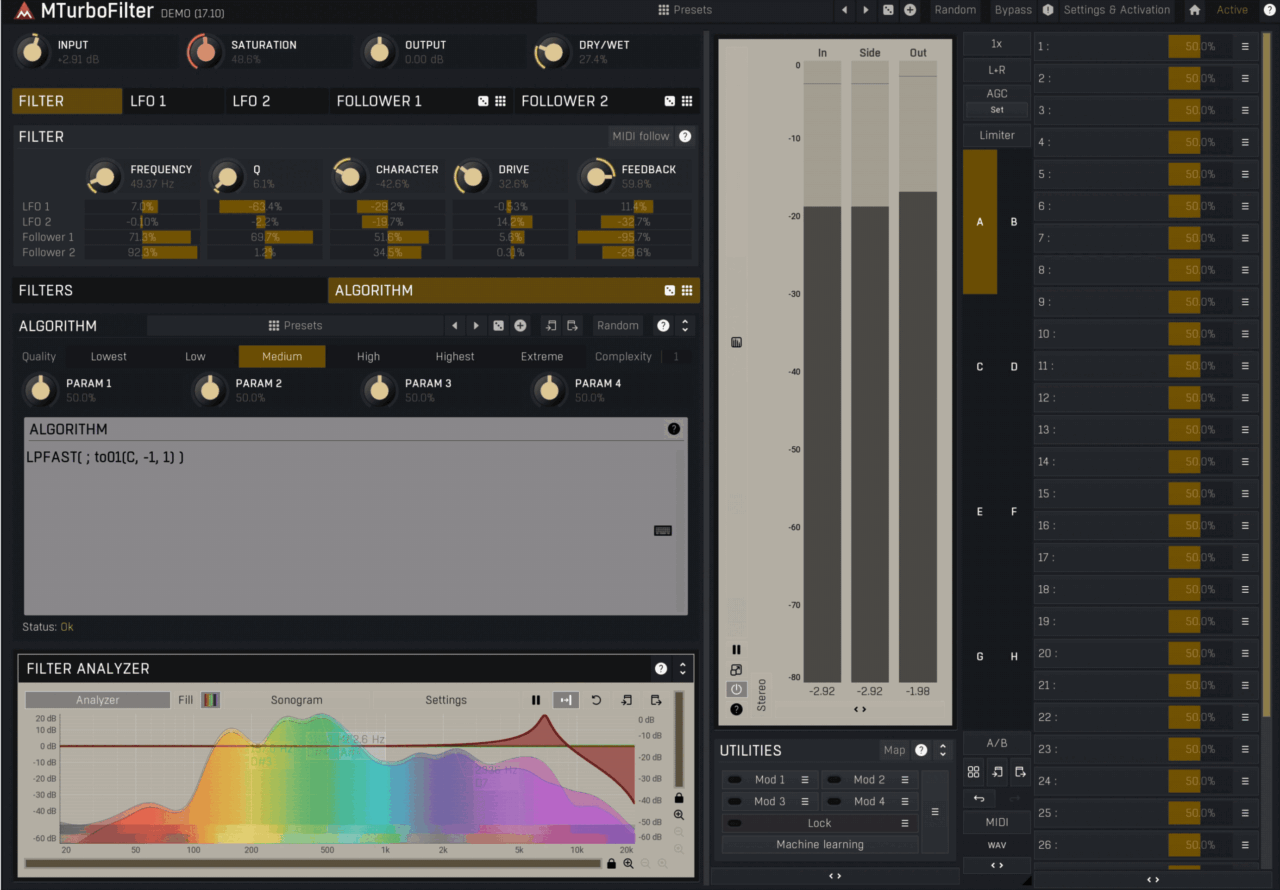
MTurboFilter follows the familiar Melda approach, so there is a lot of power available, but not all of it is visible at once. I actually like starting from the main five controls and one of the nine filter models, because that keeps the plugin feeling immediate before I dive into the deeper pages.
The Easy Filters workflow is probably where I would spend most of my time during normal production. I can dial in cutoff, resonance, drive, and feedback, then switch between models like Fat, Liquid, Acid, or Brutal to hear which character fits the track without rebuilding the settings.
Things get much deeper once you open the Algorithm Designer. This is where MTurboFilter starts to feel more like a modular environment, with custom filter structures, saturation stages, feedback paths, and additional processors all available inside one patch.
I also found the modulation section surprisingly practical. LFOs, step sequencing, and envelope followers are easy to map to the main parameters, so it does not take long to turn a static filter into something rhythmic or audio-reactive.
The only part that may slow some users down is the amount of depth hidden behind menus and advanced pages. I would not recommend opening every section immediately; my preferred workflow is to find a useful filter character first, then add modulation or custom routing only when the sound actually needs it.
Overall, the interface rewards a gradual approach. It can work like a simple analog-style filter when I want speed, but the deeper designer is there when I want to build something much more personal.
First Impressions and Sound
What I like most about MTurboFilter is how quickly it can move from clean filtering into something much more characterful. I tend to start with the predefined models rather than the designer, and the ability to switch between Fat, Liquid, Acid, Raw, or Brutal while keeping the same basic settings makes comparisons much faster.
For everyday use, I would probably reach for Fat, Smooth, or Liquid when I want the filter to add some color without taking over the sound. On synths and basses, the resonance compensation is especially useful because I can push resonance without losing as much low-end weight as I normally expect from more traditional filter behavior.
The more aggressive models are where the plugin gets more interesting for me. Drive and Feedback can turn a simple filter sweep into something much dirtier and more animated, which works particularly well on bass, drum loops, and sound-design material. I would still use them carefully, because it is very easy to move from character into chaos once resonance, drive, and feedback start interacting.
I also enjoyed the modulation side more than I expected. Using an envelope follower on cutoff or resonance gives the filter a much more organic response than drawing automation by hand, while step sequencing works nicely for rhythmic synths and percussion.
The Algorithm Designer is where MTurboFilter becomes genuinely different from simpler alternatives, but I would not use it every time. For me, its real value is being able to build unusual filter structures once, map the important parts to the five main controls, and then use that patch almost like a custom effect later.
Overall, MTurboFilter feels strongest when I want character, movement, and experimentation, not just a transparent high-pass or low-pass filter. The quick models make it easy to use in normal sessions, while the deeper designer gives it enough range to become a serious sound-design tool when I want to go further.
Compatibility
| Specification | Details |
| Plugin Formats | VST, VST3, AU, AAX |
| Operating Systems | Windows and macOS |
| Architecture | 64-bit |
| Windows on ARM | Supported through Prism with MeldaProduction 17.10 |
| MSoundFactory Integration | Available as a native module with per-voice modulation |
| Sidechain Support | Yes, including modulation from input or sidechain envelope followers |
| Modulation | Advanced LFOs, step sequencing, drawable shapes, and envelope followers |
| Installation / Updates | Managed through MPluginManager |
| Licensing | MeldaProduction account-based activation |
| Updates | Free updates for life |
MTurboFilter should fit comfortably into most modern Windows and macOS production setups, and the major plugin formats are covered. The deeper MSoundFactory integration is especially useful if you already work inside Melda’s ecosystem, since it opens up per-voice modulation rather than treating the filter only as a stereo insert.
From a workflow perspective, I would use the standalone plugin for normal mixing and sound design, then move into MSoundFactory when I specifically want polyphonic filtering or more complex modulation behavior.
Pros and Cons
Pros
- Nine distinctive filter characters
- Excellent drive and feedback options
- Deep modulation system
- Powerful Algorithm Designer
- Great for synths, basses, and drum loops
- Useful resonance compensation
- Strong MSoundFactory integration
- Flexible from quick filtering to deep sound design
Cons
- Advanced features take some time to learn
- Interface can require a bit of menu exploration
- Probably overkill if you only need basic filtering
Last Words
MTurboFilter is one of those plugins that works on two very different levels. I can treat it like a quick character filter, pick one of the nine models, add a little drive or resonance, and move on. Or I can open the Algorithm Designer and turn it into a much deeper sound-design tool.
For me, the biggest strength is that it does not force the advanced workflow on you. The ready-made filters already cover a useful range from smooth and warm to aggressive and distorted, while the deeper modulation and custom routing are there when I want something more unusual.
I also like how much movement you can create without relying on manual automation. The combination of LFOs, envelope followers, step sequencing, feedback, and custom mapping makes it especially useful on synths, basses, drum loops, and more experimental material.
It is definitely deeper than what some producers will need from a filter plugin, but that depth is also the reason it stands out. If you want a filter that can handle quick analog-style shaping and serious custom sound design in the same plugin, MTurboFilter has a lot to offer.
MTurboFilter was one of our picks in the September 2026 plugin roundup, and if you work with acoustic drums, our MDrumCleaner review covers Melda’s other recent release.

Berk is a multi-instrumentalist musician from Istanbul, Turkey. He has been playing guitar, handpan, and percussion for over ten years, developing a sound that blends melodic sensitivity with rhythmic depth.
He began his musical journey as a teenager, learning guitar and performing in several bands. In 2016, he discovered the handpan, an instrument that immediately resonated with him on a deeper level and gradually became central to his artistic identity.
Since then, he has performed in streets, festivals, bars, and concert venues across different countries, connecting with diverse audiences through both intimate and large-scale performances.
Alongside his live work, Berk is deeply involved in studio production. He works from his home studio, where he composes, records, and produces his own music. His studio serves as a creative space for layering handpan, guitar, and percussion with modern production techniques, allowing him to shape fully realized, atmospheric compositions from start to finish.
His music explores a wide range of genres and textures, combining organic acoustic instruments with detailed studio production to create immersive and expressive soundscapes.