
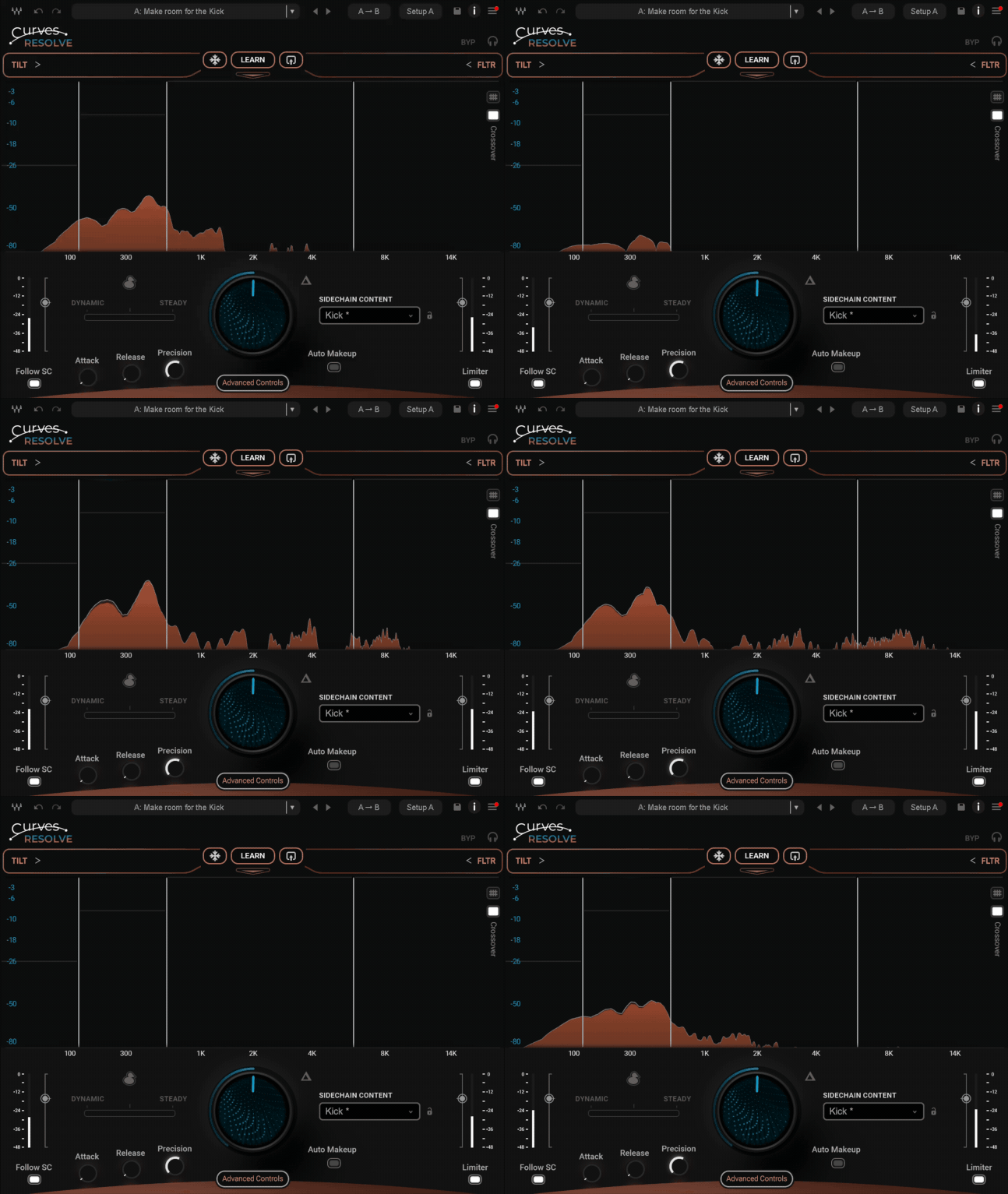
Today, we’re diving into Waves Curves Resolve, an intelligent unmasking audio plugin designed to fix frequency conflicts between tracks in your mix.
I recently spent some time testing Curves Resolve in a few real-world mixing sessions, vocals against full instrumentals, dense guitar stacks, bass and kick relationships, and I’ll be honest: I wasn’t expecting it to feel this practical.
On paper, it lives in the same space as tools like soothe2 or Curves Equator. In practice, though, it approaches masking in a slightly more structured and mix-focused way.
Masking is one of those problems we all deal with daily. You can balance levels forever, but if two sounds share the same frequency space, clarity suffers. Traditionally, we solve this with manual EQ, sidechain compression, or automation.
Curves Resolve offers a different solution: instead of lowering everything, it only carves out space where genuine frequency clashes occur, and only when they occur.
After using it across several mixes, I realized this plugin isn’t trying to be a fully surgical spectral editor. It feels more guided, more structured. And in many cases, faster to dial in, especially when you just want things to work without overthinking. Let’s get into it!
Features
| Feature | Description |
| Frequency Unmasking Engine | Intelligently reduces clashing frequencies between two signals via sidechain processing |
| Dynamic Mode | Reacts in real time to masking as the music evolves |
| Steady Mode | Learns a section and applies a consistent, stable carving curve |
| Dynamic / Steady Blend | Allows you to combine movement and stability for controlled processing |
| Intelligent Ducker | Includes Wide full-band ducking and Unmask frequency-specific ducking |
| Snapshot Controls | Instrument-aware starting points for vocals, bass, guitars, synths, keys, snare, and more |
| Sidechain Focus Controls | Filter and tilt the sidechain signal to guide what Resolve reacts to |
| Mid Side Processing | Target center or stereo sides independently for more precise spatial control |
| Bus-Friendly Workflow | Designed to work efficiently on groups and submixes |
| Curves Resolve Live | Zero-latency version for live, tracking, and broadcast situations |
Curves Resolve is the third entry in Waves’ Curves Series, and while the concept may feel familiar if you’ve used dynamic EQs or spectral ducking tools before, Waves has clearly tried to refine and simplify the workflow here.
Instead of overwhelming you with dozens of nodes or hyper-detailed frequency control, Resolve focuses on intelligent, band-based carving between two signals via sidechain. Let’s break down what it offers.
Dynamic & Steady Carving Modes
One of the core features of Curves Resolve is its ability to operate in two different carving behaviors:
- Dynamic Mode: Reacts in real time as the music changes
- Steady (Learned) Mode: Analyzes a section and creates a fixed contour
- Blend Control: Allows you to combine both approaches
Dynamic mode constantly reacts to masking as it happens. In busy mixes, this feels natural and responsive. The plugin adjusts only when needed, which keeps things transparent and musical.
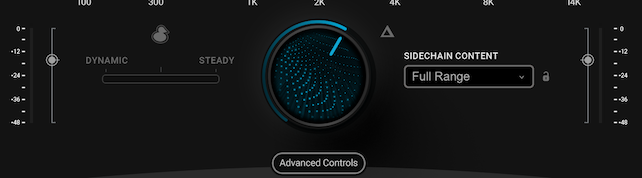
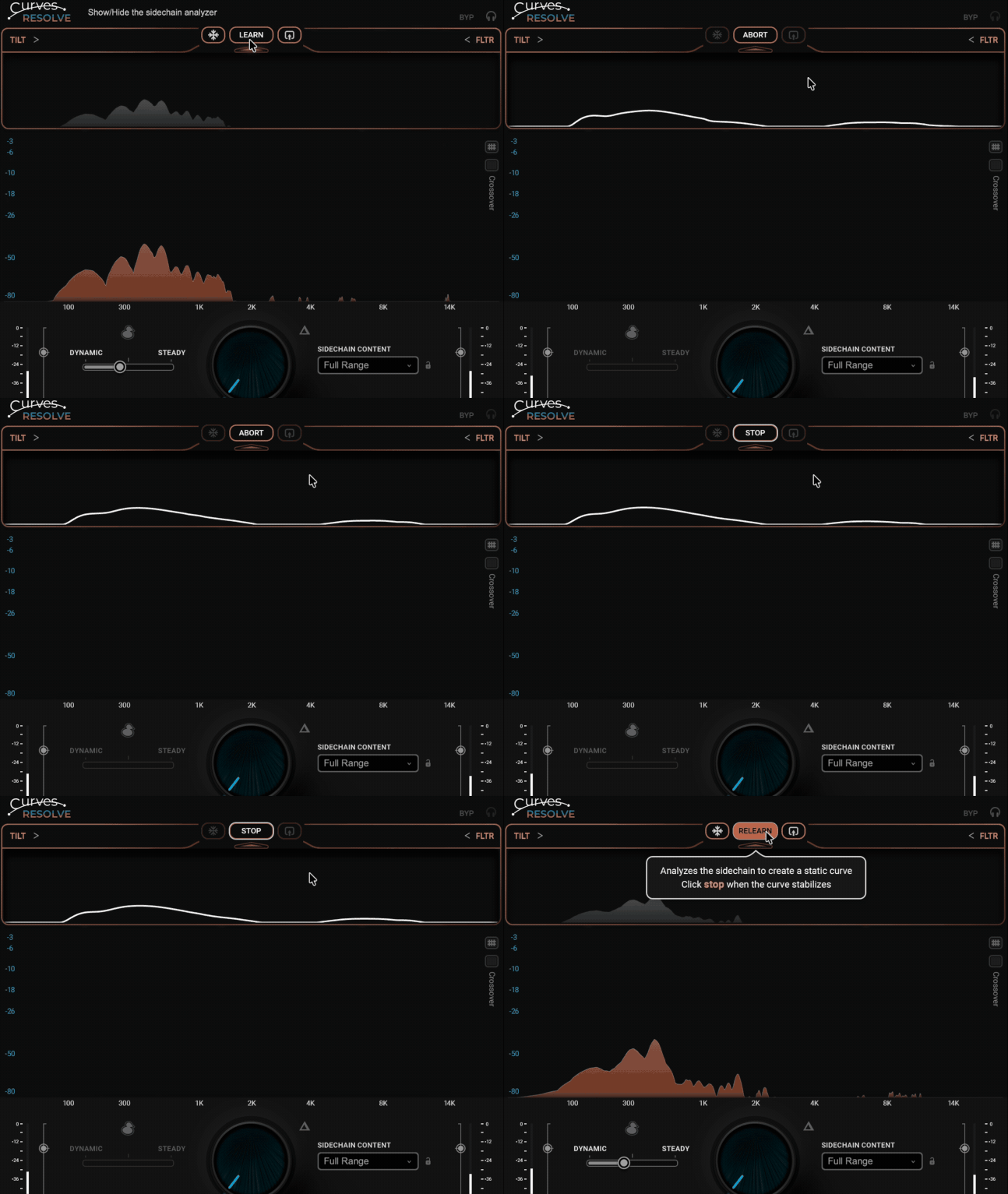
Steady mode, on the other hand, lets you “learn” a section and apply a consistent curve. This is particularly useful if you want predictable shaping without constant movement. I like that you can blend between both, it gives you control over how animated or stable the processing feels.
Intelligent Ducking – Wide & Unmask Modes
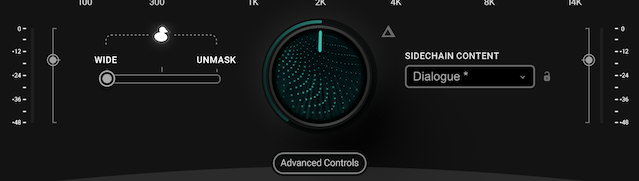
Curves Resolve also reimagines ducking with two distinct approaches:
- Wide Mode: Classic full-band ducking
- Unmask Mode: Frequency-specific ducking
Wide mode behaves like traditional ducking, when the sidechain signal enters, the entire signal dips. This is useful for dialogue, voiceovers, or classic “music under speech” scenarios.
Unmask mode is where things get more interesting. Instead of reducing the entire signal, it only reduces the specific frequencies that conflict. This keeps the body and energy of the music intact while allowing the lead element to cut through. It feels less aggressive and more refined than standard sidechain compression.
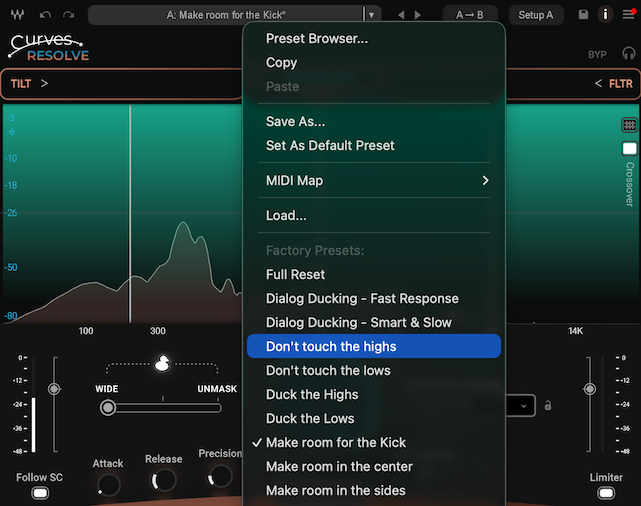
Snapshot Controls (Instrument-Aware Presets)
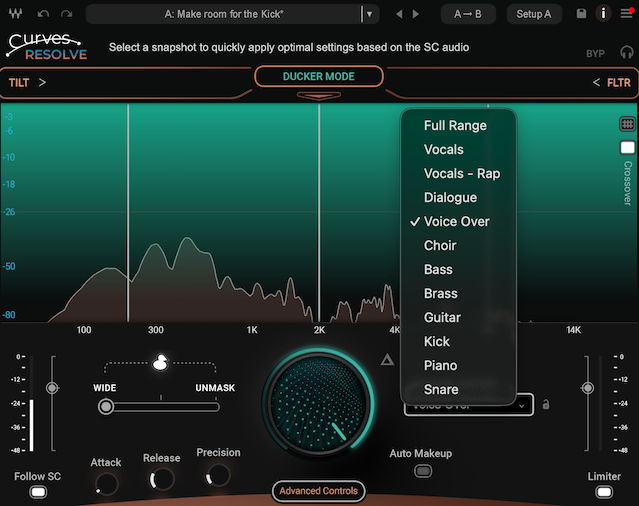
Waves includes Snapshot controls that instantly optimize the plugin’s behavior depending on the source material.
Available starting points include:
- Vocals
- Bass
- Guitars
- Synths
- Keys
- Snare
- And more
These aren’t just generic presets. They adjust the carving behavior to better suit the incoming signal type. In practice, this speeds up the workflow significantly. Instead of building a curve from scratch, you start from a sensible musical baseline.
Sidechain Adjustment & Focus Controls
Another useful feature is the ability to shape what Resolve “listens” to in the sidechain. This prevents unnecessary carving.
For example, if you only care about midrange clashes between vocal and guitars, you can guide Resolve to prioritize that region. It makes the processing more intentional and less reactive to irrelevant frequency information.
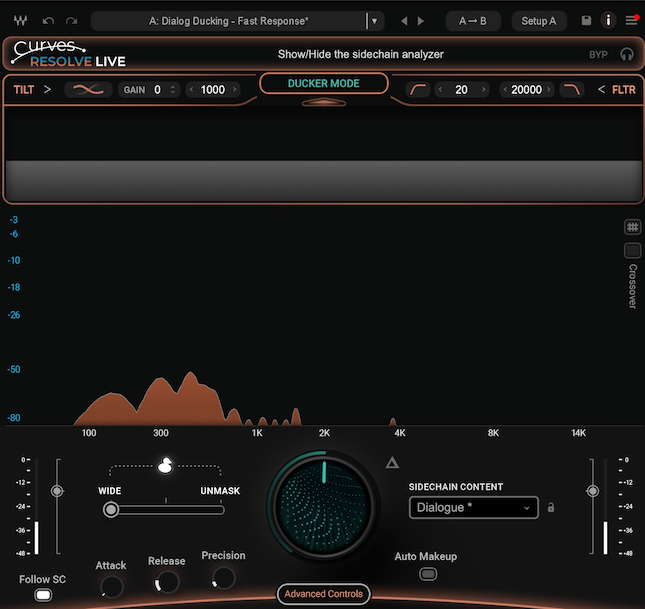
Curves Resolve Live (Zero-Latency Version)
Waves also includes Curves Resolve Live, a zero-latency version of the plugin. This is designed for scenarios like live mixing, broadcast, and all real-time performance environments
It maintains the core functionality but removes latency, making it suitable for time-critical situations.
Mid/Side Processing
Mid/Side processing is available, allowing you to target, the mid content (center elements like vocals, bass) or the side content (stereo guitars, pads, effects).
This is especially powerful in dense mixes. You can reduce masking in the center while preserving stereo width. For vocal-heavy productions, this adds a surprising amount of clarity without thinning out the sides.
Interface and Workflow
The interface of Waves Curves Resolve is clean, modern, and very purpose-driven. It does not try to overwhelm you with endless nodes or surgical editing tools. Instead, everything revolves around relationship-based processing between two signals. You immediately understand that this plugin is about solving conflicts, not reshaping tone from scratch.
Interface
The central visual display shows how the main signal and the sidechain interact across the frequency spectrum. You can literally see where masking occurs. This visual feedback makes it easier to trust what you are hearing, especially in dense mixes where problems are not always obvious.
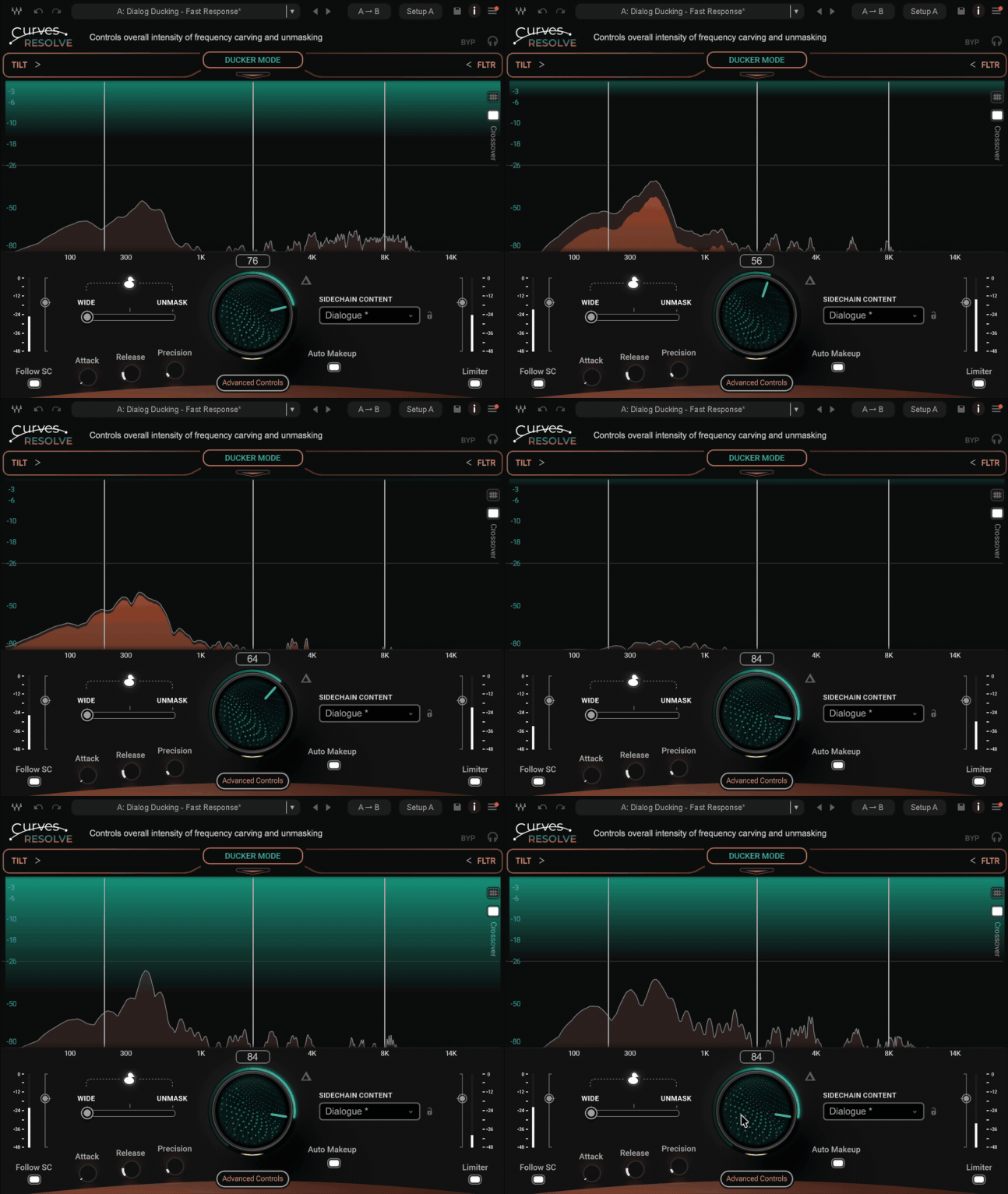
The Main knob is the heart of the plugin. It controls the overall intensity of the carving. I personally like this simplified approach. Instead of adjusting threshold, ratio, attack, and release like on a compressor, you mainly decide how much space you want to create. It feels more musical and less technical.
Below that, you have access to Dynamic and Steady controls, the Ducker section, and the Snapshot selector. The layout is logical. Nothing feels buried. Switching between Wide ducking and Unmask mode is immediate, and the Mid Side toggle is clearly accessible. Even the Sidechain filtering and tilt controls are easy to find and adjust.
Visually, it looks polished and modern without being distracting. It invites you to listen first and tweak second, which is something I always appreciate in mix-focused tools.
Workflow
In practice, the workflow is straightforward. You insert Curves Resolve on the track that needs space, route the competing signal into the sidechain input, choose a Snapshot if appropriate, and start increasing the Main control while listening carefully.
In my sessions, I mostly used it on instrumental buses with vocals feeding the sidechain. As I slowly turned up the Main knob, the vocal naturally stepped forward. What I found interesting is that it did not sound like the instrumental was being pushed down. It felt more like specific frequency pockets were opening up.
I also experimented with blending Dynamic and Steady modes. Dynamic mode worked well in busy arrangements where parts constantly changed. Steady mode felt more controlled and predictable for sections like verses, where the instrumentation was stable. Blending the two gave me a nice balance between movement and consistency.
One important note is that subtlety matters. Even though Waves claims it is difficult to overprocess, you still can if you push it too far. Too much carving can thin out the track. I found that moderate settings combined with Unmask mode and slight Mid-focused processing delivered the most natural and professional results.
Overall, the workflow is fast. It is not a one-click miracle, but it can solve masking issues in a couple of minutes that would normally require multiple EQs and compressors.
First Impressions and Sound
The first thing I noticed about Waves Curves Resolve is how transparent it sounds when used properly. It does not introduce obvious pumping, and it does not flatten dynamics like aggressive sidechain compression. Even when pushing the Main control, the processing stays smooth and controlled.
On vocal and instrumental relationships, it performs extremely well. With the vocal feeding the sidechain input, the vocal comes forward naturally without the instrumental feeling pushed down. Compared to soothe2, it feels less surgical but more stable and predictable.
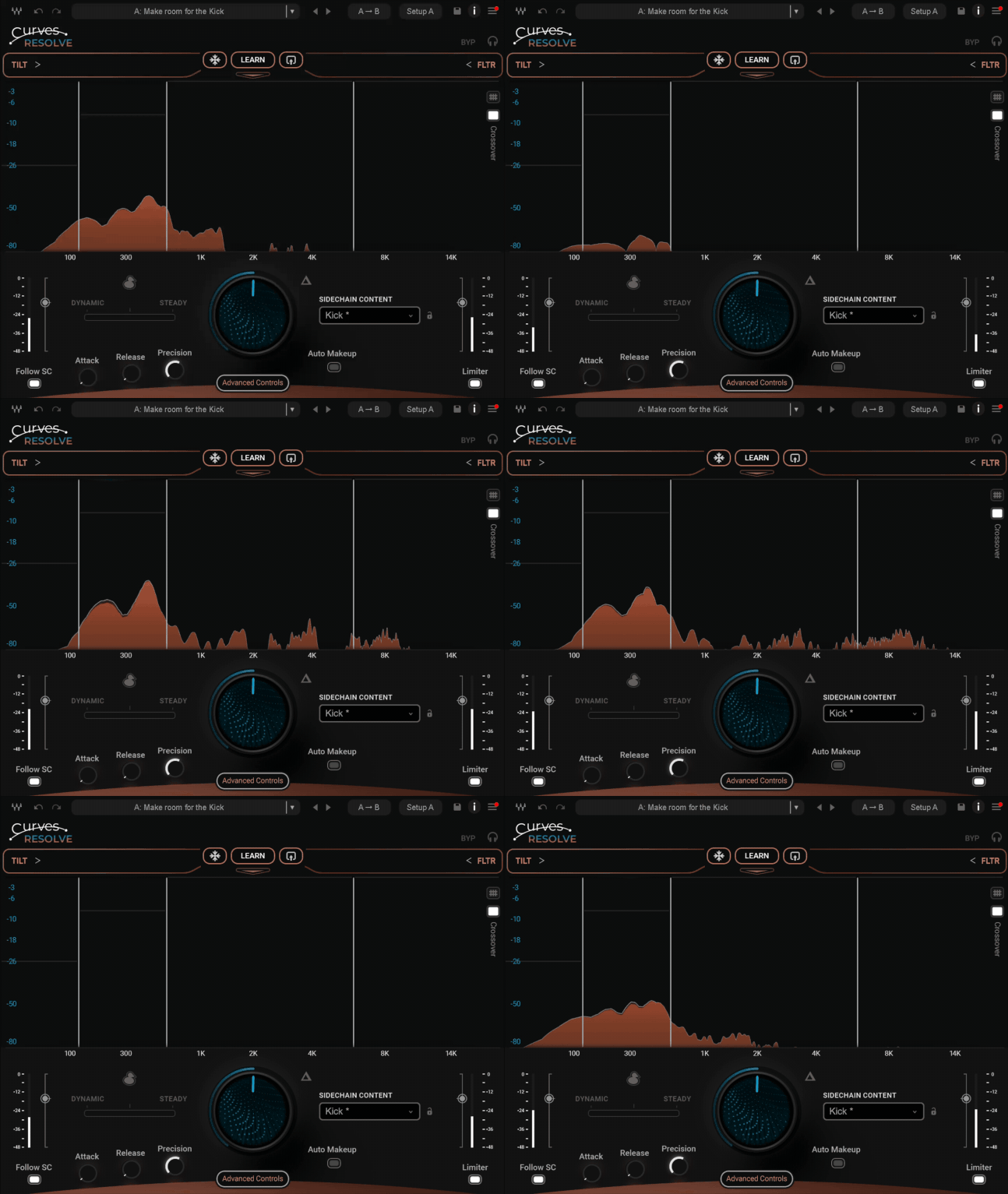
On kick and bass, the frequency-specific unmasking makes a real difference. Instead of heavy volume ducking, it clears the overlapping low mids while keeping the sub and punch intact. This improves clarity and headroom without thinning the groove.
| Pros | Cons |
| Very transparent frequency unmasking | Less surgical than full spectral tools |
| Structured and easy-to-dial workflow | Limited band flexibility compared to soothe2-style processors |
| Excellent Mid Side control | Can thin the mix if pushed too hard |
| Smart and musical Unmask ducking mode | Not a replacement for proper EQ and compression |
| Snapshot system speeds up setup | Not a one-click magic fix |
| Efficient CPU performance | Advanced users may want deeper control |
I also tested it on layered guitars and synths. Using Mid Side processing, I focused the reduction on the center while keeping the stereo width untouched. That small adjustment helped dense arrangements breathe without sounding hollow.
Another thing I appreciated is how well it works on buses and submixes. Placing it on a music bus and feeding a lead element into the sidechain felt more natural than stacking multiple dynamic EQ moves. It keeps the overall tone intact while subtly reshaping the internal balance.
That said, it responds best to moderate settings. If you push it too far, you can start to hear the mix lose a bit of density. Used carefully, though, it feels like a smart finishing tool that enhances separation without sacrificing musicality.
I think Waves Curves Resolve is best suited for mix engineers and producers who regularly deal with masking in dense arrangements and want a fast, structured solution. If you prefer intelligent, guided unmasking over deep surgical editing, it fits perfectly into a modern mixing workflow. For highly detailed spectral work, it works better as a complementary tool rather than a full replacement.
Compatibility
| Category | Details |
| Plugin Formats | VST, VST3, AU, AAX |
| Operating Systems | macOS, Windows |
| Supported DAWs | Compatible with most major DAWs (Pro Tools, Logic Pro, Cubase, FL Studio, Reaper, Ableton Live, etc.) |
| Latency | Standard version + Curves Resolve Live (Zero Latency) |
| CPU Usage | Moderate and efficient, suitable for multiple instances |
| Installation Manager | Waves Central |
| Bundle Availability | Waves Essential, Waves Ultimate, Mercury, Pro Show, SD7 Pro Show |
| Standalone Purchase | Yes |
Waves Curves Resolve is available in VST, VST3, AU, and AAX formats, which makes it compatible with most modern DAWs. It runs on both Mac and Windows, and installation is handled through Waves Central like the rest of their plugins.
CPU usage is reasonable. In my sessions, even when using multiple instances on buses and individual tracks, it stayed efficient. The included Curves Resolve Live zero-latency version is especially useful for tracking, live mixing, or broadcast environments where latency is critical.
It is also included in Waves Essential and Waves Ultimate subscriptions, as well as larger bundles like Mercury. For those not on subscription, it is available as a standalone purchase.
Conclusion
Waves Curves Resolve sits in a very practical space between a dynamic EQ and a multiband processor. It is not designed to replace surgical tools, and it is not trying to be a complex spectral editor. Instead, it focuses on solving one of the most common mixing problems: masking.
What makes it stand out for me is its structured workflow, Mid Side control, and frequency-specific Unmask mode. It feels controlled rather than chaotic, which makes it reliable in real-world sessions.
If you are looking for a fast, mix-focused way to clean up vocal clashes, tighten low-end relationships, or make dense arrangements breathe, this is absolutely worth trying!

Berk is a multi-instrumentalist musician from Istanbul, Turkey. He has been playing guitar, handpan, and percussion for over ten years, developing a sound that blends melodic sensitivity with rhythmic depth.
He began his musical journey as a teenager, learning guitar and performing in several bands. In 2016, he discovered the handpan, an instrument that immediately resonated with him on a deeper level and gradually became central to his artistic identity.
Since then, he has performed in streets, festivals, bars, and concert venues across different countries, connecting with diverse audiences through both intimate and large-scale performances.
Alongside his live work, Berk is deeply involved in studio production. He works from his home studio, where he composes, records, and produces his own music. His studio serves as a creative space for layering handpan, guitar, and percussion with modern production techniques, allowing him to shape fully realized, atmospheric compositions from start to finish.
His music explores a wide range of genres and textures, combining organic acoustic instruments with detailed studio production to create immersive and expressive soundscapes.