
UAD Paradise Guitar Studio
Today, I’m taking a closer look at UAD Paradise Guitar Studio, a plugin that combines UA’s amp models, cabs, and effects into one guitar-focused recording environment.
The concept is simple: give you a full signal chain with pre effects, amp and cab modeling, post effects, a tuner, gate, limiter, and over 300 presets in a single plugin.
What interests me most here is that Paradise seems less focused on giving you endless options and more focused on giving you great classic tones quickly. That can be a real advantage, but it also means there are some limitations in areas like cab tweaking and modern high-gain coverage.
In this review, I’ll focus on how it feels in practice and whether that more curated approach actually pays off. Let’s get into it!
| Feature | Description |
| Complete Guitar Signal Chain | A full virtual rig including stompboxes, amp modeling, cabinets, microphones, and studio effects inside one plugin. |
| 11 Vintage Amp Models | Includes emulations inspired by classic tube amps such as Fender Deluxe Reverb, Vox AC30, Marshall Plexi, Tweed Deluxe, and Dumble Overdrive Special. |
| 35 Cabinet & Mic Combinations | Curated cabinet and microphone pairings designed by UA engineers to capture authentic studio tones. |
| Pre & Post Effects Sections | Up to 5 effects before the amp and 5 after, allowing flexible pedalboard-style signal chains. |
| 25+ Effects Modules | Includes overdrives, fuzz, chorus, modulation, delay, EQ, and studio processors like 1176 compression, plate and spring reverbs, and tape echo. |
| 300+ Factory Presets | Large preset library covering genres such as rock, blues, indie, funk, and more. |
| Integrated Utilities | Built-in tuner, noise gate, and brickwall limiter for controlling the signal chain and preventing clipping. |
| Drag-and-Drop Signal Chain | Effects can be rearranged easily, letting you build a pedalboard-style setup inside the plugin. |
| MIDI Learn & DAW Automation | Supports MIDI controller mapping and automation for controlling parameters during performance or mixing. |
Features
Before diving into the interface and sound, it’s worth taking a look at the core building blocks of Paradise Guitar Studio. The plugin is designed as a complete guitar recording environment, combining amps, cabinets, effects, and studio utilities inside one signal chain.
Amp Models
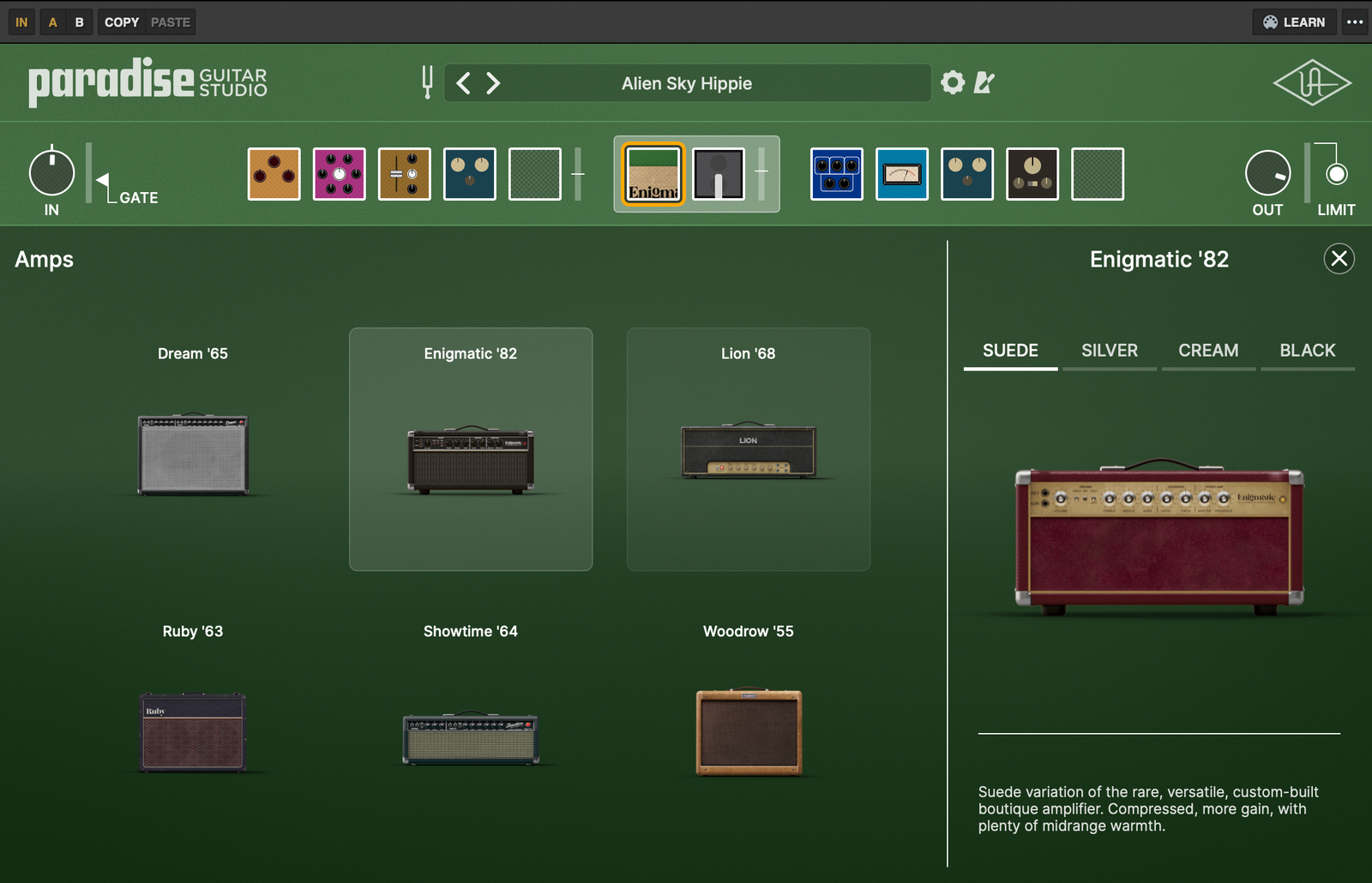
At the center of the plugin are 11 amplifier models based on classic tube amps from the 1950s through the early 1980s. The selection leans strongly toward vintage and classic rock tones, which makes sense given Universal Audio’s modeling philosophy.
Some of the main amp models include:
- Woodrow ’55 – inspired by the Fender Tweed Deluxe
- Ruby ’63 – based on the Vox AC30 Top Boost
- Showtime ’64 – modeled after the Fender Showman
- Dream ’65 – Fender Deluxe Reverb style clean amp
- Lion ’68 – Marshall Plexi variants including Super Lead and Super Bass
- Enigmatic ’82 – Dumble Overdrive Special style amp
Some amps include multiple variations or channels, which slightly change the response and gain structure. When I started browsing through them, it was clear that the focus is on characterful vintage tones rather than modern metal sounds.
Cabinet and Microphone Modeling
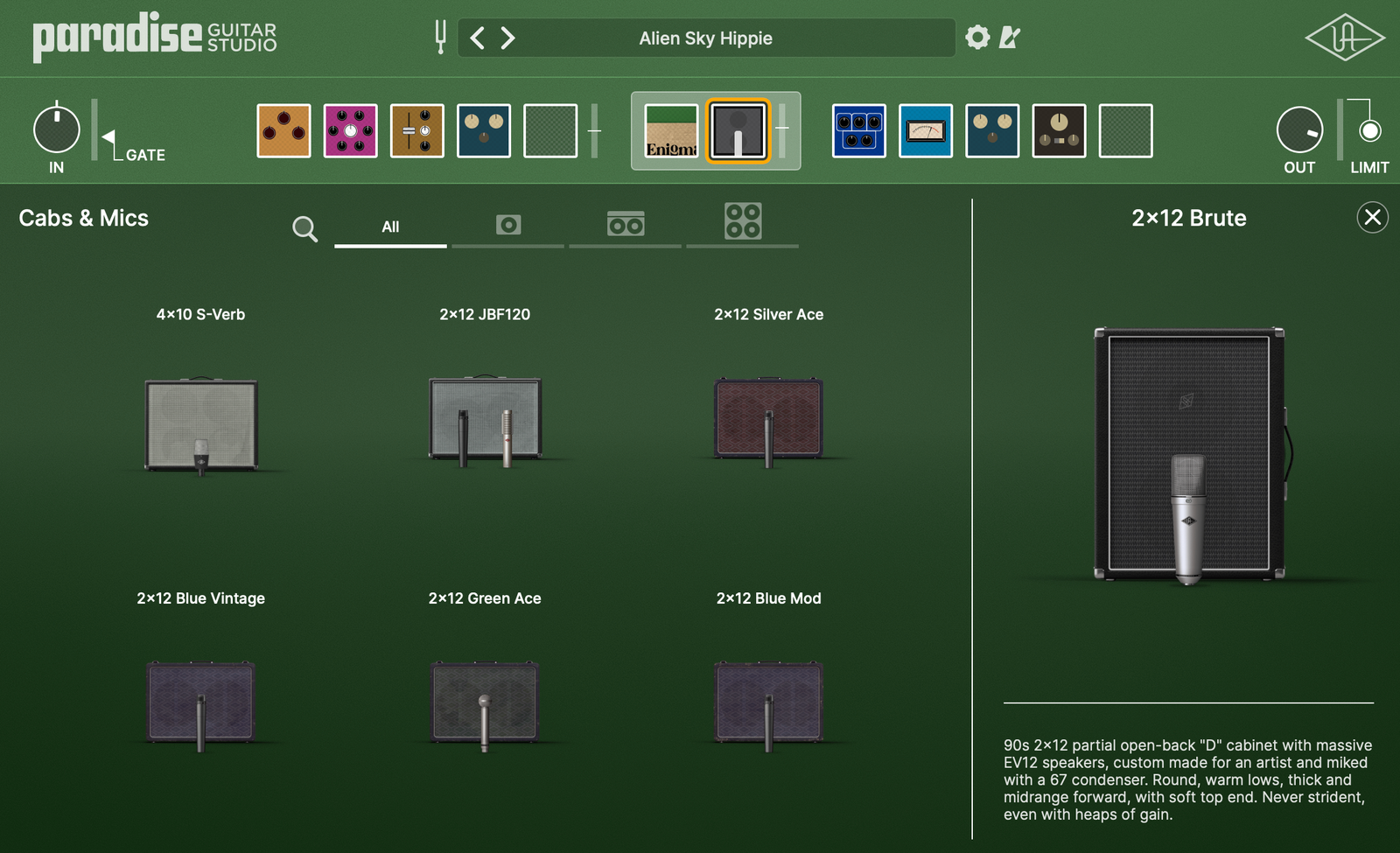
To complement the amps, Paradise includes 35 cabinet and microphone combinations. These cover a wide range of classic guitar cabinet formats.
Cabinet types include:
- 1×12 cabinets
- 2×12 cabinets
- 4×10 cabinets
- 4×12 cabinets
The cabinets were recorded with a selection of well-known microphones such as:
- Shure SM57-style dynamic mics
- Royer ribbon microphones
- AKG and Neumann condenser microphones
- Sennheiser dynamic mics
One important limitation is that mic positions and selections cannot be edited. You can switch cabinets, but you cannot move the microphone or load your own impulse responses.
Personally, I didn’t find this too limiting while browsing presets, but producers who like deep cabinet tweaking or third-party IRs might miss that flexibility.
Built-In Effects Suite
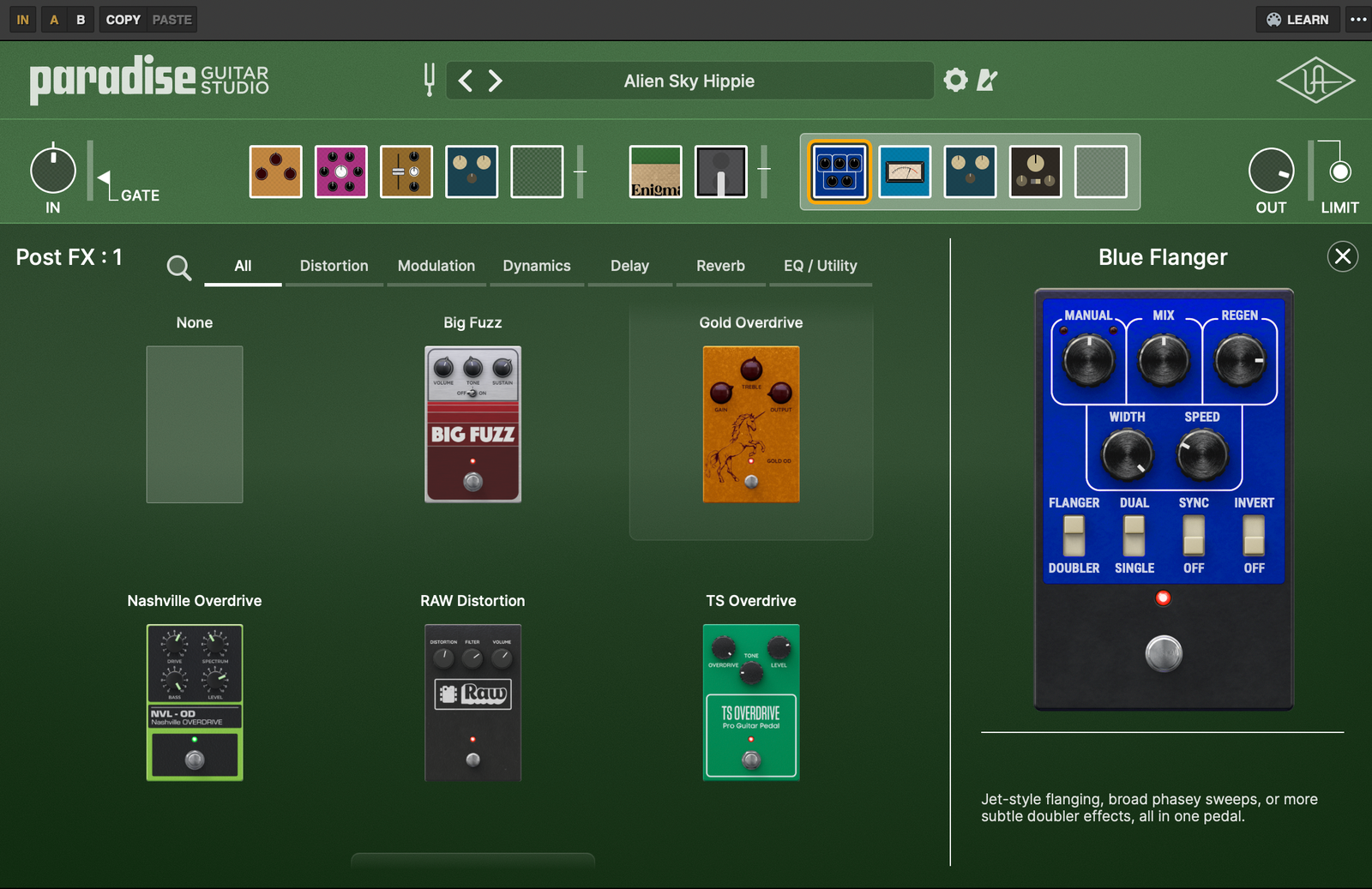
Paradise Guitar Studio includes over 25 effects, covering most of the pedal and studio processors you’d expect in a guitar rig. These effects can be placed before or after the amp, which mirrors the way a real pedalboard works.
Drive and Distortion
These effects push the amp into different types of saturation:
- TS Overdrive – Tube Screamer style drive
- Gold OD – Klon-style overdrive
- Nashville Overdrive – Nobels ODR-1 style circuit
- RAW Distortion – RAT-inspired distortion
Fuzz
For more aggressive or vintage tones:
- Big Fuzz – Big Muff style fuzz
- Vintage Fuzz – Fuzz Face inspired model
Modulation
For movement and stereo texture:
- Brigade Chorus
- Orange Phaser
- Blue Flanger
- Trem 65
- Vintage Vibrato
- Micropitch Shifter
- Multi Chorus
Delay
The plugin includes several classic echo styles:
- Analog Memory Delay
- Digital Delay
- EP-III Tape Echo
- Pitch Shift Delay
Reverb
Reverbs range from classic guitar spring sounds to studio reverbs:
- Spring ’65 Reverb
- Plate 140 Reverb
- Reverb 224
- Digital Reverb
Dynamics and Utility
Paradise also includes some studio-style processors:
- 1176 Compressor
- Red Compressor
- 10-Band Graphic EQ
- Studio EQ with HP/LP filters
- Volume Pedal
While exploring these effects, I noticed that many of them clearly reference classic hardware, which adds to the vintage studio vibe of the plugin.
Signal Chain Structure
The plugin uses a structured signal chain layout that mirrors a traditional guitar setup.
The chain includes:
- Input stage with Noise Gate
- Five Pre-Amp Effects Slots
- Amp and Cabinet Section
- Five Post-Amp Effects Slots
- Output Limiter
This layout makes it easy to experiment with different pedalboard setups. I personally liked that effects can be placed in any order, which makes it simple to test different signal chains quickly.

Preset Library
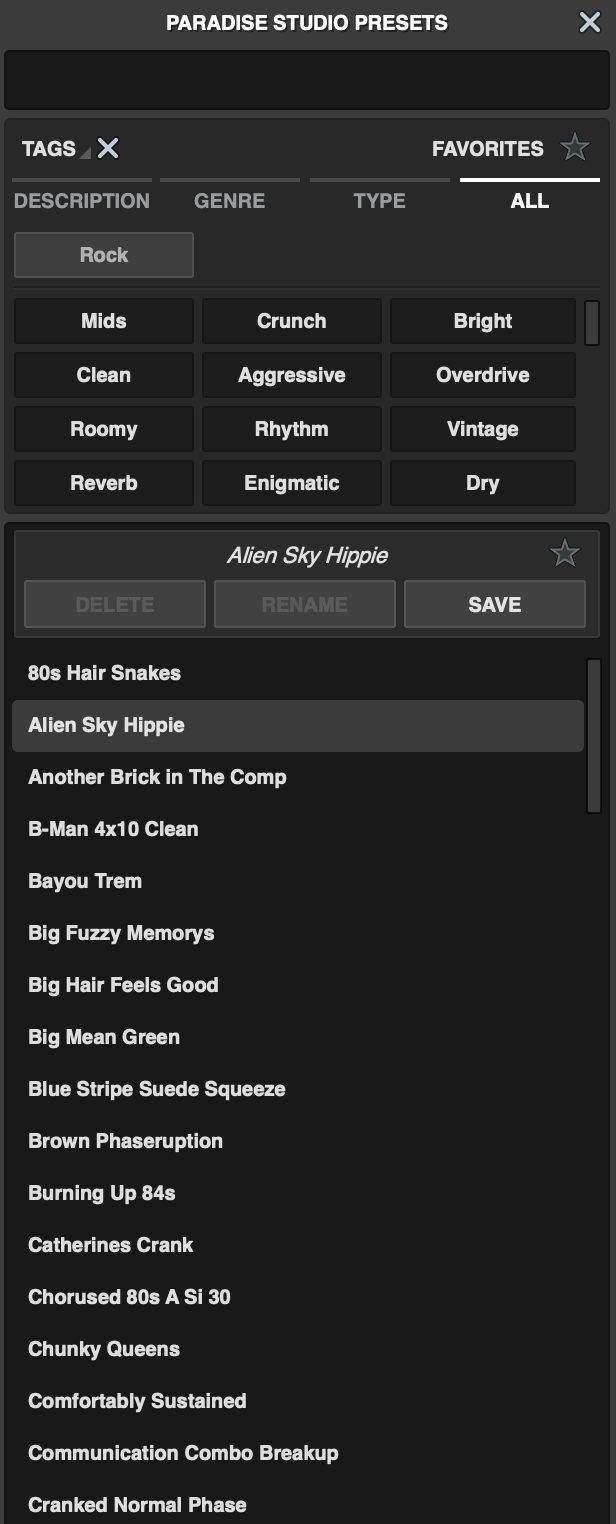
Paradise Guitar Studio ships with more than 300 presets, covering a wide range of guitar tones and production styles.
When I first opened the plugin, I spent quite a bit of time just browsing presets. It’s actually a great way to understand how the amps, cabinets, and effects interact with each other.
Studio Utilities
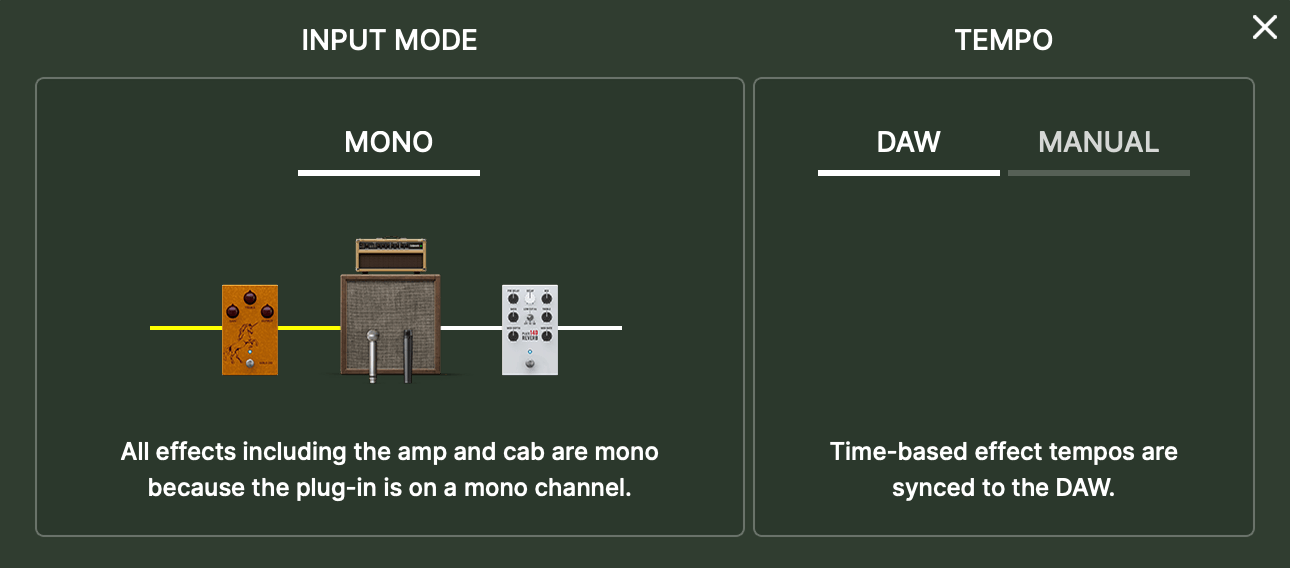
The plugin also includes several small but useful tools that help during recording and mixing.
These include:
- Built-in guitar tuner
- Noise gate for controlling input noise
- Brickwall output limiter
- MIDI Learn support
- DAW automation compatibility
They might seem like minor additions, but when recording guitars in a DAW, having these utilities built directly into the plugin can make the workflow noticeably smoother.
Interface and Workflow
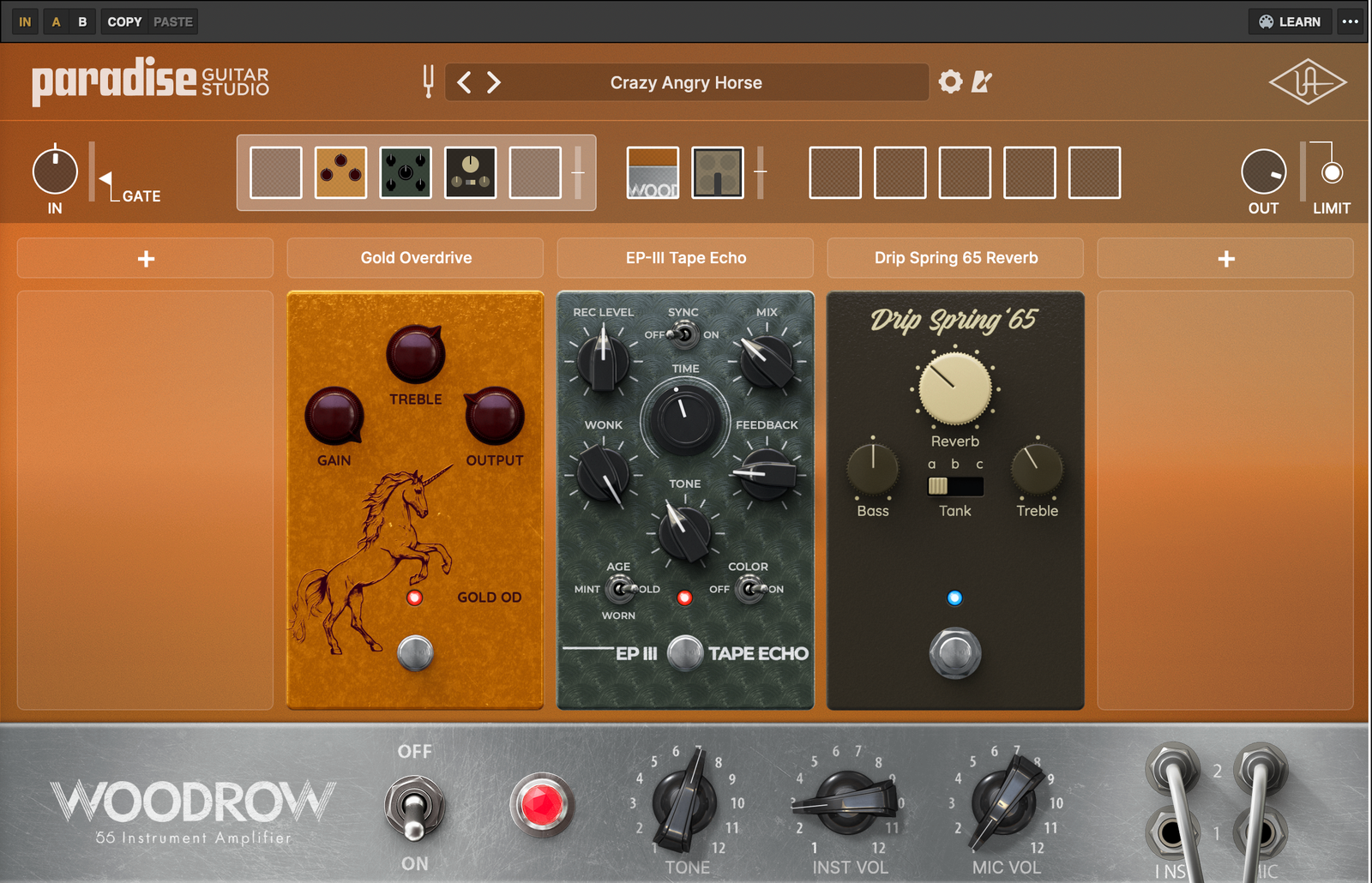
The Paradise Guitar Studio interface follows a familiar pedalboard-style layout. Instead of complex routing or multiple signal paths, UA keeps things straightforward with a linear signal chain that mirrors a real guitar rig.
Interface
At first glance, the interface feels clean and organized, with the entire signal chain displayed across the top of the window. You can clearly see the input stage, pre-amp effects, amp and cabinet, post-amp effects, and output section, which makes it easy to understand what is happening in the chain at any moment.
The main editing panel changes depending on what section you select. If you click on an effect block, you’ll see the modeled pedal interface with its knobs and switches. Clicking the amp opens the full amp panel with familiar controls like gain, EQ, presence, and boost, which makes the experience feel very close to working with real gear.
One small drawback I noticed is that the signal chain icons can look a bit minimal, so it’s not always immediately obvious what effect is loaded in each slot. Another limitation is that parameter values can’t be typed manually, so dialing in exact numbers sometimes requires careful mouse adjustments.
Workflow
Using the plugin is very similar to building a real pedalboard into an amplifier. You start by choosing an amp and cabinet, then place pedals before the amp for gain staging and tone shaping, and finally add modulation, delay, or reverb after the amp.
The signal chain structure is simple:
- Input section with noise gate
- Five pre-amp effects slots
- Amp and cabinet block
- Five post-amp effects slots
- Output limiter
I personally found this layout very intuitive. Dragging effects around to change their order is quick, and experimenting with different combinations feels natural. The 300+ presets also make it easy to start with a solid tone and tweak from there rather than building everything from scratch.
One thing to keep in mind is that cabinet customization is fairly limited. Since mic placement and mic selection are fixed, you mainly adjust the tone through amp settings, pedals, and cabinet choice rather than detailed mic tweaking.
First Impressions and Sound
The first thing I noticed when playing through Paradise Guitar Studio was how responsive the amp models feel. The tones react nicely to pick attack and guitar volume changes, which immediately makes the plugin feel more like a real amplifier than a static simulation.
I spent some time browsing through the 300+ presets first, just to get a sense of the tonal range. Many of them are clearly designed around classic guitar styles, and I found several that sounded great right away without needing much tweaking.
The clean and edge-of-breakup tones are easily the highlight for me. The Dream ’65 delivers that familiar Fender-style sparkle and works beautifully for clean parts or slightly pushed blues tones. The Ruby ’63 captures the bright Vox character very well, especially when paired with an overdrive in front.
I also enjoyed the Woodrow ’55, which has a mid-forward Tweed-style tone that breaks up earlier and feels great for vintage rock and blues. Meanwhile, the Enigmatic ’82 has a more expressive, mid-focused character that works particularly well for lead playing.
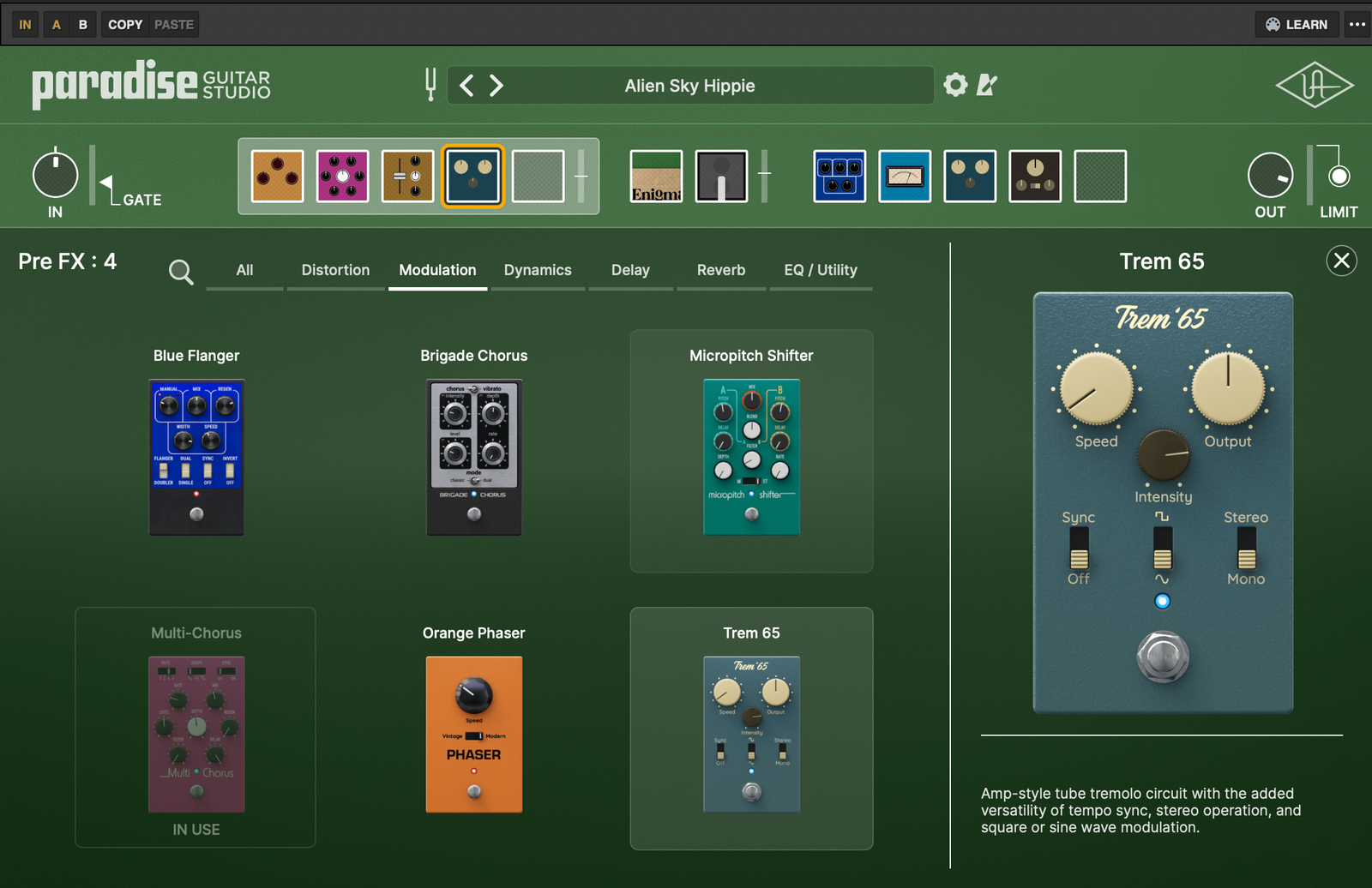
The effects section is another strong point. Drives, fuzzes, modulation effects, delays, and reverbs all sound polished, and I especially liked the Micropitch Shifter and chorus effects for adding width and movement to guitar parts.
That said, there are a couple of limitations worth mentioning. The cabinet section is fairly restricted, since you cannot move or change microphones, and there’s no IR loader for third-party cabinet impulses.
Even with those limitations, the overall sound quality is excellent. The plugin feels focused on musical, vintage-inspired tones, and in many cases I found myself simply playing rather than constantly tweaking settings, which is usually a good sign.
Pros and Cons
Pros
- Excellent amp modeling quality, especially for vintage tones
- Large 300+ preset library for quick inspiration
- Full signal chain workflow with pre and post effects
- Strong selection of studio-quality effects
- Intuitive pedalboard-style interface
Cons
- Limited cabinet customization and no microphone placement control
- No built-in IR loader for third-party cabinet impulses
- Slightly fiddly parameter adjustments in some areas
- No dedicated modern high-gain metal amp
Compatibility
Paradise Guitar Studio is available as a native plugin for both macOS and Windows, and it supports the most common DAW formats. During installation, you’ll need to create a Universal Audio account, install the UA Connect application, and authorize the plugin through iLok.
| Platform | Support |
| Plugin Formats | VST3, AU, AAX |
| Operating Systems | Windows 10/11, macOS (Intel & Apple Silicon) |
| Authorization | UA Connect + iLok account |
| DAW Support | Compatible with most major DAWs |
| Latency | Very low/suitable for real-time playing |
In my experience, the plugin runs smoothly and feels responsive while playing. CPU usage is moderate depending on the number of effects in the chain, but I didn’t run into performance issues during normal use.
Conclusion
Overall, UAD Paradise Guitar Studio feels like a thoughtfully designed guitar recording environment rather than a massive all-in-one modeling platform.
Instead of offering endless routing or hundreds of amps, UA focuses on high-quality vintage amp models, curated cabinets, and studio-grade effects.
While it lacks some advanced features like IR loading or deep mic editing, the sound quality and ease of use make it a very enjoyable plugin to work with. In many cases, I found myself loading a preset, making a few quick tweaks, and getting a record-ready guitar tone almost immediately.

Berk is a multi-instrumentalist musician from Istanbul, Turkey. He has been playing guitar, handpan, and percussion for over ten years, developing a sound that blends melodic sensitivity with rhythmic depth.
He began his musical journey as a teenager, learning guitar and performing in several bands. In 2016, he discovered the handpan, an instrument that immediately resonated with him on a deeper level and gradually became central to his artistic identity.
Since then, he has performed in streets, festivals, bars, and concert venues across different countries, connecting with diverse audiences through both intimate and large-scale performances.
Alongside his live work, Berk is deeply involved in studio production. He works from his home studio, where he composes, records, and produces his own music. His studio serves as a creative space for layering handpan, guitar, and percussion with modern production techniques, allowing him to shape fully realized, atmospheric compositions from start to finish.
His music explores a wide range of genres and textures, combining organic acoustic instruments with detailed studio production to create immersive and expressive soundscapes.