
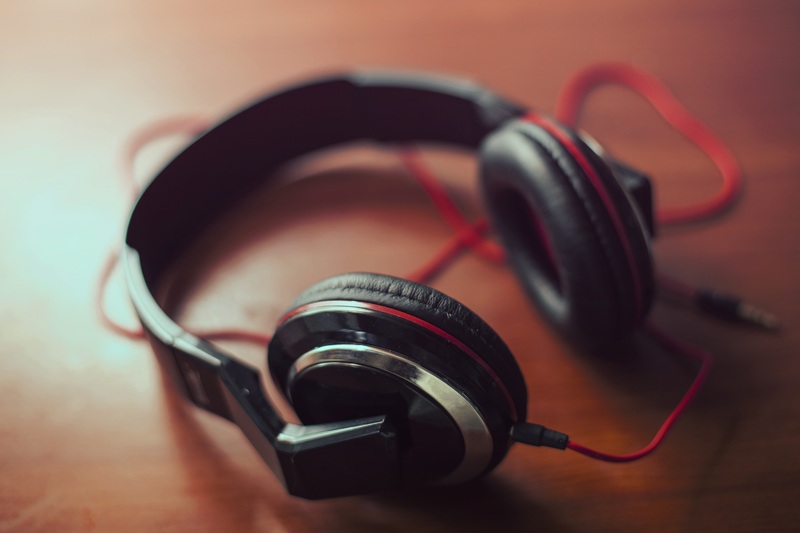
Headphones are devices capable of transforming analog signals into audio, making them a fundamental piece in any recording studio, radio station, or rehearsal room. In the same way, they are in the daily life of people since they offer the possibility of accessing any sound clearly and precisely, even in noisy environments.
Although you can find them in different formats and sizes and with different types of connectivity, the purpose of all of them remains the same, to make listening to sound easier. Their way of focusing audio and providing a clear, unobtrusive compact option make the headphones virtually irreplaceable.
Like any audio device that contains electrical components such as cables, connectors, and speakers, headphones can show faults that make it difficult for them to function properly. In this article, we will analyze what some of these failures can be and try to give some practical solutions that can help you.
Why do my Headphones Sound Distorted? Tips To Fix It
Some of the causes why your headphones sound distorted can be excessive gain in the signal, incorrect equalization from the audio device, or in the worst case due to, broken or defective speakers. The jack you connect your headphones to can also cause playback problems.
- Connect Securely
To begin with, although it seems obvious, it is important to verify that the plug of your headphones is firmly attached to the jack of the device to which it is connected. Sometimes it can be hard to tell at first glance, but plugging it in and unplugging it will help ensure everything is in place. If, on the contrary, some part is unsoldered inside the jack or broken on the surface of the connector of your headphones, this can result in signal loss. In that case, it is necessary to repair or replace depending on the type of failure. - Check The EQ Parameters
The devices in charge of reproducing audio have integrated EQ. If you are playing from a mobile device, the software that acts as a player usually has an EQ in the settings menu. Once inside the menu, ensure the parameters are not excessively boosted, especially in the mid and low frequencies. The gain must also be regulated, looking for the balance between a sound that is heard at a clear volume but without generating distortion.
If, on the contrary, you are reproducing sound from a device that has analog parameters that are regulated through knobs, you must carry out the same procedure, correcting the levels until you find the desired volume level. Ensuring that these parameters are properly set is necessary to rule out that the problem does not come from a fault unrelated to the headphones. - Try Other Headphones
If you have other headphones available that work correctly, try swapping them with the ones that appear to be damaged to confirm that the problem is with them and not with the sound player that is sending the signal. In this way, you will be even closer to identifying the origin of the problem.
Once you have ruled out any doubt about the operation of the external devices and have confirmed that the fault comes from the headphones, you can clean them. In this case, you will try to remove any trace of dirt lodged in the mesh covering the speakers. Dirt can sometimes harbor moisture, causing speakers to malfunction. It is advisable to use a cloth and a little alcohol. - Disconnect Other Devices
If the distortion occurs while using wireless headphones connected via Bluetooth to a cell phone, check if other devices are also connected. On some phones, pairing more than one device at the same time can distort the audio signal sent to the headphones. If so, try disconnecting all devices and repairing just the headphones. - Diagnose The Fault
If, after cleaning the headphones, they continue to distort the sound, the failure may be due to damaged speakers. In the case of in-ear headphones, or small earphones, this type of failure often results in the product being discarded to be replaced with a new one. This is because the repair cost can be equal to the value of a new pair, so it is not convenient to carry it out.
On the other hand, if the headphones are On-ear, and their size is larger or high-quality, then repairing them rather than replacing them may be a valid option. This type of headphone has utilities more oriented to professional use, and its durability is longer than in-ears.

How to Prolong The Useful Life of my Headphones?
The best way to prolong the life of your headphones is to use them at reasonable volume levels, clean them regularly, and protect them from liquid spills and extremely humid environments. In the case of wireless headphones, you must avoid overheating the internal batteries.
The volume level at which you use your headphones is decisive in the long run. As with most audio-related devices, the longer the usage time and the greater the workforce, the greater the wear and tear on the components. In the case of headphones, we are talking about very small components, which is why their fragility is usually greater. Maintaining prudence in terms of use and the volume your headphones handle will give you control over their durability.
Cleanliness is another key factor. Headphones often collect dirt and oil from your ears, which, added to the dust that may be circulating in the air, results in headphones getting dirty very easily. Keeping them clean will help prevent the surface through which the sound is emitted from being obstructed and prevent them from accumulating humidity that could cause the speaker to deteriorate more quickly.
Unlike those connected through cables, wireless headphones have an internal battery that also needs some care. To begin with, you must prevent the battery from reaching certain temperature levels. Keep your headphones from being close to heat sources or from being in direct contact with the sun for a long time. High temperatures deteriorate the battery more quickly.
Using the headphones at intervals causes less drain on the batteries than using them for long periods. At the same time, headphones must be properly charged to work smoothly. Using the headphones until fully depleted of their charge also accelerates battery degradation.
How to Improve The Sound of Your Headphones?
The best way to improve the reproduction quality of your headphones is to improve the quality of the devices responsible for sending the signal they reproduce. Adding an amplification source to your headphones gives you more power and clarity when reproducing both low and high frequencies.
Headphones are the connection between the sound source and the listener, so even if your headphones can reproduce high-quality sound if the sound source does not have the appropriate characteristics, you will not take full advantage of them. Because of this, adding amplification between the primary sound source and the headphones is an excellent option to elevate listening quality.
Appropriate equalization is also essential to improve the quality of reproduction. Not all headphones have the same characteristics. Some may respond more in the low frequencies, while others may be more present in the mids or highs. Taking the time to experiment with the equalizer and finding the best setting for you can greatly improve the sound you hear.
On the other hand, wireless headphones’ sound differs from wired headphones. This is because wireless devices can carry some noise into the audio signal due to the way they are connected. While this issue has been resolved in high-quality headsets, some models still have this issue. On the other hand, with wired headphones, the possibilities of signal interference decrease. At the same time, the delivery is much more balanced and direct, which is something to keep in mind when looking for a better sound response.
Something similar happens with in-ear and on-ear headphones. The in-ears provide greater blocking of outside sound, which requires less volume to sound properly. At the same time, they are smaller, which gives them a certain practicality. Unlike in-ears housed inside the ear, on-ears cover the outside of the ear and usually have a larger speaker. This gives them a better response in terms of frequency range and a more natural sound.
While the in-ear ones are usually more suitable for situations where you need to avoid outside noise, the on-ear ones are more suitable when looking for the best possible audio quality.
Are Wireless Headphones Better Than Wired Headphones?
Wireless headphones offer some advantages over wired headphones but are not necessarily better. It just makes them more suitable for some specific situations, and although they may have some advantages, they also have disadvantages compared to wired headphones.
To begin with, the best way to determine if Bluetooth headphones are better than those that use cables is to analyze the specific use you will give them. For example, if you are a person who uses headphones regularly while doing other activities that require you to be on the move, the wireless ones will be of great comfort for you. Its remote connection will give you greater freedom and mobility than if you were connected to cables from the device that sends the signal to the headphones.
On the other hand, if you work in a recording studio, a radio, or in a place where you need the sound quality of your headphones to be high, the best option will be wired headphones. Among the advantages that wired headphones offer, you can find greater durability and more balanced signal intensity, which is reflected in better sound quality.
This is key to determining which is the best option for you. While wireless headphones offer greater versatility and comfort, wired headphones emphasize reproduction quality. Another disadvantage that Bluetooth headphones have when compared to wired headphones is that the battery determines how long they can be used.
Headphones with damaged batteries are instantly unusable. While wireless headphones, on average, can last between 1 and two years working correctly, some wired headphones from one of the most renowned brands, if they are well cared for, can last around eight years or even longer. Due to this, in some situations, wired headphones are irreplaceable.
How to Avoid Hearing Damage When Using Headphones?
To avoid injury to your ears when using headphones, you must keep the volume level at fair values without allowing the sound to cause discomfort in your hearing or partial loss of sensitivity. Do not prolong listening for too long periods will also prevent hearing damage.
Hearing is the sense that allows you to appreciate the sound waves that travel through the air so that your brain converts them into information. The human ear’s complex sensitivity makes it possible to appreciate a wide range of frequencies, intensities, and details. At the same time, this makes them somewhat fragile in some situations, for which their care is essential not only to appreciate the music we choose to listen to but also to carry out our daily lives.
Headphones can make it much easier to hear sounds at the volume and clarity you need, but at the same time, it can be easy to abuse those resources without realizing it. It is very common to set the gain knob of your devices a little above an audible level, which should not cause damage to your ears. The problem arises when you start doing this regularly and at a considerably high volume level.
Your ears, as a form of defense, will gradually decrease their sensitivity so as not to suffer damage. Still, at the same time, this loss of sensitivity will affect you when you perceive sounds at a normal volume level since it will cost you more to hear them. Therefore, if you continue with this practice, you can suffer hearing loss in the long term.
Although each person has different types of sensitivity in their hearing, it is recommended that you do not reach levels where the sound can become slightly annoying for you. That should be the indicator to which you should pay attention so as not to abuse your hearing capacity and that this may cause you difficulties in the future.
Taking rest intervals so the muscles that make up your ears don’t get stressed or overloaded is also a good strategy. Use your sound devices consciously and safely, and you will be able to enjoy them without putting your health at risk.

Conclusion
Headphones are devices that can offer great sound quality, but at the same time, they can present some inconveniences related to their operation. If they work correctly, they can be a great tool for work and enjoying leisure moments.
Most of the problems that may arise related to the performance of audio devices have a solution. Using them responsibly will allow you to get the most out of them, and at the same time, you can enjoy them for longer. Remember that sometimes it will be necessary to upgrade to improve the sound quality you hear because even if there is a possible optimization, all devices have a limit.
In this article, we review how to solve distortion problems and some other situations you may find yourself in when using your headphones. I hope this article is very useful for you. Thanks for your time!

The Integraudio Editorial Team consists of experienced music producers, audio engineers, and plugin enthusiasts dedicated to providing in-depth reviews and guides for music production software.