
As 2026 gets underway, effect plugin developers are clearly leaning into smarter tools, faster workflows, and more musical decision-making.
The releases from late December through mid-January show a strong focus on reducing friction, whether that’s EQs that think in broad strokes, vocal tools that automate the boring prep work, or creative FX that generate ideas instead of just processing audio.
This article rounds up the newest FX plugins released as we enter 2026, with a practical look at how they actually fit into real mixing, mastering, and production sessions.
Next (by Gooey Audio)
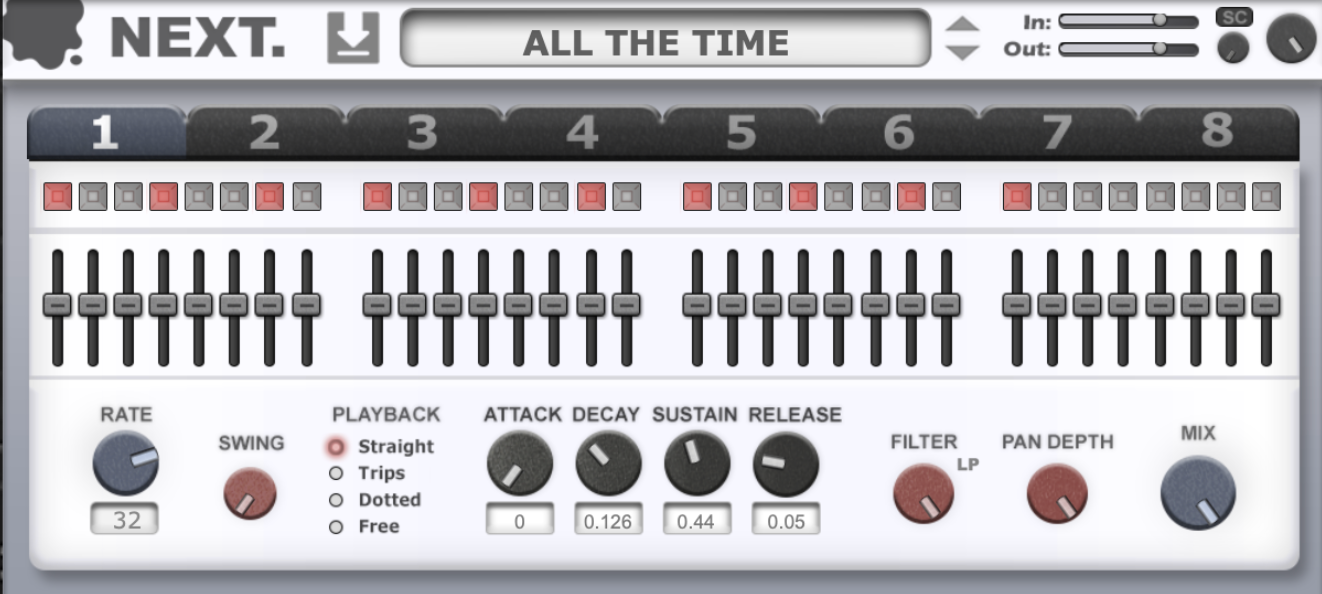
Let’s start with Next, a trance gate that gets straight to the point: tight, sample-accurate rhythmic control without fuss. I like how it nails those classic vocal chop patterns while staying flexible enough for modern, syncopated grooves. It’s the kind of gate I reach for when loops feel static and need instant motion.
In practice, Next feels quick and dependable. Automation is smooth in FL Studio and Logic, pattern switching is painless, and the internal ADSR keeps the gating clean and precise, no flams or timing weirdness when things get busy.
- 8 Programmable Sequences with 32 steps for amplitude and panning make detailed patterns easy.
- Sequence Filter, Mixer & Swing add groove and variation without layering extra plugins.
- Playback Modes (incl. triplets) help tailor gates to different rhythmic feels, from classic trance to dotted, modern patterns.
The presets are genuinely usable, over 50 gates that span old-school trance to contemporary syncopation. I recommend Next for fast rhythmic definition, especially on vocals, pads, and synth loops that need movement without manual chopping.
Next comes in VST3, AU, and AAX formats for macOS and Windows users.
The Herd (by Safari Pedals)
Support Integraudio and get a free plugin
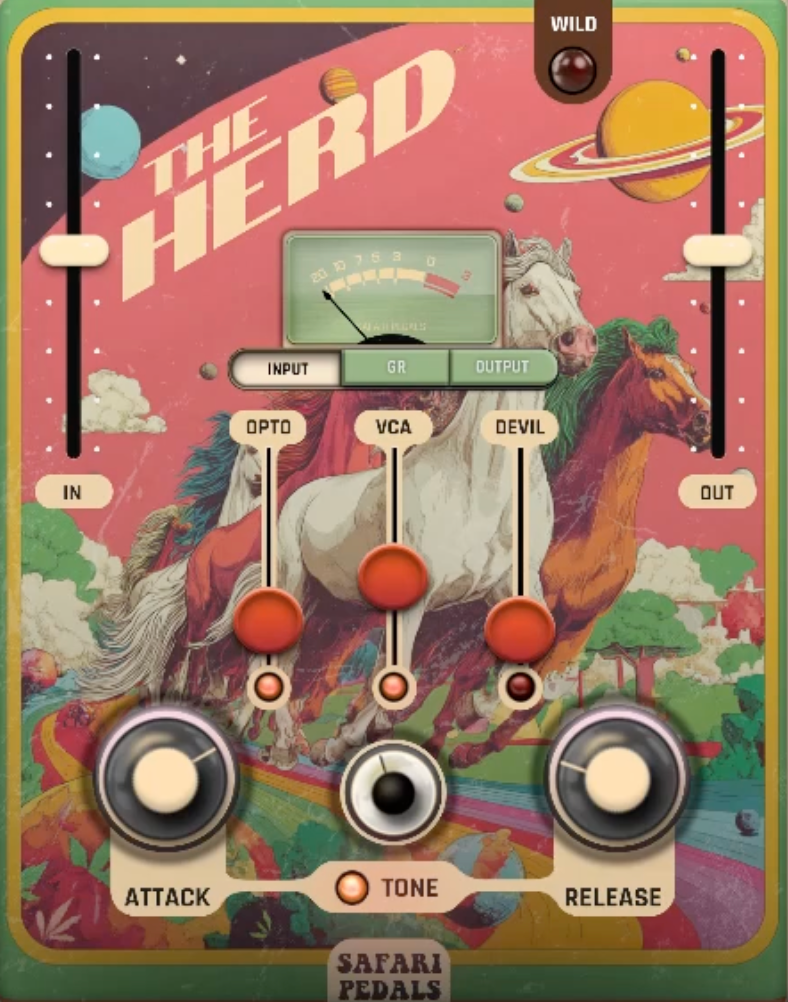
The Herd is a compressor with personality. Instead of chasing transparency alone, it gives you three distinct compression flavors that range from polite glue to controlled chaos. I like how easy it is to move from subtle bus work to character compression without changing plugins.
Workflow-wise, it’s straightforward and fast. In FL Studio and REAPER, gain staging is painless thanks to the In/Out sliders and Auto-Gain, which keeps decisions focused on tone rather than loudness jumps.
- Opto Mode for smooth, musical control on vocals and buses.
- VCA Mode for punchy drums and transient-heavy material.
- Devil Mode for grit, harmonics, and attitude when clean just won’t cut it.
Extras like Tone tilt, Wild switch, and a clear GR meter make shaping quick and intentional. Well, I must say it’s not a surgical compressor, but that’s the point. The Herd is handy when mixes need cohesion or edge, especially on drums, guitars, and mix buses.
The Herd comes in VST3, AU, and AAX formats for macOS and Windows users.
Formant Filter (by Autodafe)
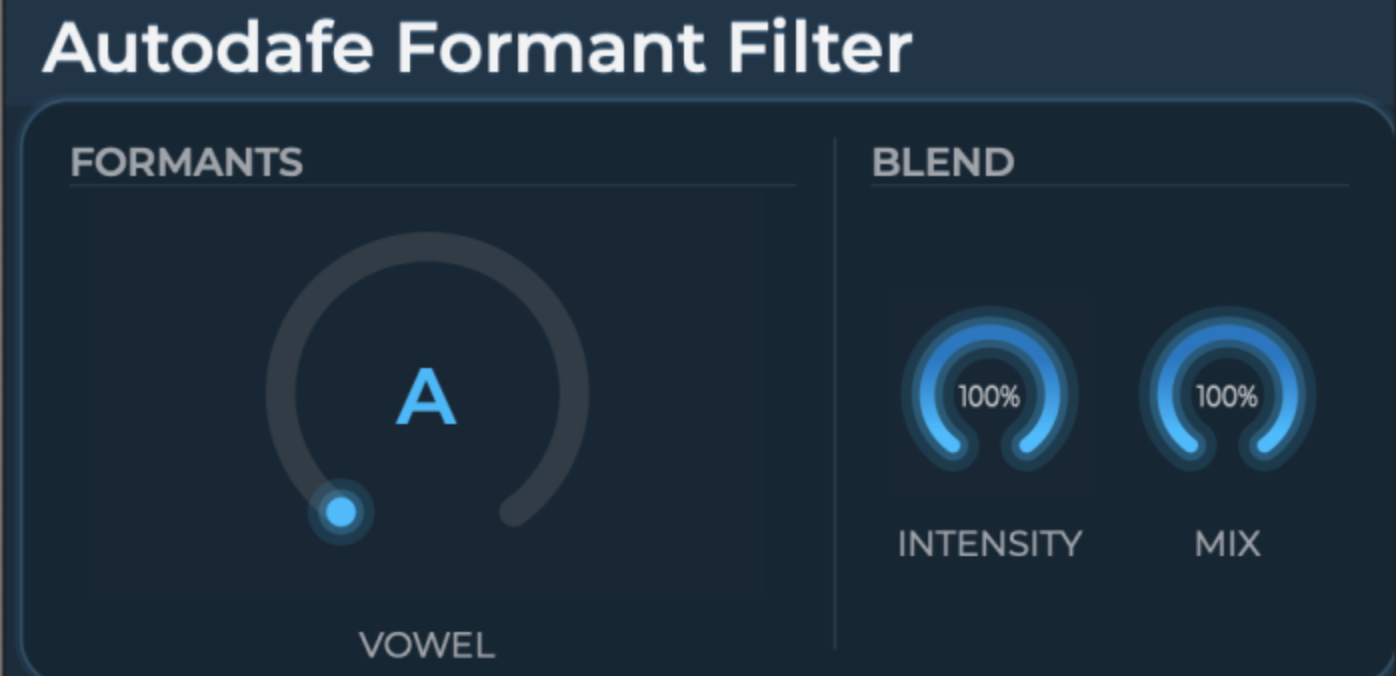
Formant Filter keeps things refreshingly simple. One Vowel macro morphs smoothly between A-E-I-O-U, and that’s honestly all I need most of the time. It’s musical, intuitive, and great for adding vocal-like character without overthinking.
In use, it’s lightweight and responsive, which makes it easy to sprinkle across multiple tracks. Subtle settings add movement and color; pushed harder, it turns into a bold, character effect.
- Continuous vowel morphing keeps transitions smooth and expressive.
- Intensity control dials formant strength without harshness.
- Dry/Wet mix makes it easy to blend just enough character.
There’s no deep modulation or extra pages, by design. Not much to say about Formant Filter, as it works well on synths, vocals, and FX when a part needs personality fast, and the fact that it’s free makes it an easy recommendation.
Formant Filter comes in VST, VST3, AU, and LV2 formats, plus standalone, for macOS, Windows, and Linux users.
Wingman (by Mixed In Key)

The name tells it all! Wingman is built around a simple but ambitious idea: generate musical ideas that actually fit what’s already playing in your session. Instead of starting from theory or preset packs, it listens to your audio and responds with chords and basslines that make musical sense. I like how this immediately shifts it from being a “helper tool” to something that actively participates in the creative process.
In real use, Wingman feels especially useful during remixing and early arrangement stages. I’ve found it works best when fed vocals or a key melodic stem. The analysis is quick, and the results are surprisingly usable, not perfect, but very workable as a starting point rather than a finished answer.
- Context-Aware Chord & Bass Generation analyzes your audio and proposes harmonic material that fits the source instead of fighting it.
- Stem-Based Focus lets you decide whether vocals, drums, bass, or instruments drive the suggestions, which helps keep results intentional.
- Audio-to-MIDI Conversion stands out, especially for vocals, turning phrases into editable MIDI opens up layering and reharmonization options fast.
It’s still an idea generator, not a replacement for musical judgment. I see Wingman as a strong creative partner for remixes, writer’s block moments, and quick harmonic exploration without breaking flow.
Wingman comes in VST3 and AU formats for macOS and Windows users.
Sol (by Dawesome & Tracktion)
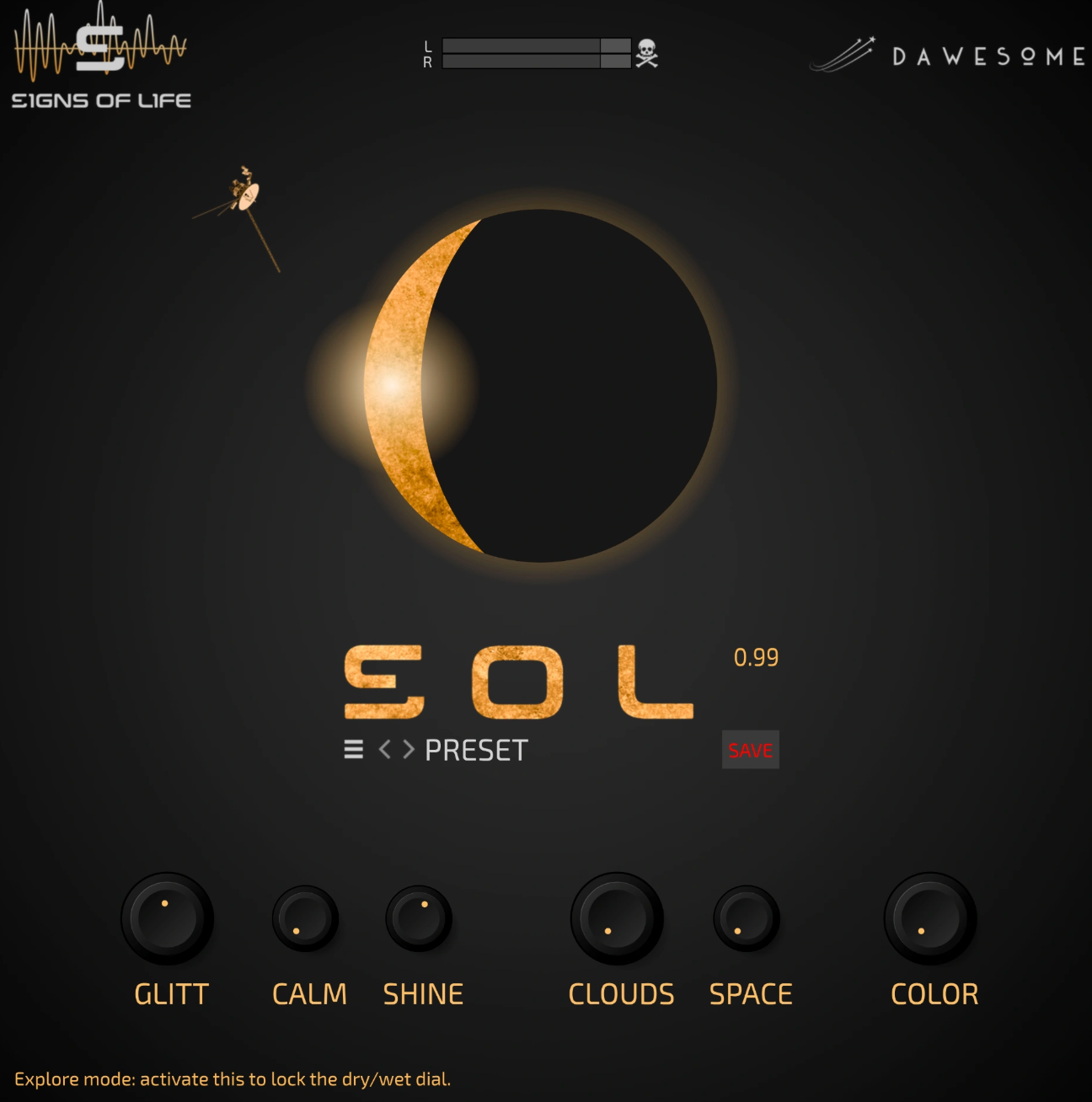
Sol isn’t trying to be a realistic reverb at all, and that’s why I liked it! It’s a textural space generator. Instead of simulating rooms, it reshapes sound into glowing, drifting atmospheres using granular processing and expansive reverb. I really like how it feels more like a creative instrument than a traditional effect.
In sessions, Sol works best as a send or insert on material that benefits from movement rather than clarity. In FL Studio and REAPER, it’s light enough to use liberally, and the controls invite slow, expressive automation rather than precise tweaking.
- Glitter, Calm & Shine shape the granular layer, moving from subtle shimmer to bright harmonic halos.
- Clouds & Space control the size and depth of the reverb, from intimate ambience to vast, floating fields.
- Color makes it easy to darken or brighten the wet signal so it stays musical in a mix.
It’s not meant for natural-sounding rooms or tight spatial realism. Sol is for when designing pads, ambient guitars, vocals, or transitions that need to feel illuminated, weightless, and emotionally open, and the fact that it’s free makes it an easy win.
Sol comes in VST3 and AU formats for macOS and Windows users.
Field Control (by Half Light)
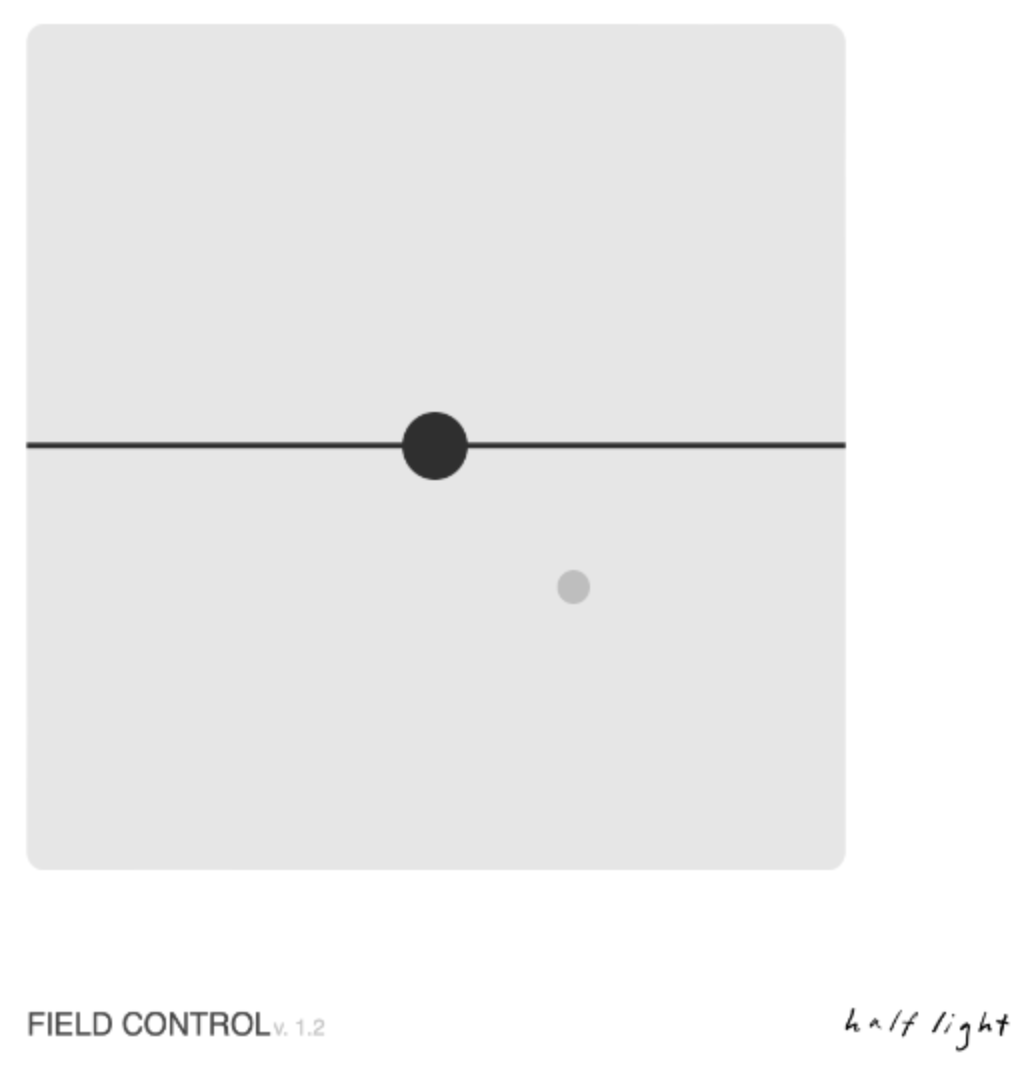
This one is for you dear minimalists! Field Control is a deceptively simple spatial effect that focuses on width, placement, and subtle movement rather than big obvious processing. It combines panning, tilt, and Haas-style delay into a single, interactive interface that’s quick to understand and easy to abuse in tasteful ways.
I like using Field Control when a sound feels too centered or flat but doesn’t need heavy stereo widening. In FL Studio and REAPER, it’s perfect on synths, guitars, backing vocals, and percussion where small spatial shifts can make a big difference.
- Interactive dot-based control makes stereo placement feel immediate and visual.
- Slapback / Haas delay adds width and depth without obvious echoes.
- Delay, feedback, pan, and mix controls give just enough flexibility to fine-tune the effect.
It’s subtle by nature, so it’s not designed for extreme sound design. For me, Field Control is a go-to utility for adding life and dimension to otherwise static elements, and being pay-what-you-like makes it an easy addition to any setup.
Field Control comes in VST3, AU, and AAX formats for macOS and Windows users.
Phoenix LT (by Shattered Glass Audio)
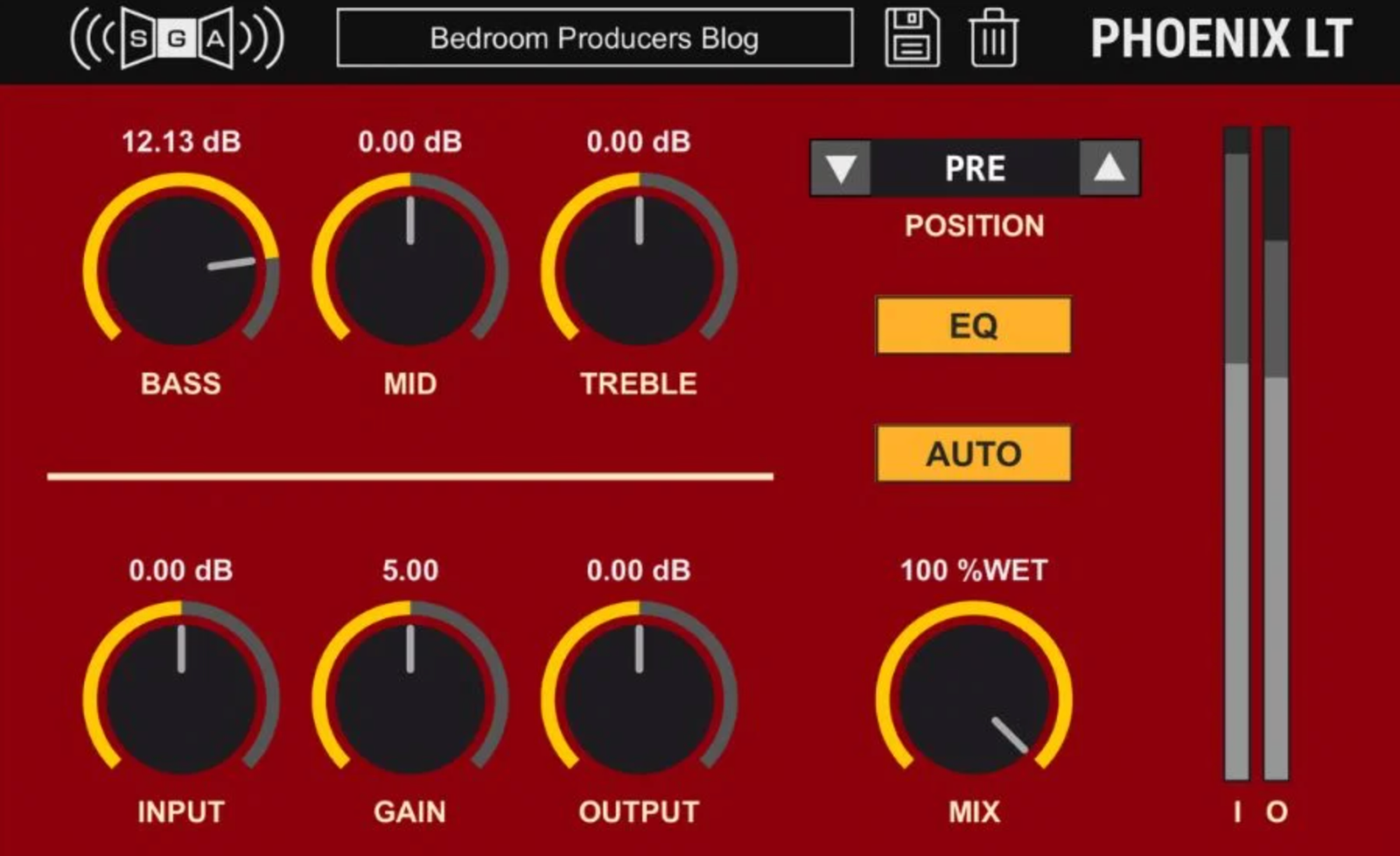
If you are looking for a straightforward tube preamp plugin, look no further! Phoenix LT focuses on feel rather than flash. It’s built around a real circuit concept, two 12AU7 triodes, and the full preamp is simulated in real time, which gives it a convincing analog response. I like how it doesn’t try to do too much; it’s about adding weight, warmth, or bite depending on how hard you push it.
In real sessions, Phoenix LT works well as a utility tone shaper. On vocals, bass, and drums where a touch of harmonic density helps things sit better, is how to go with this plugin. The option to place the 3-band EQ before or after the preamp makes a big difference, especially when shaping how the saturation reacts.
- Full tube preamp circuit modeling delivers natural saturation and dynamic response.
- Flexible EQ placement (pre, post, or bypassed) changes the character without extra plugins.
- Subtle to dirty gain staging lets it act as warmth, saturation compression, or overdrive.
It doesn’t offer multiple saturation flavors like the full Phoenix 2. Phoenix LT is an easy, free go-to when a track needs analog-style thickness without slowing the workflow.
Phoenix LT comes in VST3, AU, AAX, and AUv3 formats for macOS, Windows, and iOS users.
VocalForge (by Whitepeak Creative)
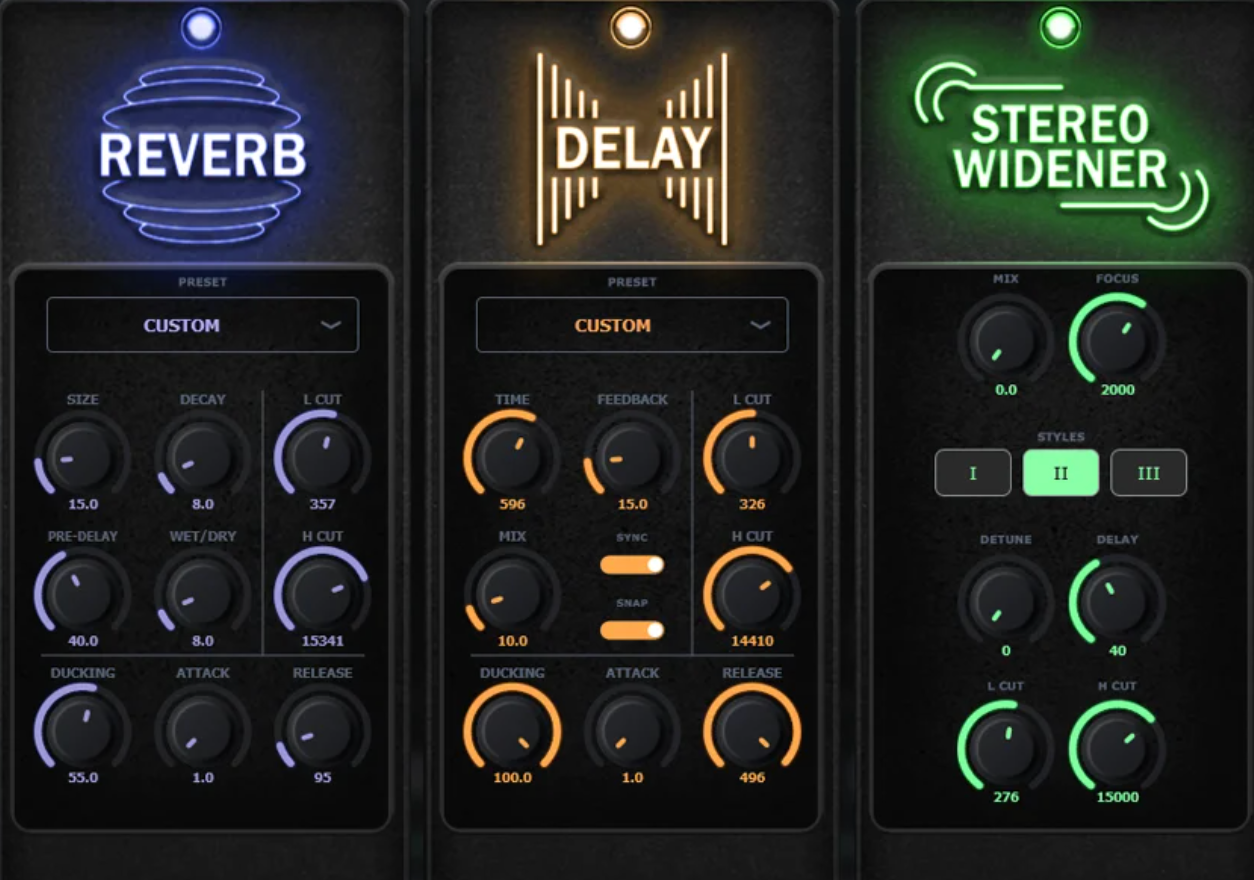
VocalForge is built around convenience and cohesion. Instead of stacking multiple vocal plugins, it puts an entire vocal chain into one interface, which I find useful when speed matters more than microscopic tweaking. It’s clearly aimed at producers who want consistent results fast.
In practice, VocalForge feels like a channel strip designed specifically for vocals. Inside FL Studio and Logic, the drag-and-drop module order makes it easy to adapt the chain to different voices without rebuilding everything from scratch. Presets are plentiful and usable, which helps during writing or demo stages.
- 9 integrated vocal modules cover pitch correction, compression, de-essing, reverb, delay, and more.
- Drag-and-drop routing keeps the workflow flexible without complexity.
- 77 factory presets provide solid starting points for different vocal styles.
I think VocalForge as a practical all-in-one solution for pop, rap, and demo vocals where speed and consistency matter most.
VocalForge comes in VST3 and AU formats for macOS and Windows users.
TapeLite (by HoRNet Plugins)
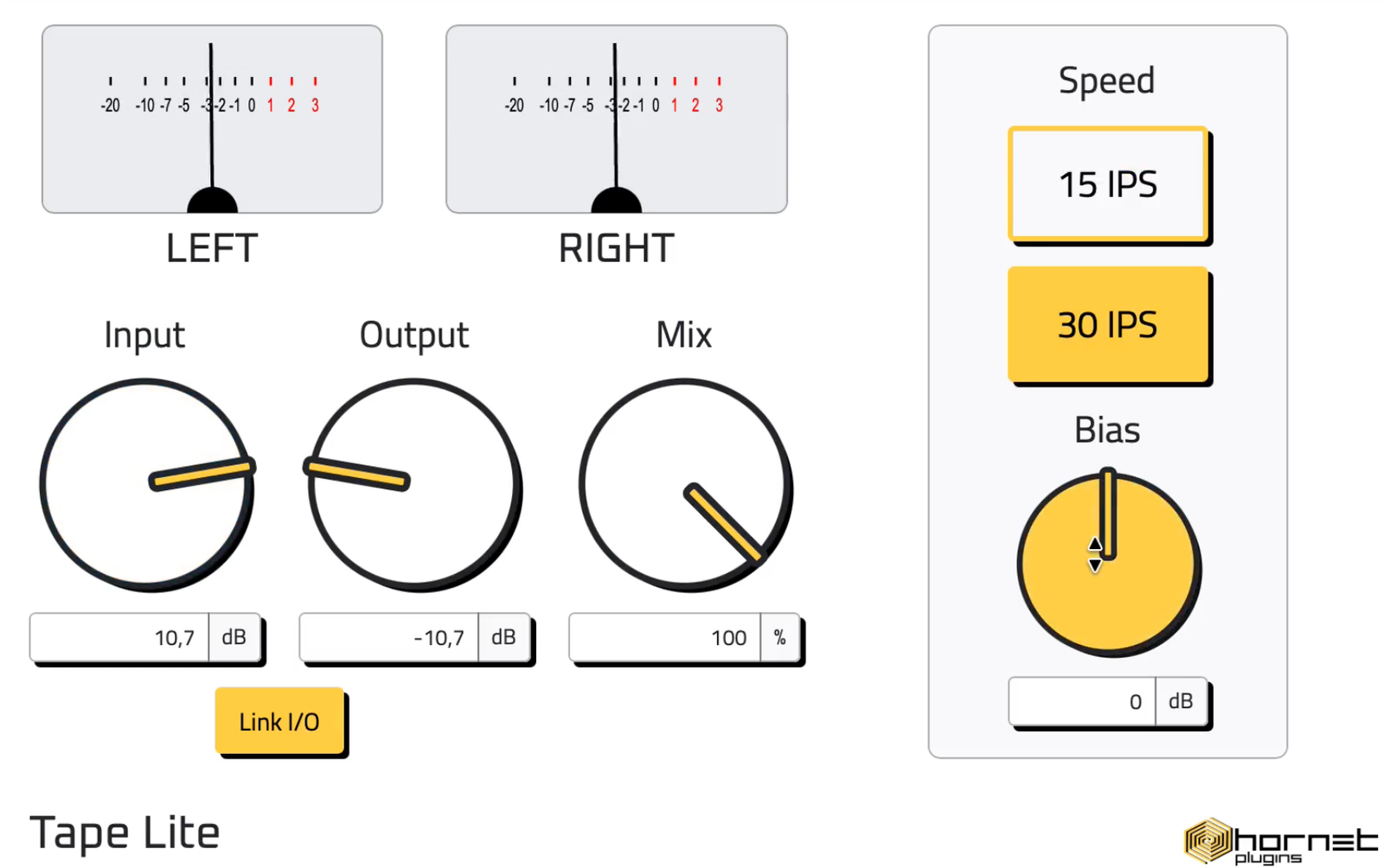
TapeLite is a no-nonsense tape saturation plugin that focuses on one specific machine rather than a vague “tape vibe.” Modeled after the Otari MX80, it sits right between clean and characterful, which makes it easy to use across many sources.
I’ve found TapeLite especially useful on buses. It adds low-end punch, smooths highs, and introduces gentle compression without sounding overcooked. The fixed 4× oversampling keeps things clean even when pushing the input.
- Authentic tape non-linearity with musical saturation and glue.
- 15 / 30 IPS modes for tighter or more open low-end behavior.
- Minimal controls make it fast to dial in and hard to misuse.
Tape Lite is intentionally simple, so there’s no deep tweaking or calibration, which is great for beginners.
TapeLite comes in VST3, AU, and AAX formats for macOS and Windows users.
MacHead (by Garuc Audio)
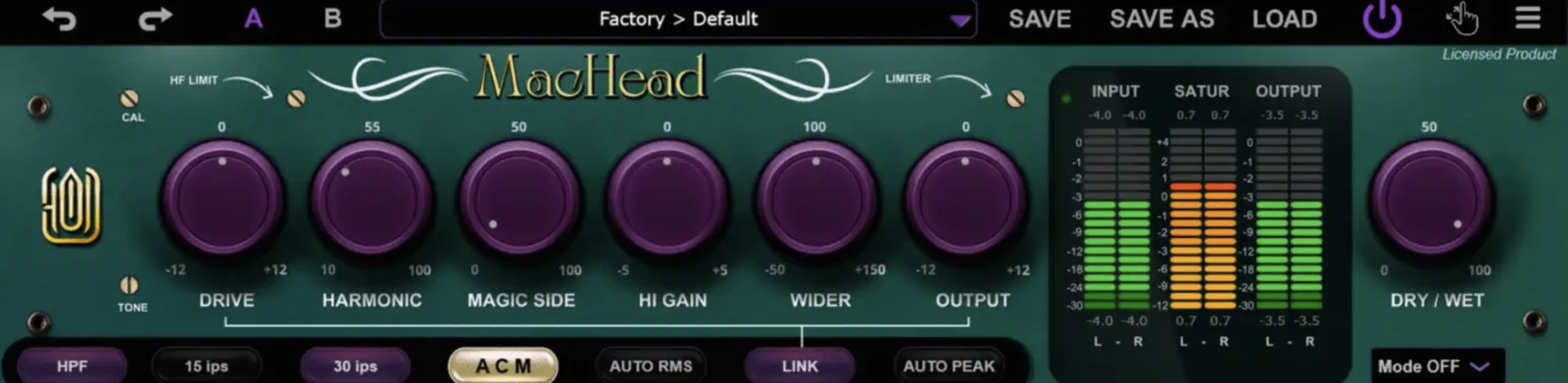
The idea here isn’t aggressive processing, but controlled enhancement, as MacHead positions itself as a finishing tool, something that lives comfortably on buses and masters rather than individual problem tracks. subtle tone shaping, stereo management, and analog-style color wrapped into a single plugin. I like how it aims to replace several small utility plugins with one coherent workflow.
In use, MacHead feels particularly suited to mix bus and pre-master duties. The signal flow makes sense quickly, and features like input calibration, peak/RMS auto gain, and dry/wet control help keep decisions objective. It’s easy to add character without accidentally overcooking things.
- Tape head emulations & analog channel modeling add gentle saturation and depth rather than obvious distortion.
- Adaptive stereo limiter with link/unlink modes gives precise control over width and dynamics.
- Psychoacoustic modes & tonal balance controls help polish perception without heavy EQ moves.
With oversampling, limiter quality settings, and flexible UI options, it feels well thought-out for serious work. It’s not a loudness-maximizer by default, but that’s a strength. I see MacHead as a practical, affordable all-in-one for subtle mix and master enhancement.
MacHead comes in VST3, AU, and AAX formats for macOS and Windows users.
Deeper (by Gooey Audio)
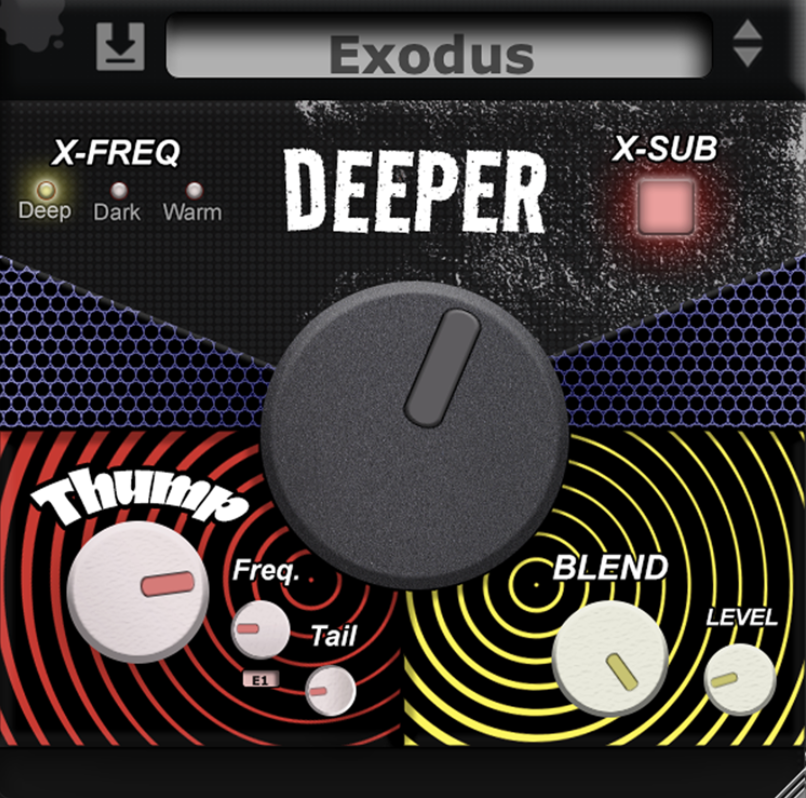
Deeper is built around a very focused goal: making low end feel bigger and more intentional. Rather than stacking EQs, sub generators, and saturation plugins, it wraps everything into a simple three-stage approach that’s quick to dial in. I like how it encourages restraint instead of endless tweaking.
In sessions, Deeper works best when used deliberately. On kicks, basses, and even synth buses in FL Studio and REAPER, it’s easy to add weight without smearing the mix. The controls are minimal, but they interact musically, which makes it hard to break things.
- Deeper knob boosts sub frequencies without hollowing out the low mids.
- Thump section generates sub-oscillations that reinforce fundamentals naturally.
- Blend & level controls glue the enhancement back into the original signal cleanly.
Deeper is a good option for when a track already works but needs more physical impact on club systems and headphones, especially at its very accessible intro price.
Deeper will be available in all major formats for macOS and Windows users.
CounterTune (by Sava Solar)
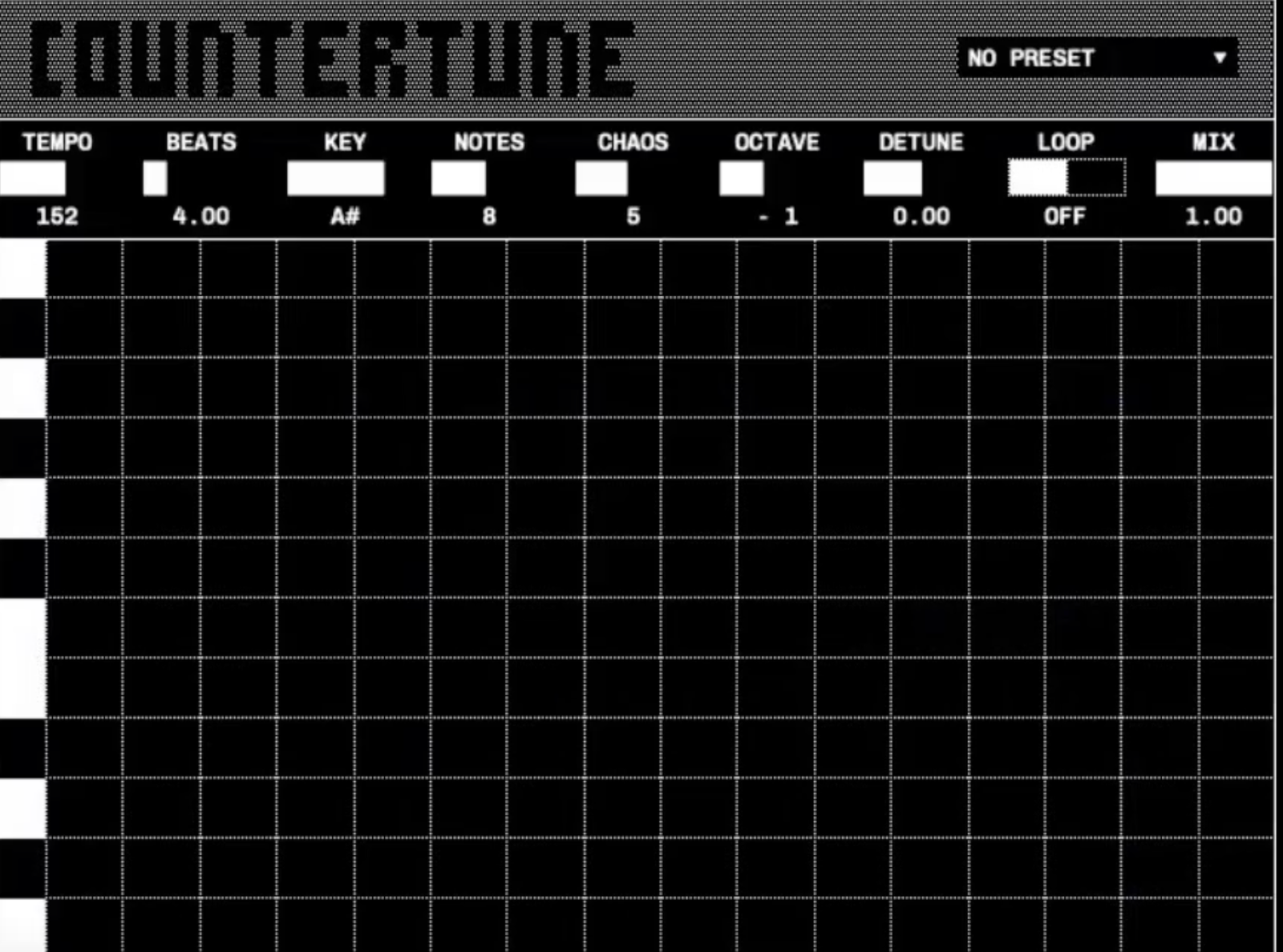
This effect plugin approaches harmony from a different angle: instead of MIDI input or theory-heavy tools, CounterTune listens to monophonic audio and generates complementary melodic lines from it. That makes it feel less like a delay and more like a harmonic assistant that reacts to performance.
In practice, I’ve found this fx unit most useful on vocals, lead instruments, and simple melodic lines. Inside FL Studio and REAPER, it’s easy to experiment without committing, just insert it and listen to how the harmonies evolve. It’s great for quick inspiration when you don’t want to overthink intervals.
- Audio-driven melody generation creates harmonies that follow the source naturally.
- Flexible controls let you shape the movement, density, and behavior of generated lines.
- Instrument-agnostic design works on vocals, guitars, synths, and more.
Let me tell you that this is not for complex polyphonic material or precise theoretical control. I see it as a creative shortcut for songwriting and arrangement, especially when you want to hear harmony ideas before committing to MIDI or notation.
CounterTune comes in VST3 and AU formats for macOS and Windows users.
Nexora (by Yossi Barel)
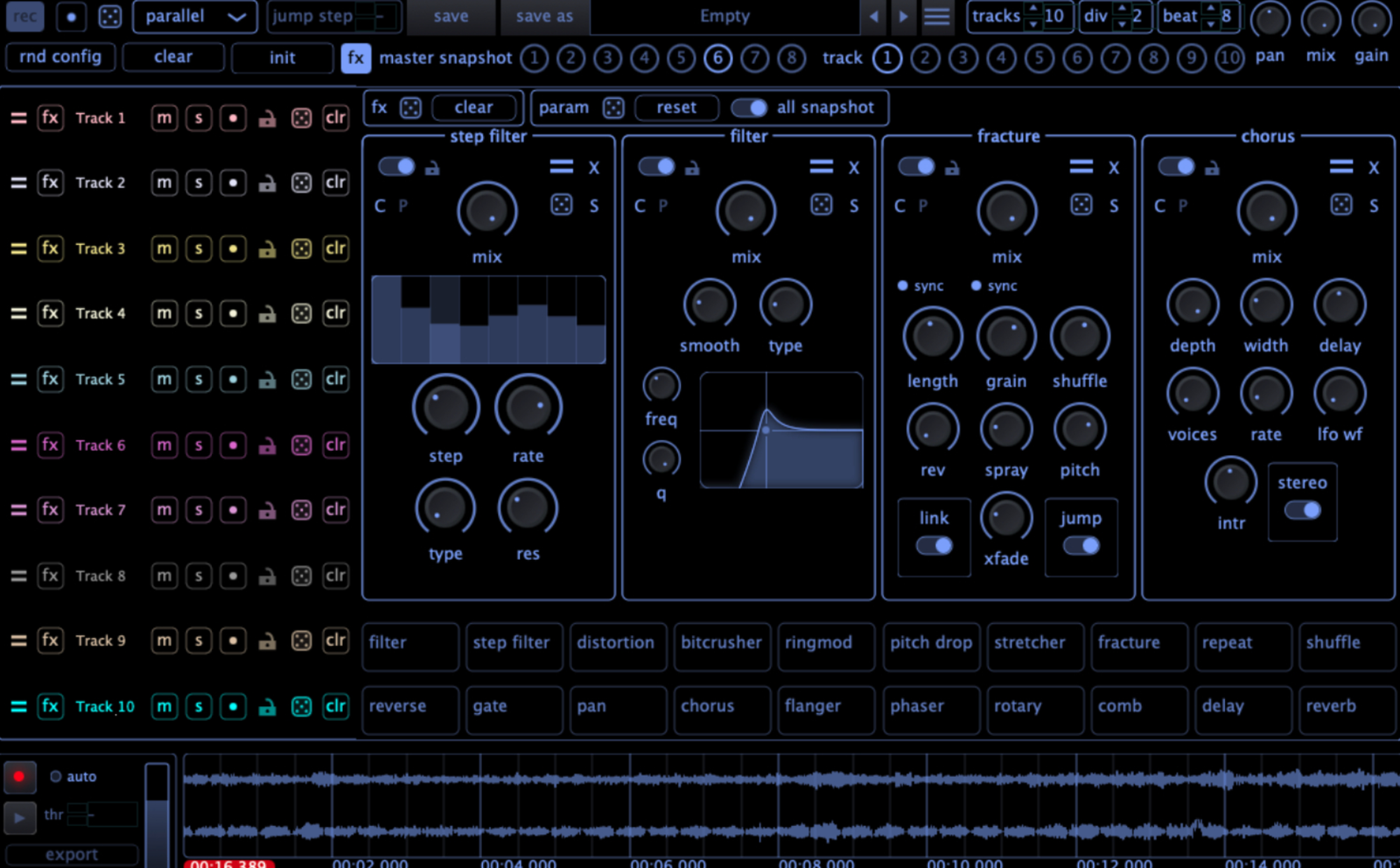
Nexora is a performance-driven glitch and stutter workstation rather than a single effect plugin. Built around a step grid with parallel FX tracks, it’s designed for hands-on experimentation, live manipulation, and resampling-heavy workflows. I really like how it encourages controlled chaos instead of one-click randomness.
In real use, Nexora feels powerful but playable. In FL Studio and REAPER, BPM sync stays tight even with complex patterns, and the grid-based workflow makes it easy to build evolving textures over time rather than static loops.
- Up to 10 parallel FX tracks, each hosting up to 4 effects, allow deep layering.
- 20 creative effects cover filtering, time, pitch, modulation, and destruction.
- Built-in recorder makes resampling and exporting glitches fast and practical.
With global and per-track randomization, it’s easy to spark ideas quickly, then refine them. Well, this fx plugin is not subtle, and it’s not meant to be.
Nexora comes in VST3 and AU formats for macOS and Windows users.
Harmonic Echo (by Soft Loop Audio)
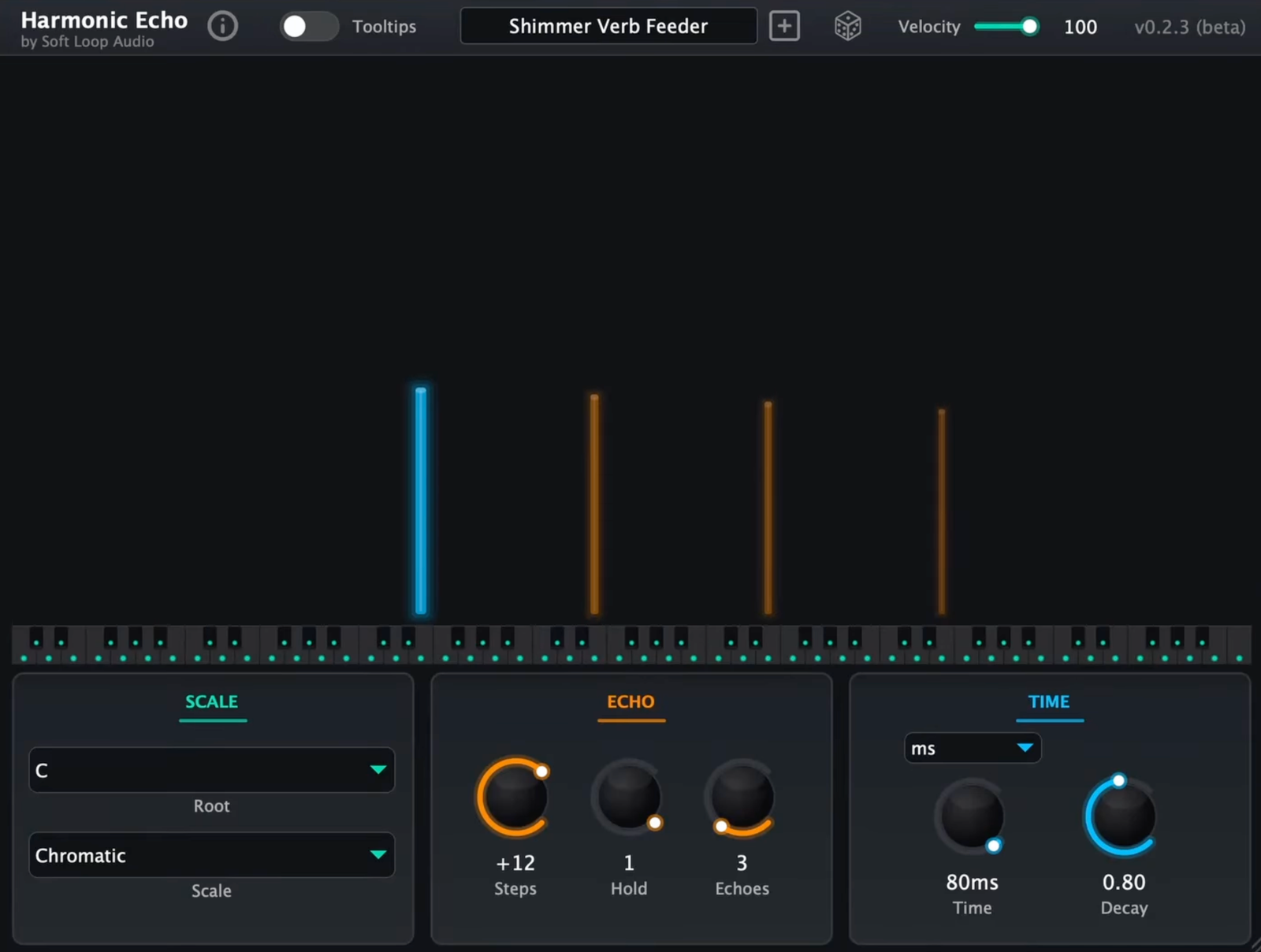
Harmonic Echo flips the idea of a delay on its head by working entirely in MIDI and harmony space. Instead of repeating notes, it generates evolving melodic and harmonic patterns that stay locked to a chosen key and mode. I like how it feels less like an effect and more like a musical collaborator that reacts in real time.
In practice, Harmonic Echo is great for turning simple MIDI input into something more animated. It’s especially useful on synths or instruments that feel static, instantly adding motion without committing anything to audio.
- Intelligent harmony engine snaps every generated note to your selected key and mode.
- Polymetric “Hold” behavior breaks rigid grids and creates weaving rhythmic clusters.
- Playable visual interface lets you audition scales and trigger echoes interactively.
When I want evolving musical ideas quickly, especially during writing or exploratory sound design sessions, Harmonic Echo is a good one to have in the arsenal.
Harmonic Echo comes in VST3 format for macOS, Windows, and Linux users (pay-what-you-like, including free).
Mirra (by Vexon Audio)
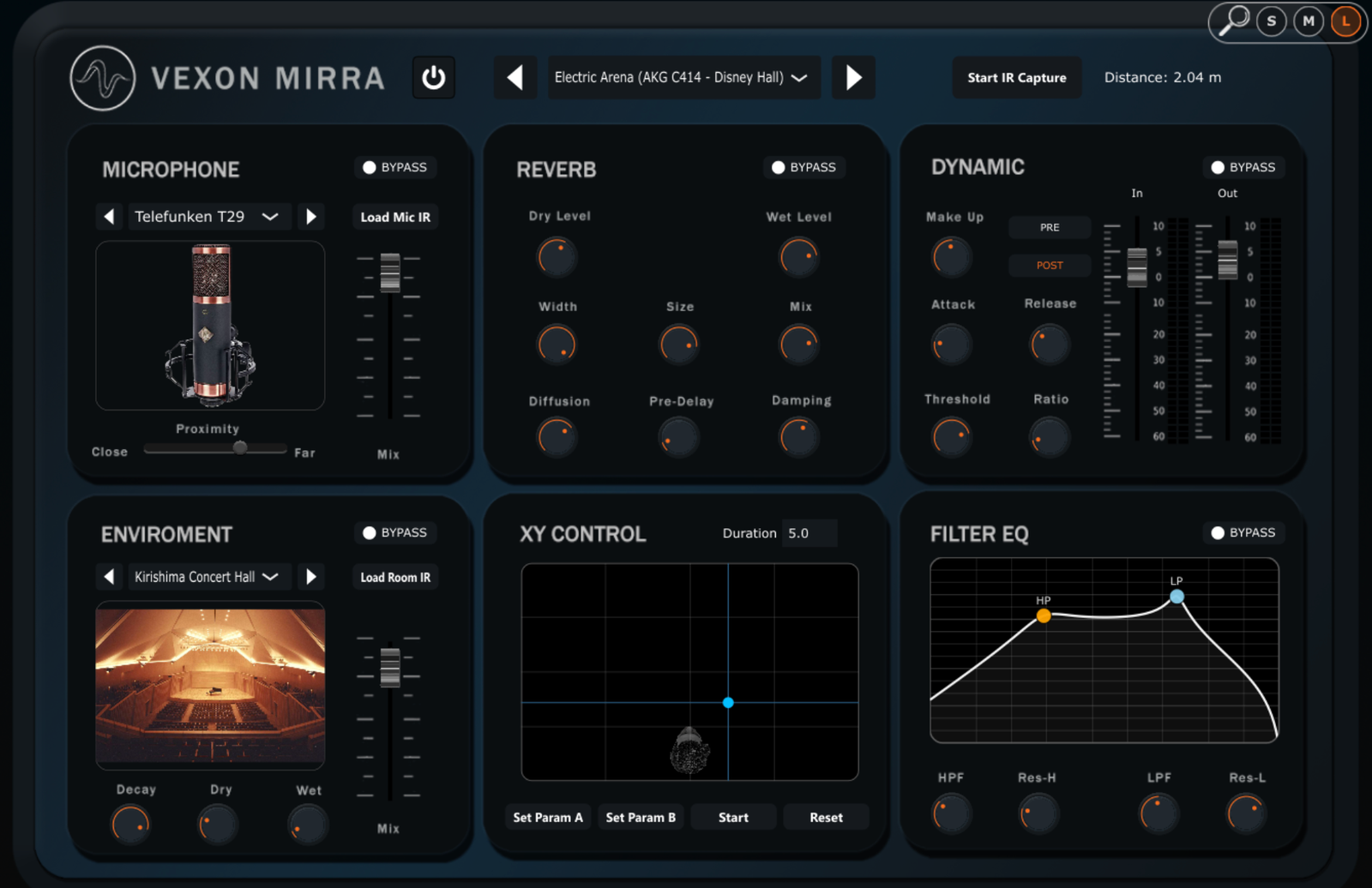
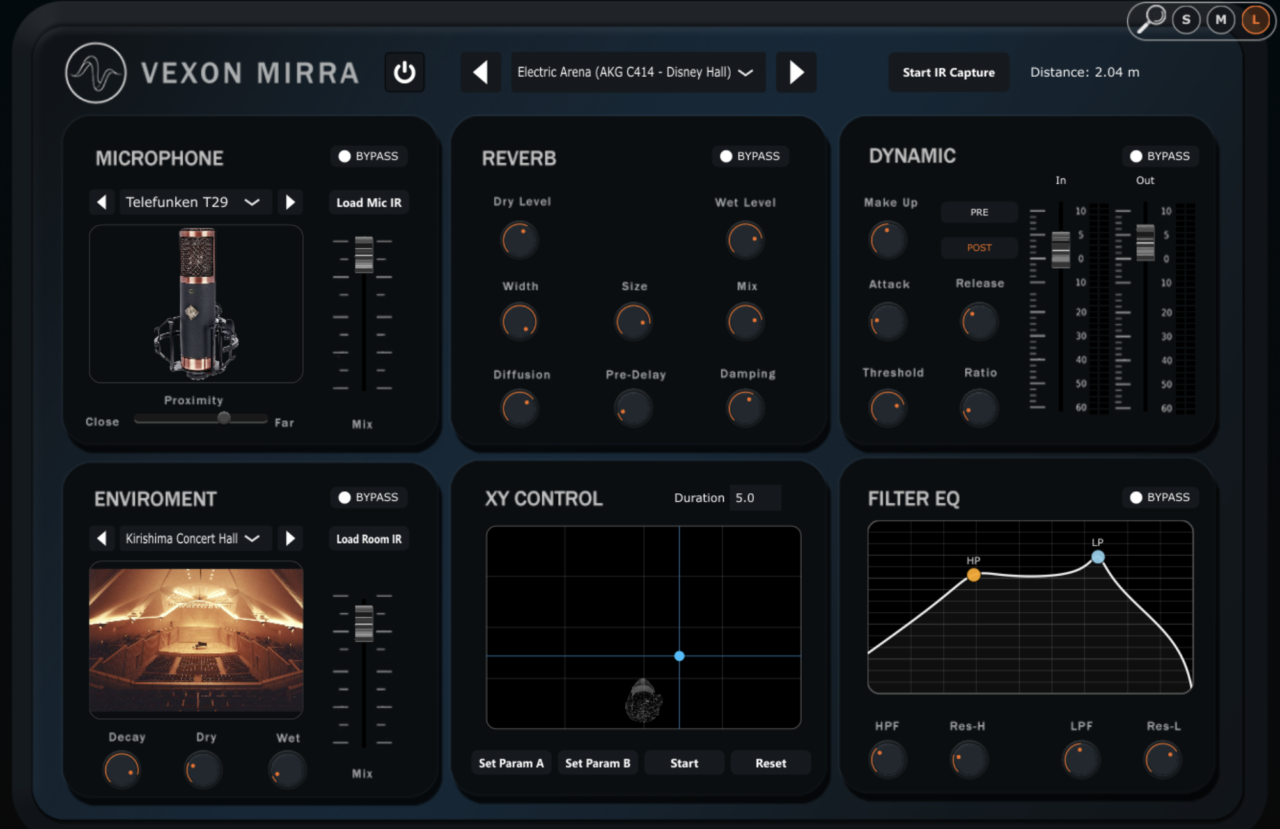
Mirra is a hybrid convolution reverb that focuses on realism and movement rather than static spaces. By blending microphone IRs with room IRs, it models not just where a sound is, but how it’s being captured. That extra layer makes it feel closer to a real recording setup than a typical reverb plugin.
In sessions, Mirra shines on sources where depth and placement matter. The XY pad makes it easy to animate distance and stereo movement over time, which works great for cinematic or ambient material.
- Dual IR architecture blends mic perspective with room acoustics.
- Hybrid engine combines convolution realism with algorithmic tail shaping.
- Dynamics and tone controls keep transients intact while pushing space.
It’s deeper than a simple reverb, so it rewards experimentation. For those who want a new, realistic reverb, Mirra is a strong choice for realistic environments, evolving spaces, and hybrid cinematic mixes.
Mirra comes in VST3, AU, and standalone formats for macOS and Windows users.
EmberDrive (by Kushview)
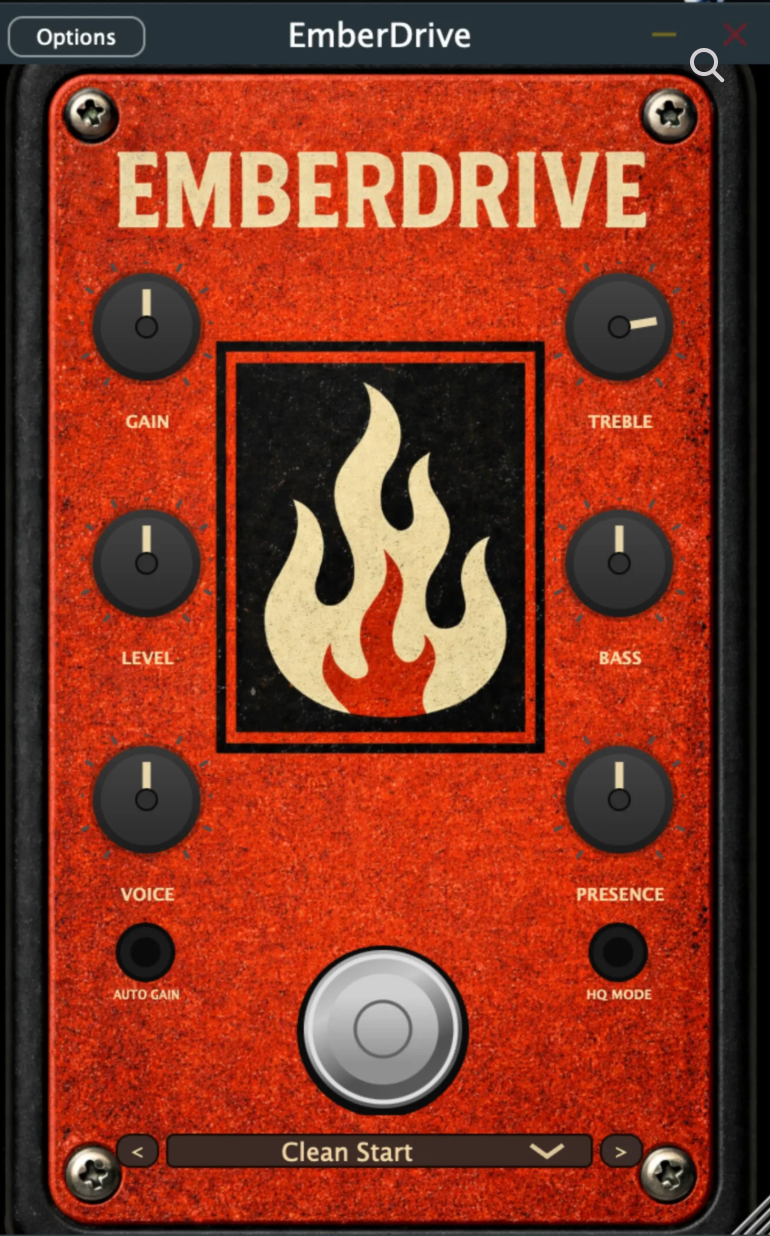
I like plugins that are all about control and separation and this saturation plugin is just like that. Instead of flattening transients, EmberDrive keeps attacks clean while saturating sustain and decay. I like how this makes it useful on everything from drums to synths without blurring impact.
In real-world use, EmberDrive feels very mix-friendly. In FL Studio and REAPER, the envelope-following behavior keeps the saturation musical, and Auto Gain makes it easy to push harder without losing perspective.
- Envelope-aware saturation preserves transients while enriching tails.
- Warm Tail and Body controls shape harmonic weight precisely.
- Oversampling and HQ mode keep distortion clean and controlled.
It’s subtle by default, not a brute-force distortion, and this effects plugin works best as a tone enhancer on buses, drums, and melodic elements that need density without aggression.
EmberDrive comes in VST3, AU, CLAP, LV2, and standalone formats for macOS, Windows, and Linux users.
Frostbite (by Kushview)
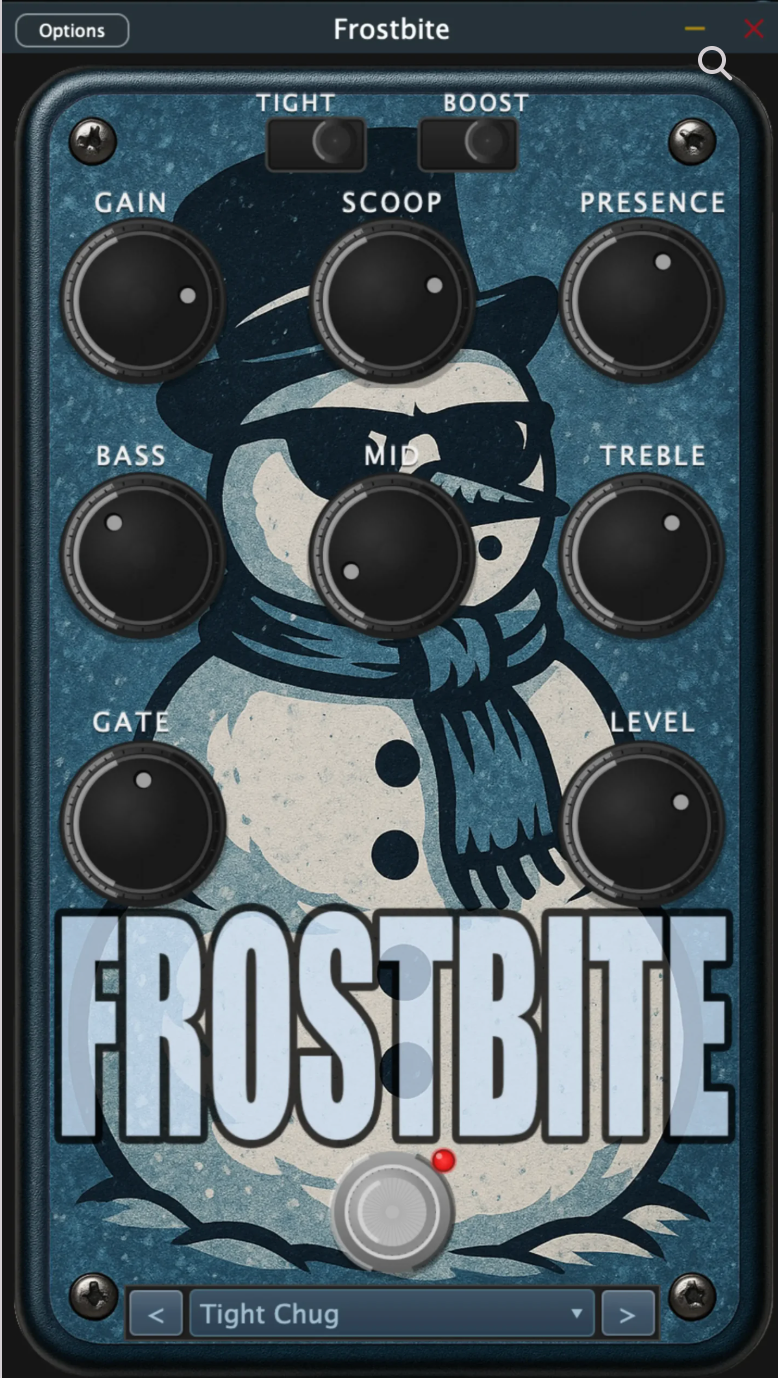
Another Kushview fx plugin, Frostbite goes in the opposite direction: pure high-gain attitude. Inspired by a Mark IIC+-style preamp, it’s designed to deliver tight, aggressive tones with minimal setup. I like how quickly it gets to “that” sound without endless tweaking.
In my FL Studio sessions, Frostbite performed fast and CPU-light, which makes it easy to stack or automate. The Boost, Tight, and Scoop controls make dialing metal rhythm tones straightforward, even in dense mixes.
- Mark IIC+-style waveshaping delivers classic metal bite.
- 4× oversampling keeps high-gain tones controlled.
- Built-in gate and tone stack make it stage-ready without extra plugins.
Frostbite is actually a genre-focused FX VST on guitars or aggressive synths where clarity and punch matter more than versatility.
Frostbite comes in VST3, AU, CLAP, LV2, and standalone formats for macOS, Windows, and Linux users.
Blxck Magic FX (by AngelicVibes)
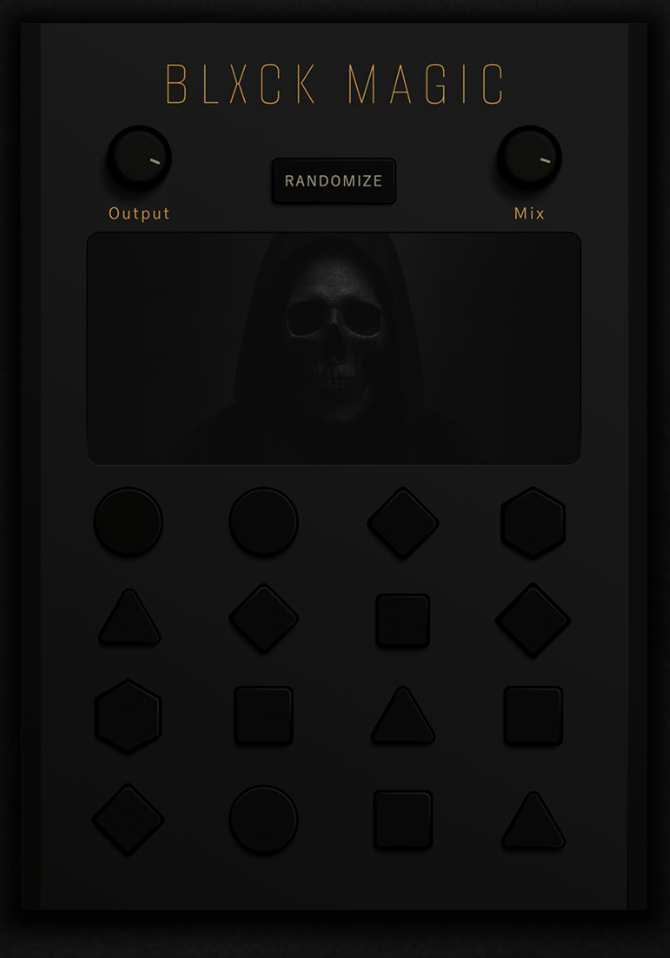
Blxck Magic FX is designed for speed and character, not precision. With 16 preset-based effect engines controlled by macro-style buttons, it’s all about instant mood shifts rather than careful signal flow. I like how it encourages bold decisions without technical friction.
In use, it’s perfect for sound design, transitions, and texture layers. The randomize function is great for happy accidents, especially when building darker or cinematic atmospheres.
- 16 curated effect engines cover grit, width, motion, and distortion.
- Macro-driven workflow keeps everything fast and intuitive.
- Randomize function sparks unpredictable but usable results.
For me, Blxck Magic FX is a creative tool I drop in when clean audio feels lifeless and needs instant edge or atmosphere.
Blxck Magic FX comes in VST3 and AU formats for macOS and Windows users (free download).
Gyrator X (by Okmog)
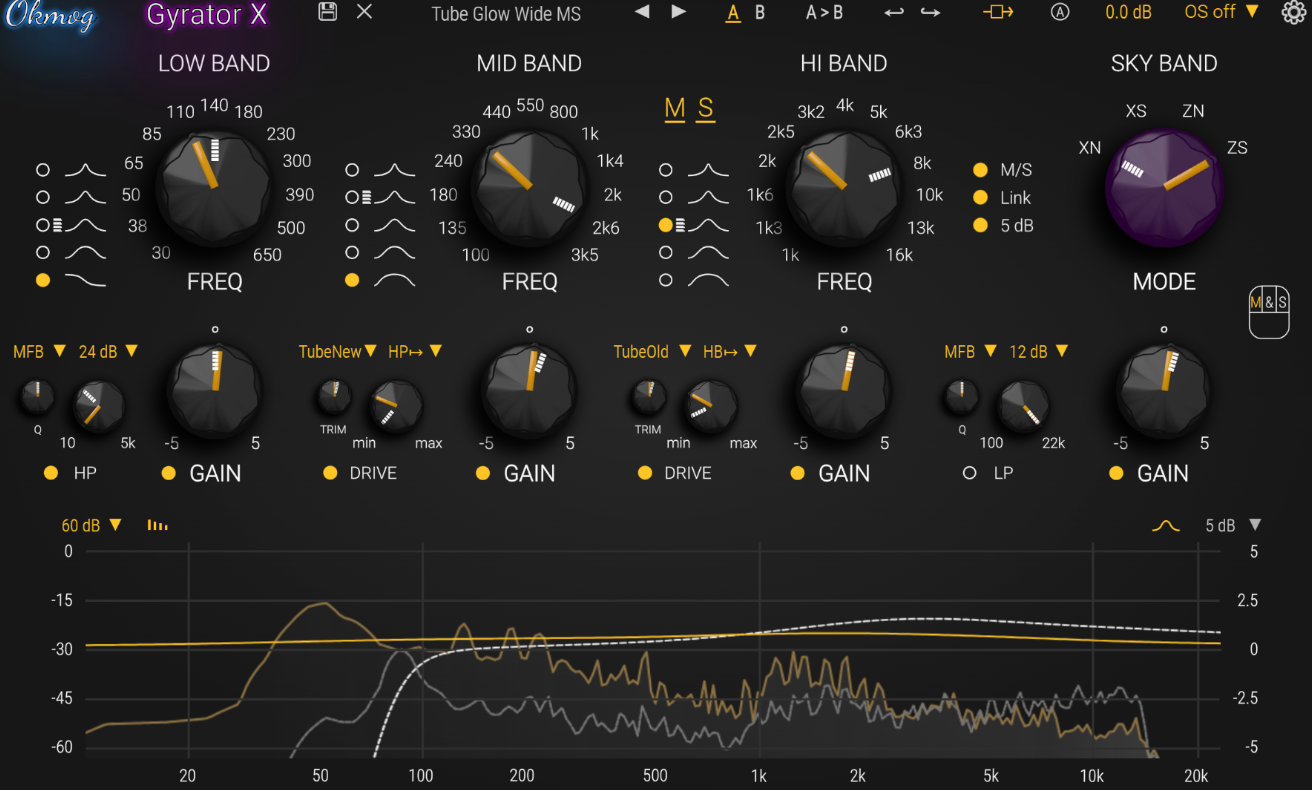
The new EQ plugin from Okmog, Gyrator X approaches EQ from a completely different angle by modeling actual circuit behavior, not just frequency curves. That distinction is immediately audible.
Instead of feeling static or clinical, boosts and cuts react with the kind of interaction and depth I usually associate with high-end analog hardware. It feels less like “dialing an EQ” and more like shaping a living signal path.
In real sessions, Gyrator X rewards deliberate moves. I’ve been using it in FL Studio and REAPER on mix buses and mastering chains where subtlety matters. The response is smooth, the tone stays musical even with larger moves, and the plugin encourages fewer, more intentional decisions rather than constant micro-adjustments.
- Gyrator-based EQ core for low, mid, and high bands delivers natural, interactive shaping.
- Rediscovered ’70s low shelf & Sky Band add weight and air without harshness.
- Dual, placeable saturation stages (tube, transistor, diode, JFET) add character without aliasing.
With mid/side, L/R modes, oversampling, and detailed visual feedback, it’s clearly built for serious work. This isn’t a fast sketch EQ, I reach for Gyrator X when tone, depth, and realism matter more than speed.
Gyrator X comes in VST3, AU, and AAX formats for macOS and Windows users.
QDelay (by Tilr)
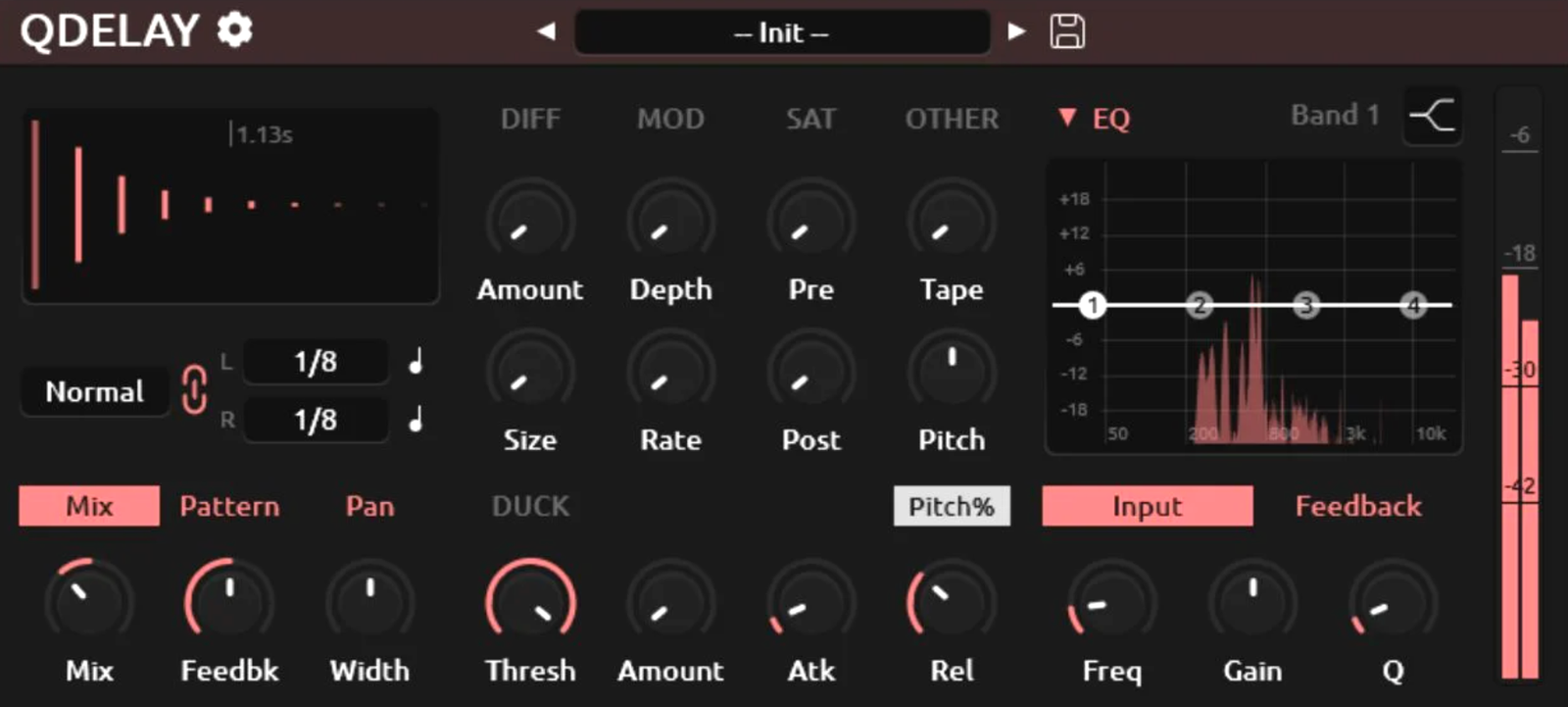
QDelay is a surprisingly deep dual-delay that stays focused on practicality. It’s clearly inspired by modern delay workhorses, but the big appeal here is that everything is included, no cut-down features, no paid tiers, no activation hoops. For a free plugin, it’s impressively complete.
In use, QDelay fits easily into everyday mixing. This free effect VST is quick to set up, and simple delays, but it also scales well into more creative territory. The interface stays readable even when things get complex, which makes experimentation feel inviting rather than overwhelming.
- Stereo dual-delay engine with ping-pong, reverse, tap, swing, and feel controls.
- Feedback processing with EQ, diffusion, saturation, pitch shifting, and modulation.
- Ducking, wow & flutter, and dynamics help delays sit musically in busy mixes.
Qdelay can do a lot, so it’s easy to overbuild effects if you’re not intentional. Well, in short, it’s a go-to free delay that comfortably handles everything from clean rhythmic echoes to textured, evolving delay sound design.
QDelay comes in VST3, AU, and LV2 formats for macOS, Windows, and Linux users.
SSL autoSeries (by Solid State Logic)
Support Integraudio and purchase here:
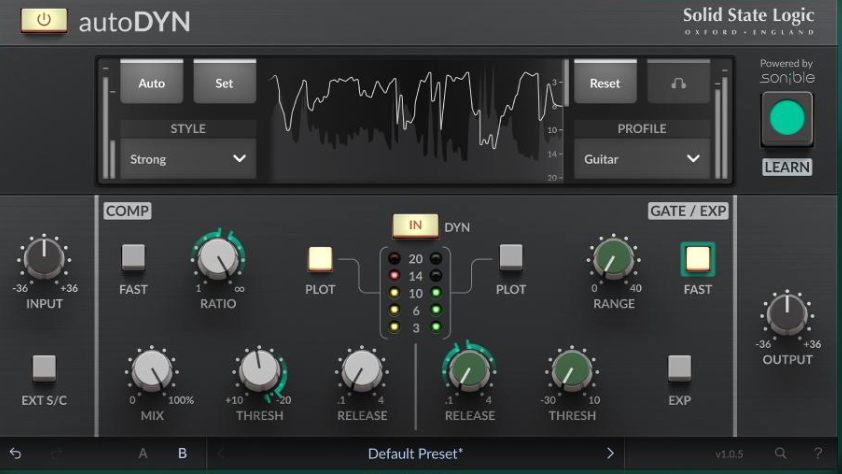
The SSL autoSeries combines classic SSL console tone with modern AI-assisted decision-making, and the balance feels well judged. Instead of locking you into automatic results, it gives smart starting points that are fully editable. I like how it speeds up the technical side without flattening creative choice.
In practice, autoEQ, autoDYN, and autoBUS work best early in a mix. They’re useful for getting tracks and buses into a solid, balanced state fast, especially when sessions are large and time is limited. The guidance is helpful without being intrusive.
- Profile-based EQ and dynamics adapt intelligently to incoming material.
- SSL 4000-inspired tone keeps results familiar and musical.
- Editable AI suggestions let you refine instead of starting from zero.
These plugins won’t replace experienced judgment or highly specialized tools but I think the autoSeries is handy as a workflow accelerator, great for getting to a strong foundation quickly so more time can be spent on creative decisions.
SSL autoSeries plugins come in VST3, AU, and AAX formats for macOS and Windows users.
M-EQ (by Techivation)
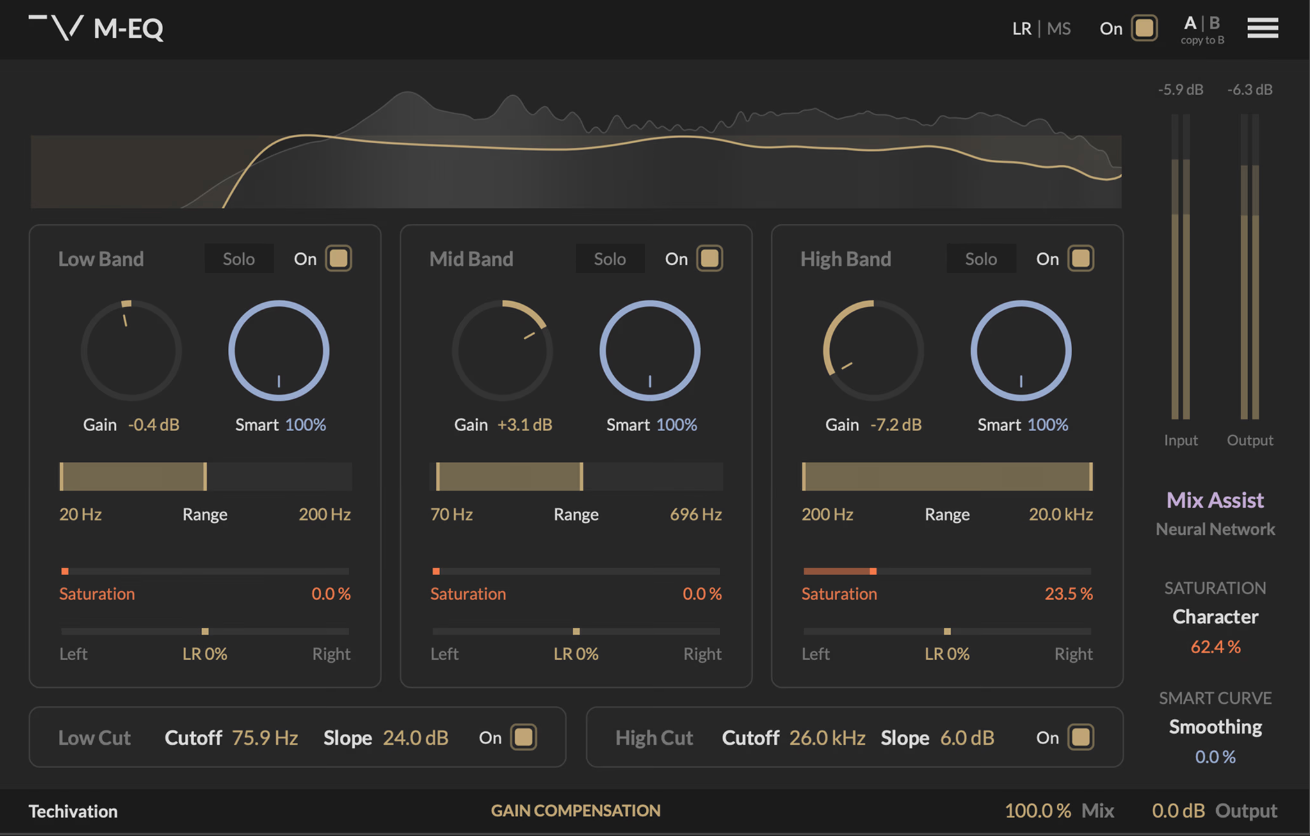
M-EQ takes a refreshing approach to linear-phase EQ by removing the hunt-and-peck workflow that usually comes with surgical tools. Instead of chasing narrow frequencies, you work with three adaptive Smart Curves, making broad, musical moves while the plugin continuously analyzes and redistributes energy under the hood. I like how it keeps me focused on intent, more clarity here, less weight there, without getting bogged down in micro-adjustments.
In real-world use, M-EQ feels especially comfortable on buses and masters. In FL Studio and REAPER, the automatic gain compensation makes a big difference, letting tonal changes speak for themselves without loudness bias. The linear-phase design keeps phase relationships intact, which is reassuring when making corrective moves late in the chain.
- Adaptive Smart Curves intelligently boost what’s missing and tame excess in real time.
- Per-band saturation adds warmth exactly where needed, or stays fully transparent.
- Mix Assistant, mid/side, stereo balance, and filters round out a very complete toolkit.
It’s not an ultra-manual EQ for extreme forensic work, but it shines when I want confident, musical correction with the safety net of linear-phase precision.
M-EQ comes in VST, VST3, AU, and AAX formats for macOS and Windows users.
VoiceAssist (by NoiseWorks)
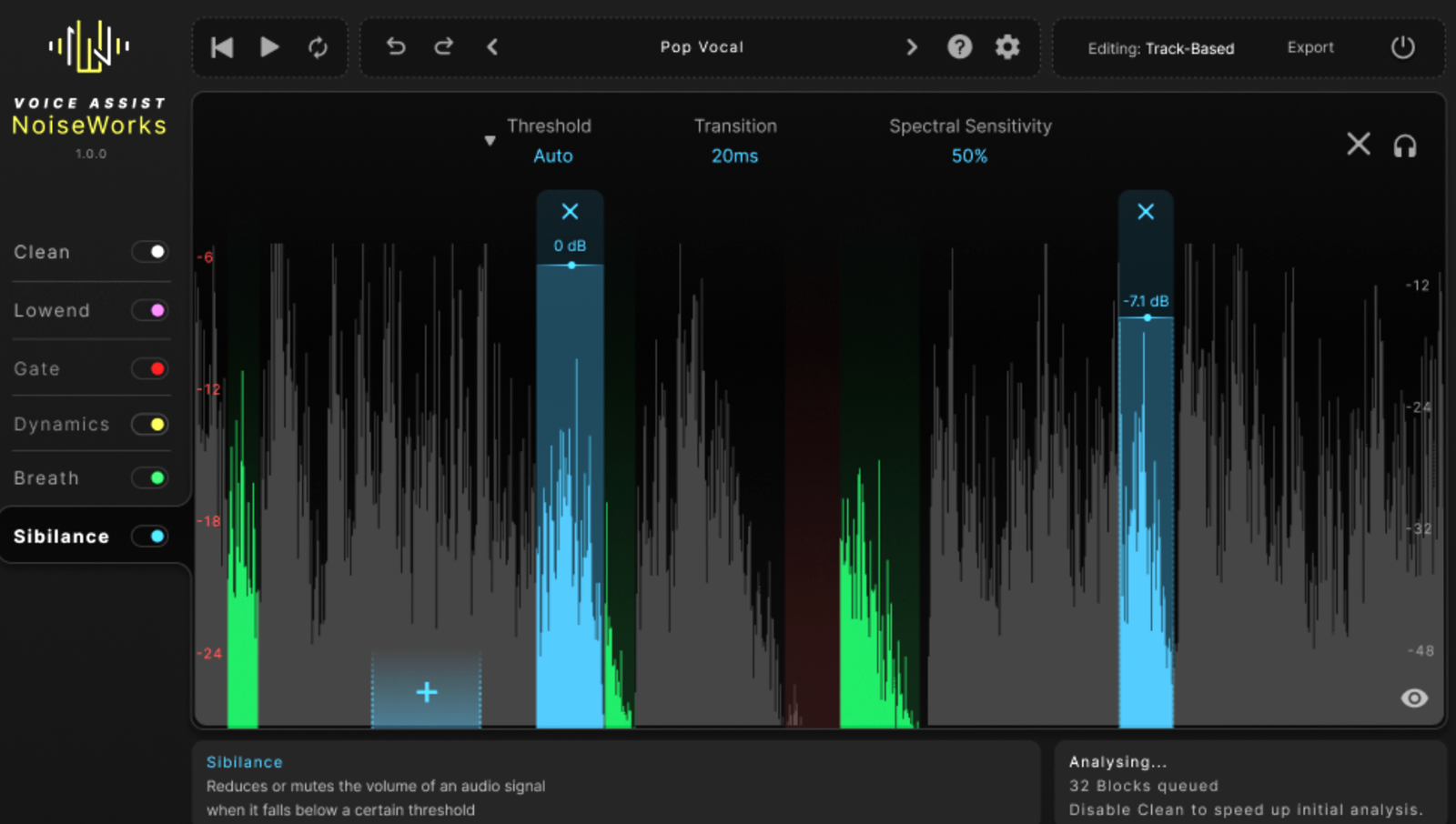
The last member of my list is VoiceAssist, which is designed to remove friction from vocal and dialogue prep, not replace creative judgment. The focus is on speed, reliability, and consistency, handling the repetitive cleanup work so attention can shift to tone and storytelling.
In practice, VoiceAssist feels like a full vocal prep stage in one place. I enjoyed that the analysis happens quickly and generates editable automation, which keeps everything transparent and adjustable. Tasks like denoising, dereverb, leveling, and sibilance control feel integrated rather than stacked.
- AI-powered cleanup covers noise, room tone, breath, sibilance, and harsh peaks.
- ARA-based automation makes results editable instead of destructive.
- Dialogue-focused tools like LUFS I/S, Catch Peaks, and Recover Highs speed up delivery.
It’s a premium tool, both in scope and price. VoiceAssist is ideal for music, post, and spoken-word workflows where clean, consistent vocals are expected fast, without turning preparation into the main creative bottleneck.
VoiceAssist comes in VST3, AU, AAX, and standalone formats for macOS and Windows users.
Last Words
If this early batch is anything to go by, 2026 is shaping up to be a year where efficiency and character coexist, less time fighting tools, more time making decisions that matter.
These FX plugins aren’t about replacing taste or experience; they’re about getting you to the creative part faster. Doesn’t matter that you use them in FL Studio, Cubase, ProTools or Logic; they will bring something new to your workflow. And this is just the beginning.

Berk is a multi-instrumentalist musician from Istanbul, Turkey. He has been playing guitar, handpan, and percussion for over ten years, developing a sound that blends melodic sensitivity with rhythmic depth.
He began his musical journey as a teenager, learning guitar and performing in several bands. In 2016, he discovered the handpan, an instrument that immediately resonated with him on a deeper level and gradually became central to his artistic identity.
Since then, he has performed in streets, festivals, bars, and concert venues across different countries, connecting with diverse audiences through both intimate and large-scale performances.
Alongside his live work, Berk is deeply involved in studio production. He works from his home studio, where he composes, records, and produces his own music. His studio serves as a creative space for layering handpan, guitar, and percussion with modern production techniques, allowing him to shape fully realized, atmospheric compositions from start to finish.
His music explores a wide range of genres and textures, combining organic acoustic instruments with detailed studio production to create immersive and expressive soundscapes.