
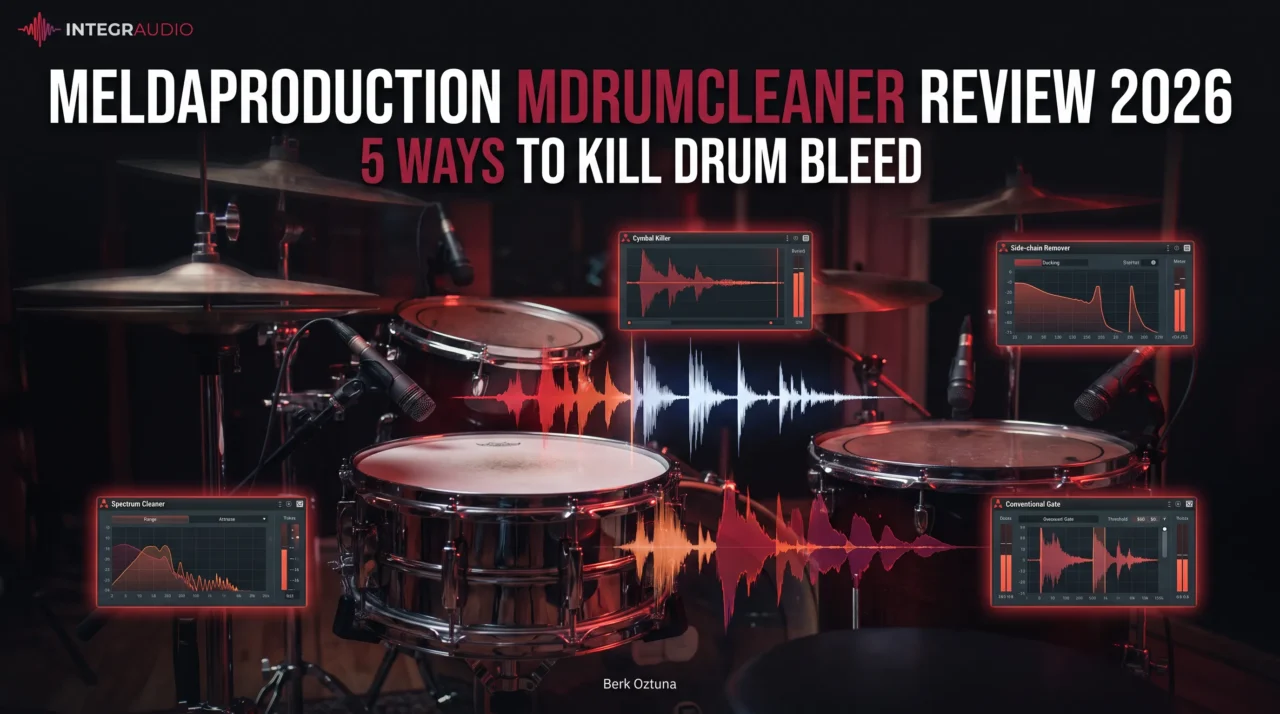
MeldaProduction’s MDrumCleaner First Look
Drum bleed is one of those problems that rarely feels serious until you start compressing and saturating the close mics. A snare track that sounds usable on its own can suddenly become dominated by hi-hat, while cymbal spill in tom mics gets even harder to ignore once the rest of the drum processing is in place.
That is exactly where MeldaProduction MDrumCleaner comes in. Instead of relying on a single gate, it combines five different cleanup methods, including Cymbal Killer, Side-chain Remover, Spectrum Cleaner, Spectrum Gate, and a conventional Gate, giving you several ways to attack bleed depending on how difficult the recording is.
What interests me most is that it is not trying to replace every drum-editing tool in the session. I see it more as a specialist insert for problematic close mics, especially when a normal gate starts compromising ghost notes, resonance, or natural decay. In this review, I will look at how those five algorithms differ, where MDrumCleaner actually saves time, and where aggressive cleanup can start working against the drum sound.
| Key Feature | What It Does |
| Five Cleanup Algorithms | Combines Cymbal Killer, Side-chain Remover, Spectrum Cleaner, Spectrum Gate, and Gate in one plugin, with the option to use them individually or stack them. |
| Cymbal Killer | Targets high-frequency bleed such as hi-hat in snare mics or cymbal spill in toms, while preserving more of the wanted drum’s attack when it hits. |
| Side-chain Remover | Uses another microphone as a reference for the unwanted source, making it useful for cases like hi-hat bleed in a snare mic. |
| Spectrum Cleaner | Learns the spectral profile of the wanted drum and reduces material that falls outside that profile. |
| Spectrum Gate | Applies gating across the frequency spectrum, helping reduce bleed while preserving more of the drum’s body and resonance than a broadband gate. |
| Conventional Gate | Handles simpler bleed problems with standard level-based gating when there is enough separation between the drum and spill. |
| Zero-Latency Options | Provides live-friendly processing modes, while more advanced spectral and side-chain processing is better suited to mixing. |
| Pre-Compression Cleanup | Designed to reduce unwanted spill before EQ, compression, saturation, or clipping exaggerate it further. |
| Multi-Mic Drum Focus | Especially useful on snare and tom tracks where conventional gates start compromising ghost notes, transients, or natural decay. |
| Plugin Formats | Available in VST, VST3, AU, and AAX for Windows and macOS. |
Features
MDrumCleaner is built around five different cleanup algorithms, and I like that they are not just variations of the same gate. Each module approaches bleed from a different angle, so the workflow can stay simple when the recording is easy or become more selective when the spill starts overlapping the actual drum performance.
Cymbal Killer
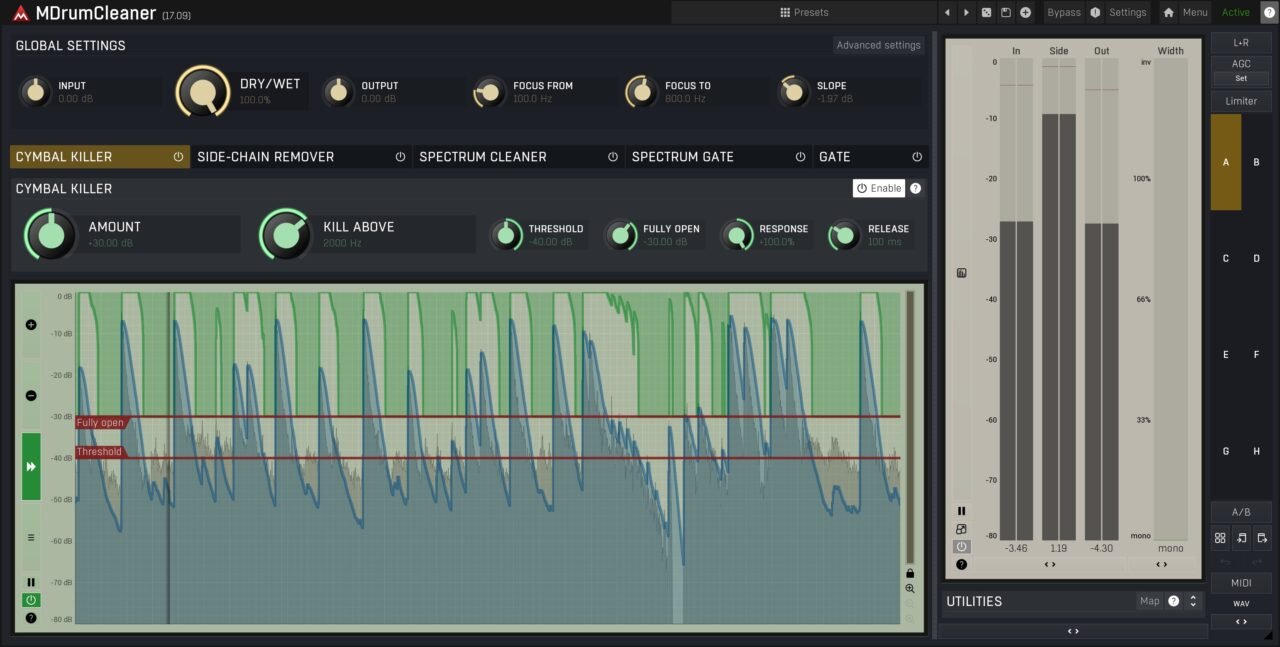
Cymbal Killer is the most immediately practical module for snare and tom tracks. It reduces high-frequency spill when the target drum is not being hit, then allows more top end through during the transient so you do not permanently dull the snare or tom.
I would probably reach for this first when a snare mic has too much hi-hat in it. It feels like a much cleaner alternative to simply low-passing the track and sacrificing the drum’s own attack.
Side-chain Remover
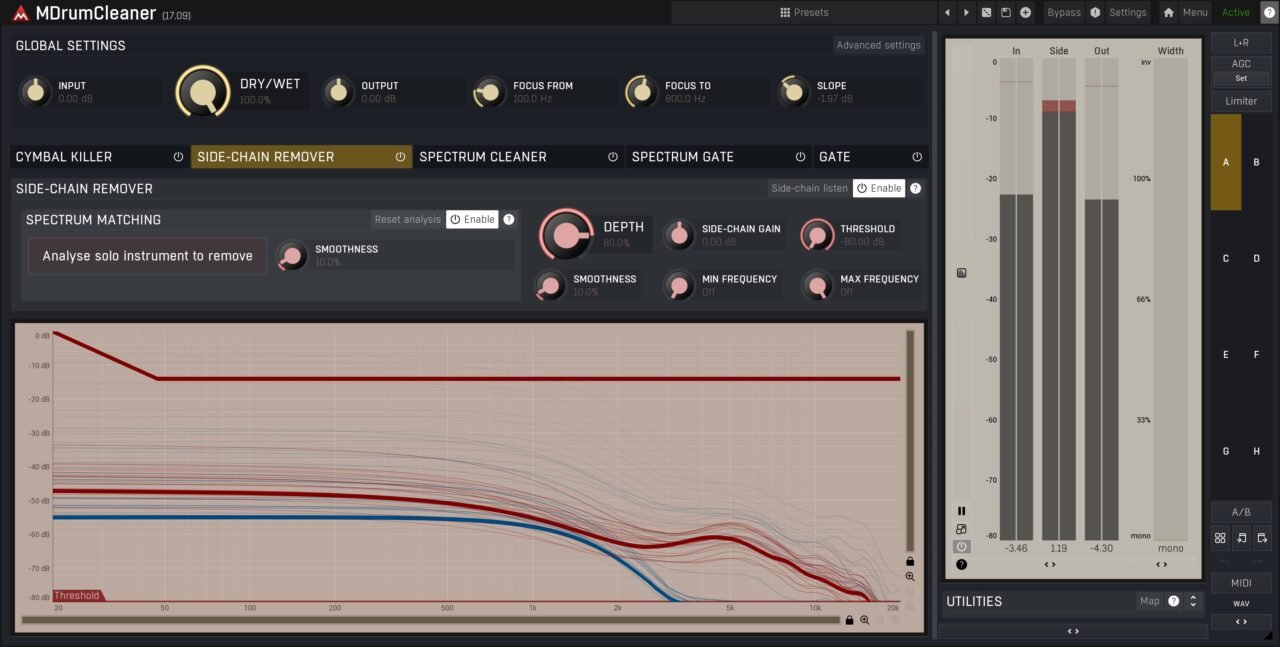
Side-chain Remover uses another microphone as a reference for the unwanted source. In a snare-versus-hi-hat situation, the dedicated hi-hat mic helps the plugin identify what part of the snare signal belongs to the bleed.
This is one of the more interesting ideas in the plugin because it gives you source-aware cleanup rather than just level-based gating. The trade-off is that it introduces latency, so I would keep it for mixing rather than live tracking.
Spectrum Cleaner
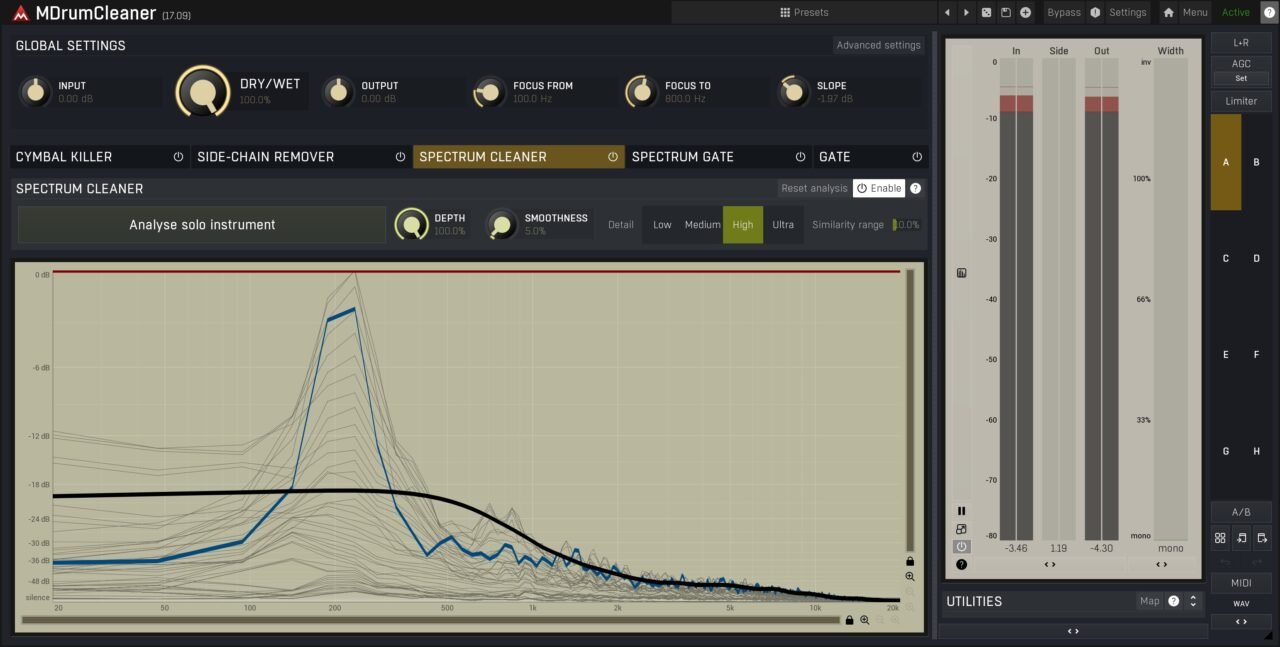
Spectrum Cleaner works from the opposite direction by learning the drum you want to keep. Once it has built a spectral profile, it reduces material that falls outside that shape.
I would use this carefully, especially on expressive playing. Ghost notes, rimshots, and hard hits can all have different spectral signatures, so pushing the cleaning too far risks making the drum sound unnaturally consistent.
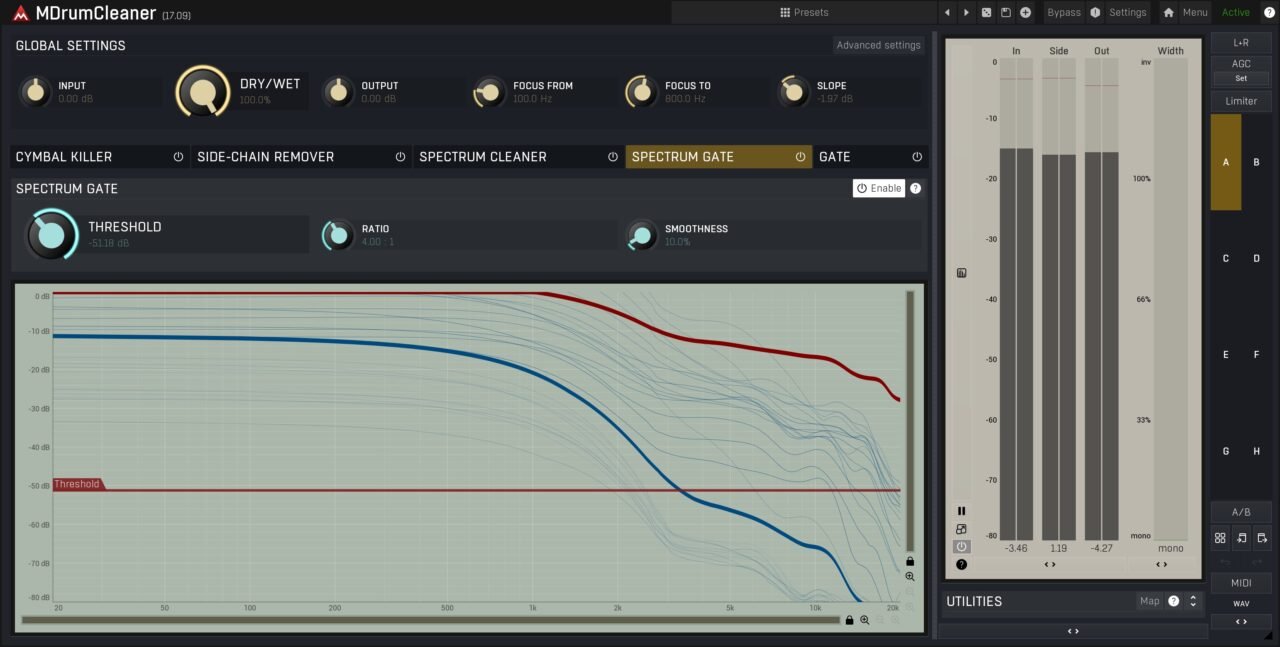
Spectrum Gate
Spectrum Gate applies gating across the frequency spectrum instead of opening and closing the entire signal at once. That can be much more useful on toms, where you may want to reduce cymbal energy while still preserving the body and natural resonance of the drum.
For me, this is the module that makes the most sense when a normal gate starts sounding too obvious. It still has limits when the wanted drum and bleed overlap heavily, but it gives you a better compromise between isolation and realism.
Gate
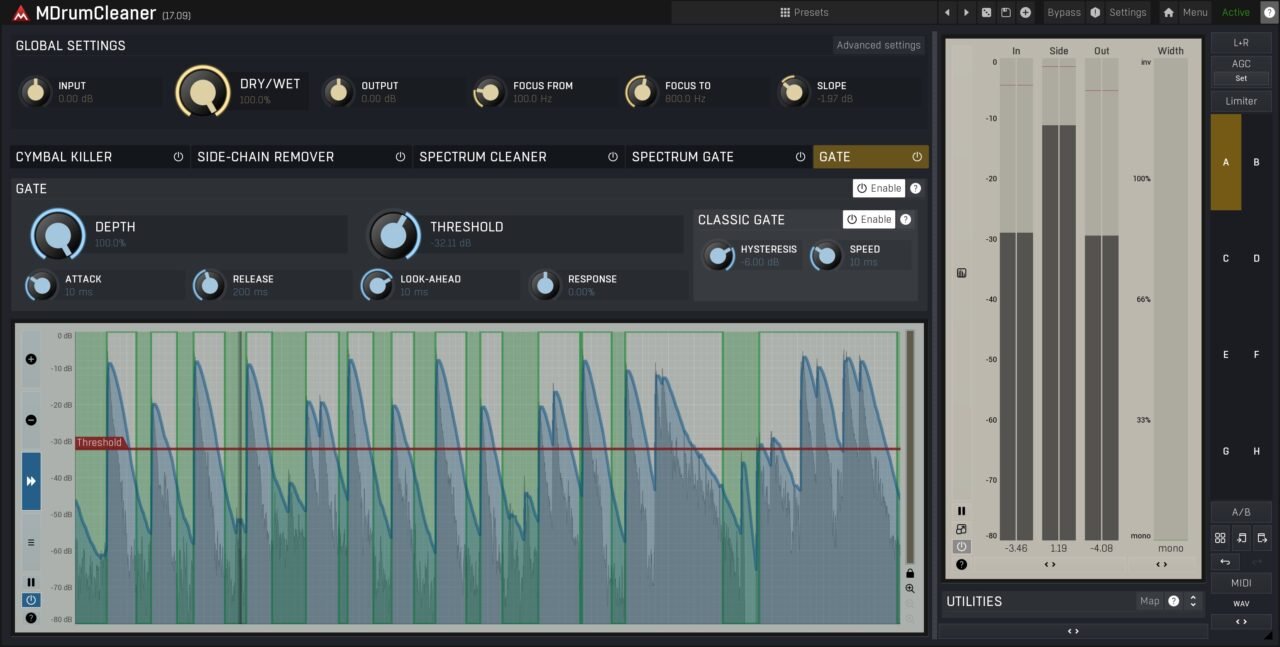
The final Gate is the conventional option, and I actually like that Melda kept it in the plugin. If the drum is clearly louder than the bleed and the decay is easy to preserve, there is no reason to overcomplicate the job with spectral processing.
My approach would be to start here and only move into the more advanced modules when the basic gate stops being enough.
Stacking and Workflow
The real strength of MDrumCleaner is that you can use the modules individually or combine them. A straightforward tom track may only need Gate, while a difficult snare could benefit from Cymbal Killer plus one of the spectral options.
That flexibility also matters downstream. Reducing bleed before compression, saturation, or bright EQ means those processors react more to the drum itself and less to the unwanted cymbal spill.
Interface and Workflow
MDrumCleaner’s workflow revolves around its five dedicated modules, and I like that you can approach a problem gradually instead of throwing every algorithm at the track. I would normally start with the simplest option first, usually Gate or Cymbal Killer, and only bring in the spectral modules when the bleed is too complex for basic level or frequency-based cleanup.
For snare tracks, Cymbal Killer feels like the quickest starting point when hi-hat or cymbal spill is the main problem. If that is not selective enough, Side-chain Remover gives me a more targeted option by using another microphone as a reference for the unwanted source.
Spectrum Cleaner requires a slightly different mindset because it learns the drum I want to keep rather than the bleed I want to remove. I would spend a few seconds feeding it representative hits, then back off the processing until ghost notes and natural resonance still feel intact.
I also like the clear split between live and mix-stage processing. The zero-latency options make sense during tracking or monitoring, while Side-chain Remover and the more advanced spectral processing are better left for mixing, where latency is less important.
The most important workflow tip for me is to judge MDrumCleaner through the rest of the drum chain, not in solo. A cleaned snare might sound impressive by itself, but the real test is whether compression, saturation, and EQ behave better afterwards without losing the performance’s dynamics or making the kit sound unnaturally isolated.
First Impressions and Sound
Because MDrumCleaner is still very new, I would be careful about making big claims about transparency or artifact-free processing before spending more time with it in full drum sessions. What already makes sense to me, though, is the way the five modules target different kinds of bleed problems instead of forcing everything through one gate.
For a typical snare and hi-hat problem, Cymbal Killer is probably where I would start. I like the idea of reducing the upper-frequency spill while still letting the snare’s own attack and wire detail come through, rather than simply low-passing the track and losing some of its character.
The module I find most interesting conceptually is Side-chain Remover. Using a dedicated hi-hat mic as a reference feels much more targeted than threshold gating, especially when the hat and snare overlap in time. I would use it mainly on difficult close mics during mixing, since the extra latency makes less sense for tracking.
For toms, Spectrum Gate looks like the more natural option to me. Instead of chopping the entire signal off, it can reduce more of the cymbal-heavy frequency content while preserving the low-mid body and decay, which is exactly where normal gates often start sounding too obvious.
My biggest concern would be over-cleaning. Ghost notes, resonance, and low-level dynamics are part of what makes an acoustic kit feel real, and aggressive spectral processing can easily make a close mic sound impressive in solo while making the full kit smaller or less natural. I would always judge the result with the overheads and rooms playing.
The main reason I see MDrumCleaner being useful is what happens after the cleanup. If less hi-hat reaches the snare compressor or less cymbal energy hits the saturator, the rest of the processing chain can work much more predictably. For me, that is more important than trying to achieve perfectly isolated drum tracks.
| Specification | Details |
| Plugin Formats | VST, VST3, AU, AAX |
| Operating Systems | Windows, macOS |
| Architecture | 64-bit |
| Live Use | Cymbal Killer and Gate are the zero-latency options |
| Studio Use | Side-chain Remover and spectral modules are better suited to mixing due to added latency |
| Windows on ARM | Supported through Prism with MeldaProduction 17.10 |
| License | Covers all of your computers |
| Updates | Free updates for life |
| Trial | 15-day fully functional trial |
| Activation | MeldaProduction account + MPluginManager, no iLok |
The compatibility side is pretty straightforward, and I like that Melda keeps the licensing simple. No iLok, multi-computer use, and lifetime updates make it easy to drop into an existing setup without much friction.
The only real workflow consideration is latency. I would use Cymbal Killer and Gate while tracking or monitoring, then switch to the spectral and side-chain modules later in the mix when latency stops being an issue.
Pros
- Five dedicated cleanup algorithms
- Zero-latency options for live use
- Particularly useful for snare and tom bleed
- Flexible side-chain and spectral processing
- Helps downstream compression and saturation behave more predictably
- Can reduce the need for manual editing
- Simple licensing with multi-computer use and lifetime updates
Cons
- Some advanced modes add latency
- Very aggressive cleanup can soften ghost notes or natural decay
- Best results still require some care on overheads and room mics
Conclusion
MDrumCleaner makes the most sense as a specialist tool for one very specific problem: drum bleed that a normal gate is no longer handling well. Instead of forcing every situation through the same process, it gives you five different approaches, from simple gating and cymbal suppression to more advanced spectral and side-chain cleanup.
What I like most is that it can make the rest of the drum chain easier to work with. Reducing hi-hat or cymbal spill before compression, saturation, or bright EQ means those processors react more to the drum itself, which can give you much more freedom later in the mix.
I would still use it with some restraint. The goal for me would not be perfectly isolated close mics, but cleaner tracks that still keep ghost notes, resonance, and the natural relationship with the overheads and rooms. That is especially important with the spectral modules, where pushing too far can start changing the character of the performance.
Overall, MDrumCleaner looks like a very practical addition for engineers who regularly record acoustic drums. If bleed is something you fight in nearly every session, the combination of multiple cleanup methods and zero-latency options gives it a clear role without trying to replace your gate, editor, or broader restoration tools.
MDrumCleaner was also one of the standout releases in our September 2026 plugin roundup.

Berk is a multi-instrumentalist musician from Istanbul, Turkey. He has been playing guitar, handpan, and percussion for over ten years, developing a sound that blends melodic sensitivity with rhythmic depth.
He began his musical journey as a teenager, learning guitar and performing in several bands. In 2016, he discovered the handpan, an instrument that immediately resonated with him on a deeper level and gradually became central to his artistic identity.
Since then, he has performed in streets, festivals, bars, and concert venues across different countries, connecting with diverse audiences through both intimate and large-scale performances.
Alongside his live work, Berk is deeply involved in studio production. He works from his home studio, where he composes, records, and produces his own music. His studio serves as a creative space for layering handpan, guitar, and percussion with modern production techniques, allowing him to shape fully realized, atmospheric compositions from start to finish.
His music explores a wide range of genres and textures, combining organic acoustic instruments with detailed studio production to create immersive and expressive soundscapes.