
Acoustic feedback in audio devices is a recurring problem, and it can be very annoying when doing rehearsals, recording sessions, or live, especially when you find it difficult to control it. If you’ve ever experienced feedback, you may notice that it’s a high-frequency noise that builds up over a very short period of time.
Its origin occurs when a microphone or a pickup begins to pick up the signal that it previously emits, causing it to replicate infinitely and producing a noisy and unpleasant sound. Both the microphone and the speaker are responsible for this, so the more control you have over both devices, the easier it will be for you to avoid feedback.
Although it can be quite a headache, sometimes, with a few simple adjustments and a little patience, it is possible to find the solution to this type of problem. In this article, we will talk about feedback, how to avoid it, and some variants to improve how your audio devices complement each other.
How Do I Stop My Amp From Feedback?
The best way to control the feedback your amp and mics can generate is by altering the focus, setting the amp’s EQ appropriately, and setting the gain to a reasonable level. The higher the output level, the more likely feedback will appear on the sound.
Feedback is frequent when using dynamic microphones, mostly used to capture voices and guitar pickups. However, sometimes it happens that the microphones, in addition to capturing the voices of the singers or speakers, due to their high level of sensitivity, also capture the sounds projected in front of them. During a rehearsal or live session, the volumes that are handled are usually high, which is why musicians and singers need monitors or speakers to be able to hear themselves clearly and so that the audience can hear each voice and instrument in a balanced way.
When the sound reaches a certain volume level and is not properly controlled, the microphones begin to pick up their own signal from the monitors or speakers and replicate it repeatedly, giving rise to feedback. Therefore, the first thing to check when experiencing feedback is the position of the speakers.
The ideal position for a speaker is the location just to the back of the microphone. In this way, the speaker faces the person who emits the voice, and the microphone does not manage to capture the sound coming from the speaker. Although this is sometimes not possible due to space and layout issues, it is best to find a position for the speakers without facing the microphones to minimize the chances of feedback.
In instruments like the guitar with pickups, which act as microphones, it is a bit easier to control since preventing the pickup from directly facing the amp speaker considerably decreases the chances of generating feedback.
When it comes to small rooms, it is also necessary to pay attention to the reflections that the walls generate, especially when they do not have any acoustic treatment. In this case, the smaller the surface, the smaller the volume with which we must work in order not to generate feedback.
If, for example, it is necessary to increase the gain volume of the speakers to equalize the decibels that some drums can generate, you need to find a way to reduce the sound of the drums or even improve the acoustic treatment of the place so as not to generate reflections of excessive sound.
The second variant to consider is the setting of the output EQ of the speakers. In this sense, you have to have special control over the medium and high frequencies because the sound that the voices emit moves in those ranges. On the other hand, the low frequencies must also be controlled individually, especially if a bass amp emits sound inside the room.
The idea is to start by lowering the high frequencies to 40% or 50% to gradually increase until reaching the point where they have a definition without generating feedback. Then continue with the mid and low frequencies repeating the same procedure. The important thing is that the sound gains presence without generating too obvious peaks at any frequency.
Once the EQ is set up, you must review the gain assigned to the preamp that feeds the microphone. When the output gain of the mic is excessively high, even though the EQ is perfectly set, some feedback can be generated. Therefore it is important that, like the EQ, the preamp gain has the necessary power without being extremely high. To adjust the gain, you will repeat the same process of turning it down considerably and increasing it progressively until you find the sweet spot where everything is heard clearly without peaks or excessive signals.
In the case of electric guitars, when adjusting the gain to the appropriate level, it is necessary to consider that many times, effect pedals are added that can raise the gain considerably. To control the output, it is indicated to match the gain of the pedal with the gain of the amp so that when activating the external effects, no peaks are generated in the signal.
On the other hand, once you have the feedback from your amp and your instrument controlled, it can be used as a sound resource, generating voluntarily by facing your guitar’s pickups to the amp speaker and approaching to increase the feedback. Many guitarists use this feature and can add a lot of expression to performances, especially when soloing.
Can Feedback Damage My Amp?
Although acoustic feedback does not represent a danger to the electronic part of the amp, it can damage the speakers and alter the way they emit their sound. Because of this, you don’t need to worry if your amp produces feedback frequently, but you do need to avoid taking it to an extreme.
The feedback has, as a particular characteristic, the ability to generate very pronounced frequency peaks in a few seconds. At the level of the electronic components that make up an amp, they are prepared to withstand large power demands and do not have to suffer damage from occasional feedback.
However, if the feedback is excessive, pushing the gain levels to the limit of what the amp can handle, a level of distortion will be generated that can affect or even damage the speakers. Distortion causes the speaker to vibrate unevenly, causing accelerated wear on its parts, and can also damage the speaker coil. Therefore, it is something that you should consider when it comes to protecting your equipment.
To this can be added the fact that acoustic feedbacks are really noisy and annoying and can cause damage to the hearing of people in the same room since the human ear is highly sensitive to high frequencies, which is typical of feedback.
Because of this, while feedback is not something you should fear or worry about, you need to have some control over it so not tobecome a problem for your hearing or your audio devices.
How Can I Use Feedback as a Sound Resource?
Feedback is essentially a sound loop, so it can be used by guitarists as if it were a somewhat distorted sustain effect. You can achieve a very interesting sounding effect on the guitar when you control the dynamics and amount of gain the feedback employs.
Guitarists tend to use all kinds of resources as a form of expression, which adds character and personality to their interpretation, and feedback is frequently used as one more of those sound resources. The great advantage offered by the feedback generated by the guitar pickup is that it is much easier to control them, unlike the feedback generated by microphones, which is much more unpredictable and noisy.
This control over feedback becomes even more evident when effect pedals are implemented within the sound chain that can adjust the gain in a controlled manner. In this way, you can choose when you want the feedback to appear on the scene and when not. Distortion and overdrive pedals are the most suitable for this type of sound resource since they provide the necessary gain and give a lot of color to the sound the feedback produces.
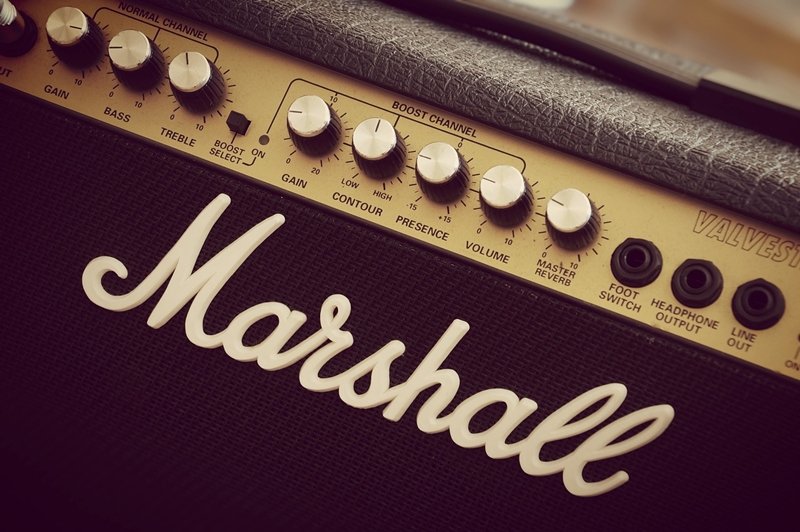
Some amps also include this type of effect in their settings, and it is possible to activate them through a footswitch or a button included on the front panel of the device. Therefore, once you have set the necessary gain level, with a simple movement in the pickup position concerning the amp, the feedback will begin to appear progressively. The higher the gain, the faster it will be present, so looking for the sweet spot where the effect’s sound appears subtly is crucial.
At the level of interpretation, the feedback has a warm tone, bright and, at the same time, strident, which makes it widely used in rock. If you add some distortion effect to that, it can sound like a high-frequency electric wave that is progressively increased, which makes it very useful when generating certain climates.
Is Feedback Dangerous to My Ears?
Feedback can be very detrimental to the listener’s hearing health when it appears uncontrolled, especially when we talk about feedback induced by dynamic microphones. Because of this, it is important to take the necessary precautions to avoid exposing yourself to sound pressure levels that could harm you.
The human ear has a great sensitivity that allows it to identify frequencies and sounds that it picks up through the air. At the same time, that sensitivity makes it vulnerable to certain volume levels, which, once exceeded, can harm your hearing.
When the feedback is produced at high volume levels, the high frequencies occupy a predominant place within the sound, becoming exaggeratedly shrill and noisy, generating a very annoying sensation in the hearing. If this situation occurs repeatedly, your ears will become stunned and stressed, decreasing their sensitivity as a defense mechanism.
The same happens when you get used to using your amp and your audio equipment at very high volume levels or if, for example, you play the drums frequently without any hearing protection. Over time, the loss of sensation can worsen and affect permanently.
Although it is only possible to suffer this type of injury when you are exposed to high sound pressure levels for a long time, you mustn’t get used to feedback or any other loud sound. Act consciously, set your equipment to offer the right performance, and correct noise and feedback problems when they arise.
Conclusion
Noise, interference, and feedback problems are very common in most audio devices. In addition to being annoying and timely, they can sometimes even compromise the integrity of your audio devices. To avoid major problems, always make it a premise to fix every problem as soon as it occurs to allow your amp to perform normally.
Take the necessary precautions to avoid them, and if the problem has already occurred, follow the instructions in this article to solve them easily. The better you know how your devices behave, the easier it is for you to correct any problems.
Although feedback is common and, in most cases, can be resolved with a few simple adjustments, when it appears excessively, it can harm your equipment and your hearing if you don’t control it properly. I hope this article is very helpful for all those who are having some kind of difficulty when it comes to controlling feedback. Thanks for your time!

The Integraudio Editorial Team consists of experienced music producers, audio engineers, and plugin enthusiasts dedicated to providing in-depth reviews and guides for music production software.