

For this list, we picked plugins that we believe are great for every day use for DnB. Here you will find effects and instruments as well.
Because this list includes 20 plugins, we will keep info about each plugin brief, as it can reach 20K words very quick.. so if you are interested in some plugin, definitely check out for more details on their product page. Now, let’s get started!
Top 20 Paid Plugins For Drum & Bass 2025
Arturia Dist COLDFIRE (Great To Find Perfect Bass Vibe To Fit in the Track For its Double Engine)
More Info & Price (Trial Available)


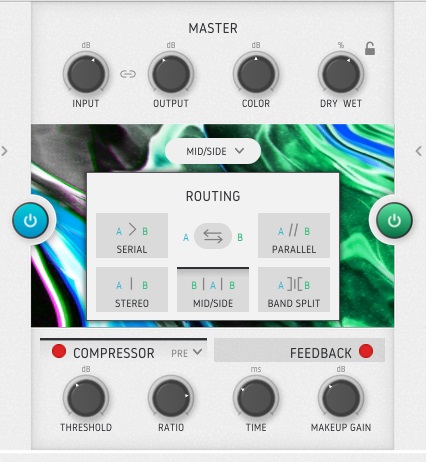

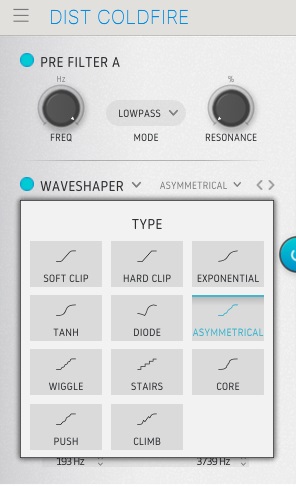
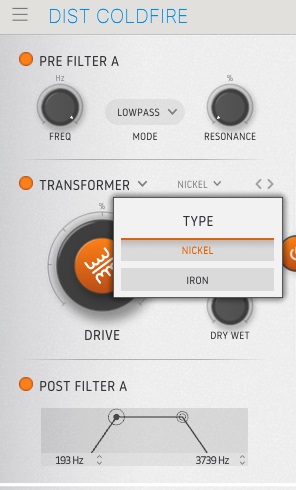
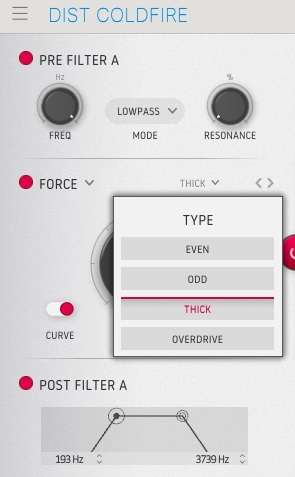


The Arturia Dist Coldfire is a revolutionary dual distortion plugin featuring a powerful modulation engine and a wide variety of distortion types that you can swap in and out.
There are two independent distortion engines in Dist Coldfire, and you can use them in whatever combination you like. A variety of pre-and post-distortion filters are available for each distortion type. Analog-modeled and purely digital distortion types are both available.
With assignable parameter modulation and dynamics processing, Dist Coldfire can dish out virtually any dirt you want.
- Distortion Types
There are 150 factory settings to help you get started, some of which are meant to transform ordinary drum loops into snarling, ripping monsters. A total of eleven distinct kinds of distortion are available in the various distortion menus, with more options available in some categories.
For example, bit inverters and bit crushers are just two of the eleven primary flavors. Other examples include wave folders, wave shapers, rectifiers, tape and analog saturation, driven transformers, and so on. In addition, there is a delay section in the processing, with feedback, filtering, and tempo sync as options.
KiloHearts PhasePlant (Advanced, Yet Easy To use Synth For DnB – Used by DLR, Noisia & More)
More Info & Price (Trial Available)
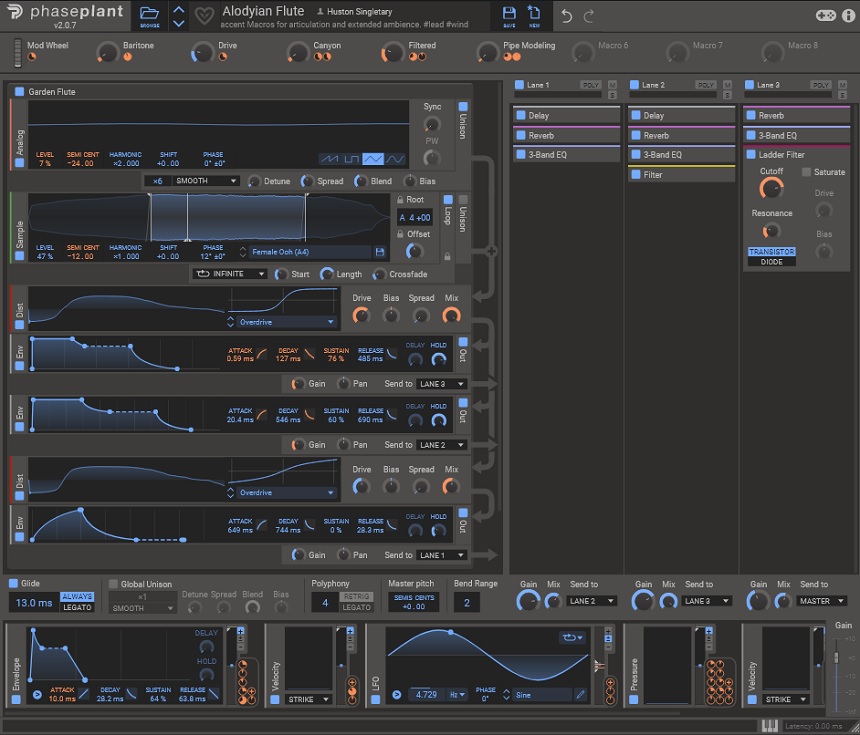

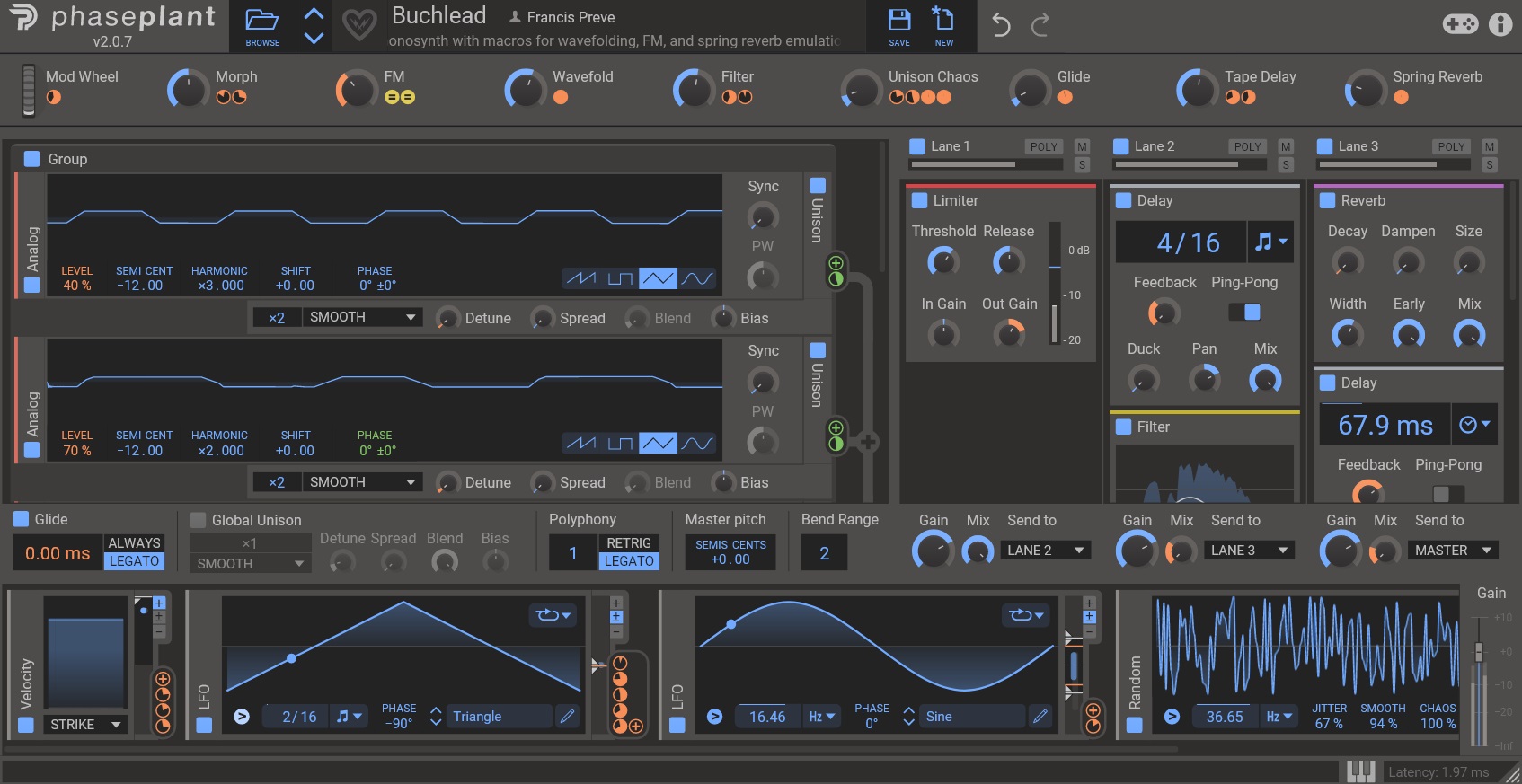
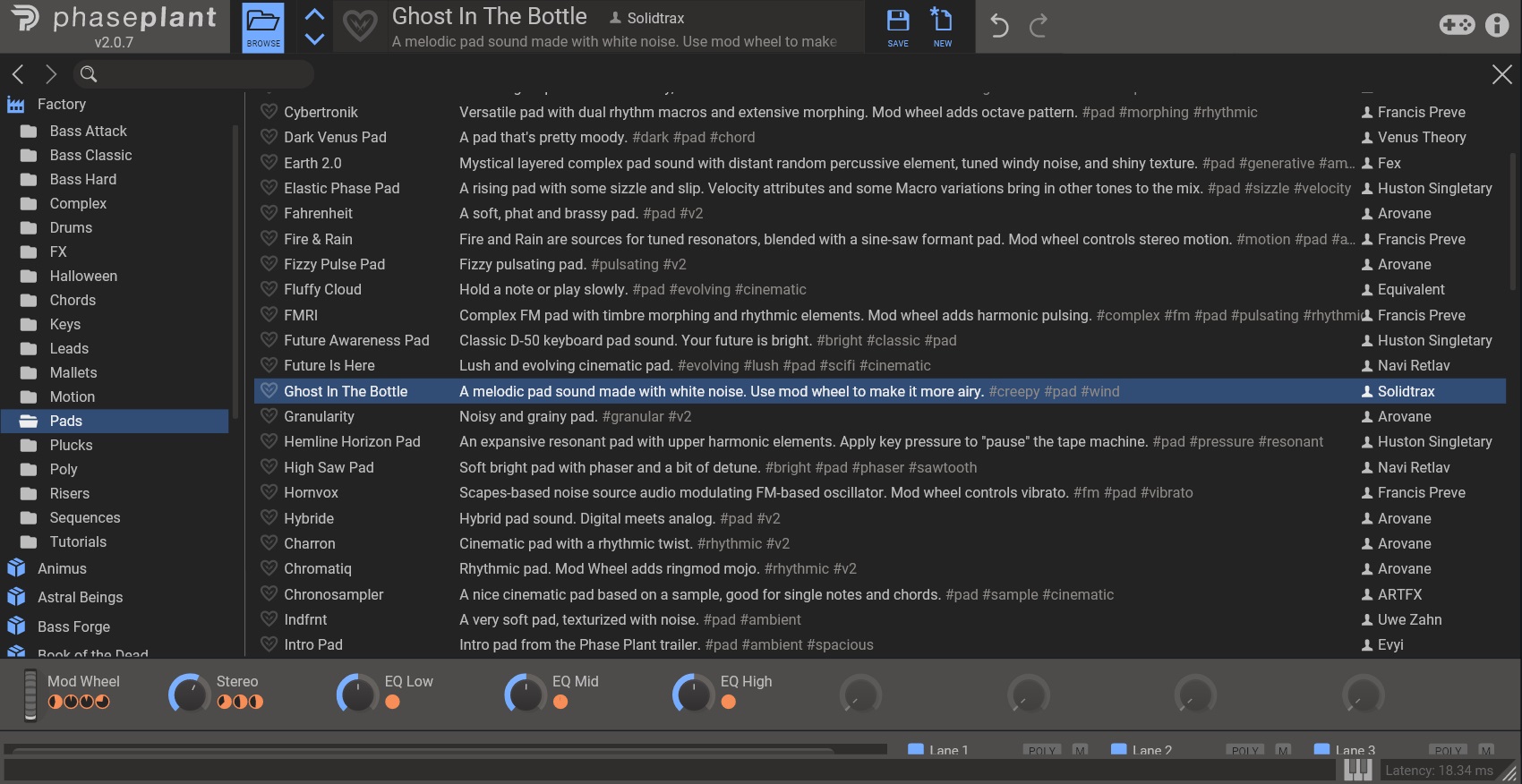

PhasePlant is a semi-modular software synthesizer with an open synth architecture.
It’s a flexible synth divided into three windows: sound sources, modulations, and effects. You get plenty of control in each window, and some global controls support the final output. In addition, there are eight MACRO controls that you can utilize.
The special thing about PhasePlant is its uniqueness and versatility. It’s an open playground where you can do as much sound design as your CPU allows.
- Flexible synth engine
Most synths have a fixed signal path and synth architecture, with fixed sound sources, filters, modulators, etc. That’s not the case with PhasePlant, as it lets you add anything from a wavetable to samples to noise to regular waveforms as your sound sources.
There are no limits to how many of these sound sources you want to stack up.
Similarly, it lets you add as many modules as you want and route them in whichever order suits you.
- Insane modulation capabilities
Imagine having envelopes and LFOs of great quality and control in any quantity you want and in any order, you want to arrange them. That is possible with PhasePlant. The modular type workflow lets you route multiple modulators in infinite ways and combinations.
In addition, you can use random waveforms, MIDI notes, pressure, velocity, and other utility parameters as modulators. You can also adjust the mix amount of the modulations.
XLN Audio Addictive Drums 2 (Best For Acoustic Drums – Used By Buunshin)
More Info & Price (Trial Available)
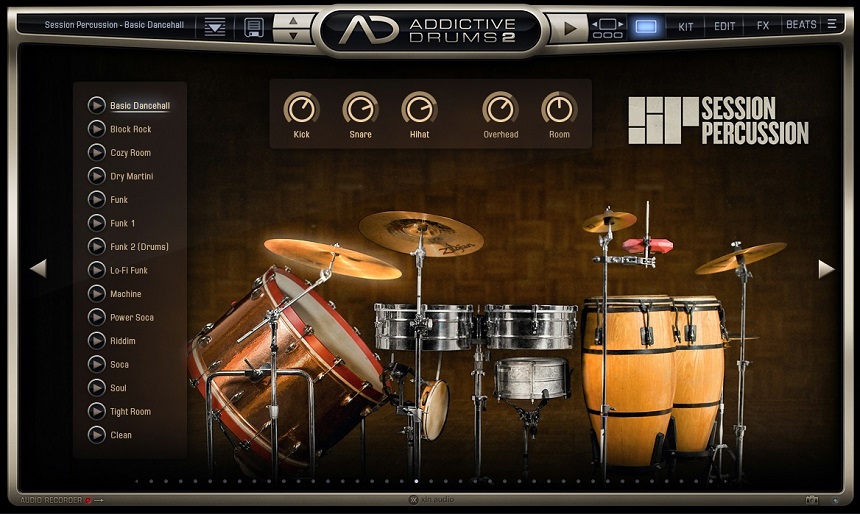


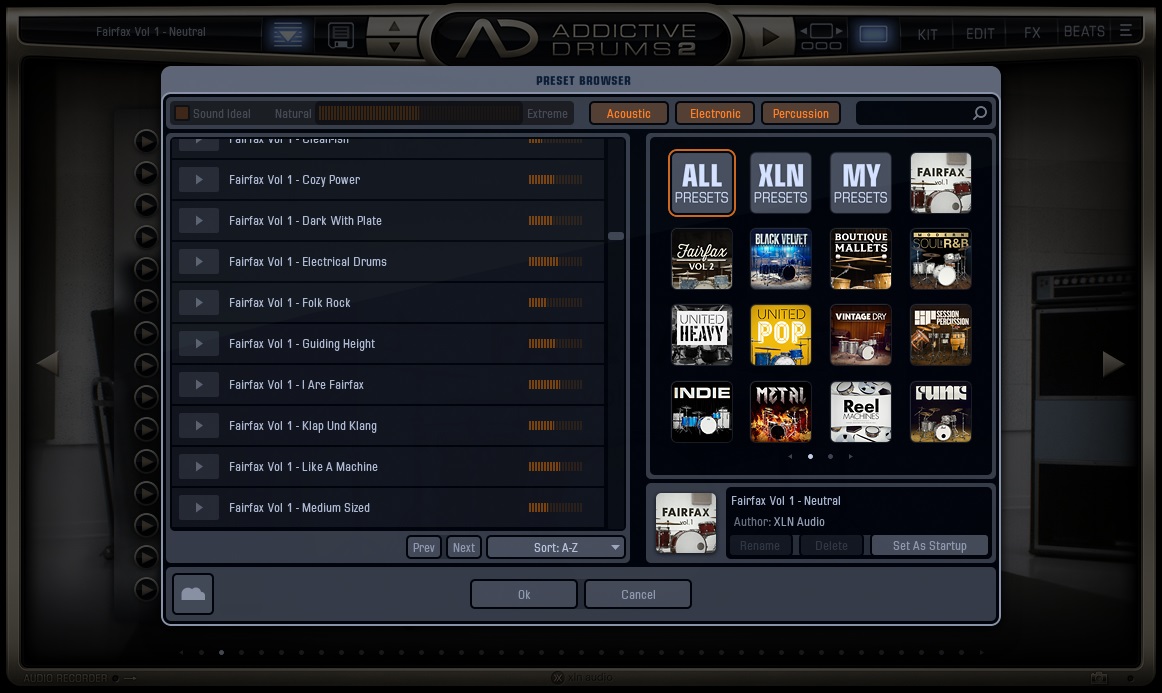


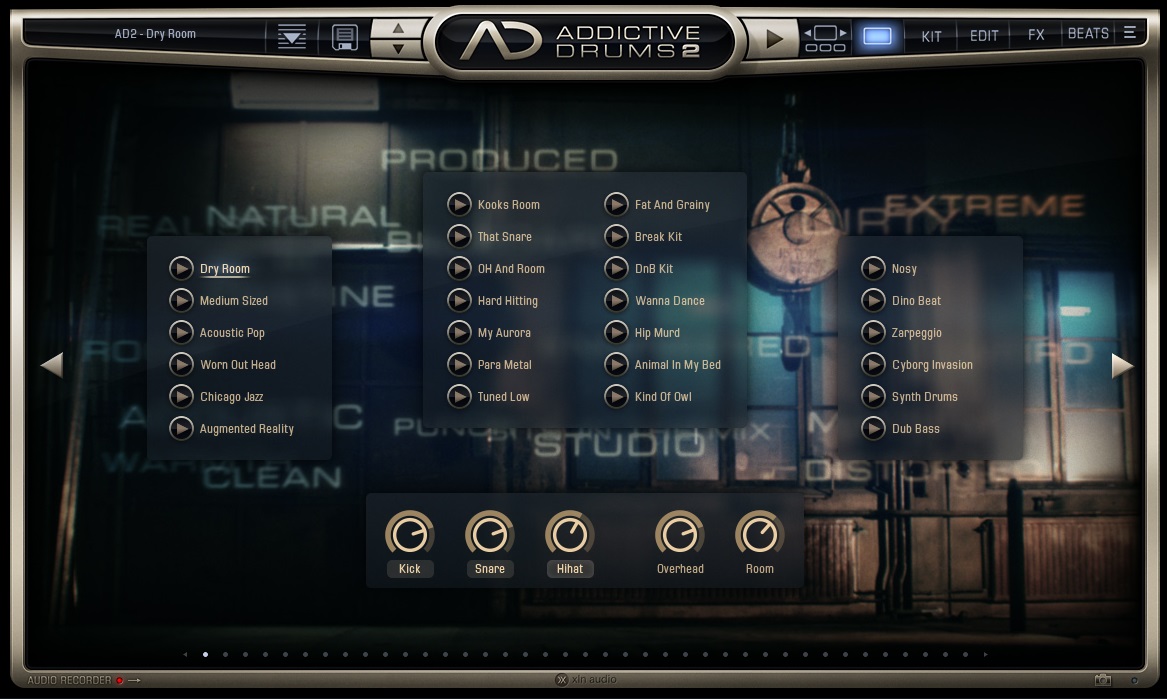


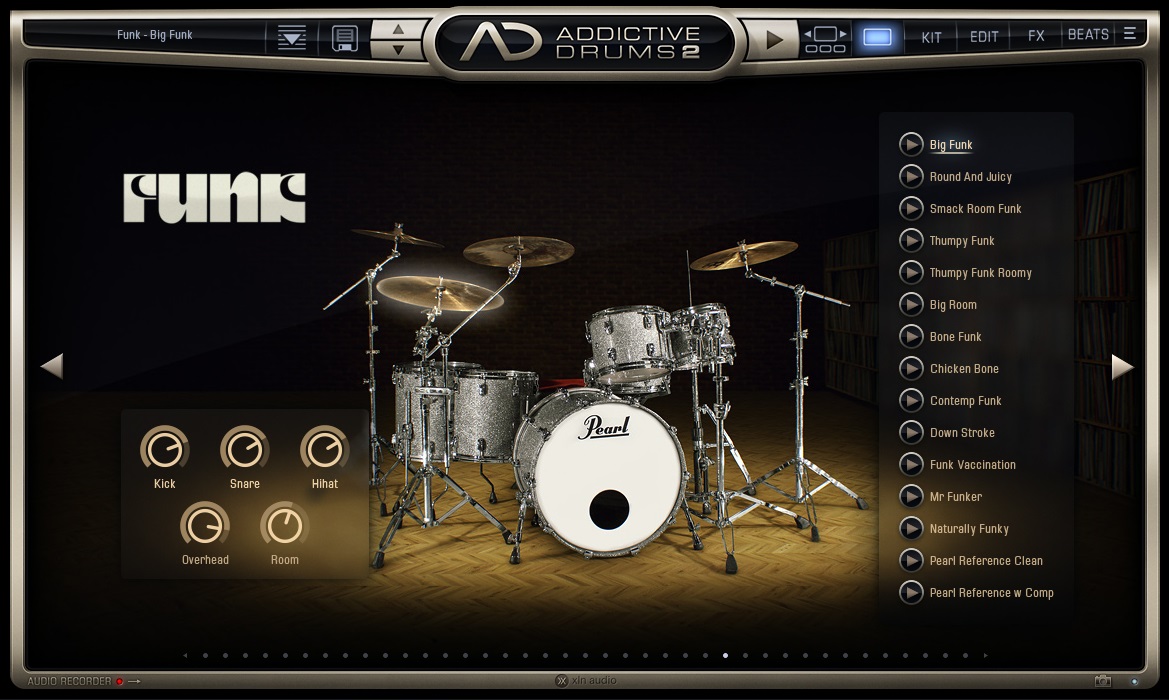


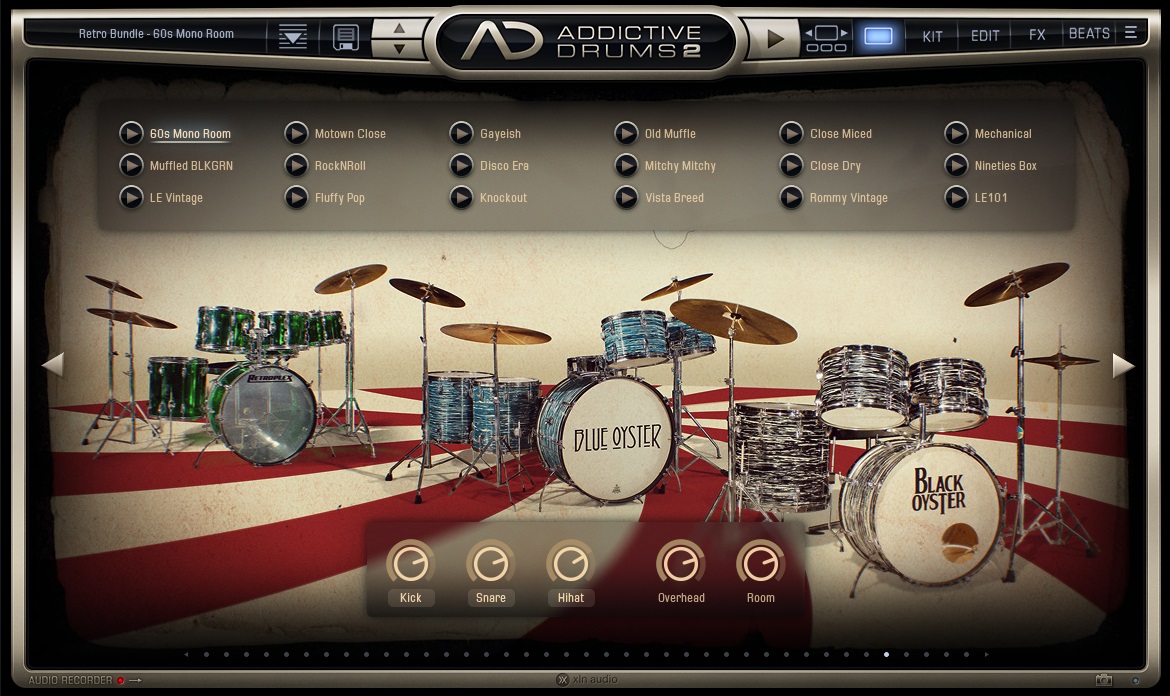


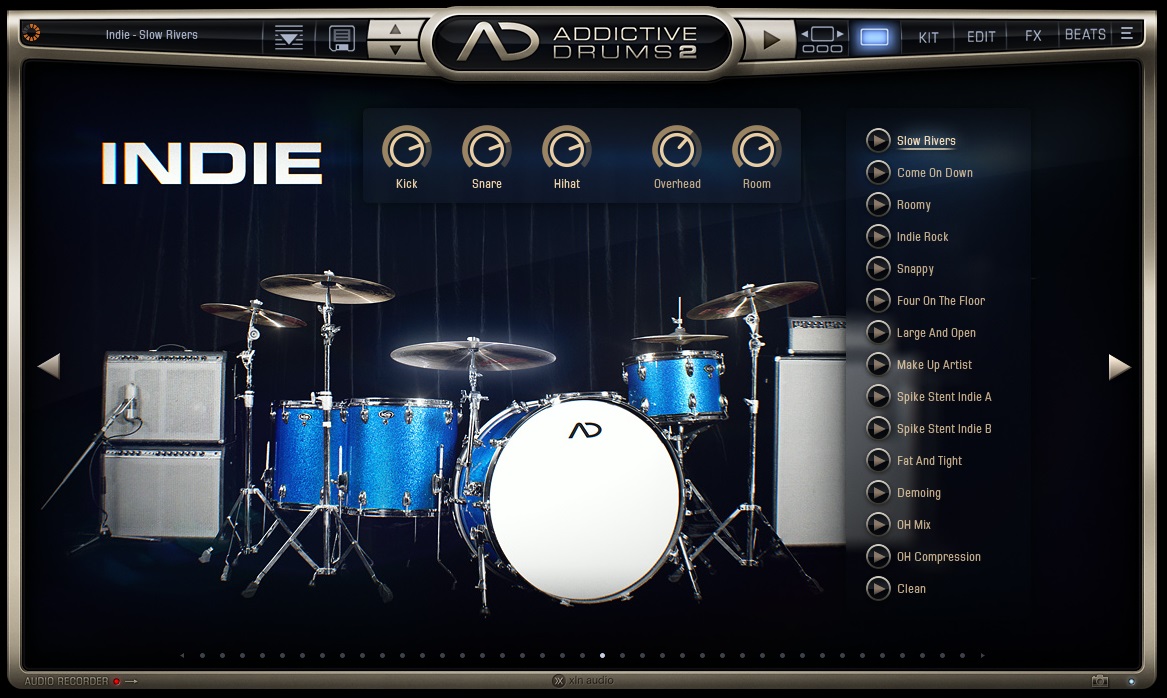


Consider it the most intuitive drums package that sounds great out of the box at an unbeatable price.
We doubt there’s any music producer out there who hasn’t seen Addictive Drums 2 on a magazine or a website at least once. It’s particularly famous for being easy to use and having genre-specific compressed sound out of the box. That might make or break the deal for you.
If you don’t want to waste time, Addictive Drums 2 is the way to go. You can purchase many additional banks to add kits, midi grooves, and even single drum pieces. The grooves include everything from basic loops to entire songs performed by professional drummers.
- Grooves And More Grooves
Addictive Drums 2 comes with over 5,000 midi grooves that you can utilize in your project or for inspiration. They include an extensive range of genres and styles with multiple variations in each. Easy drag-and-drop to your DAW and a filter-based groove browser makes your workflow even swifter.
Sugar Bytes Graindad (Great For generating VISION–like Sounds)
More Info & Price (Trial Available)


Graindad is a granular effect plugin by Sugar Bytes for high-quality and real-time audio manipulation.
The advanced grain engine plugin allows you to adjust the grain size, position, pitch, speed, and jitter settings. You can also adjust the settings for filter and time modulations and add reverb and delay effects to your sounds. In addition, it has an audio editor that allows you to freeze, texturize, reorganize, and slice your audio.
The most advanced feature of Graindad is its Harvester system which allows you to modulate all twelve controls simultaneously, allowing for complex modulations and effects.
Also, plugin allows you to have high quality and a wide variety of effects, like filters, reverbs, delays, etc. For example, the reverb category includes effects like HQ reverb, spring reverb, and shimmer. The delay effects include phasers, flangers, and other time-based effects.
- Granular & Modulation capabilities
The plugin allows you to chop the audio into 64 grains and has 12 main controllers for manipulating the audio. In addition, the plugin has two modulation structures: harvested for creative, playful, and simplified granular manipulation and the classic system with step sequencers, LFOs, and envelopes.
You can use MIDI notes and randomizers as the sources to trigger modulations, along with the typical step sequencer, LFOs, and envelopes. The plugin also has Modmix control, allowing you to crossfade between the two granular engines.
Matt Tytel Vital (Paid & Free Synth – For Electronic Kick Drums, Bass, Synths & More)
More Info & Price (Free Version Available – Enough to design proper electronic kick)
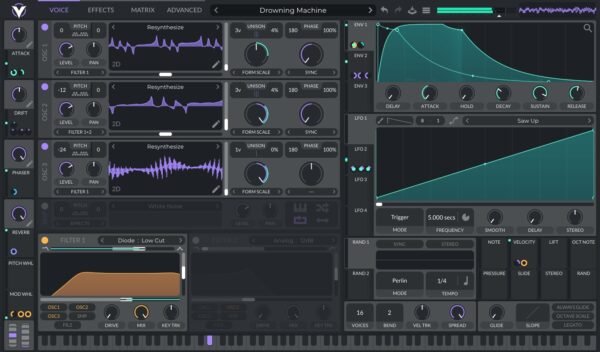
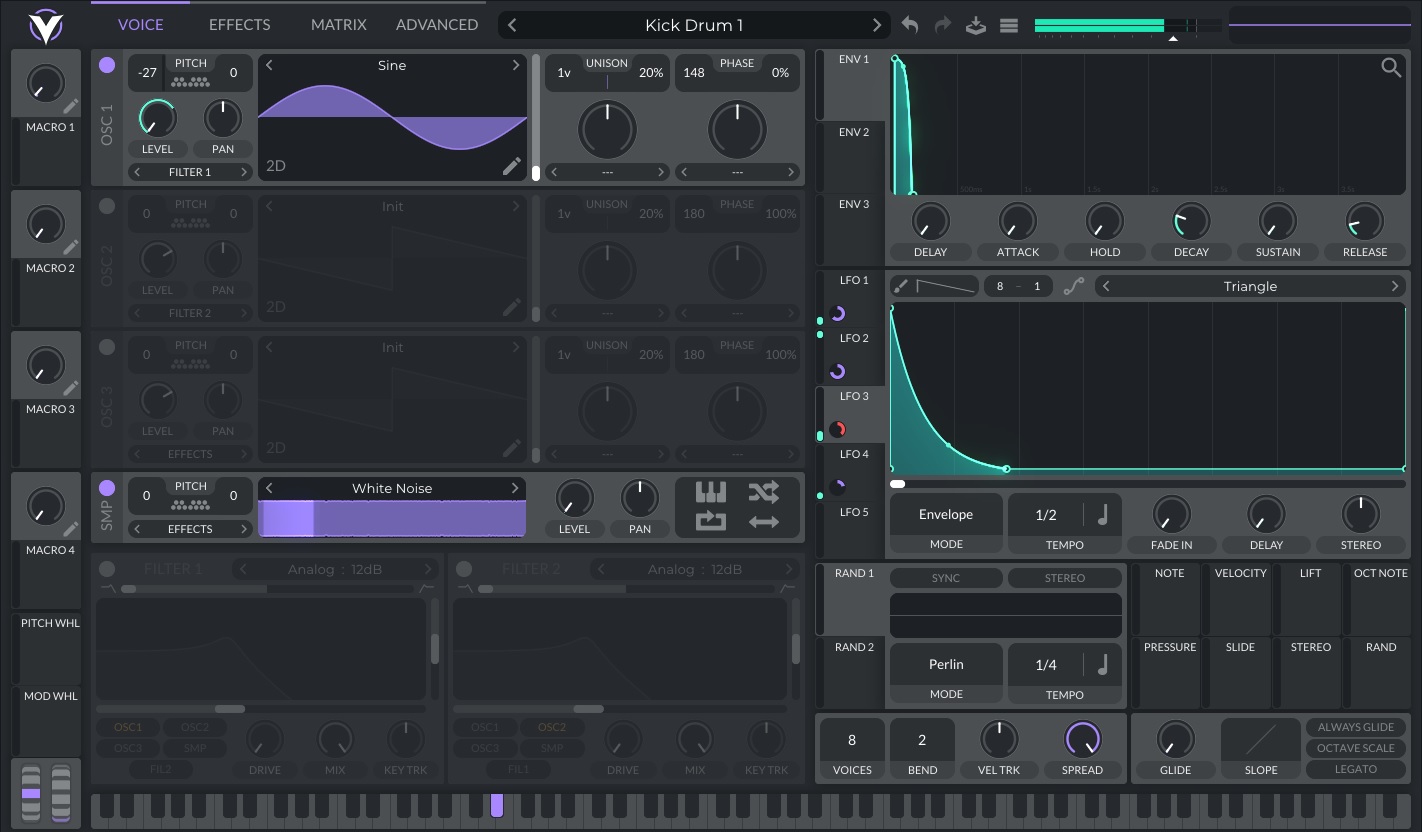


Vital’s synthesizer brings spectral oscillator warping to add new life to your wavetables.
Acting directly on a waveform’s harmonics, this technology can create drastically different tones and shapes from a signal source. Thanks to this simple tool that creates endless possibilities, what was already incredibly customizable just became even more so.
If you want to import your samples to create a wavetable, Vital’s pitch-splice and vocode converter are two great and easy add-ons to get even more specific on your sound design.
You can also develop wavetables from scratch via the built-in wavetable generator or even directly from the text!
- Excellent oscillators
These oscillators have a shallow low noise floor and a sharp cut-off at Nyquist for almost no aliasing, creating the cleanest sounds with the best quality possible. “Nyquist” means that each periodic signal should be periodically sampled at a rate twice the size of your audio signal.
So, in order to overcome this, a higher quality sampling is sought after on synths like Vital – and a cut-off might be the simplest tool you’d ever need.
Moog Minimoog (Now on Windows – Great For Phat Bass/Sub Bass)
More Info & Price (Trial For 3$ Available with Spark)
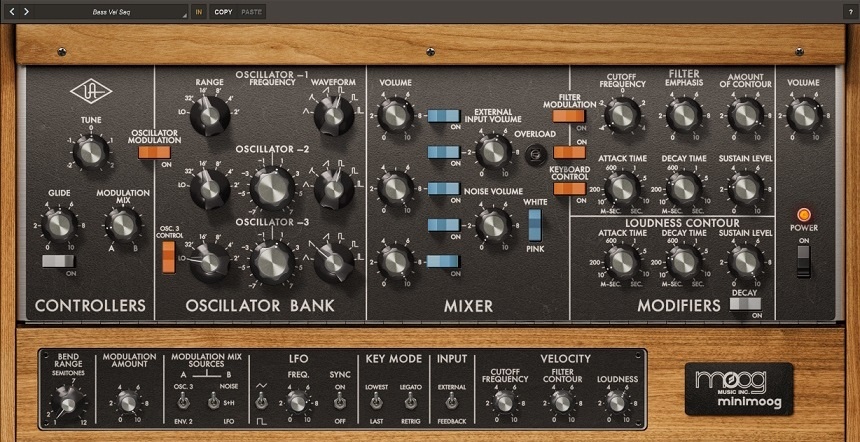
UAD launched their virtual version of the legendary Minimoog synth with UAD Spark in collaboration with Moog Music.
The plugin has been created with plenty of research to emulate the classic circuitry and rigorous modeling to precisely capture the module-to-module coupling and impedance, to re-create the authentic analog sound of the original Minimoog as a soft-synth.
It has three oscillators, each with six different basic analog waveforms to choose from, along with a volume knob in the mixer window. Overall, the interface and the signal flow, like the hardware, are simple and easy to use.
- Analog filters
The plugin allows you to set the cutoff frequency, filter emphasis (resonance), and contour amount (mix) of the filter, and the filter sound warm, vintage, and analog. It’s modeled from a VCF (Voltage Controlled Filter) and the filter response has been programmed accordingly.
FabFilter Timeless 3 (Regular & Sound Design Echoes)
More Info & Price (Trial Available)


With plenty of new features and an overhauled GUI, Timeless 3 continues on the legacy of the previous version as one of the most flexible delay plugins available today.
It’s a challenge to try and compile everything this plugin can do in a short piece. The concept is that you can create a traditional delay effect using feedback or a multi-tap delay effect, both with an extensive level of modulation on just about any parameter available.
The resizable user interface of this plugin is incredible — it even shows visual feedback of your delay effect on the left half of the upper section. The rest of the section shows a frequency spectrum and an EQ to filter the wet signal.
Timeless 3 excels as a standard delay plugin, but it shines just as well in the multi-tap delay mode, which you can access by clicking on the Tap Editor at the top left of the interface. With this editor, you can create your delay pattern by intuitively dragging the delay taps on the screen with your mouse. Furthermore, you can save a custom pattern as a preset.
- 6 Filters
There are six filters available in total, and each can be a high-pass, low-pass, band-pass, notch, peaking, and shelf filter in any combination. The first three are designed to emulate analog filters with a smooth sound and internal saturation. In addition, you can change the filter routing to parallel, serial, or per-channel mode.
FabFilter Pro Q3 (Dynamic & Linear Phase EQ With M/S & Matching Feature)
More Info & Price (Trial Available)
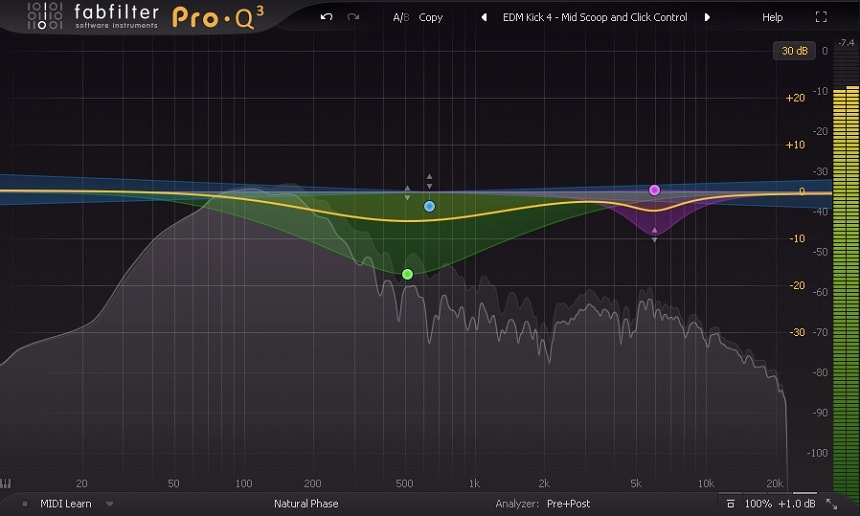
The third and latest version of this powerful EQ now includes dynamic control.
Fab Filter’s Pro Q series has been almost a must-have for engineers at all levels for years. These EQs are perfectly transparent, easy to use, and have different display modes for the spectrogram (pre/post-processing). Still, most importantly, they are the most versatile EQs out there in the market because of their infinite frequency bands, zero latency mode, linear phase processing, fully adjustable parameters, etc.
Now you can control dynamics to specific frequencies, whether you’re boosting and want to control the signal or dipping a particular frequency that’s disturbing you. These fab filter EQs are almost a worldwide standard, mainly because their RTA is very graphic, which is very helpful for those who are just getting started.
- New EQ filters:
Unlike the past versions, Fab Filter Pro Q 3 brings new filters on our equalizers, such as a tilted shelf and a flat tilt. In addition, you can apply and change these filters directly from the box outside of the frequency band, which is a great plus to the previous versions.
- Dynamic EQ:
They’ve added a new way of processing that’s entirely new to this plugin: the dynamics control on the EQ. This new feature is perfect in several contexts for mixing and mastering, and it’s perfectly there sitting around the gain knob.
Arturia Piano V3 (Great Soudning Piano With Plenty of Presets)
More Info & Price (Trial Available)

The piano is one of the most popular, used, and familiar sounds in music history.
However, finding a good one in the digital era is often challenging, especially if you’re after a realistic and authentic sound. Arturia has created Piano V3 to capture the most authentic piano sounds possible through physical modeling, from mechanical to sonic behavior.
- Wide range of sounds
Piano V3 doesn’t focus on a single piano sound. Instead, Arturia was interested in creating an instrument that accurately portrays various pianos styles.
Therefore, with Piano V3, you can access American, Japanese, or German Grand Pianos, Jazz, Classical, or Pop Upright Pianos, plucked Grand Piano, or experimental options like the Glass and Metal Grand Pianos.
You can achieve all sorts of sounds and feelings with these models, from shimmery Pop piano sounds to punchy and dark hip hop sounds.
- No samples
When you invest in a high-quality piano instrument, you’ll need many gigabytes of space on your hard drive to cover the large sample libraries that come with it. Fortunately, Arturia’s Piano V3 is not sampled-based.
Instead, it uses physical modeling to simulate a real piano’s physics and acoustics in real-time. This complex algorithm guarantees consistency and authenticity in your piano sounds.
Waves Smack Attack (Transient Shaper That Rocks)
More Info & Price (Trial Available)

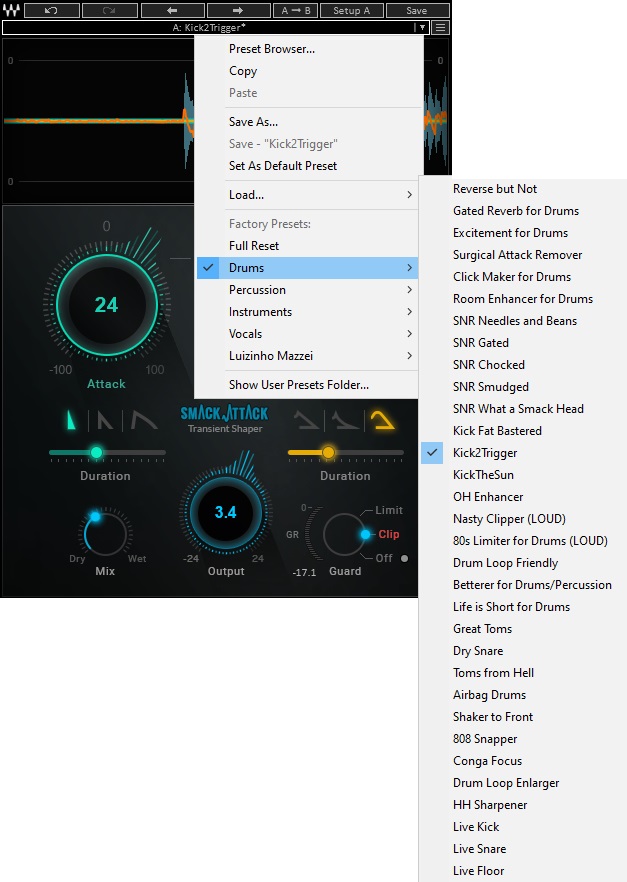
Probably the most precise drums shaper available. Whether it’s snare, kick, hihats, or even breaks, this plugin is class on its own because of its versatility and precision even though it’s a single band tool.
You can go further into transient-shaping with this elaborate plugin by Waves. It makes you feel like you’re drawing the transient’s attack and sustain curves, given the number of controls it offers. The Guard selector lets you choose how to handle loud output signals, and the Sensitivity knobs set thresholds for attack and sustain.
- Attack Shapes
These three options control how edgy the attack will be. Out of the three options, the first two, from left to right, are best suited for drums. The third one works for other instruments as well as drums.
The option on the left is calledNeedle. It rises and falls sharply, with a very tight attack. The one in the middle’s calledNail. It has a sharp rise and a slower, sloped fall, making it softer than the Needle.
The last shape is called Blunt, and it’s the softest of the three. It rises a bit milder than the previous two, with a long fall. It’s important to notice that however fast the fall is, the rise is always faster.
Arturia DX7 V (FM Synth For Massive & Unique Sound)
More Info & Price (Trial Available)


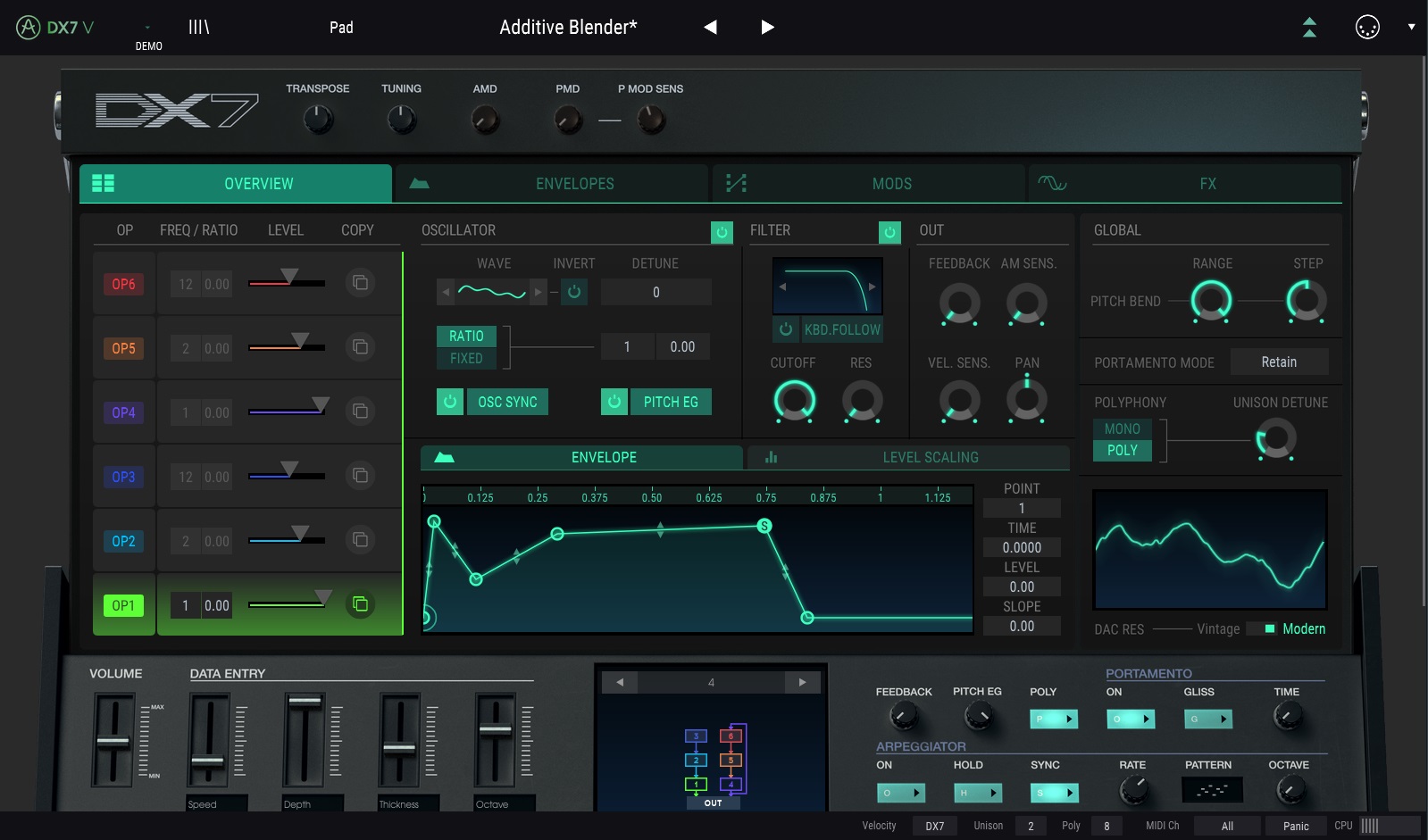

FM synthesis has never been so easy to master.
Arturia is renowned for its excellent plugins, virtual instruments, and effects, always crafting and delivering iconic sounds with superb audio quality. Following this recipe, DX7 V brings the tones and controls of the famous Yamaha DX7 synthesizer inside your DAW, with concise emulations of the famous sounds that marked an era.
At the center of the main screen, you can find the colorful menu responsible for organizing the operators to your taste. Essentially, they’re all color-coded, meaning each operator bears a distinctive color, thus making it easier to create custom patches. You can also set up or alter any 32 original algorithms and tweak your sound meticulously.
- Arpeggiator
The arpeggiator is one of the most distinctive aspects of the original DX7 hardware. Arturia included it here and made it as configurable as possible.
You can turn this tool on by activating the switch, with the additional “Hold” and “Sync” buttons (responsible for allowing the arp to keep running after you stop playing and locking it with an external clock, respectively) and a “Pattern” menu, which provides six different response patterns to the arpeggiator.
AudioThing Fog Convolver 2 (Convolution Reverb)
More Info & Price (Trial Available


A genuinely stereo spatial tool that responds to every nuance dynamically.
Convolution reverbs are new and recent in the history of this effect. The nicest part about this type of effect is that impulse responses are used in the spatial context of your effect, which allows you to recreate more accurately how a reverberation would occur in a given environment.
- IR selection
The top left corner’s “IR 1” and “IR 2” buttons allow you to choose which impulse response is presently being changed, with the option of swiftly skipping any of the two. The little “Link” button (the small chain) connects the settings for both inputs, and the “Lock” button disables all parameters except the IR, which is loaded from a preset.
- Graphic EQ
The inbuilt equalization may be turned on and off at any moment. There are five bands, and the ability to control each one with a mouse click while the mouse wheel adjusts the “Q” factor of that band. Each band may be reset to its default setting by double-clicking it.
Tracktion Novum By Dawesome (Ultimate Pads, Textures & Drones / Great For Intros)
More Info & Price (Trial Available)
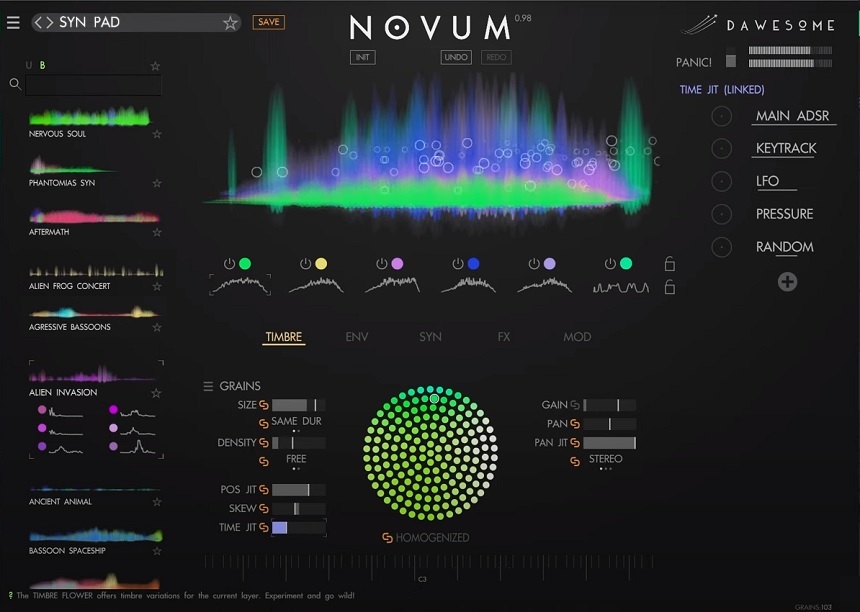
Novum is a granular & cross-synthesis instrument by Tracktion.
Novum takes the idea of a traditional sampler and flips it on its head by asking the question: what if we could break down a sample into different timbral instruments? Inside Novum, you can load any sample and hear it in different iterations.
It also includes a powerful granular synthesis engine, a versatile modulation system, and the ability to edit the sound’s timbre and temporal evolution.
- Granular synthesis
Any sound you load into Novum can be processed granularly. You can access the grains panel to do so, and there you’ll find a set of controls that will help you create rich and beautiful textures.
For example, the density control can make the grains slower or faster, the size makes longer or shorter and faster grains, skew can reverse the grains, and time jitter can spread the grains throughout the entire sample length to create rich textures.
The grains can also be linked to the tempo of your host’s BPM. The most interesting part of Novum is that the granular engine can work separately on each of the six sound layers, meaning that you can have different granular instruments playing the same sound but in different timbres.
Waves Aural Exciter (Works well on Everything – Synths, Bass, Vocals, Drums)
More Info & Price (Trial Available)


Based on the first design by Aphex, this exciter helps bring some of the original vintage sounds to your mix.
Aphex Aural Exciter adds sheen and clarity to audio by adding controlled distortion to the high-frequency content. Similarly, it also adds the original hardware character thanks to the emulated tube-based signal chain.
It’s generally a good idea to add a smaller amount of excitement on multiple tracks so the high-frequency content can add up without sounding exhausting.
The interface of this plugin features the standard parameters you’d expect from an exciter, but Waves also provides a Mode knob, which controls how the signal chain flows in a virtual console. If you wish to learn more about this plugin or find more exciters, have a look at this list.
- Authentic Sound
The most significant advantage this plugin has is the detailed work in capturing the Aphex sound. Waves have emulated each stage of the plugin in various configurations to ensure complete reproduction of the original sound. The result is a fully authentic sound reminiscent of many famous artists like James Taylor and Linda Ronstadt.
FabFilter Pro-C 2 (The Only Compressor You Will Need)
More Info & Price (Trial Available)

Visualize your compression by using the Fabfilter Pro-C 2.
Most compressors on the market don’t offer you that much visualization, where you can see precisely how the soundwave changes with your configurations. The Fabfilter series primarily focused on providing that visual experience, with their vast line of great mastering tools featuring extensive options to tweak your sample.
The Fabfilter Pro-C 2 is no exception, offering you 8 different compression styles, low and high-pass filters, audition triggering, and many more features that help you get the right sound for your song.
- Compression Styles
Aside from offering the standard compressor experience, The Fabfilter Pro-C 2 gives you 8 different compression styles to choose from. The styles range from a Clean, overall sound to more personalized options that make mixing bus channels or vocals a better experience.
For your EDM/Future Bass tracks, it’s best to use the Pumping style, which gives an added deep character to your kicks and bass lines.
Baby Audio Smooth Operator (Resonance Suppressor For Polishing The Spectrum)
More Info & Price (Trial Available)
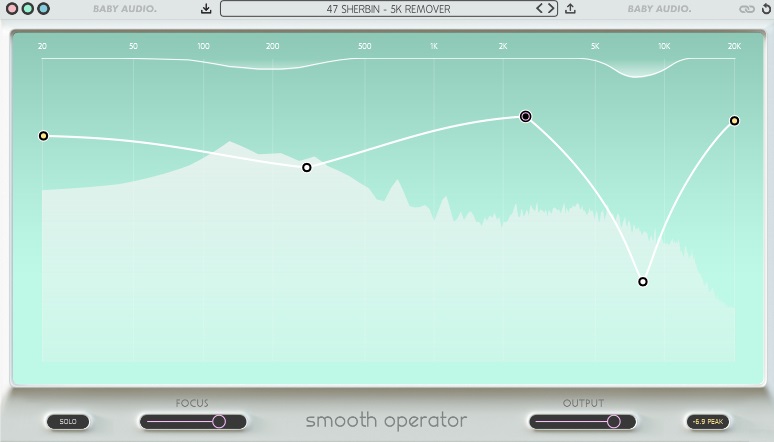
Baby Audio Smooth Operator is a smart sound balancer since it can reduce boom and harshness in mixes and instruments.
Initially, Smooth Operator by Baby Audio appears to be a competitor to dynamic resonance suppression plugins like Soothe by Oeksound. While dynamic resonance suppression is one of Smooth Operator’s capabilities, the application’s focus is not on improving audio quality but on sculpting sounds in novel ways.
- Algorithm
Contrary to popular belief, Smooth Operator is not a multi-band compressor or a dynamic equalizer but rather an FFT-based algorithm that uses band-splitting to engage in a game of spectral whack-a-mole.
The concentration slider regulates the degree to which each band’s reduction is decoupled from the others, with settings ranging from perfect harmony to a spiky, wavy look. The ideal degree of smoothness is typically achieved in the middle, hence the name of this plugin.
Though it may be tempting to pour Smooth Operator all over your mix or instrument, remember that just a touch of its sonic brush can improve things without sounding overcooked.
Xfer LFO Tool (Great For Custom Bass Modulations & Sidechaining – Used By Mefjus)
More Info & Price (Trial Available)

The Xfer LFO device is a comprehensive tool that gives you a vast selection of signal shaping options.
This plugin is very well suited to low-frequency instruments such as synth bass. The user interface is quite intricate and might be intimidating for those without basic knowledge of LFO’s function.
Customizable LFO Editor
The LFO editor lets you draw in your volume automation onto an x-y grid mapping, which you then apply to your signal. The editor allows you to link their programmed automation to affect things like the volume level, stereo panning, or filter parameters.
Modulation Layering
The interface allows you to control up to 4 graphs at the same time. This is handy when your want to create different modulation patterns for the same signal. For example, you might want the volume to open up while the filter’s cutoff is being brought down.
Eventide H3000 Factory Ultra-Harmonizer (Awesome For Drum Breaks, Snares & Hats To Add Character)
More Info & Price (Trial Available)

Being another Eventide legend in this list, the H3000 Factory is the software version of the legendary H3000 Harmonizer.
Recreating some of the algorithms from the original outboard processor, the H3000 Factory is a modular type effect.
The front panel, which is always on the top, is faithful modeling of the original device. The iconic calculator-like snapshots section is included and ready to store 16 presets to pull up whenever you need.
With the 18 effect blocks with a patchable matrix, you can make limitless combinations. You can connect them anywhere with the virtual patch cables and can choose between delay, pitch shift, filter, ADSR, IFO, and many more.
Over 450 presets,including original presets from the hardware;
Filters and envelope controls;
Advanced modular matrix.
Audio Damage Discord 4 (Great When You Lose Idea What To Put On Synth)
More Info & Price (Trial Available)
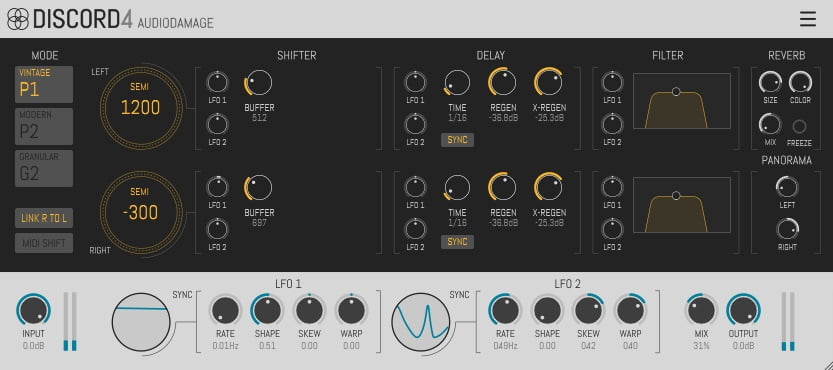
Audio Damage’s Discord 4 is a pitch-shifter, delay, and reverb plugin based on early 1980s pitch-shifting hardware.
First, the input signal crosses the pitch shifters. Then, it passes through the delays and the adjustable width filters. After that, the signal goes into the reverb algorithm. From the reverb, the signal is fed back into the pitch shifters for glorious effects.
There are three pitch-shifting algorithms available: Vintage, Clean, and Granular. Audio Damage modeled the Vintage style after the legendary Eventide H910 and H949 hardware pitch shifters. The Clean mode allows you to create very modern-sounding shifting soundscapes.
- Effects
The plugin employs two delays and a reverb effect in that order. Of the two delays, one is tempo-synced, and the other is free-running. However, both delays support feedback, cross-feedback, and a sophisticated bandpass filter.
Similarly, the reverb provides standard size, color, and mix parameters alongside a freeze button. This button forces an infinite length of the reverb, which sounds super cool as the endings of a song.
Furthermore, the plugin features a soft saturation and limiter at the end of the signal path. These let you add some vintage-style warmth and loud feedback without worrying about real-world output.
- LFOs
The two low-frequency oscillators present in this plugin modulate pitch-shifting intensity, delay times, and the filters’ frequencies. The Rate knob controls the variation of the LFO over time.
Similarly, the Shape knob lets you choose if the wave will be a sine, triangle, or square. The Skew knob controls the horizontal symmetry. And finally, the Warp knob adds a controllable curvature to the wave, changing the vertical balance.
Bonus:
Brainworx bx_masterdesk True Peak (Analog Mastering Sound)
More Info & Price (Trial Available)
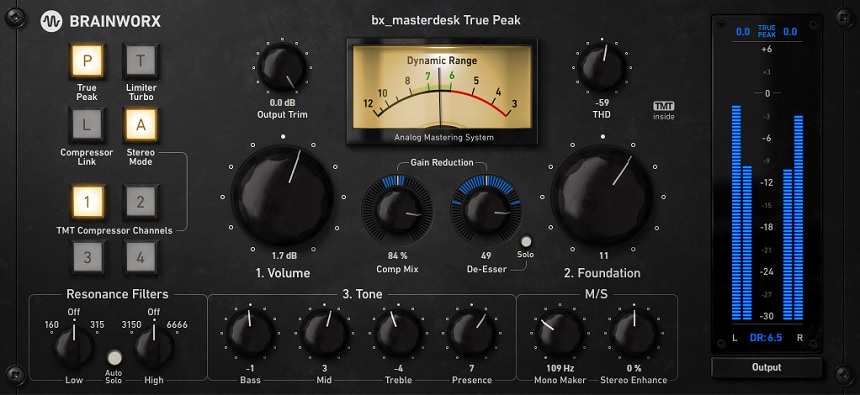

If you need to do fast mastering, Brainworx’s bx_masterdesk True Peak plugin has everything necessary to do it.
If you’re the guy who likes to have just one plugin packed with everything you need, then this product is for you. On the other hand, bx_masterdesk True Peak is also suitable for beginners who want to practice developing their mastering skills. The fact is that thanks to this software you won’t miss important steps.
All in all, this is an all-in-one plugin that will help provide mastering from start to finish. You can adjust the volume and tone and add compression and harmonic distortion. In addition, you’ll have the opportunity to experiment with different flavors of sound. Let’s take a closer look at this.
- Adjust The Foundation
Almost every knob here is numbered. That way, you can easily follow the sequence of operations. Thus, the second control is the Foundation, a tilt EQ that will help you add lows and take away highs, or vice versa.
- Choose The Tone
Remarkably, you can dive even deeper into frequency spectrum tuning. It is the Tone section with controls like on a guitar amplifier. In particular, these are Bass, Mid, Treble, and Presence.
- Play With A Several Flavors
On top of all that, you get to play with the flavor of the sound. A button to toggle between Analog and Digital modes will be responsible for this. Each has four TNT Compressor Channels, which also affect the sound.

The Integraudio Editorial Team consists of experienced music producers, audio engineers, and plugin enthusiasts dedicated to providing in-depth reviews and guides for music production software.