
Yeetzsynth plugin review
Today we’re taking a closer look at VNL Works YeetzSynth, a synthesizer designed specifically for fast, EDM-focused sound creation.
Instead of starting from a blank patch and tweaking dozens of parameters, YeetzSynth takes a different approach. You simply choose an instrument type, apply a few style modifiers, hit Generate, and instantly get a usable sound.
I actually like the idea behind this quite a lot. We’ve all opened a synth, stared at dozens of knobs, and spent far too long tweaking before getting something usable. YeetzSynth tries to avoid that situation by using rule-based sound generation that focuses on musical results instead of completely random patches.
In this review, I’ll go through how it works in practice and whether it actually helps speed up the creative process! Let’s go!
| Feature | Description |
| Rule-Based Sound Generation | Choose an instrument type and style modifiers, then hit Generate to instantly create a usable sound |
| 24 Instrument Types | Includes Bass, Lead, Pad, Pluck, Arp, 808, Supersaw, Acid, Reese, Hoover, and more |
| 12 Style Modifiers | Shape the generated patch using modifiers like Dark/Bright, Clean/Distorted, Short/Long, Vintage/Modern |
| 3 Synthesis Engines | Subtractive (3 oscillators + sub), FM (4 operators), and Wavetable for a wide range of electronic sounds |
| 17 Built-In Effects | Includes EQ, Compression, Distortion, Chorus, Phaser, Flanger, Delay, Reverb, Limiter, and more |
| Advanced DSP Tools | Features oscillator sync, ring modulation, formant filtering, and comb filtering |
| Tweak System | Explore variations of generated sounds with undo/redo functionality |
| Preset System | Save and load your own sounds quickly |
| MIDI Learn | Easily map parameters to external MIDI controllers |
| Keyboard Shortcuts | Quick workflow shortcuts such as Generate, Variation, and Save commands |
Features
YeetzSynth is built around the idea of fast sound creation. Instead of starting with an empty patch and shaping every oscillator and envelope manually, the plugin lets you guide the sound design process. You choose an instrument type, add a few style modifiers, and generate a patch that is already close to something usable.
The key here is that the generation is rule-based rather than purely random. In practice, this means the results usually stay musical and consistent instead of turning into chaotic noise. It feels more like asking the synth for a starting point rather than letting it generate something unpredictable.
- Instant Patch Generation
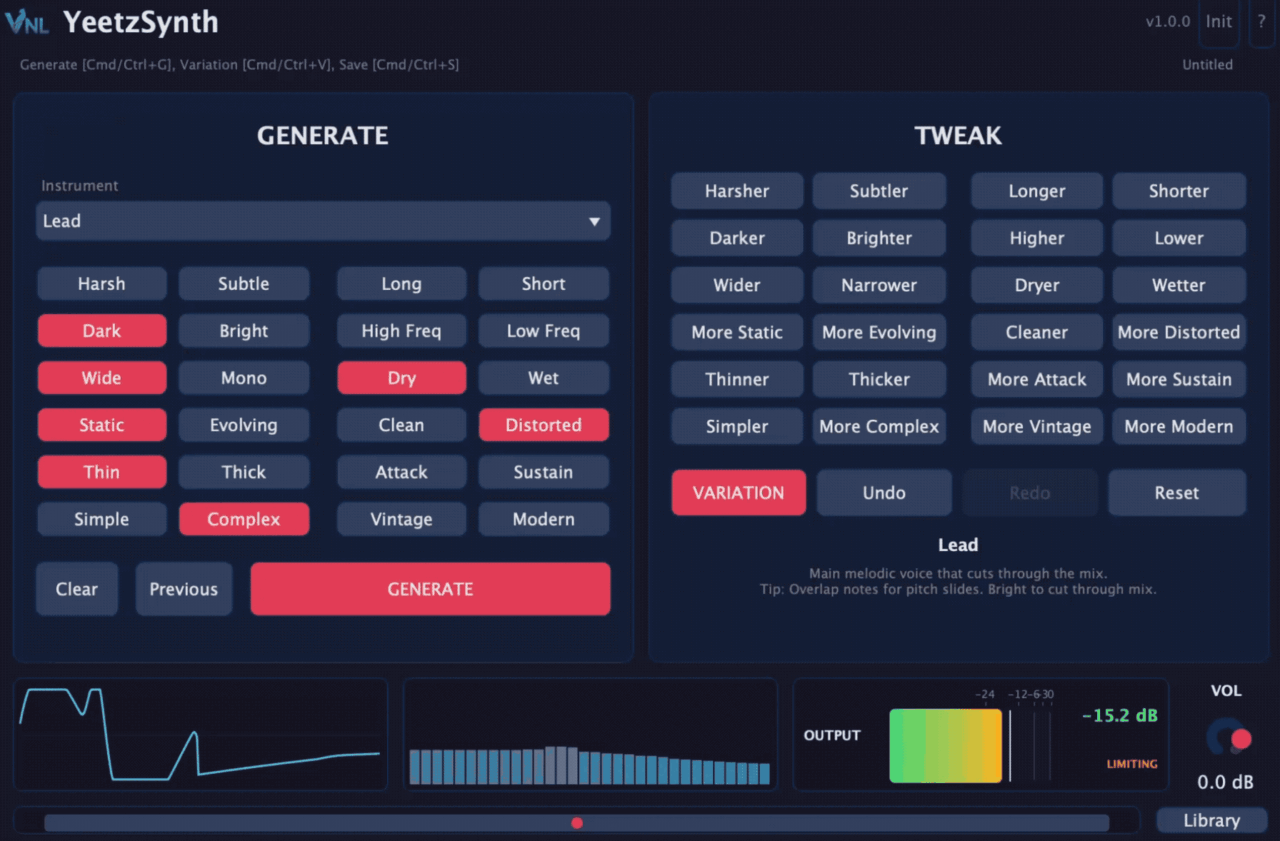
The main workflow centers around the Generate button. After selecting an instrument category like Bass, Lead, Pad, or Pluck, you can apply style modifiers such as Dark/Bright or Clean/Distorted. Once you generate the patch, YeetzSynth produces a sound designed to fit that description.
In my experience, this approach works well for sketching ideas quickly. Instead of spending time designing a patch from scratch, you get a starting point immediately and can tweak it if needed.
- 24 Instrument Types
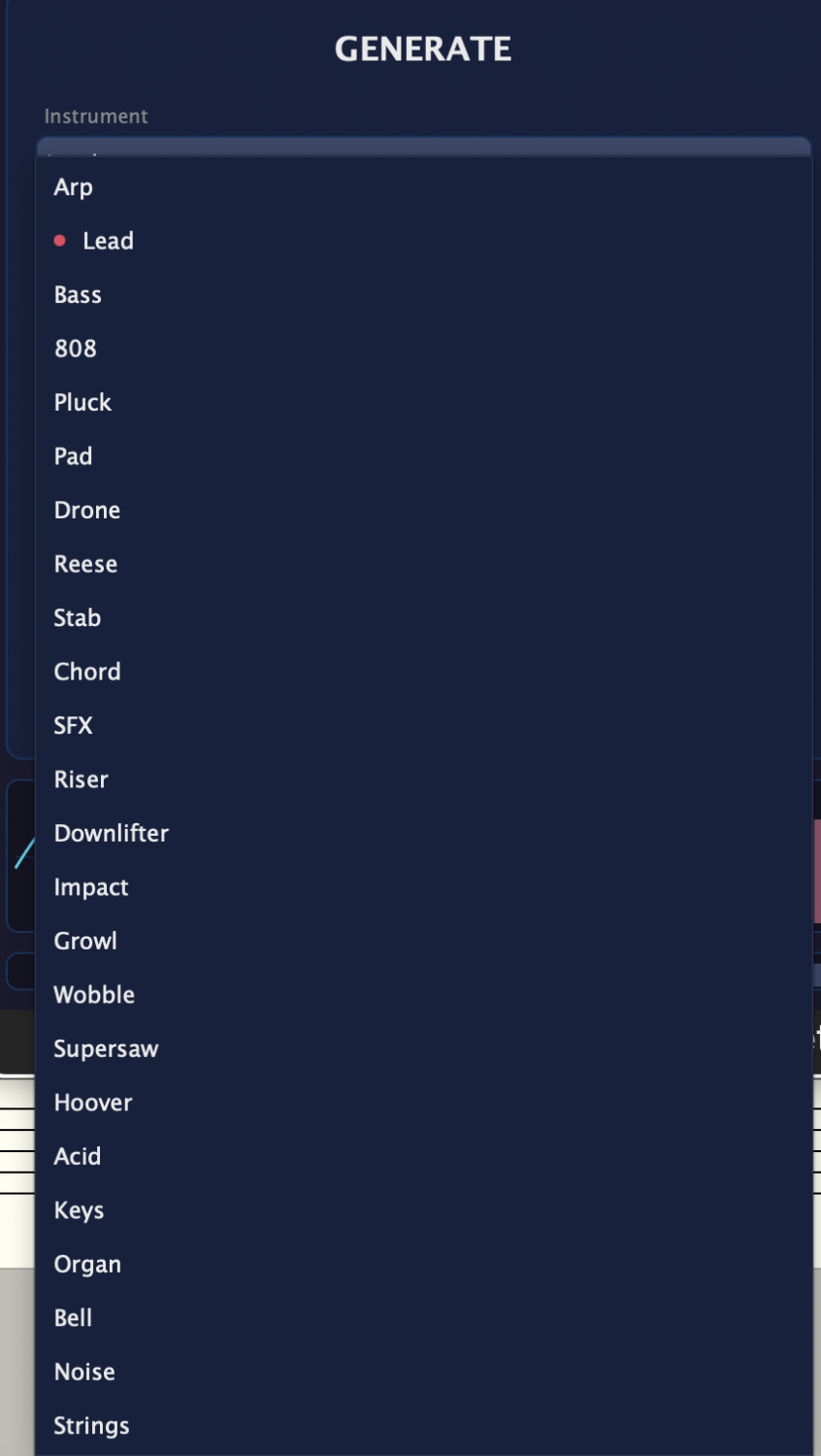
YeetzSynth includes 24 instrument categories aimed primarily at EDM production. These cover most of the typical sounds producers use, including basses, leads, pads, plucks, 808s, supersaws, and acid-style patches.
Each instrument type influences how the synth configures its internal engines. Selecting something like 808 or Bass will naturally prioritize low-end focused patches, while pads or leads lean more toward harmonic and melodic textures.
- Multiple Synthesis Engines
Under the hood, YeetzSynth combines three synthesis engines: subtractive, FM, and wavetable. The subtractive engine uses three oscillators plus a sub oscillator, while the FM engine features four operators. The wavetable engine provides more modern digital textures.
The generation system decides which engine and settings to use depending on the instrument category and style modifiers you selected. This is one of the reasons the results tend to stay consistent.
- Built-In Effects and DSP
The synth includes a chain of 17 built-in effects, covering the typical tools you would expect in EDM production such as distortion, modulation effects, delay, and reverb. These help shape the final sound without needing to immediately reach for external plugins.
There are also some additional DSP features like oscillator sync, ring modulation, formant filtering, and comb filtering, which give the generated patches a bit more character and variety.

- Tweak System and Workflow Tools
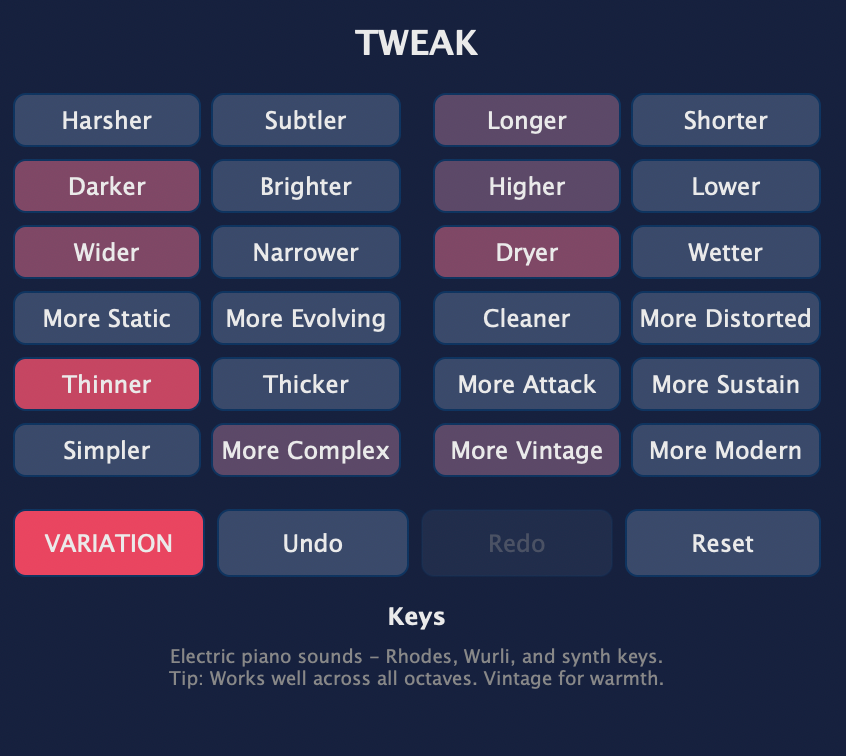
After generating a sound, you can use the Tweak system to explore variations of that patch. Instead of starting over completely, the synth generates subtle changes while keeping the overall character intact.
This is supported by undo and redo functionality, which makes experimentation less risky. If a variation goes too far, you can easily step back. The plugin also includes a simple preset system, MIDI learn support, and keyboard shortcuts, which help keep the workflow quick and straightforward.
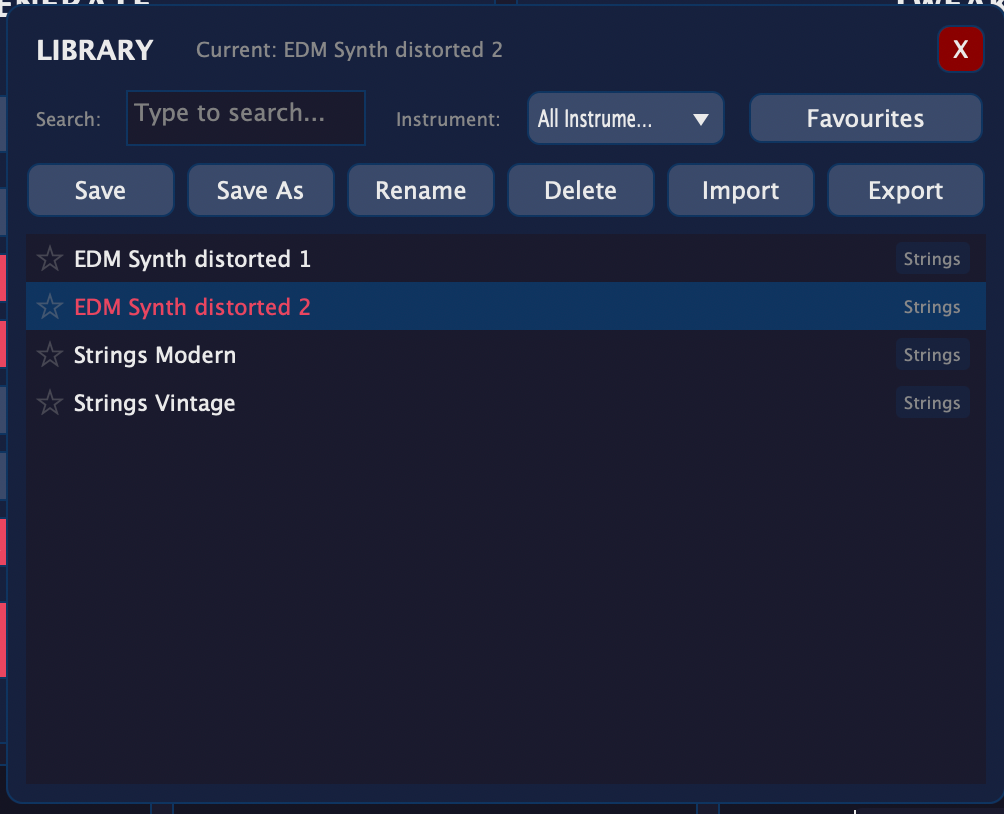
You can easily save and load the settings you created with the preset folder. When you find a good balance or create something you may use later, this tool comes in super handy.
Interface and Workflow
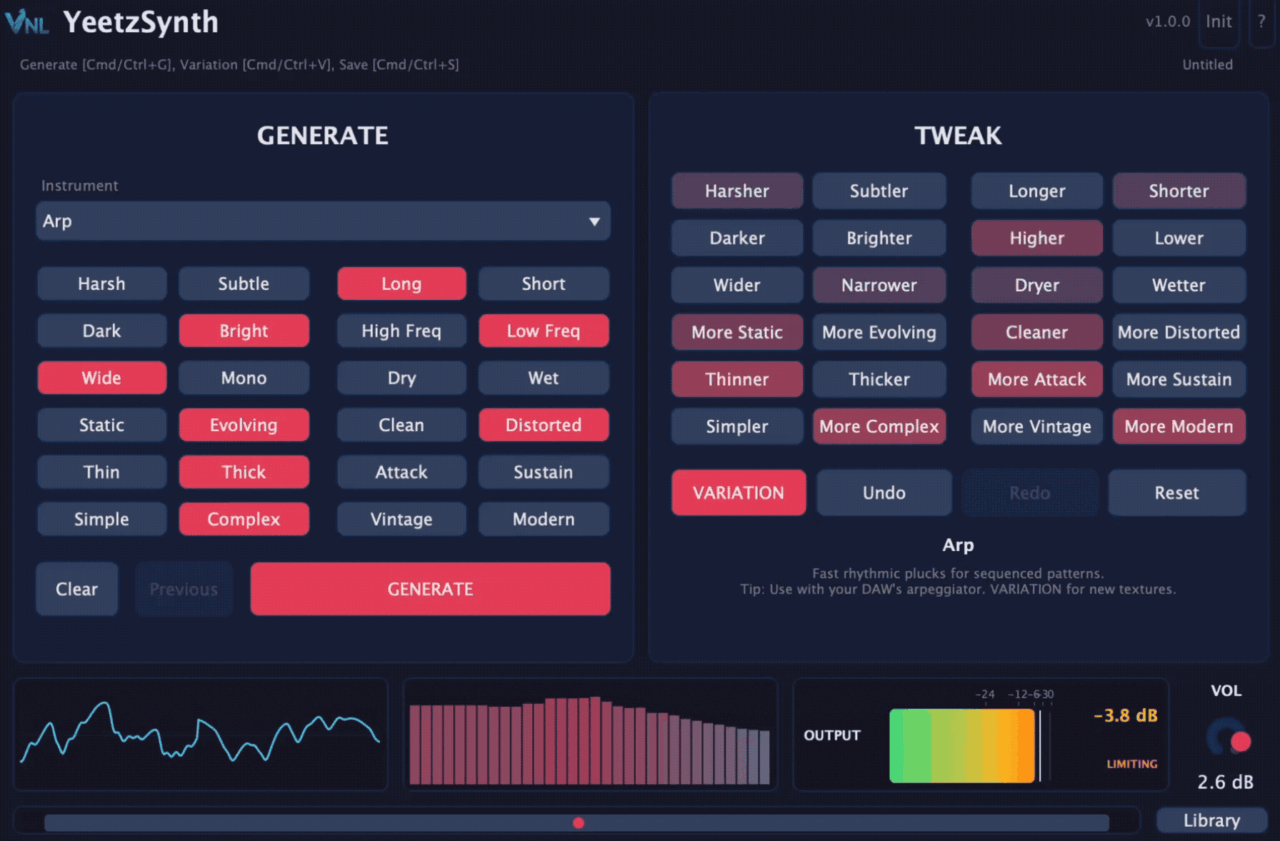
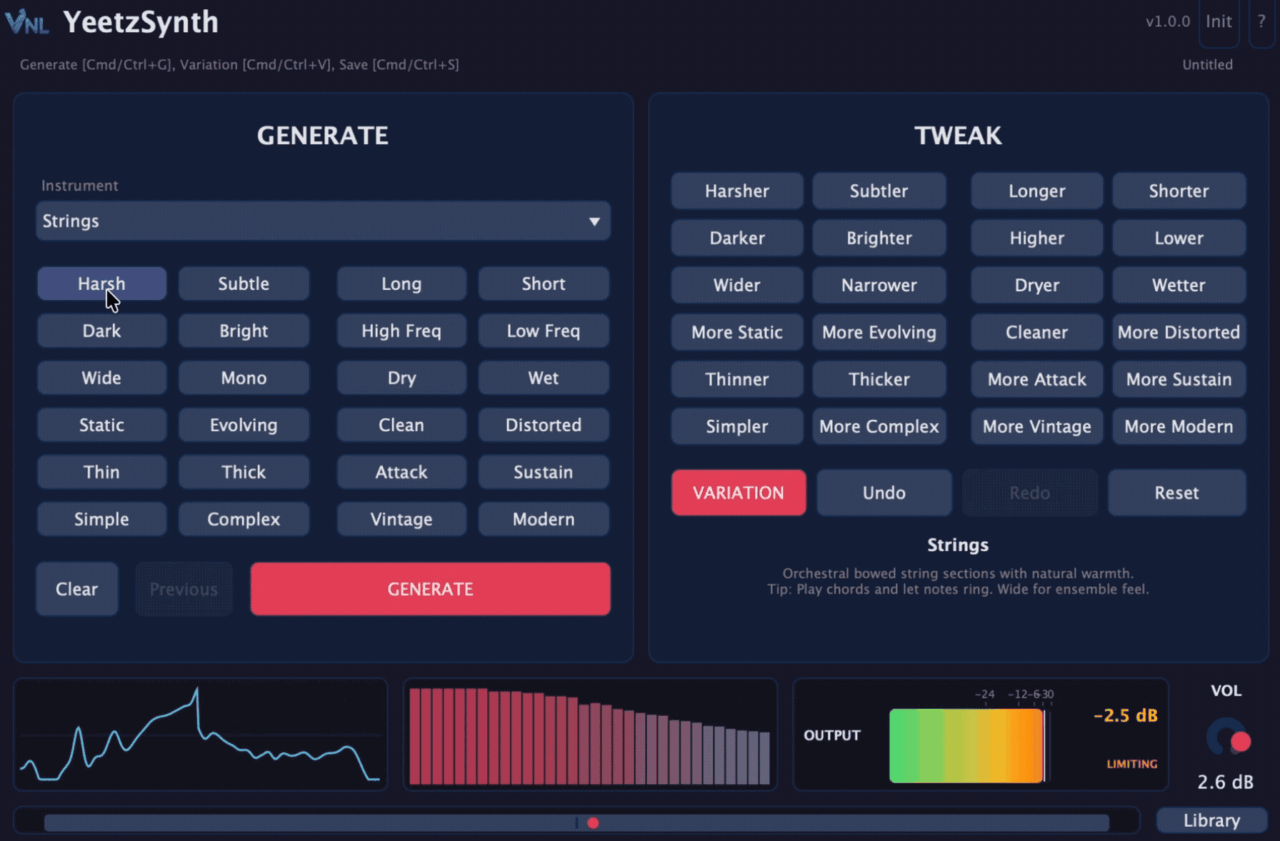
The interface of YeetzSynth clearly reflects what the plugin is trying to do: get you to a usable sound quickly. Instead of opening a synth and seeing a huge wall of parameters, the layout focuses on the elements that drive the generation system.
Interface
Most of the interface revolves around the instrument selection and style modifiers. You pick something like Bass, Lead, or Pad, choose a few style options, and then hit Generate to create a patch. I like that the workflow is obvious right away. Even if you open the plugin for the first time, it’s pretty clear what you’re supposed to do.
Once a sound is generated, you can tweak the result without diving into an overly complex interface. There are still enough controls available to shape the patch, but the plugin avoids the kind of deep routing or modulation pages that many modern synths include.
Personally, I found the interface comfortable to work with. It feels more like a creative idea generator than a traditional synthesizer where you build everything from scratch.
Workflow
In my workflow, YeetzSynth works best at the start of a track when I’m looking for ideas quickly. I’ll usually select an instrument category like Bass or Lead, add a couple of style modifiers, and hit Generate a few times until something catches my attention.
The Tweak system is actually quite helpful here. Instead of completely replacing the sound, it generates small variations of the patch. If I like the direction of a sound but want something slightly different, this feature makes it easy to explore.
At the same time, I did notice that the generation-first approach won’t be for everyone. If you enjoy designing patches from the ground up, YeetzSynth can feel a bit limited. For me, it works best as a quick idea machine that helps get a track moving before switching to deeper sound design tools.
First Impressions and Sound
The first thing I noticed about YeetzSynth is how quickly it produces usable sounds. Generating patches takes only a moment, and most of the results land somewhere musically workable rather than feeling completely random. If you’re sketching ideas and need a bass, lead, or pluck quickly, the synth can definitely help keep the creative momentum going.
On bass and lead sounds, YeetzSynth performs quite well. Many of the generated patches sit comfortably in modern EDM territory, so they can be dropped into a project without much extra work. The Supersaw and pad categories are also solid, and the built-in effects help give the sounds a wide and polished feel right away.
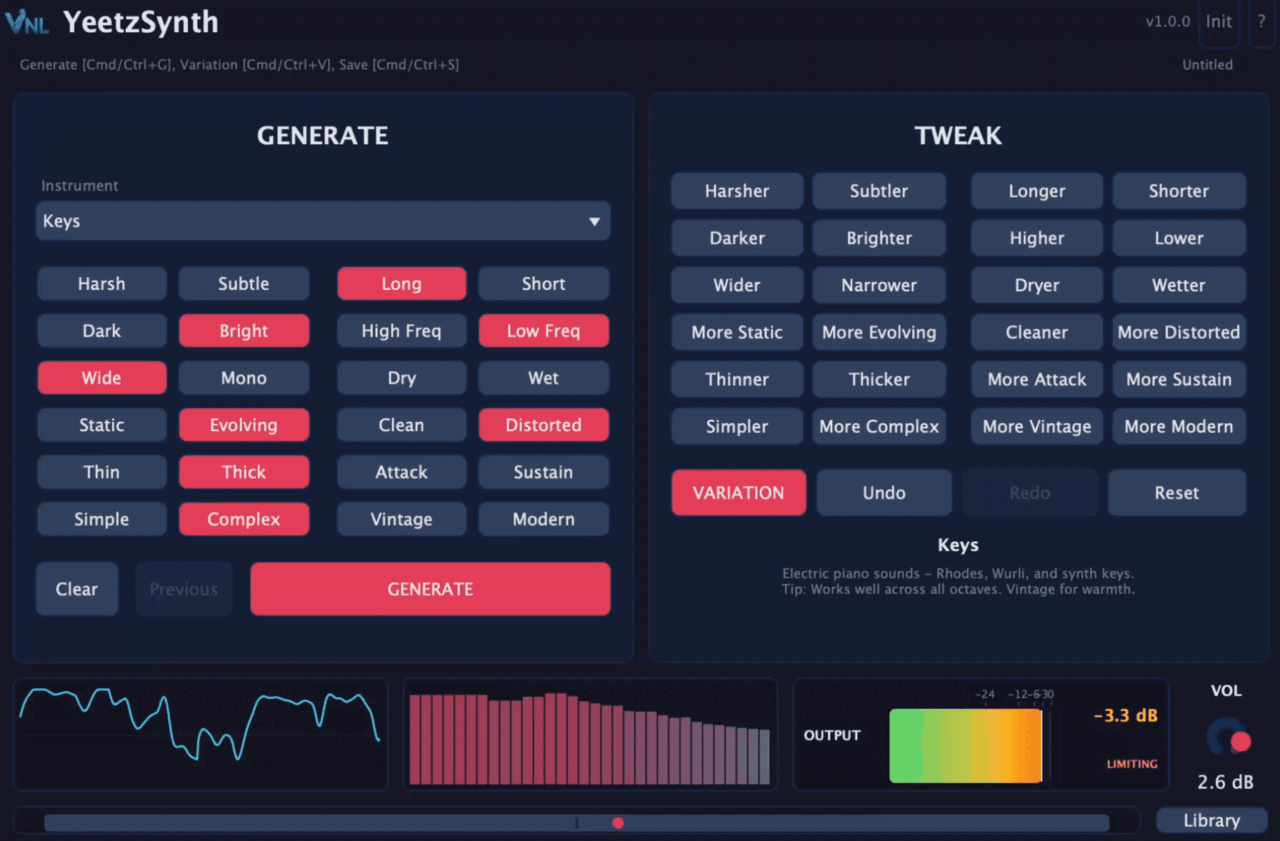
A big part of that polished sound comes from the internal effects chain and DSP processing. Distortion, modulation, and spatial effects are already integrated into the generation system, so the patches often feel more “finished” than raw synth sounds. For quick demos, sketches, or starting ideas, that can be very useful.
The rule-based generation system also keeps the results fairly consistent. Instead of producing completely random patches, the synth tends to stay within the musical boundaries of the selected instrument type. This makes experimentation easier because most generated sounds are at least somewhat usable.
At the same time, this workflow does come with some limitations. YeetzSynth is clearly designed for speed and inspiration rather than deep sound design, so producers who enjoy controlling every parameter may find it restrictive. One noticeable drawback is that you can’t individually control the built-in effects, which reduces the level of detailed shaping you can do after generating a patch.
It’s also heavily focused on EDM and electronic genres, so it’s not really intended for acoustic realism or traditional instrument-style synthesis. In practice, YeetzSynth works best as a fast idea generator or creative starting point, while more detailed synths will likely still handle the final sound design in a finished production.
Pros and Cons
Pros
- Very fast sound generation workflow
- 24 instrument types designed for EDM production
- Rule-based system produces consistent, musical results
- Affordable price
Cons
- Limited manual control compared to traditional synths
- Focused mainly on EDM genres
- No demo version available
Compatibility
| Category | Details |
| Plugin Formats | VST3, AU |
| Operating Systems | Windows, macOS |
| License Type | One-time purchase |
| Price | $19.99 |
| Activation | Standard license activation |
| MIDI Support | MIDI Learn for hardware controller mapping |
YeetzSynth installs like most modern plugins and should work with all major DAWs that support VST3 or AU formats. The built-in MIDI learn feature also makes it easy to map parameters to external controllers if you want more hands-on control during production.
It’s a shame that there’s no demo version to try the plugin out but you can find some audio examples on the official website.
Who Is It For?
YeetzSynth is clearly aimed at EDM and electronic music producers who want quick inspiration rather than deep sound design. If you often find yourself spending too much time building patches from scratch, the generation system can be a nice shortcut to get ideas moving.
It’s also a good fit for beginners who feel overwhelmed by complex synthesizers. The instrument categories and style modifiers guide the sound design process, making it easier to reach usable results without understanding every synthesis parameter.
For more experienced producers, YeetzSynth works best as a creative starting-point tool. You can generate a patch quickly, use it as inspiration, and then refine the idea later with more advanced synths if needed.
Conclusion
YeetzSynth takes a different approach from traditional synthesizers by focusing on fast, rule-based sound generation instead of deep manual control. The ability to pick an instrument type, add style modifiers, and instantly generate a playable sound makes it surprisingly useful during the early stages of writing a track.
The synth isn’t meant to replace more advanced sound design tools. The lack of detailed parameter control and individual effect editing means it will feel limited for producers who prefer building patches from the ground up.
Still, for quick inspiration, idea generation, and fast EDM sound creation, YeetzSynth does exactly what it promises. It’s affordable, easy to use, and can help break creative blocks when you need a sound quickly.

Berk is a multi-instrumentalist musician from Istanbul, Turkey. He has been playing guitar, handpan, and percussion for over ten years, developing a sound that blends melodic sensitivity with rhythmic depth.
He began his musical journey as a teenager, learning guitar and performing in several bands. In 2016, he discovered the handpan, an instrument that immediately resonated with him on a deeper level and gradually became central to his artistic identity.
Since then, he has performed in streets, festivals, bars, and concert venues across different countries, connecting with diverse audiences through both intimate and large-scale performances.
Alongside his live work, Berk is deeply involved in studio production. He works from his home studio, where he composes, records, and produces his own music. His studio serves as a creative space for layering handpan, guitar, and percussion with modern production techniques, allowing him to shape fully realized, atmospheric compositions from start to finish.
His music explores a wide range of genres and textures, combining organic acoustic instruments with detailed studio production to create immersive and expressive soundscapes.