
This article will discuss how many plugins are too many when producing music in 2023.
Plugins in music production are software tools you can add to a digital audio workstation (DAW) to enhance your sound, add effects, and create unique soundscapes. They are used to extend the functionality of the DAW and can be used to process audio signals, synthesize new sounds, and manipulate existing audio.
Plugins come in various formats, including VST (Virtual Studio Technology), AU (Audio Units), and AAX (Avid Audio eXtension), and can be used to add effects such as equalization, compression, reverb, delay, and more. You can also use plugins to simulate analog hardware, such as tape machines, analog synthesizers, and vintage outboard gear.
Plugins are essential to modern music production, with many options available, allowing producers and engineers to shape their sound creatively. However, audio plugins can significantly affect a computer’s performance, as they consume significant processing power, memory, and storage.
While creating music, producers/engineers often go overboard with the number of plugins they apply. However, a question may arise about the limit on the number of plugins you can use in a session. So let’s dive in and address that.
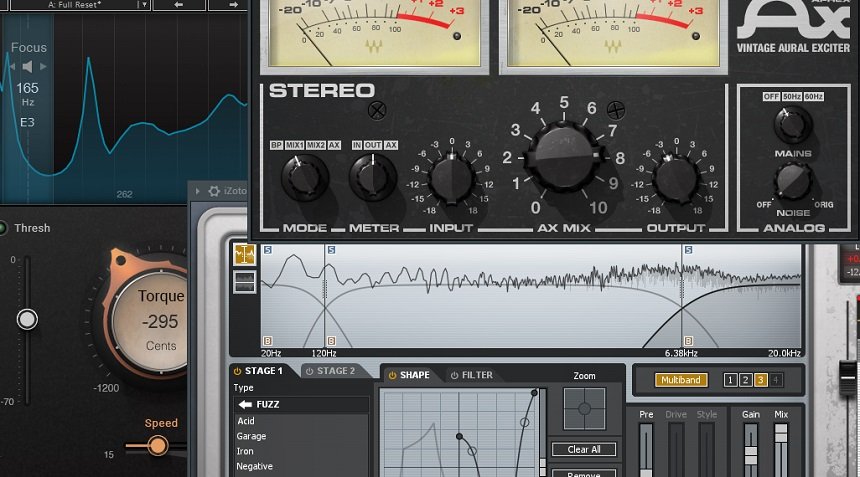
How many plugins are too many when making music?
No amount of plugins is too many if you have the processing ability in your computer that supports them and your DAW is optimized to support them. And when it comes to creative use, it’s about achieving the sound, which you can achieve even in a single plugin, and sometimes even hundreds of plugins are less.
How many plugins are too many while composing music?
The number could range between a dozen to hundreds of plugins, based on the complexity of the arrangement and style of music, with no upper limit to it. However, more than 500 plugins are too much and may only be required for extremely dense arrangements, like an orchestra or film score.
For example, in an EDM session, the arrangements are generally dense; hence, the number of plugins could be between 20 and 200. On the other hand, hip-hop sessions can be less dense and may require between 10 and 100 plugins. Rock genre and other genres based on acoustic instruments generally are more recording-based and can have between 10 and 150 plugins in a session.
Rest, the number of plugins you need for composing music is subjective and is determined by your individual preferences, the style of music you are creating, and your workflow. Some composers prefer to work with just a few essential plugins, while others prefer a larger collection.
The important thing is that you find the tools that work best for you and your creative process. One key factor in determining the number of plugins you need is the style of music you are composing. For example, if you are creating electronic music, you may want to invest in various synthesizer plugins to help you create a wide range of sounds.
Similarly, composing orchestral music may require a collection of sample libraries to help recreate real-world instruments’ sounds. In contrast, if you are composing acoustic music, only a few effects plugins may process your tracks and make them sound polished. Another factor to consider is your workflow. Some composers prefer a streamlined setup, using only the plugins they need for each project. Others may prefer a larger setup with different sounds and effects. In either case, finding the best setup for you and your creative process is important.
Lastly, as a composer, you will need various plugins like synthesizer plugins for generating unique sounds, sampler plugins for realistic instrument sounds, drum machine plugins for creating beats, effects plugins for processing audio, and mixing and mastering plugins for finalizing tracks.
How many plugins are too many while mixing?
A mixing session can generally have a few plugins to several dozen or even more. To be more specific, a mixing session may use up to 20 plugins per track. This figure is based on the standard practices and personal preferences of many professional mixers and music producers.
However, the number of plugins used can depend on factors such as the complexity of the mix, the number of tracks being processed, the desired sound and aesthetic, and the personal preferences of the mixer. Some mixers prefer using as few plugins as possible, focusing on using their ears and mixing skills to create a balanced and polished mix.
Other mixers may prefer to use many plugins, utilizing different processing tools and techniques to achieve a specific sound or effect. However, certain parameters will determine the limit to the number of plugins you can add in a single session. So let’s discuss those parameters.
Why are DAW settings important?
The DAW is a host for the plugins and provides the interface for accessing and controlling them. When a plugin is added to a DAW, it becomes a virtual tool within the software that you can use to process audio signals, synthesize new sounds, and manipulate existing audio.
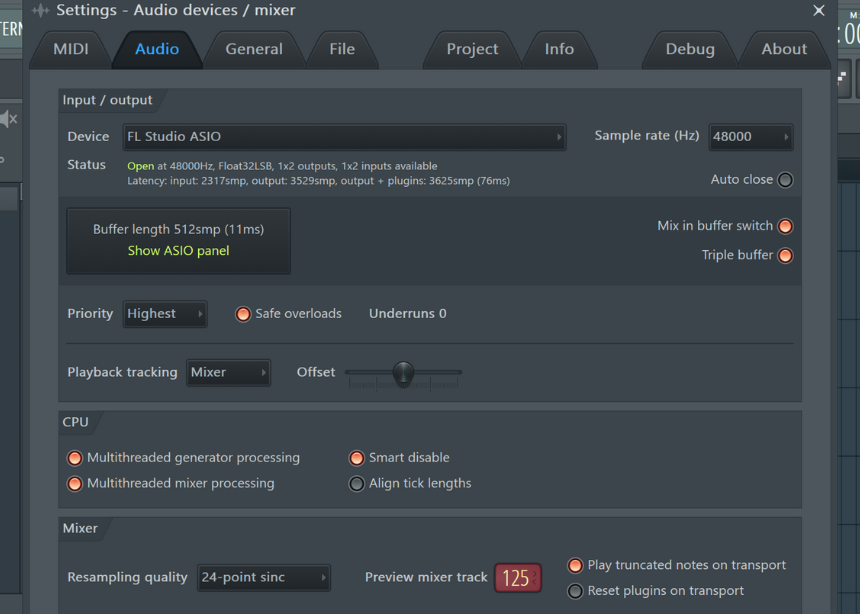
The DAW (Digital Audio Workstation) communicates with the plugin by sending audio signals to it for processing and receiving the processed audio signal back from the plugin. That allows the plugin to modify the audio in real-time as it is being played. You can adjust the settings and parameters of the plugin through the DAW’s interface and the DAW to fine-tune the processing of the audio.
Buffer Length
One such parameter is buffer length, which refers to the amount of audio data the computer can process in real-time without experiencing audio dropouts or glitches. The buffer length is typically measured in samples, with a sample representing a single moment in time for a specific audio signal.
For example, a buffer length of 256 samples means the computer simultaneously processes 256 audio data samples. The buffer length setting determines the size of the buffer and, therefore, the amount of time the computer has to process the audio data before the next batch of data is ready for processing.
A smaller buffer length provides lower latency and allows for more immediate and responsive audio processing. Still, it also places a greater demand on the computer’s processing power and can result in audio dropouts or glitches if the computer cannot keep up with the processing demands.
A larger buffer length provides more stability and reduces the risk of audio dropouts, but it also increases latency, making it less responsive to real-time input. Hence, you can increase the buffer length by using more plugins in your DAW.
Sample Rate
The sample rate in digital audio refers to the number of audio data samples taken per second to represent an audio signal. The sample rate determines the frequency range that can be accurately represented in a digital audio signal and is expressed in hertz (Hz). Common sample rates in music production include 44.1 kHz, 48 kHz, 88.2 kHz, and 96 kHz.
Higher sample rates require more processing power to handle the increased data and can impact the digital audio workstation (DAW) performance and plugins. Processing audio signals with higher sample rates requires more computational power, memory, and storage space, which can cause the DAW and plugins to become slower and less responsive.
Ultimately, the choice of sample rate will depend on your specific needs and the resources available to you. It’s important to remember that higher sample rates can place a heavier burden on your computer’s processing power, and use them only if necessary. Hence, the higher the sample rate, the fewer plugins you can load in a session.
Tick Length/PPQ
The tick length (also known as the timebase) and the number of Pulse Per Quarter (PPQ) in a digital audio workstation (DAW) refer to the resolution at which the DAW can represent and process musical events.
A tick length, measured in milliseconds (ms), represents the smallest increment of time that the DAW can represent. A smaller tick length means that the DAW has a higher resolution and can represent events with greater precision, but it also requires more processing power.
PPQ is the number of pulses (or “ticks”) in a quarter note. A higher PPQ value means that the DAW can represent events more precisely but requires more processing power. Hence, if you want to use more plugins, you can reduce the PPQ value, which can be a good idea for mixing, but you may require a higher PPQ value for editing or sampling.
Third-party v/s Stock plugins
Stock plugins are included with the DAW and developed and maintained by the DAW manufacturer. These plugins are typically basic and offer a limited set of features. Still, they are easy to use and well-integrated with the DAW, making them a good option for beginner users or basic music production tasks.
Third-party plugins, on the other hand, are developed by independent software companies and are available for purchase or as freeware. They offer a wider range of features and are often more advanced than stock plugins, but they may also be more complex and harder to use.
One advantage of third-party plugins is that they can provide more advanced features, greater flexibility, and better sound quality than stock plugins, making them ideal for more experienced music producers. You can also use third-party plugins to extend the functionality of the DAW, adding new instruments, effects, and tools that are not available in the stock plugins.
Stock plugins are typically well-optimized for the DAW and are designed to minimize the impact on processing power, making them a good choice for basic music production tasks. Hence, you can load more stock plugins for the same processing ability as third-party plugins.
For example, loading FL Studio’s Maximus, a multiband compressor plugin, will be lighter on the CPU than using a third-party plugin, like FabFilter Pro-MB (a multiband compressor by FabFilter) in FL Studio.
Third-party plugins can be more demanding in terms of processing power, especially if they offer advanced features and better sound quality. Some third-party plugins can be highly optimized and lightweight, while others can be more resource-intensive and affect the performance of the DAW.
In general, the processing power requirements of third-party plugins can vary widely depending on the plugin and the features it offers. To ensure the best performance, it’s important to choose plugins that are compatible with the DAW and optimized for performance.
However, it would be best if you always chose stock plugins to load up as many plugins as possible without crashing the system.
CPU
The processor (also known as the central processing unit or CPU) is one of a computer’s most important components and significantly impacts the performance of a digital audio workstation (DAW).
A fast processor can help to ensure that the DAW runs smoothly and efficiently, enabling you to work on complex music production projects without encountering performance issues. The processor determines the speed at which the DAW can process audio and perform tasks such as rendering and mixing.
The more cores and the higher the processor’s clock speed, the faster the DAW will perform. However, it’s also important to consider other factors, such as the amount of memory (RAM), the speed of the storage drive, and the graphics card, as these components can also impact the DAW’s performance.
However, the most important factor is the number of cores. A CPU with four cores and a high clock speed for basic music production tasks will be sufficient. That will provide enough processing power to run a DAW, handle basic audio processing tasks, and run about 10-20 plugins.
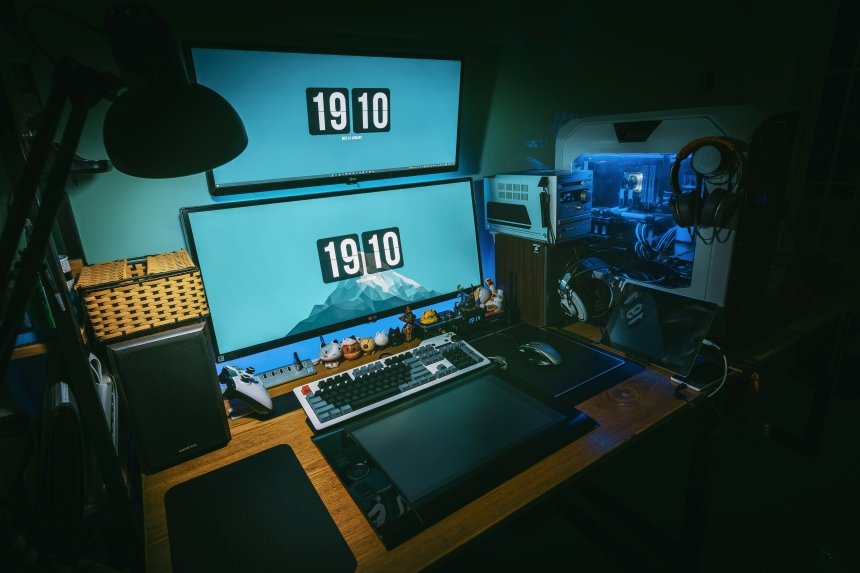
A CPU with 6 or 8 cores may be necessary for more complex music production projects. That will provide additional processing power to handle running multiple plugins simultaneously.
The more cores and the higher the CPU’s clock speed, the faster the DAW will perform. Secondly, a higher clock rate can result in improved performance and faster processing times. That can be especially important when working with complex music production projects that involve many tracks and plugins.
Finally, let’s talk about RAM. As a general guideline, 8 GB of RAM is sufficient for basic music production tasks, such as running a DAW, handling basic audio processing tasks, and running a few plugins. That will provide enough memory to handle the demands of most entry-level to mid-range music production projects.
For more complex music production projects with more plugins, 16 GB of RAM or more may be necessary. That will provide additional memory to handle more demanding tasks, such as running multiple plugins, working with large sample libraries, or recording and processing numerous audio tracks simultaneously.
How many plugins are too little plugins while making music?
You need to use at least ten plugins while creating music and finishing a piece or a song because anything less than that is too less. Even if you are doing an acoustic song/cover, you will need at least ten plugins to mix the song, like adding EQ, delay, and other effects.
However, it depends on your workflow, as some composers may prefer to work with just a few essential plugins and make the most of what they have, while others may prefer to have a larger collection of plugins to choose from. Further, it is possible to create professional-sounding music with just a few plugins, as long as they are high-quality and meet the composer’s needs.
However, having a larger collection of plugins can provide more options and versatility in the creative process. The important thing is to find the plugins that work best for you and your creative process, regardless of the number. Ultimately, it is not the number of plugins that determines the quality of the music being produced but rather the composer’s skills, creativity, and ability to effectively use the tools available.
Conclusion
As we have seen, with modern technology, you are only limited by the CPU and equipment you use to create music regarding the number of plugins you can have while loading the session. We have also discussed various software and hardware that affect the performance of your session with a huge number of plugins.
If you want to load more plugins in a session than your system allows, you can upgrade your system by improving the clock rate, number of cores, or RAM. Secondly, you can also optimize your DAW by adjusting its sample rate, buffer length, and tick length to make the best out of your system.
I hope the article answers your question well. Thank you for reading.

The Integraudio Editorial Team consists of experienced music producers, audio engineers, and plugin enthusiasts dedicated to providing in-depth reviews and guides for music production software.